Allay Guide
- By
An AI companion that checks your inventory, looks up recipes, tracks goals and marks locations while you play.
ayarlar.png
sesyarlar.png
sohbet.png
Description
# Allay Guide
Your in-game AI companion for Minecraft 1.20 through 1.21.11 and 26.1 through 26.3. Ask about your inventory, recipes, next goals or surroundings without leaving the game.
**Early alpha for Forge, Fabric and NeoForge (see the version table below). Bring your own AI provider; no API key or credits are included. Cloud providers may charge for usage.**
## A companion that can use game data
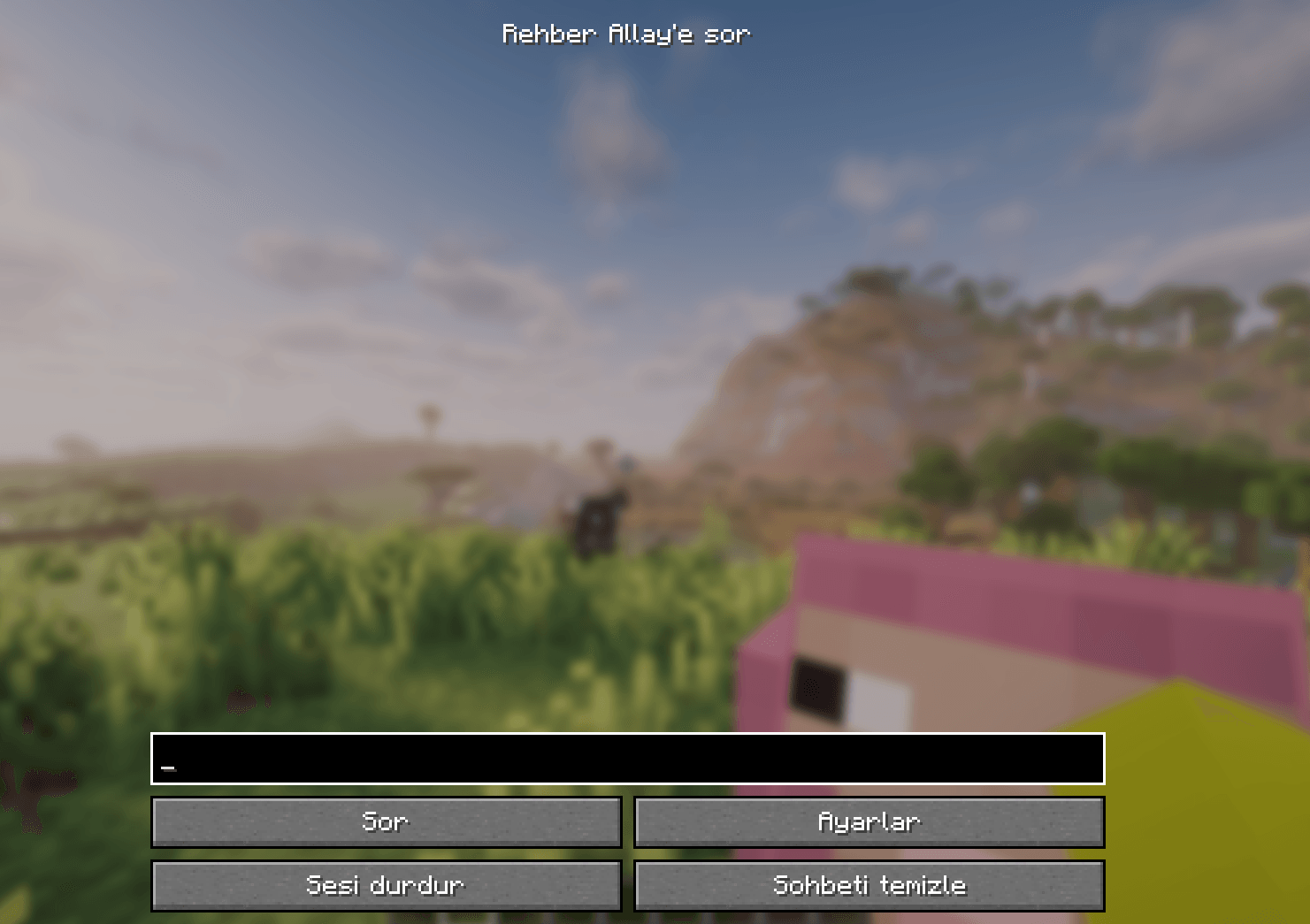
Summon your Guide Allay with `/allayguide summon`, then right-click it or press **J** to ask a question. You can also type `@allay your question` in chat.
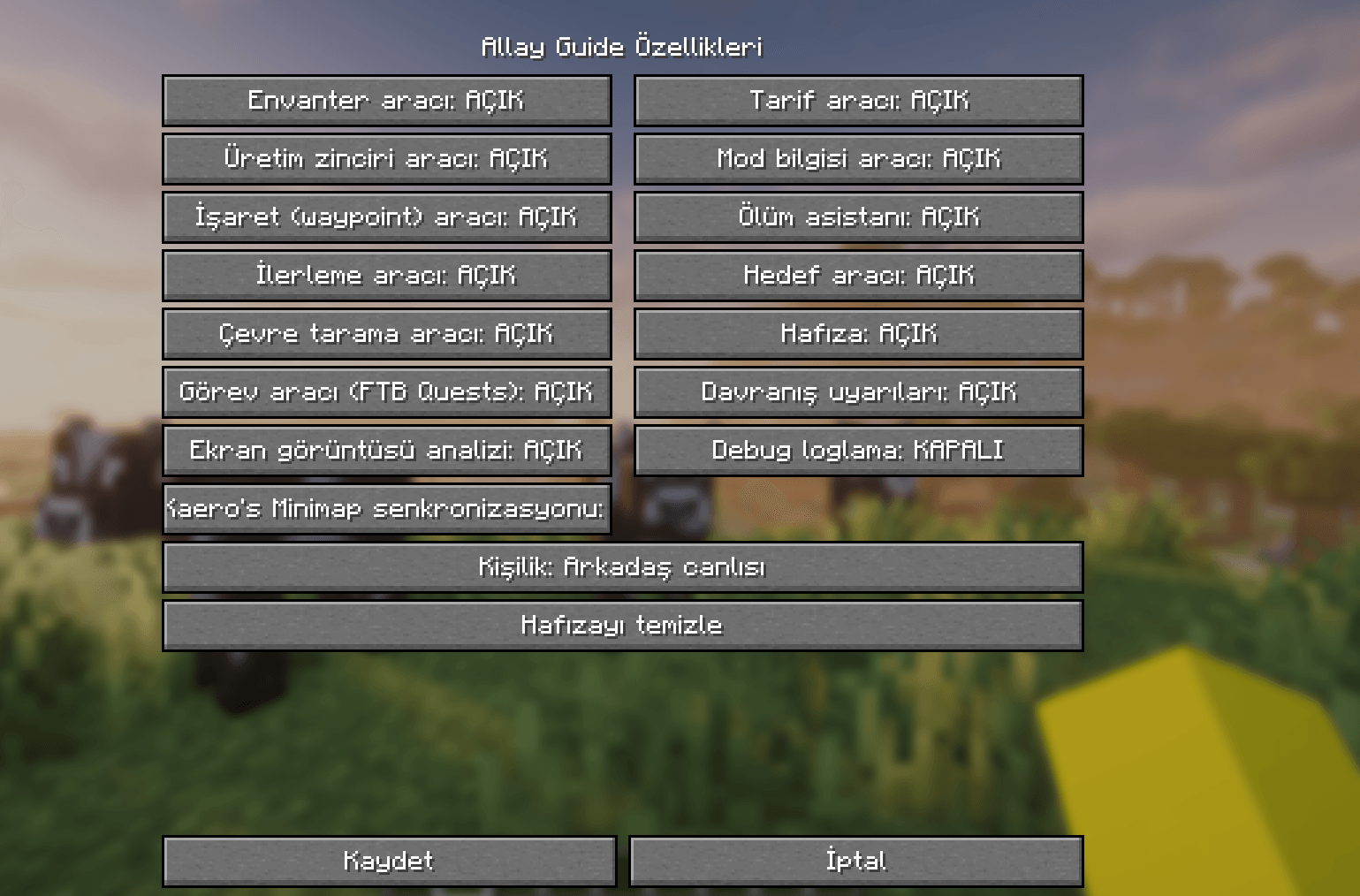
- Look up registered recipes and inventory counts.
- Explore multi-step crafting plans with shared inventory and alternative ingredients.
- Create named waypoints and track goals or death locations.
- Keep a small, clearable memory of useful facts.
- Read nearby blocks/entities and optional FTB Quests progress.
- Inspect your held item with **K**, or request screenshot analysis with **L**.
- Choose a personality and enable or disable individual tools.
- Optional voice input/output and Xaero waypoint integration.
AI answers can still be wrong. Recipe planning is bounded and does not fully simulate fluids, fuel, NBT or mod-specific machines.
## Install
Choose the file that matches both your Minecraft version and loader:
| Minecraft | Loader | Required dependencies | Java |
| --- | --- | --- | --- |
| 1.20.1 | Forge | Forge 47.3.0+ within 47.x | 17+ |
| 1.20.1 | Fabric | Loader 0.14.21+, any Fabric API build for 1.20.1 | 17+ |
| 1.21.1 | NeoForge | NeoForge 21.1.213+ within 21.1.x | 21 |
| 1.21.1 | Fabric | Loader 0.15.0+, any Fabric API build for 1.21.1 | 21 |
| 1.20 | Fabric | Loader 0.14.21+, any Fabric API build for 1.20 | 17+ |
| 1.20.2 | Fabric | Loader 0.14.21+, any Fabric API build for 1.20.2 | 17+ |
| 1.20.3 | Fabric | Loader 0.14.21+, any Fabric API build for 1.20.3 | 17+ |
| 1.20.4 | Fabric | Loader 0.14.21+, any Fabric API build for 1.20.4 | 17+ |
| 1.20.5 | Fabric | Loader 0.15.0+, any Fabric API build for 1.20.5 | 21 |
| 1.20.6 | Fabric | Loader 0.15.0+, any Fabric API build for 1.20.6 | 21 |
| 1.21 | Fabric | Loader 0.15.0+, any Fabric API build for 1.21 | 21 |
| 1.21.3 | Fabric | Loader 0.15.0+, any Fabric API build for 1.21.3 | 21 |
| 1.21.4 | Fabric | Loader 0.15.0+, any Fabric API build for 1.21.4 | 21 |
| 1.21.5 | Fabric | Loader 0.15.0+, any Fabric API build for 1.21.5 | 21 |
| 1.21.6 | Fabric | Loader 0.15.0+, any Fabric API build for 1.21.6 | 21 |
| 1.21.7 | Fabric | Loader 0.15.0+, any Fabric API build for 1.21.7 | 21 |
| 1.21.8 | Fabric | Loader 0.15.0+, any Fabric API build for 1.21.8 | 21 |
| 1.21.9 | Fabric | Loader 0.15.0+, any Fabric API build for 1.21.9 | 21 |
| 1.21.10 | Fabric | Loader 0.15.0+, any Fabric API build for 1.21.10 | 21 |
| 1.21.11 | Fabric | Loader 0.15.0+, any Fabric API build for 1.21.11 | 21 |
| 26.1 | Fabric | Loader 0.19.5+, any Fabric API build for 26.1 | 25 |
| 26.1.1 | Fabric | Loader 0.19.5+, any Fabric API build for 26.1.1 | 25 |
| 26.1.2 | Fabric | Loader 0.19.5+, any Fabric API build for 26.1.2 | 25 |
| 26.2 | Fabric | Loader 0.19.5+, any Fabric API build for 26.2 | 25 |
| 26.3 | Fabric | Loader 0.19.5+, any Fabric API build for 26.3 | 25 |
| 1.21.3 | NeoForge | NeoForge 21.3.56+ within 21.3.x | 21 |
| 1.21.4 | NeoForge | NeoForge 21.4.121+ within 21.4.x | 21 |
| 1.21.5 | NeoForge | NeoForge 21.5.74+ within 21.5.x | 21 |
| 1.21.8 | NeoForge | NeoForge 21.8.9+ within 21.8.x | 21 |
| 1.21.10 | NeoForge | NeoForge 21.10.63+ within 21.10.x | 21 |
| 1.21.11 | NeoForge | NeoForge 21.11.42+ within 21.11.x | 21 |
| 26.1.2 | NeoForge | NeoForge 26.1.2.71+ within 26.1.2.x | 25 |
| 26.2 | NeoForge | NeoForge 26.2.0.57+ within 26.2.0.x | 25 |
Put one matching jar in `mods/` and remove older Allay Guide jars. Each file supports only the exact Minecraft version in its name. Forge exists only for 1.20.1. NeoForge exists for 1.21.1, 1.21.3, 1.21.4, 1.21.5, 1.21.8, 1.21.10, 1.21.11, 26.1.2 and 26.2 (the versions with a stable NeoForge release); every other version is Fabric-only. 1.21.2 has no edition yet.
For the companion entity and commands in multiplayer, install the matching mod on the server and participating clients. Credentials stay on the clients. Dedicated-server live validation is still pending for this alpha.
Open **J → Settings**, choose your provider/model and enter a key if required. Test your connection before asking. Supported chat endpoints: **Gemini, Claude, OpenAI, Ollama and OpenAI-compatible services**. Available models and image support depend on the provider/account.
## Voice
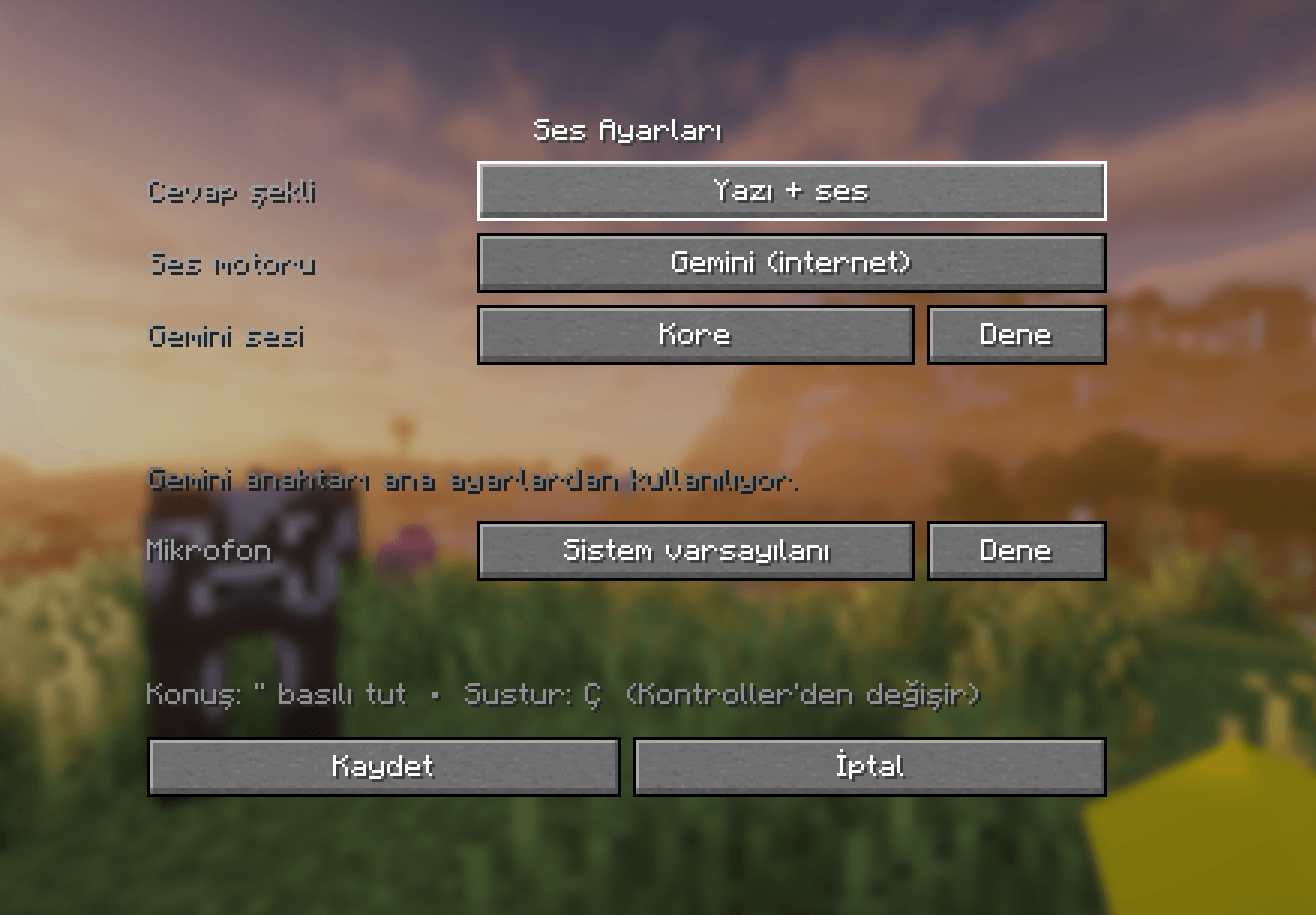
Hold the grave/backtick key to talk. Voice transcription uses **Gemini**, including when another provider handles chat. Cloud speech output also uses Gemini; configure a separate Gemini voice key if needed.
Optional **Piper** speech output runs offline on Windows. Piper is not included in or downloaded by the mod: install Piper for Windows and a voice (`.onnx` + `.onnx.json`) yourself into `<game>/allayguide/piper` (Voice settings → **Open Piper folder**). Only Piper output is offline; microphone transcription still uses Gemini. Press **.** to stop speech. Controls can be rebound.
### Setting up offline Piper voice (optional, Windows)
1. From Piper's GitHub release page ([rhasspy/piper 2023.11.14-2](https://github.com/rhasspy/piper/releases/tag/2023.11.14-2)), get `piper_windows_amd64.zip` and unzip it.
2. Pick a voice on [rhasspy/piper-voices](https://huggingface.co/rhasspy/piper-voices) (for example `en/en_US/amy/medium` or `tr/tr_TR/dfki/medium`) and get **both** files: `<name>.onnx` and `<name>.onnx.json`.
3. In game: **J → Settings → Voice settings**, set the engine to **Piper**, then press **Open Piper folder**.
4. Put the unzipped `piper` folder (the one with `piper.exe`) and the two voice files into that folder.
5. Reopen Voice settings: the button shows **Installed ✔**. Press **Test**.
Any Piper voice works; if several are installed, the Turkish `tr_TR-dfki-medium` voice is used first. Piper and its voices are third-party software with their own licenses.
## Optional mods
**FTB Quests**, **Xaero's Minimap** and **Xaero's World Map** are optional and installed separately. World Map can display the minimap's shared waypoints. **Mod Menu** is optional on Fabric. No third-party mod jars are bundled.
## Privacy
Questions send recent chat and game context (such as location, equipment, modpack and installed mods) to your configured chat endpoint. Enabled tool results may also include inventory, nearby objects, memory, goals or quest progress. Screenshot analysis sends the current view only when you request it; push-to-talk sends recorded audio to Gemini. Cloud speech sends answer text to Gemini.
API keys are stored in plain text in `config/allayguide.json` and used to authenticate with the configured services. They are not sent to the Minecraft server. Do not share your config, its backups or private world data. Memory is global to your installation; waypoints/goals are scoped to worlds. The mod has no separate analytics/telemetry service. AI providers have their own retention policies. The mod never downloads files; Piper only runs if you installed it yourself.
## Status and feedback
This alpha has automated build/test coverage for all 33 targets. Live GUI, voice, dimension/chunk, optional integration and dedicated-server testing is still in progress. The 1.21.1 builds and all Fabric ports added in 0.1.0-alpha.4 (1.20–1.20.6, 1.21–1.21.11 except 1.21.1, 26.1–26.3) have not yet been live-tested with a full modpack or the optional integrations. Matching a pack's Minecraft version and loader does not guarantee compatibility with every included mod. Older untagged Xaero copies cannot be safely removed automatically.
Report reproducible problems at [GitHub Issues](https://github.com/DevEkr6/allayguide/issues). Include versions and steps; remove secrets from logs.
MIT licensed. Unofficial project; not affiliated with or endorsed by Mojang or Microsoft.
Allay Guide Team