


Age Of Craft
- By
Age of Craft — Real-time strategy in Minecraft Age of Craft is a total conversion that turns Minecraft into an isometric real-time strategy game inspired by Age of Empires.
banner.png
card_ages.png
card_civs.png
Description
Age of Craft — Real-time strategy in Minecraft
Age of Craft is a total conversion that turns Minecraft into an isometric real-time strategy game inspired by Age of Empires.
There is no first-person play: you look down at the world like a general.
- Command villagers who gather and build.
- Grow your town through five ages.
- Lead one of eight civilizations.
- Raise armies, siege engines and fleets.
- Crush your rivals or race them to build a Wonder.
Play alone against AI opponents that build, defend and attack in waves, or with friends in online lobbies where each match runs on its own server.
Minecraft 26.3 · Fabric · Install on client and server
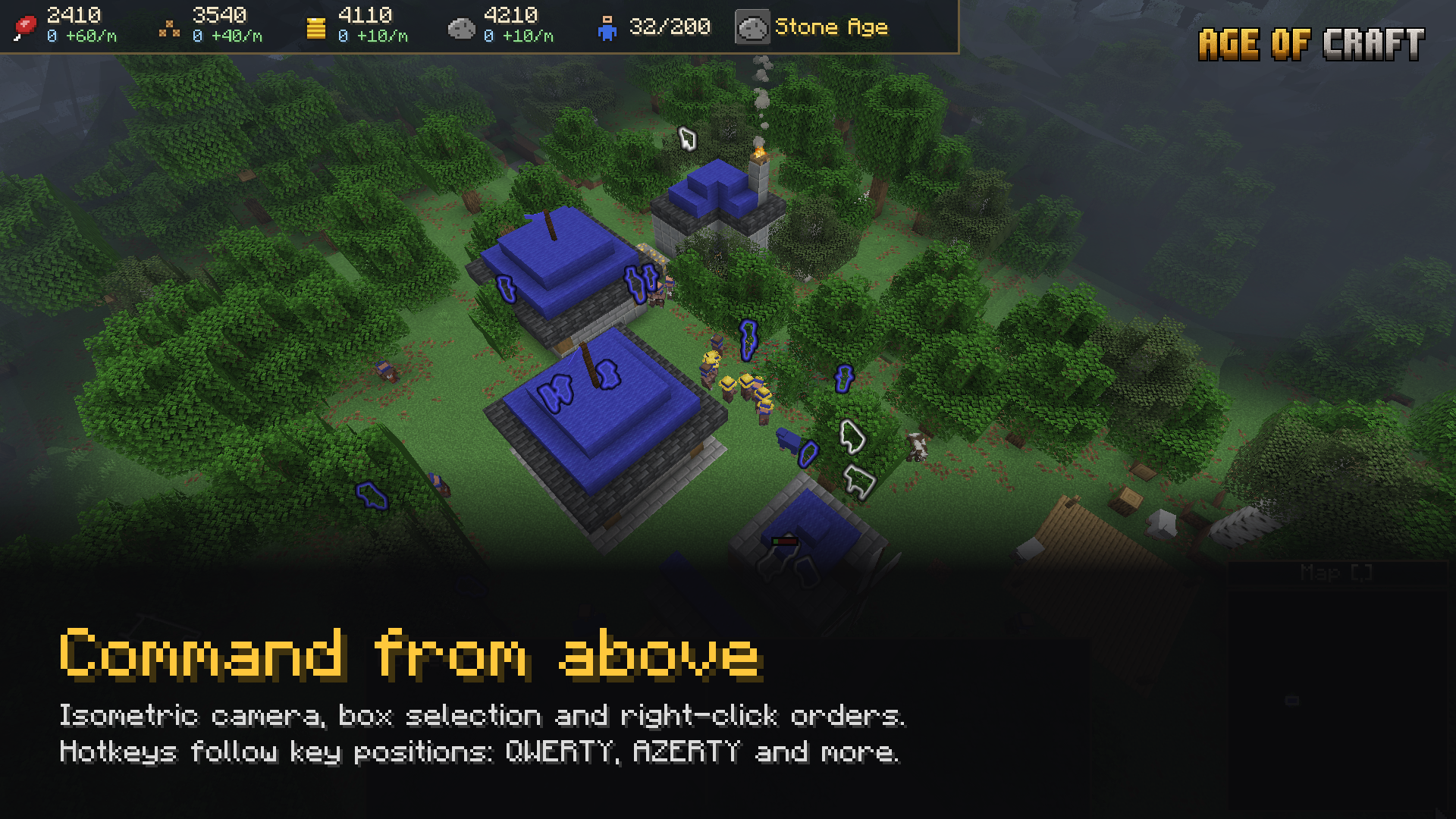
🎥 A real RTS camera
- Fixed isometric view. Zoom with the mouse wheel. Pan with the arrow keys or by pushing the mouse to the screen edge; hold Shift to pan faster. Edge, key and zoom speeds can be set in Options → Age of Craft..., and edge scrolling turned off.
- Selection. Click a unit, or drag a box around several. Double-click selects every unit of the same kind on screen.
- Right-click to move, gather, hunt, farm, build, repair or attack. Ctrl + right-click is attack-move.
- Action cursors. An axe on a tree, a pickaxe on ore, a sword on an enemy: the cursor shows what your selection will do.
- Rally points. Right-click with a building selected to set where its new units go; a banner in your colour marks the spot. Villagers rallied onto a resource, farm or construction site go straight to work.
- Hotkeys. A 6×3 action grid driven from the keyboard. It follows the key positions, so it works the same on QWERTY, AZERTY and other layouts. The camera keys and the grid can be rebound in Options → Controls → Key Binds, under Age of Craft.
- Your view of the battlefield:
- Minimap and full-screen world map, with a button to the research tree. Right-click either one to send the selected units there.
- Health bars in team colours
- Outlines of your units behind buildings or hills
- An original soundtrack: a main theme, peaceful tracks in the style of your civilization, and battle music as soon as your town is attacked
- An announcer: sounds for units trained, new ages, finished research and buildings, a war horn or alarm bells with a ping on the minimap when you are attacked
- A built-in shader. Choose Low, Medium or High in Options → Age of Craft... for shadows under buildings, ambient occlusion, animated water with sun reflections and warmer light. It is off by default and steps aside for Iris shader packs.
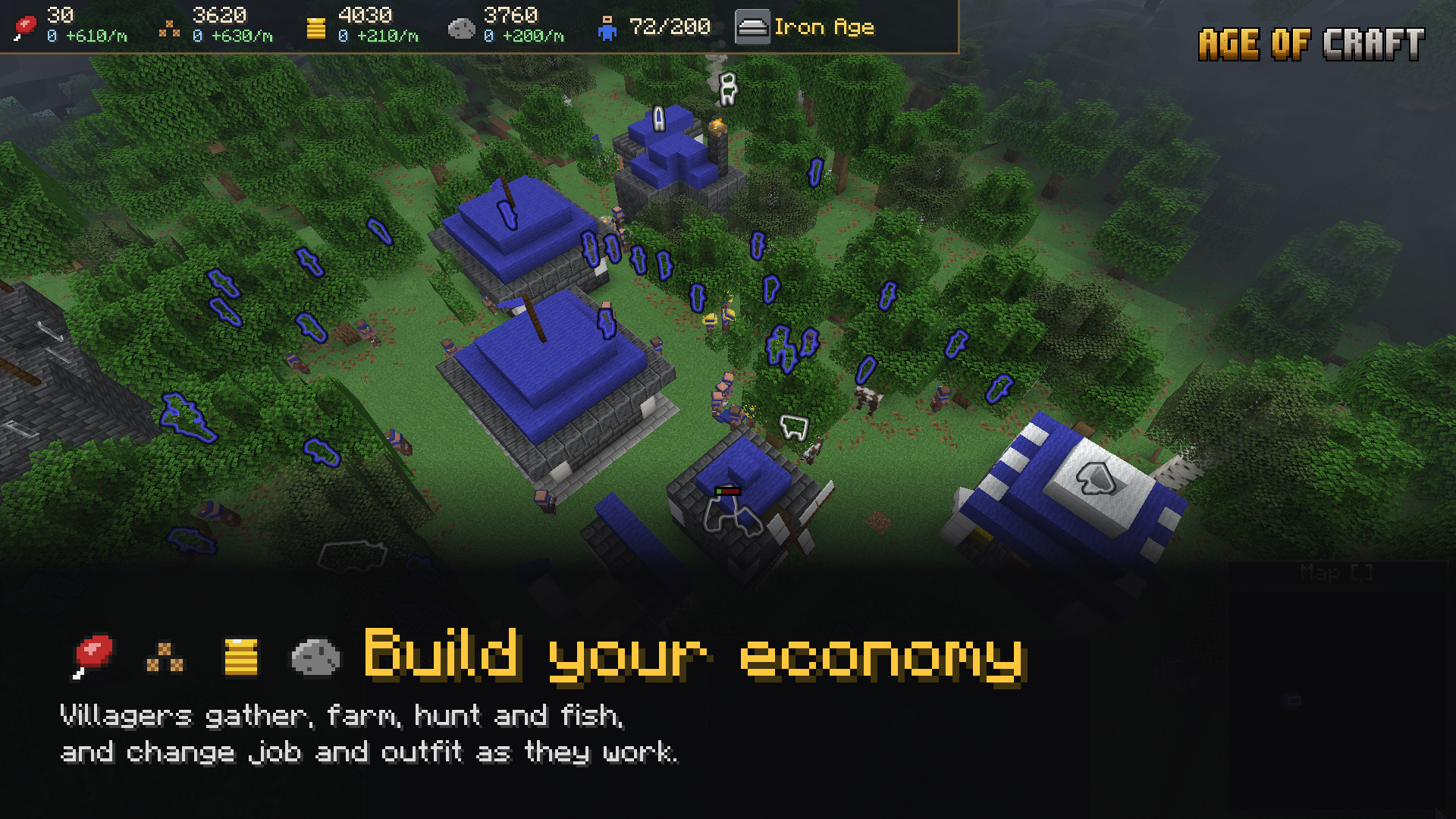
🌾 Build your economy
- Four resources: 🍖 Food · 🪵 Wood · 🪙 Gold · 🪨 Stone.
- Where they come from:
- Food: berry bushes, farms, hunting (cows, pigs, sheep, chickens and hoglins, which fight back) and fish shoals for your fishing ships.
- Wood: trees, worth every log in the trunk. Trees cut near a lumber camp grow back, and a button at the camp turns replanting on or off.
- Gold and stone: veins lying on the ground, as in Age of Empires, so several villagers can mine side by side.
- Villagers change job and outfit depending on what they do: Lumberjack, Farmer, Gold Miner, Stone Miner, Fisherman, Hunter, Builder.
- Live economy readout. The top bar shows each resource with its gatherer count, income and spending per minute, and how many villagers stand idle: click the counter to jump to the next one, Shift-click to select them all. Idle villagers are outlined in the world.
- Farms sow themselves again when they run out, as long as you can pay for the seed.
- Market. Buy and sell resources for gold, with prices that move as you trade.
- Trade Donkeys. Send one from your Market to another market, yours, an ally's or one of the two neutral markets on every map, and it brings gold home on every trip: the longer the route, the more gold, from 5 to 75. The Desert also trains the Trade Camel: slower, but 60% more gold per trip.
- Population. Each House adds 10 to the cap, up to 200.
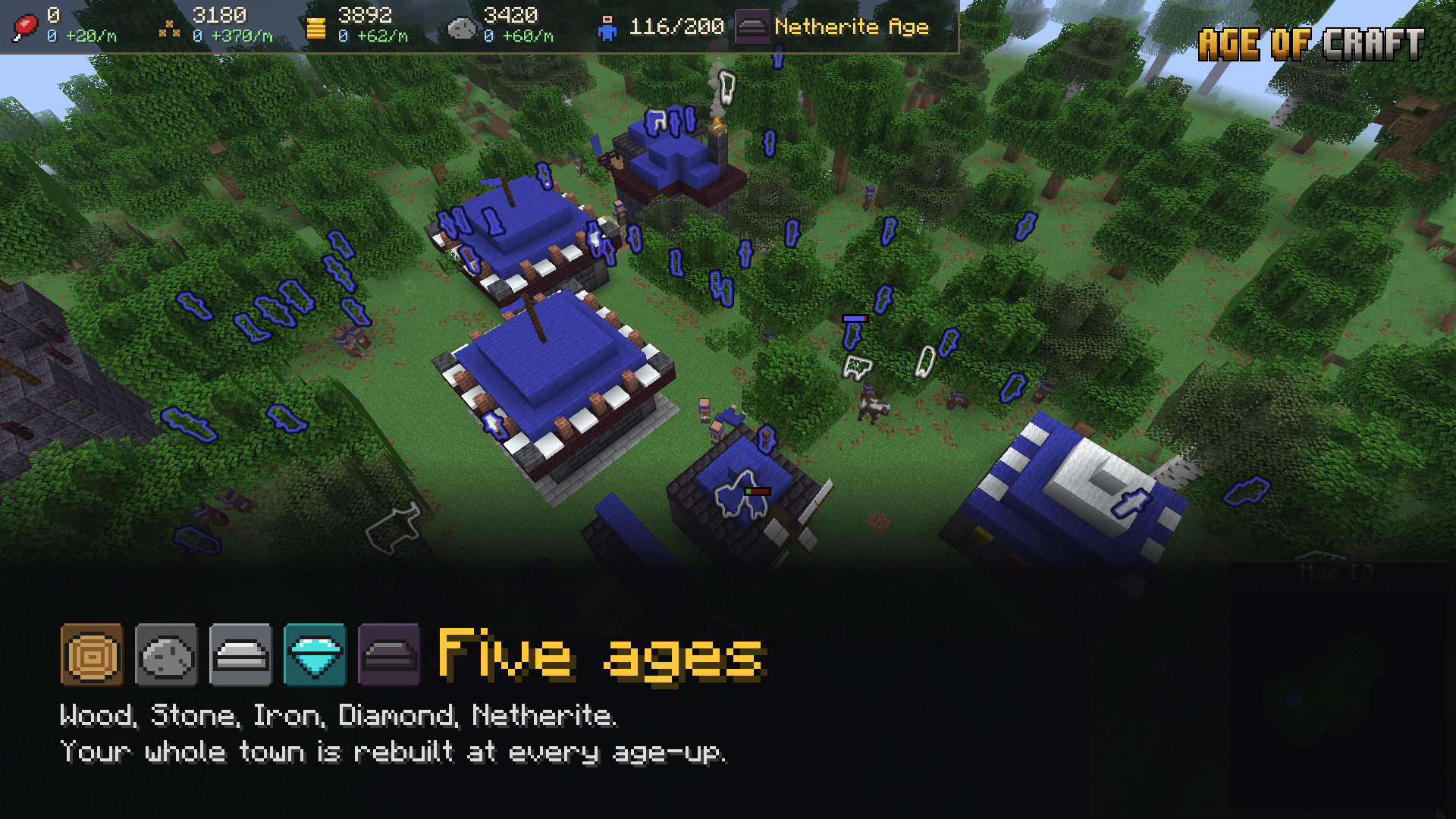
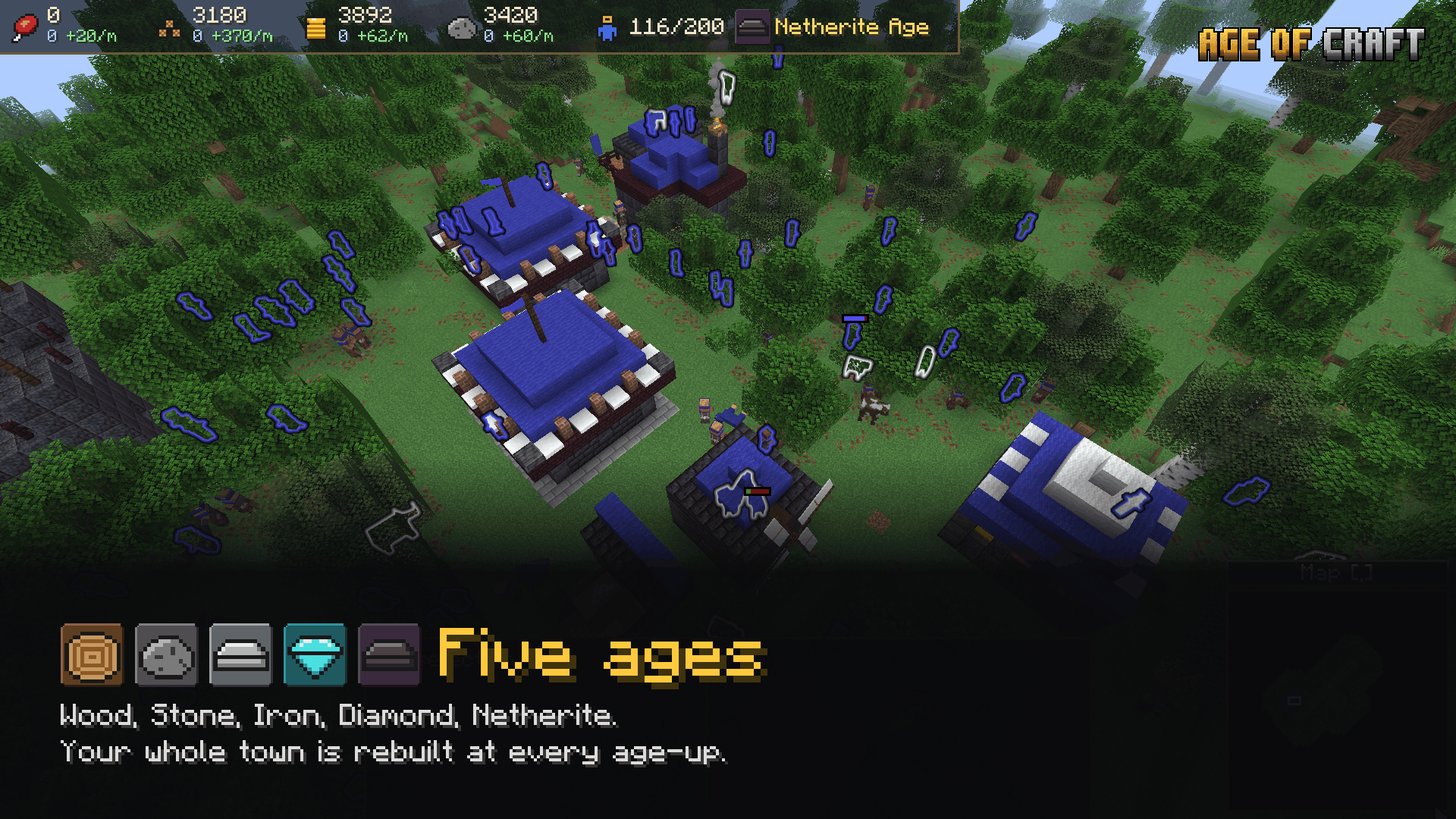
⏳ Five ages
Wood → Stone → Iron → Diamond → Netherite
- Requirements. Each age-up needs buildings of the current age and costs more food and gold.
- A town that changes with you. When you reach a new age, the whole town is rebuilt in the new age's materials, one building at a time.
- Stronger with age. Buildings gain HP with every age, and Netherite strengthens every unit.
- Construction in four stages. Every building rises through four stages of its own, with scaffolding, dust and chips flying. A house goes from foundations to half-timbering, walls and roof, and a field is staked out, ploughed, sown and sprouts. Fallen buildings crash down in smoke and debris, and their rubble clears away after a few seconds.
- Demolition. Press Delete to pull down one of your buildings. A construction site refunds what was not built yet.
- Queued construction. Hold Shift while placing a site: builders take it on once their current one is done.
- Production queue. Each building queues up to 5 units and researches; a prerequisite already in a queue counts.
- Take shelter. Villagers can go into a Watch Tower, the Town Center or a Castle. Every two villagers inside add an arrow to its volleys. Ring the town bell to send every villager to shelter, and ring it again for the all-clear.
- Burning and repairs. Damaged buildings catch fire, with more flames the more they are hurt. Villagers repair them for half the building's cost, which puts the fire out.
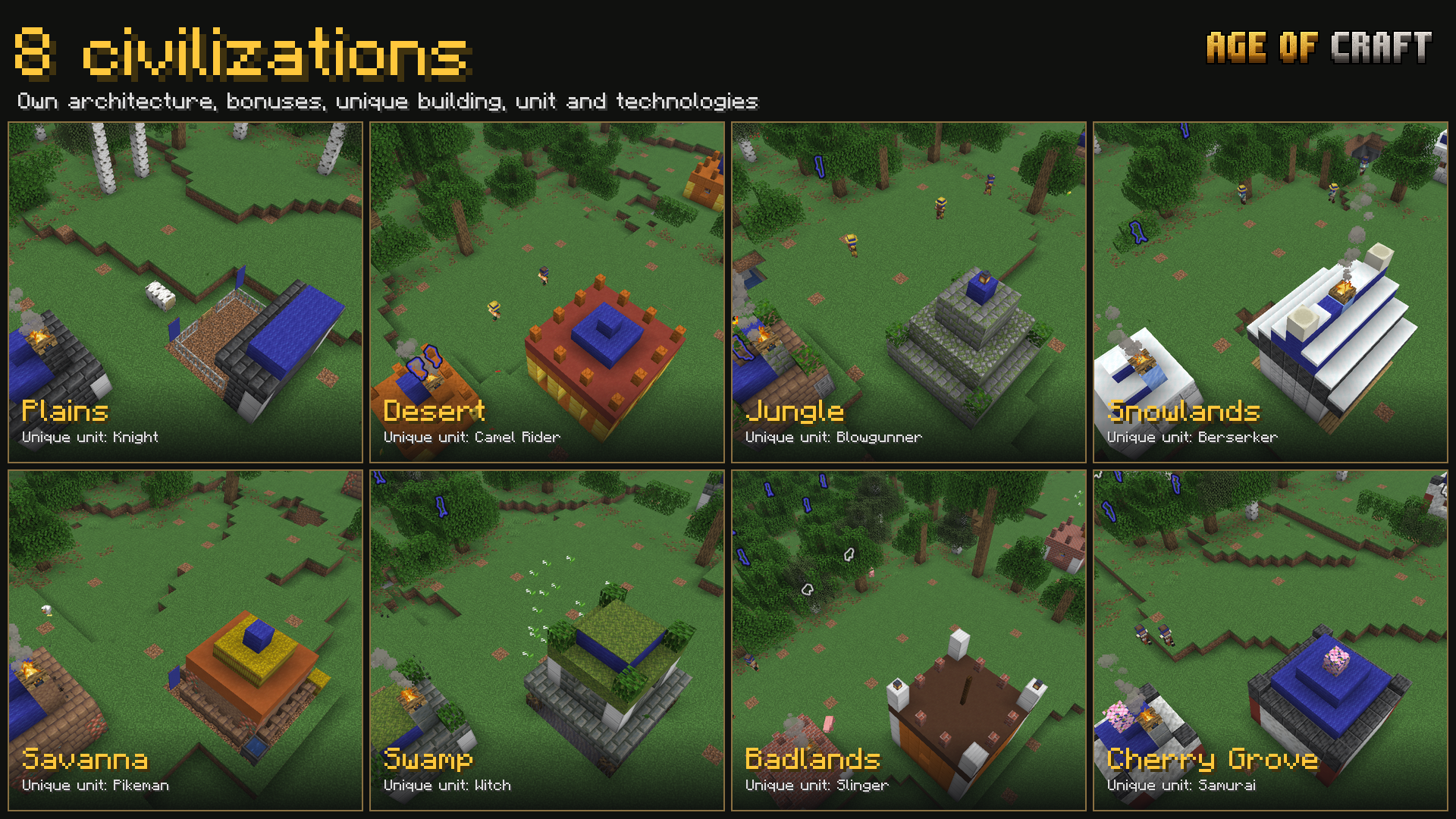
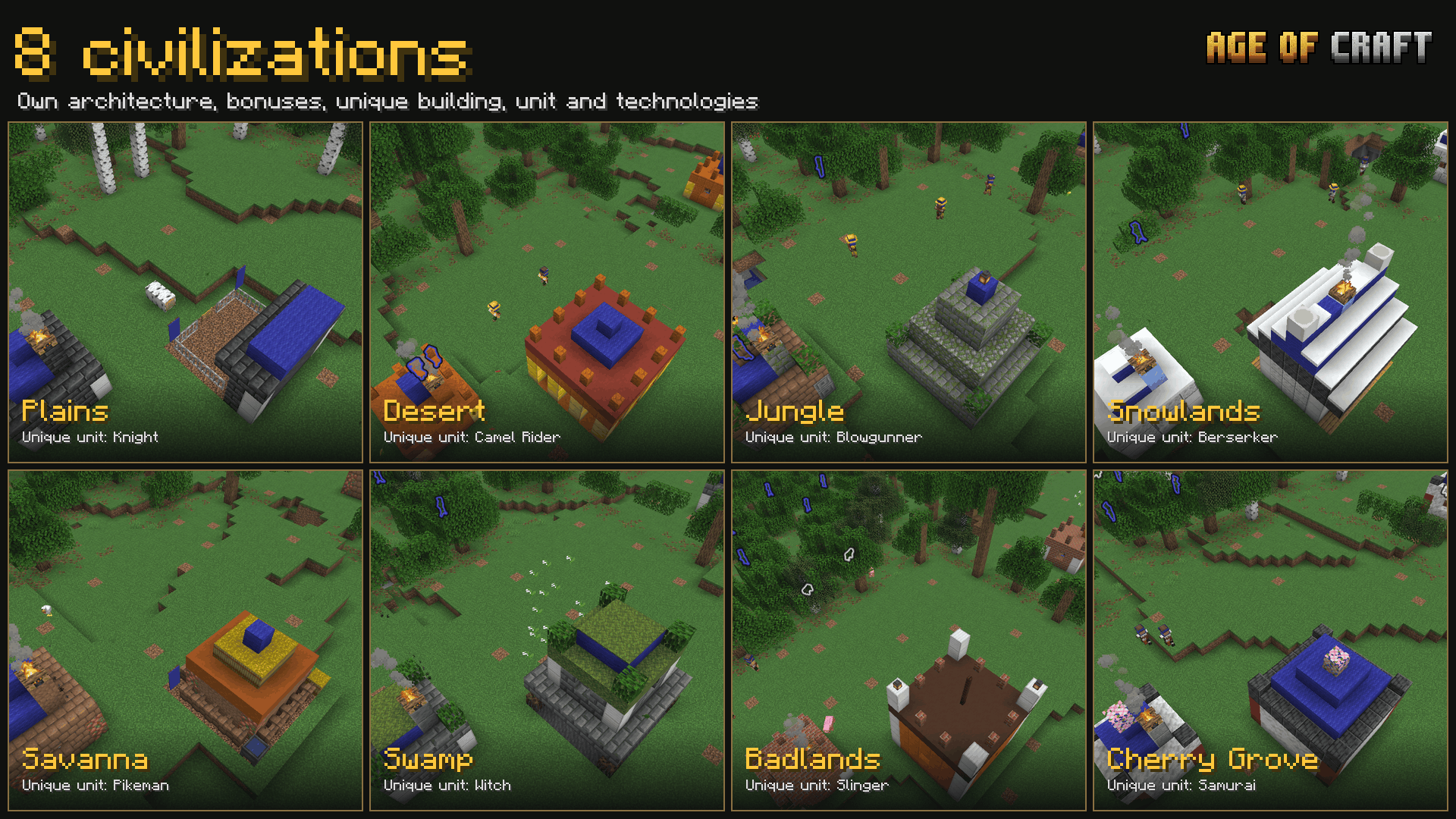
🏰 Eight civilizations
Each civilization has its own architecture (half-timbering in the plains, adobe and domes in the desert, pagodas under the cherry trees, and more), which grows richer with every age, plus bonuses, drawbacks, a unique building, a unique unit and two unique technologies.
The Civilizations screen describes each one: its people, its way of playing, its strengths and weaknesses, and its unique building, unit and research with their numbers.
| Civilization | Style | Unique unit | Strength |
|---|---|---|---|
| Plains | Oak and thatch | Knight, Horse Archer, Paladin | Farms +40% food |
| Desert | Sandstone and domes | Camel Rider, Trade Camel, Dune Raider, Naphtha Thrower | Gold and stone gathered faster |
| Jungle | Jungle wood, bamboo, moss | Blowgunner, Panther Warrior, Shaman | Wood +20%, archers +1 range |
| Snowlands | Spruce, snowy roofs | Berserker, Frost Archer, Jarl | Tough infantry, fast villagers |
| Savanna | Acacia, mud, hay | Pikeman, Assegai Thrower, War Chief | Food +15%, fast units |
| Swamp | Mangrove and mud | Witch, Bog Lurker, Plague Doctor | Sturdy buildings and ships |
| Badlands | Terracotta | Slinger, Sapper, Canyon Marksman | Strong towers and walls |
| Cherry Grove | Cherry wood and calcite | Samurai, Ninja, Yumi Archer | Builds 15% faster |
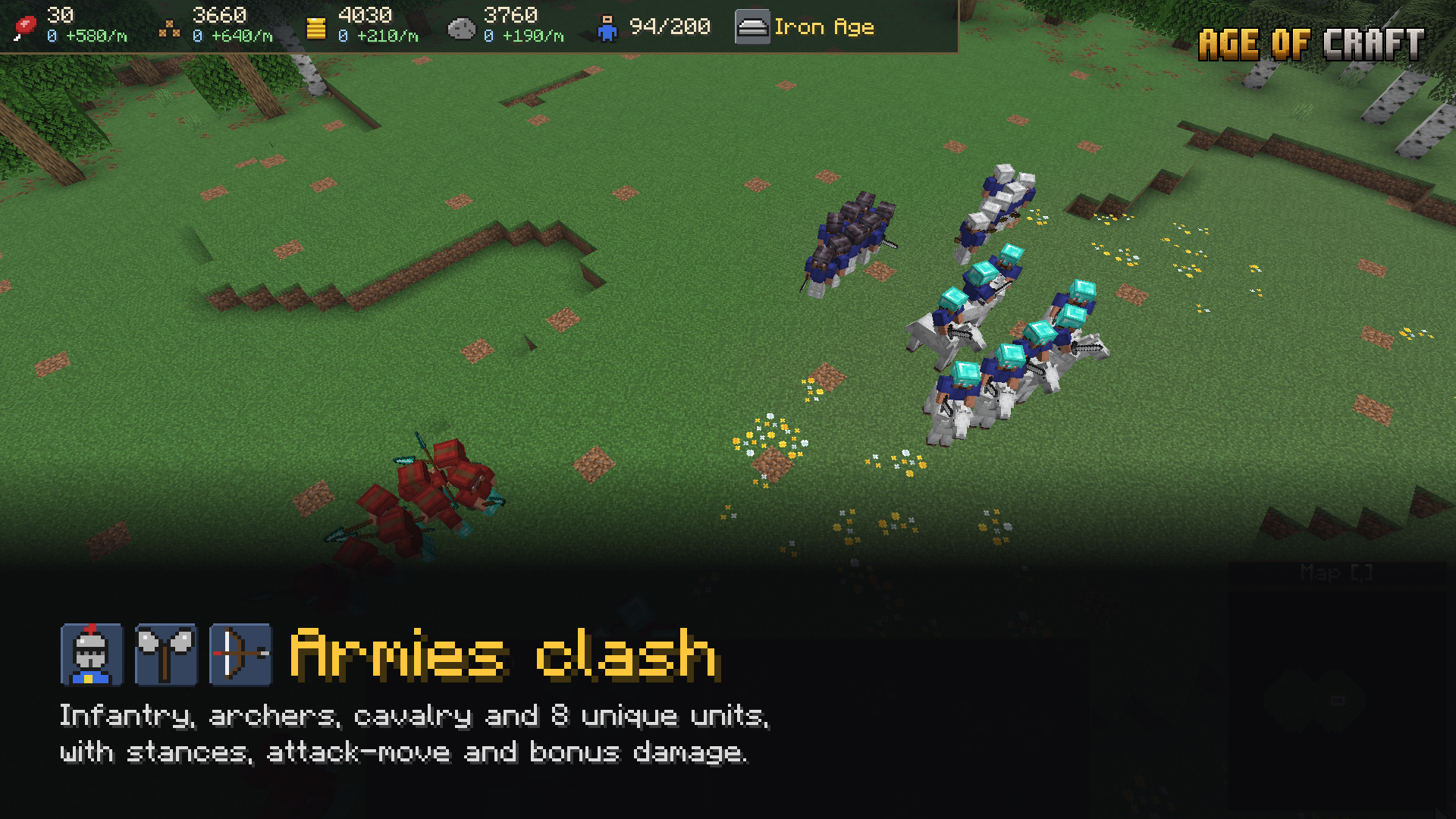
⚔️ Armies, siege and naval warfare
- Infantry, archers and cavalry, upgraded through the ages: Warrior → Man-at-Arms → Long Swordsman, Archer → Crossbowman, Scout → Light Cavalry. An upgrade reaches every unit already in the field, with its own model and name.
- A 3D model for every unit in its team's colours, unique units included.
- Unique units with special abilities:
- The Berserker heals as it strikes.
- The Witch poisons and slows.
- The Blowgunner's darts slow their target.
- Combat rules. Attack, armor and range matter, and some units deal bonus damage to others.
- Stances: Aggressive, Defensive and Hold position.
- Pathfinding that plans ahead. Units find their way around forests, lakes and walls instead of getting stuck in the trees.
- Scouts. Every team starts with one, and the Auto-explore button sends it off to uncover the map on its own.
- Sheep herding. Wild sheep graze around the map. A scout that comes close wins them over, wild or enemy, and they follow it; send the scout onto your Town Center to leave the flock there for your hunters.
- Priests and relics. Priests, trained at the Church, heal your wounded and convert enemy units. They are also the only ones who can carry the map's 4 relics to a Church, where each relic brings in gold for as long as the Church stands.
- 50 common technologies + 32 unique technologies at the Blacksmith, University, Academy, Church, Castle and more.
- Research tree (K), as in Age of Empires: one column per age, one row per building, with every unit and research and what each one needs. In a match it shows what you have researched and what you can research next. You can also browse any civilization's tree from the menus.
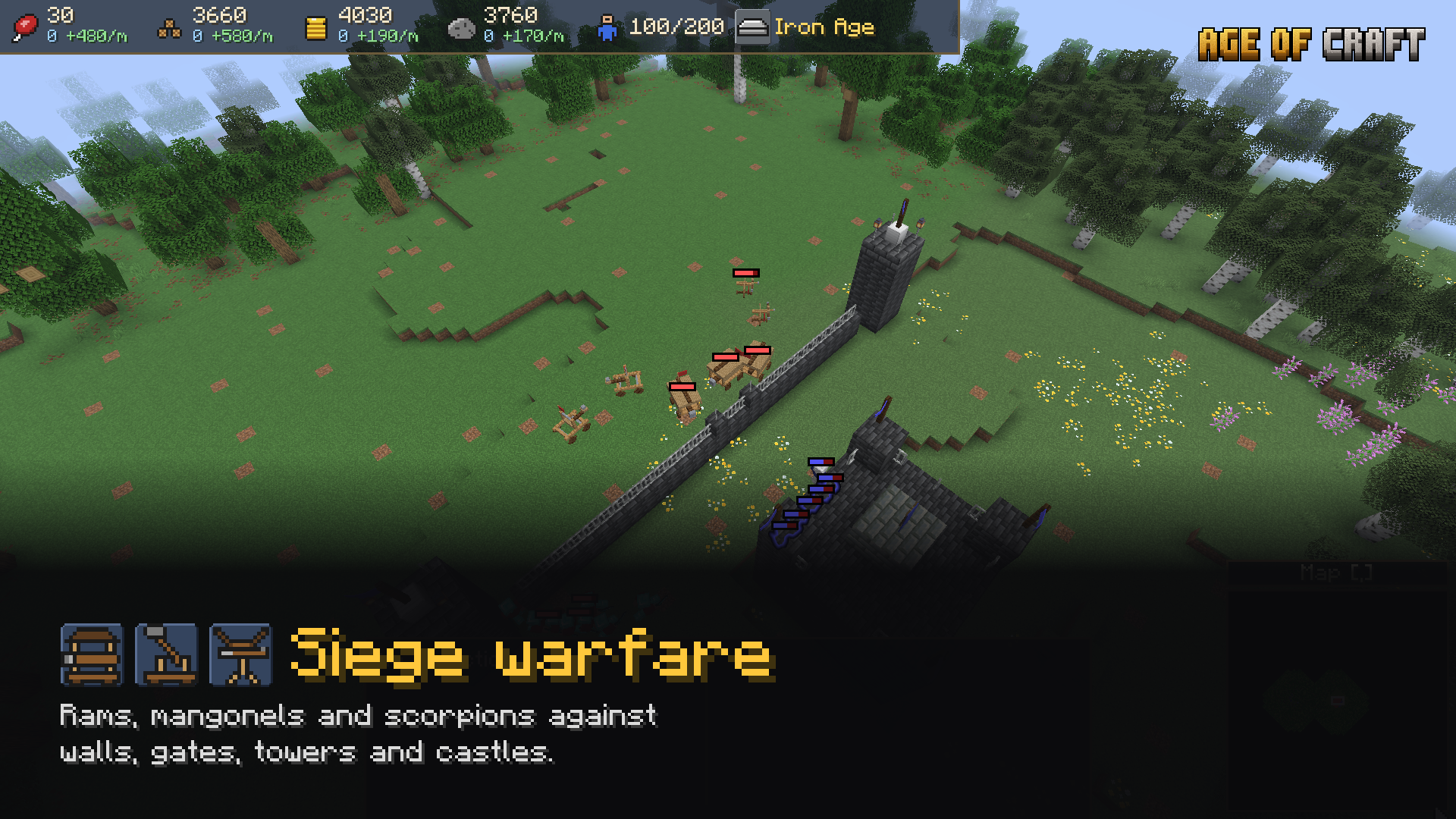
- Siege engines. The Battering Ram smashes gates and walls, the Mangonel deals area damage and the Scorpion shreds infantry. Each hits buildings far harder than any soldier. The Siege Wagon shelters 6 troops, who climb out alive even if it is destroyed, and the Siege Tower carries 8 over enemy walls.
- Defenses. Palisades and stone walls are laid in a line with two clicks. Gates open for your troops and close when enemies come near. Watch Towers, Castles and the Town Center shoot arrows that hit harder with each age.
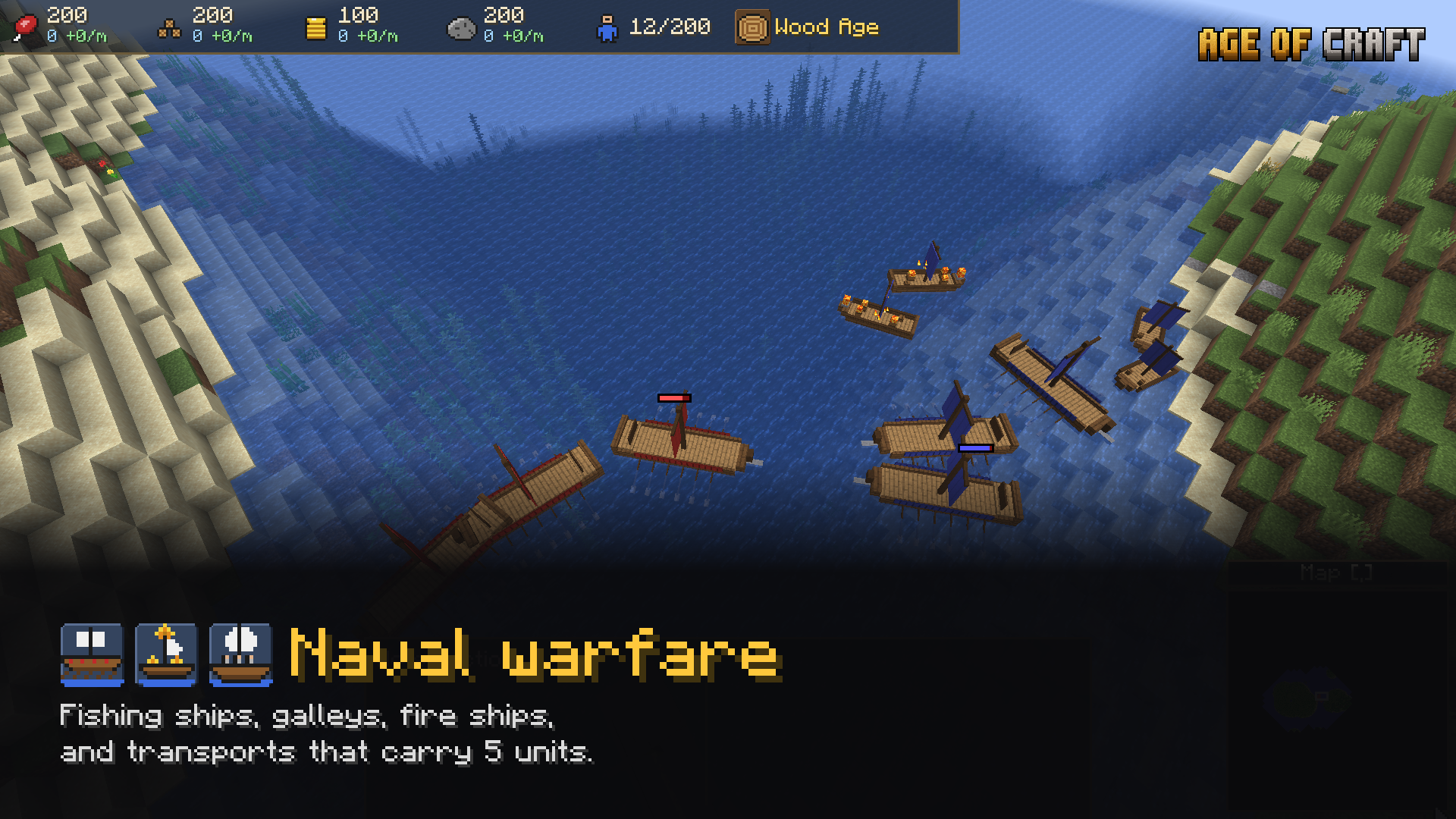
- Navy. Fishing Ships, Galleys and Fire Ships, plus Transport Ships that carry 5 units across the water.
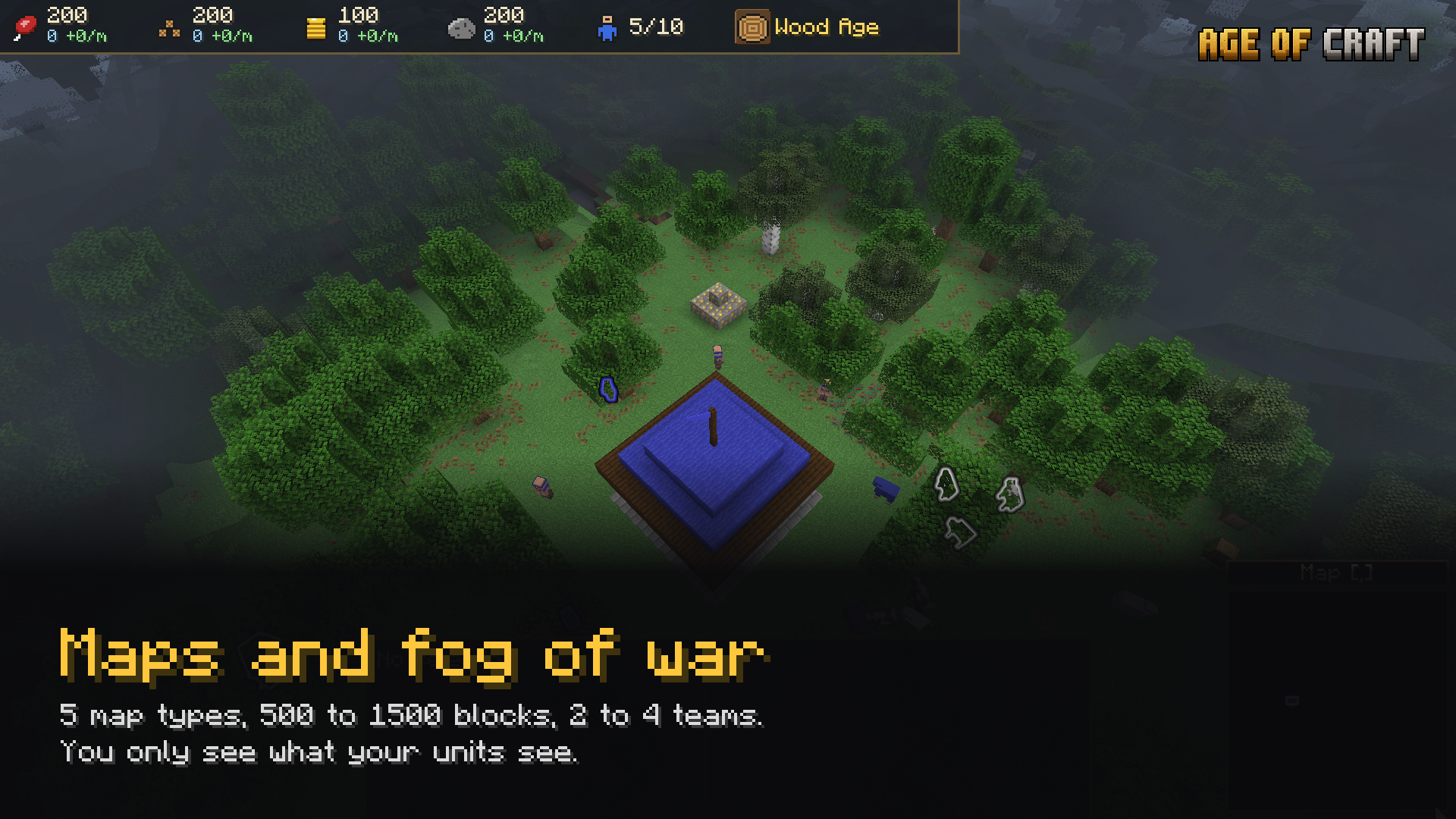
🗺️ Maps and fog of war
- Five map types: Forest, Dense Forest, Beach, Islands (with shallow fords) and Mountain.
- Size and teams: maps from 500 to 1500 blocks, with 2 to 8 teams. No caves or ravines for your units to fall into.
- Fair starts. Every team gets a Town Center, 5 villagers, a scout, sheep, berries, gold, stone, a grove and fish nearby.
- Fog of war. You only see what your units and buildings see; explored land stays mapped. The fog can be turned off when you create the match. It also works with Iris shader packs.
🏆 Two ways to win
- Conquest. A team left without a single building or unit is eliminated, and its players watch as spectators. The last team standing wins.
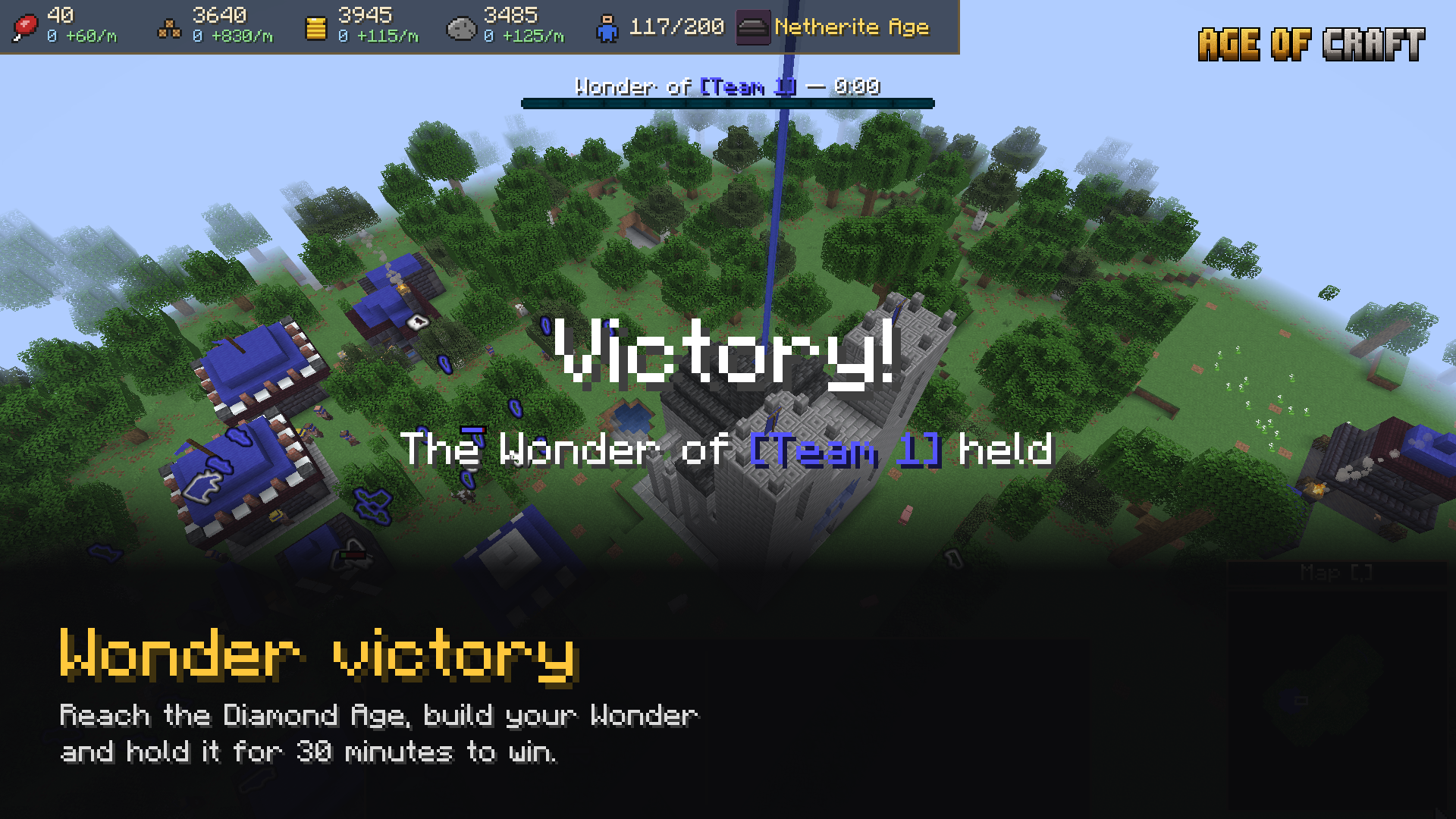
- Wonder. Reach the Diamond Age and build your civilization's Wonder: 1000 of each resource and 48,000 HP. Keep it standing for 30 minutes and you win the match. Every player sees the countdown in your team colour, so expect everyone to come for it.
- Surrender. Hopeless game? Surrender from the pause menu and keep watching.
- Diplomacy (O). Every team starts at war. Offer peace or an alliance, end an alliance or declare war, and send tribute through your Market. Allies share their vision, never hurt each other and win together. Bots answer offers by the balance of strength.
- Every victory ends with a title for every player, a fanfare and fireworks over the winner's town, then a statistics screen with each team's score and graphs of its resources, army and research (also open during the match with P).
🌐 How multiplayer works
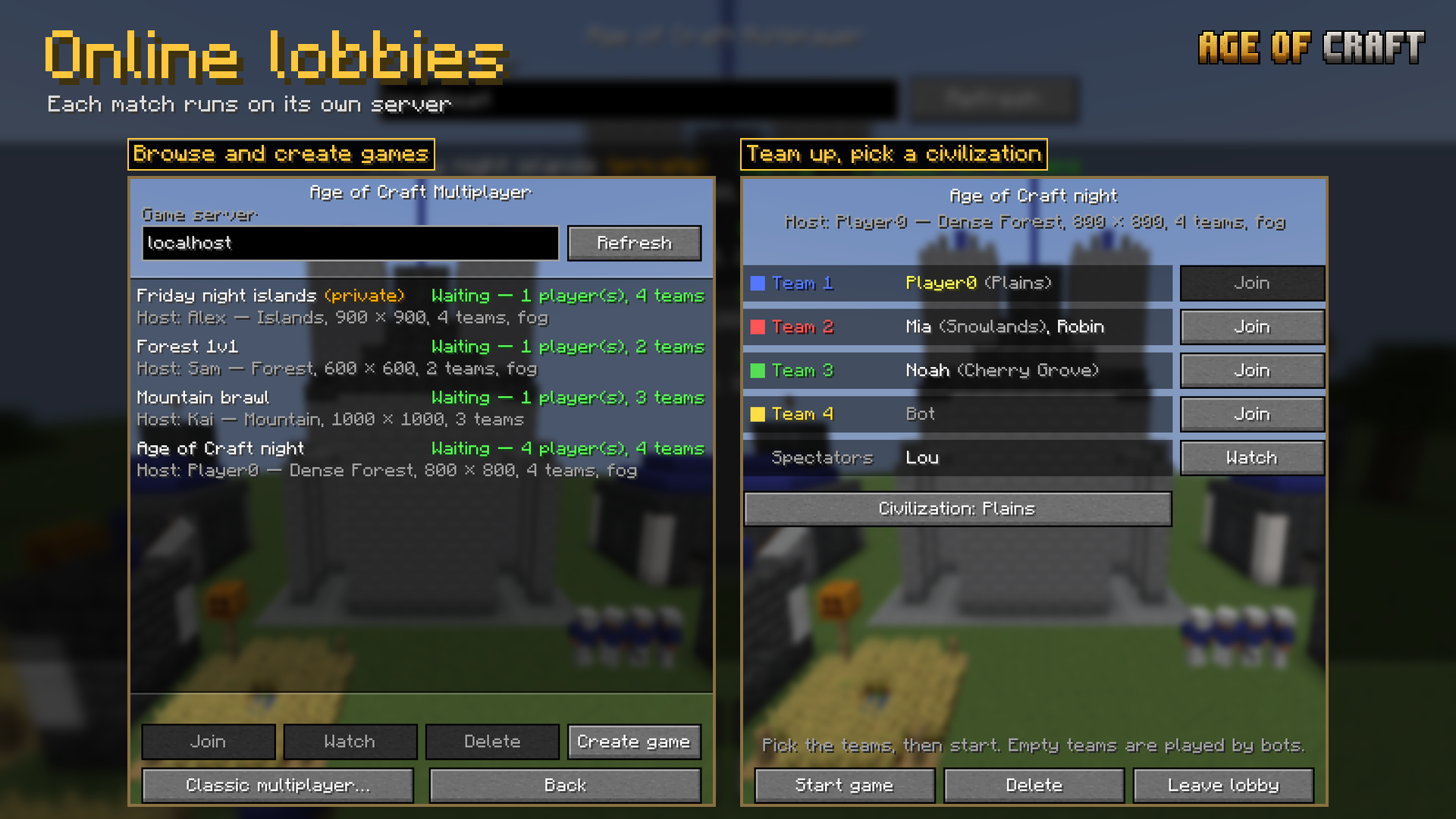
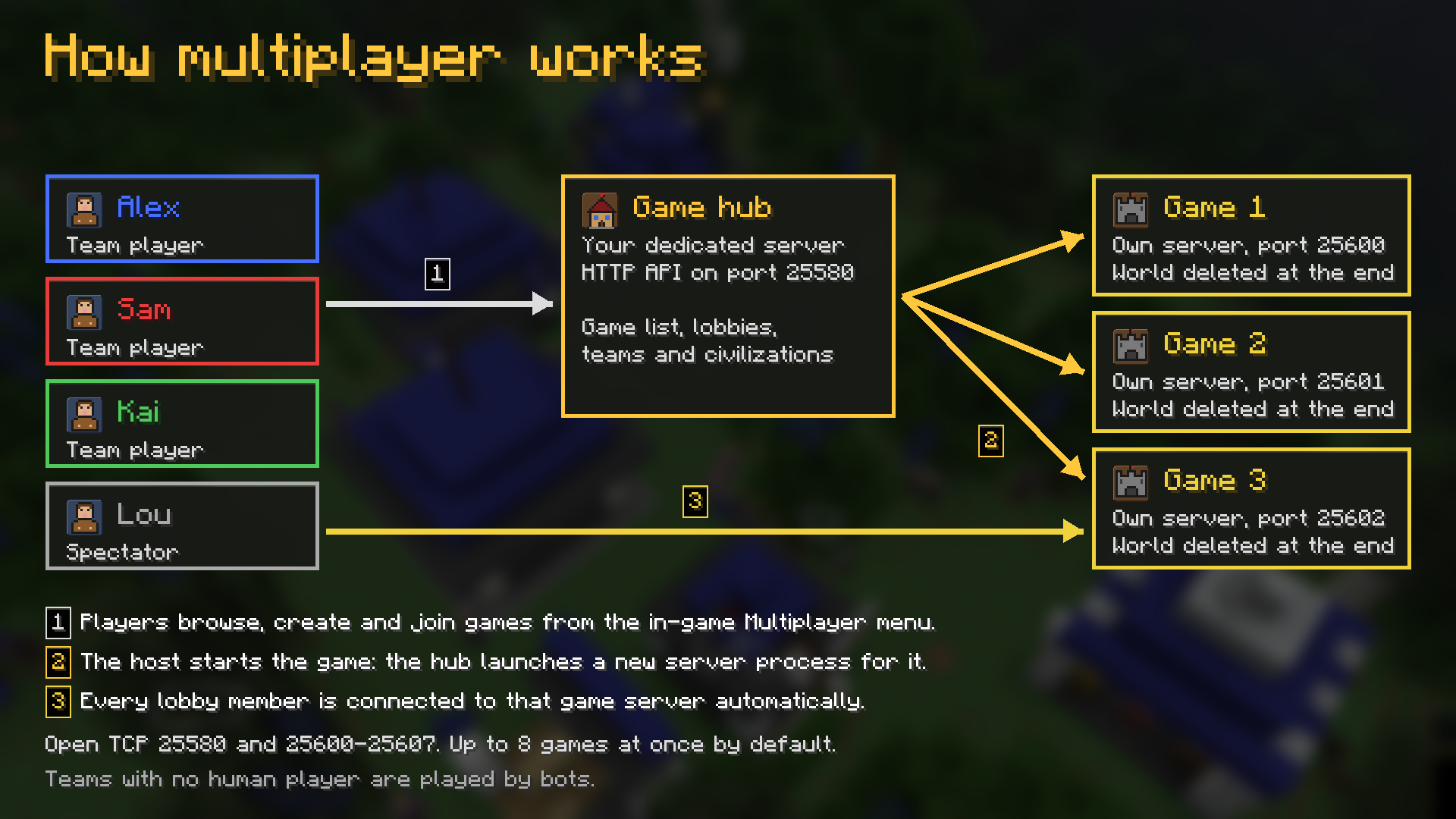
Age of Craft has its own game browser built into the Multiplayer menu. Each match runs on its own server, created on demand.
For players
- Connect to a hub. Click Multiplayer and type the hub's address, for example
play.example.com(port 25580 by default). It is remembered for next time. - Browse games. The list shows each game's state (Waiting, Starting, In progress), host, map, number of teams, fog setting and whether it is private.
- Create a game. Pick the name, map type, map size, number of teams (2–8), fog, difficulty, AI level and an optional password for a private game.
- Lobby:
- Join a team (several players can join the same team, up to 8 villages per match) or Watch as a spectator.
- Pick your civilization: the Civilizations button opens each one's sheet and research tree. Every player plays their own.
- Teams with no human player are played by bots.
- The host starts the match.
- Launch. Once the host starts the match, every lobby member sees each step of the launch, with a progress bar and game tips.
- Play. When the match server is ready, every lobby member is connected automatically.
Rules
- Allied teammates. Players on the same team each get their own village, resources and civilization. They share the team's colour, start side by side, see each other on the map and win together, and their alliance can't be broken.
- Locked roster. Only the players listed in the lobby can join a match server.
- Leaving. If you leave, you can rejoin and get your team back.
- Late arrivals. Players who arrive after the start can only watch.
- Spectators see the whole map without fog and cannot give orders.
- Server-side checks. The server validates every order, placement, training, research and market trade, so a modified client cannot cheat on these.
- Host powers. Only the host can start or delete a game. Deleting a running game shuts its server down.
- Inactive lobbies. A lobby member who stops answering for 30 seconds is removed, and empty lobbies close.
For server owners
- Install the mod. Install Age of Craft and Fabric API on a normal Fabric dedicated server. It becomes a game hub automatically.
- Matches. For each match, the hub starts a separate server process (same Java command, same folder) on its own port, starting at 25600. It starts as soon as the lobby opens, so the match launches faster.
- A match server stops by itself 5 minutes after the last player leaves.
- Its world is deleted when it stops.
- Open the ports in your firewall:
- TCP 25580: the hub's HTTP API, used by the in-game browser
- TCP 25600–25607: the match servers, one per open lobby or running game
config/age-of-craft-hub.properties, created the first time the server starts:
enabled=true
http-port=25580
# Each started game is a server on its own port, from this one up
first-game-port=25600
max-games=8
# Java heap of each game server, e.g. 2G; empty = same as the hub
game-memory=
# Start each game's server as soon as its lobby opens; false = only when the host launches it
prestart-games=true
Each match is a full Minecraft server. Plan around 1.5–2 GB of RAM per running game and about 600 MB per open lobby, and set
max-gamesto what your machine can handle.
Single player
New to RTS games? The Tutorial button on the title screen starts a guided match: gather wood, build a house, train warriors at a barracks, then destroy a small enemy camp, with each step explained on screen.
For a real match, click Singleplayer → Create New World. The match setup screen has two tabs, Map and rules and Civilization, and lets you choose:
- the map type and size
- the number of teams
- the fog
- the difficulty
- the AI level
- your civilization
Every other team is played by the AI. A summary beside the map preview says what the match will be like: map, size, teams, fog, and when and how hard the AI attacks. The lobby of a multiplayer game shows the same summary.
AI levels
| Level | First attack | First wave | Siege engines | Raids on villagers |
|---|---|---|---|---|
| Easy | after 14 min | 6 soldiers | no | no |
| Normal | after 9 min | 10 soldiers | yes | no |
| Hard | after 6 min | 16 soldiers | yes | yes |
The AI also rushes home to defend its town, repairs its buildings, attacks your Wonder first, and sends priests after the relics and your units.
⌨️ Controls
| Input | Action |
|---|---|
| Left click / drag | Select units or a building |
| Double-click | Select every unit of that kind on screen |
| Shift + click | Add to the selection |
| Right click | Move, gather, hunt, build, attack, set rally point |
| Ctrl + right click | Attack-move |
| Mouse wheel | Zoom |
| Arrow keys / screen edge | Pan the camera (Shift = faster) |
| Q W E R T Y / A S D F G H / Z X C V B N | Action grid buttons |
| H | Select the Town Center and jump to it |
| Delete | Demolish the selected building, or stop the selected units |
| K | Research tree |
| O | Diplomacy |
| P | Match statistics |
| . | Select the next idle villager |
| Esc | Cancel placement, close the menu, deselect |
| Tab | Scoreboard: every team's civilization, resources and population |
| M | World map |
| F6 | Switch between the RTS view and the vanilla view |
The camera keys, the action grid, H, Delete, O, P and . can be rebound in Options → Controls → Key Binds.
🛠️ Admin commands
/aoc (operators only) controls the fog, resources, buildings, unit spawns, ages, technologies, civilization, instant production, the population cap and the AI (/aoc ai attack sends its next wave). /aoc gallery lays out every building of every people at each age. It is handy for testing and for building showcases.
📦 Requirements
- Minecraft 26.3
- Fabric Loader 0.20.1+ and Fabric API
- Java 25
- Install on both the client and the server
- Optional: works with Sodium and Iris shader packs (or use the built-in shader)
⚠️ Known limitations (v1.4.3)
- The Wonder countdown restarts if the server restarts during a match.
Feedback and bug reports are very welcome!
Age Of Craft Team

