promotional bannermobile promotional banner

Advancement

Click any advancement to see how to get it and exactly what you're still missing, then track it above your hotbar

Advancements

Know exactly what an advancement still needs. Click any advancement and see how to get it and what you are missing, then track it right above your hotbar.
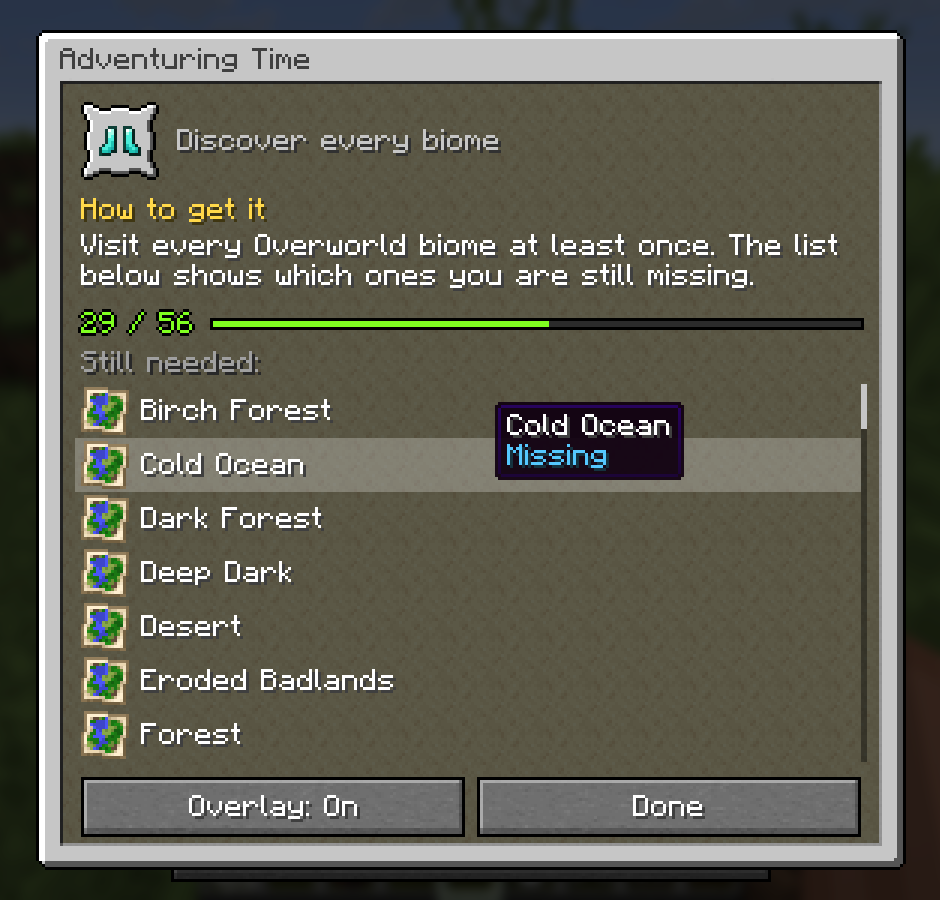
The Advancements window over the advancements screen: Adventuring Time, How to get it, 29 of 56 done, and the biomes still needed

Click any advancement

Open your advancements (L) and click one. A small window in the same style explains it:

  • How to get it: written for every one of Minecraft's 126 advancements. What to do, where to go, and a tip where it helps.
  • Your progress, like 29 / 56.
  • Still needed: every biome you have not visited for Adventuring Time, every food you have not eaten for A Balanced Diet, every mob for Monsters Hunted, every cat, wolf and frog variant, every armor trim. Hover a part you have to see when you got it.
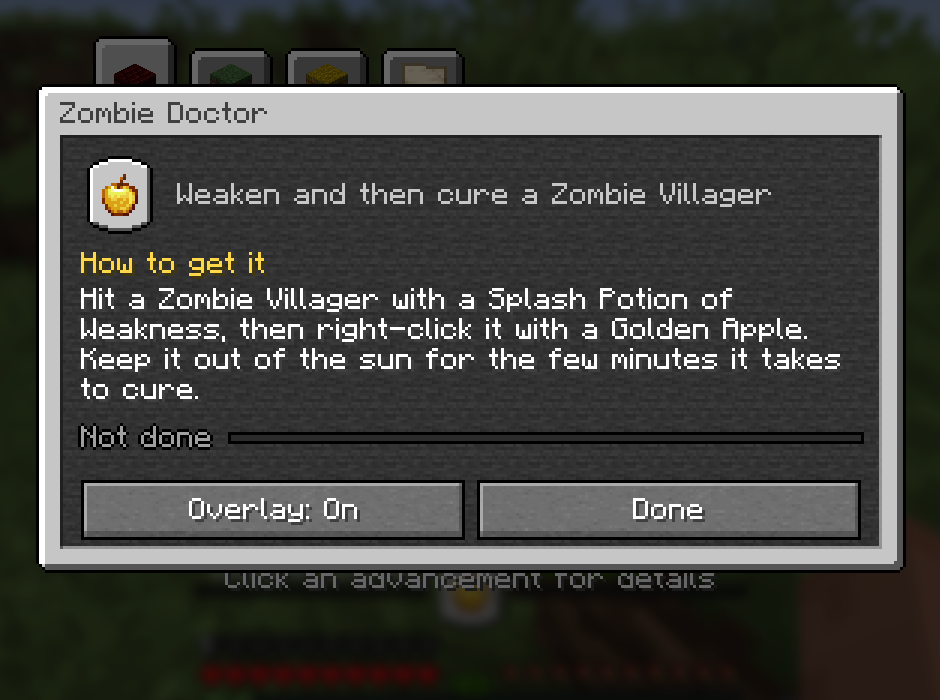
Zombie Doctor: Hit a Zombie Villager with a Splash Potion of Weakness, then right-click it with a Golden Apple

Track it while you play

Press Overlay: On and the advancement sits right above your hearts and food: its icon in the middle, the progress bar running out to both sides.
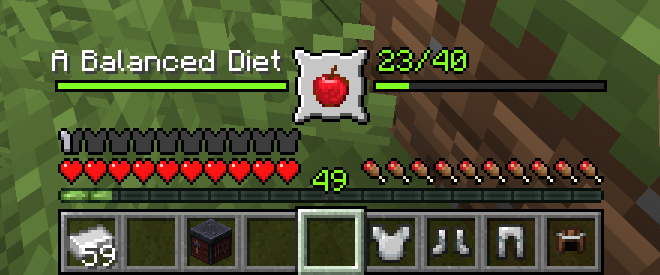
The overlay above the hotbar tracking A Balanced Diet, 23/40

Every time you get a new part, the frame pops, a gold ring and sparks burst out, the new item shows up and a chime plays that gets higher the closer you are. Finish it and you get a bigger celebration.
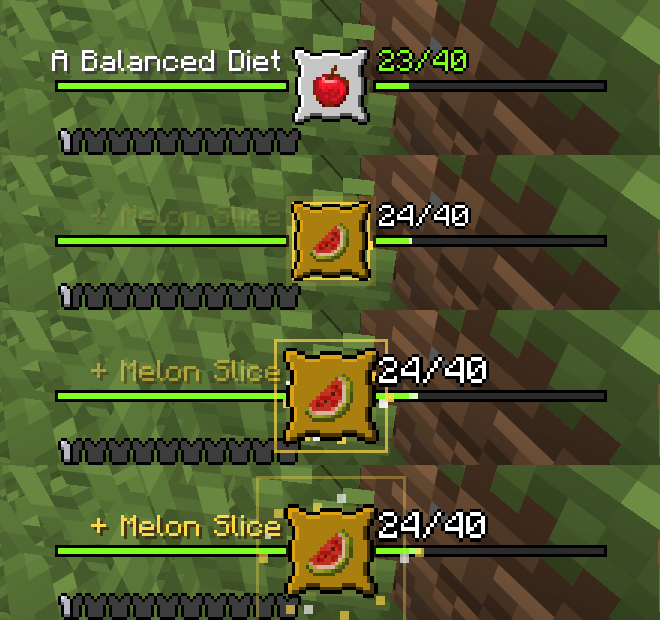
The overlay animating after eating a melon slice

Prefer it out of the way? Put it in a corner as an advancement toast with the next missing parts below it.
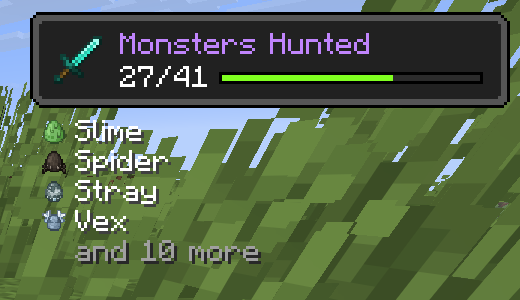
The corner layout: Monsters Hunted with the next mobs to hunt

Works everywhere

Client only. Works in singleplayer and on any server, vanilla servers included. Advancements from other mods and data packs work too.

Requires Mycel. Fabric, Forge and NeoForge, Minecraft 26.1 to 26.3. Wiki · Discord

Advancement Team
profile avatar
  • 18
    Projects
  • 16.1K
    Downloads

The Mushroom Cow who makes Minecraft Mods ❯ Contact: contact@mycelium-gg.org

More from MyCeliumGGView all

  • Bread FPS project image

    Bread FPS

    Up to 8x FPS in busy bases, plus zoom, an FPS counter, right-click harvest, double doors and more.

    • 111
    • November 7, 2026
  • Brewing Plus project image

    Brewing Plus

    Click the button on the brewing stand, pick any potion, and see its full recipe, which ingredients you carry and what to add next.

    • 871
    • November 4, 2026
  • Better Armorstands project image

    Better Armorstands

    Armor stands, done right: the Bedrock poses, arms by default, smooth turning with R, and a cleaner look

    • 89
    • November 4, 2026
  • Colored Nether Portal project image

    Colored Nether Portal

    Any color for your Nether portals: dyes, gradients, rainbows and pulses, with matching particles. Right-click with a dye.

    • 439
    • November 4, 2026
  • Bread FPS project image

    Bread FPS

    Up to 8x FPS in busy bases, plus zoom, an FPS counter, right-click harvest, double doors and more.

    • 111
    • November 7, 2026
  • Brewing Plus project image

    Brewing Plus

    Click the button on the brewing stand, pick any potion, and see its full recipe, which ingredients you carry and what to add next.

    • 871
    • November 4, 2026
  • Better Armorstands project image

    Better Armorstands

    Armor stands, done right: the Bedrock poses, arms by default, smooth turning with R, and a cleaner look

    • 89
    • November 4, 2026
  • Colored Nether Portal project image

    Colored Nether Portal

    Any color for your Nether portals: dyes, gradients, rainbows and pulses, with matching particles. Right-click with a dye.

    • 439
    • November 4, 2026