Advanced Cloud Storage
- By
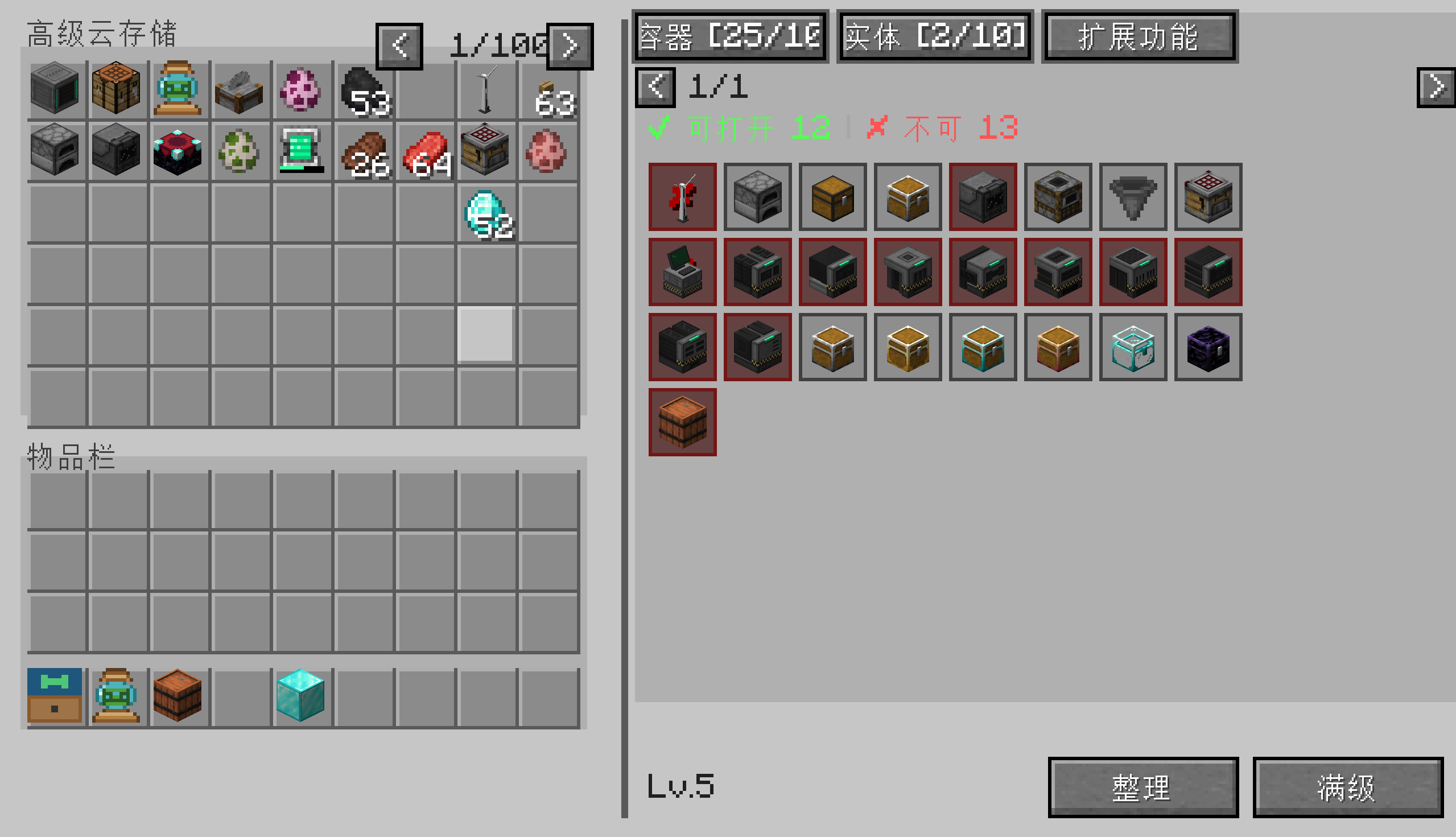
A personal cloud warehouse with linked container remote access, entity capture, persistent crafting, and a 5-level upgrade system up to 5,400 slots.
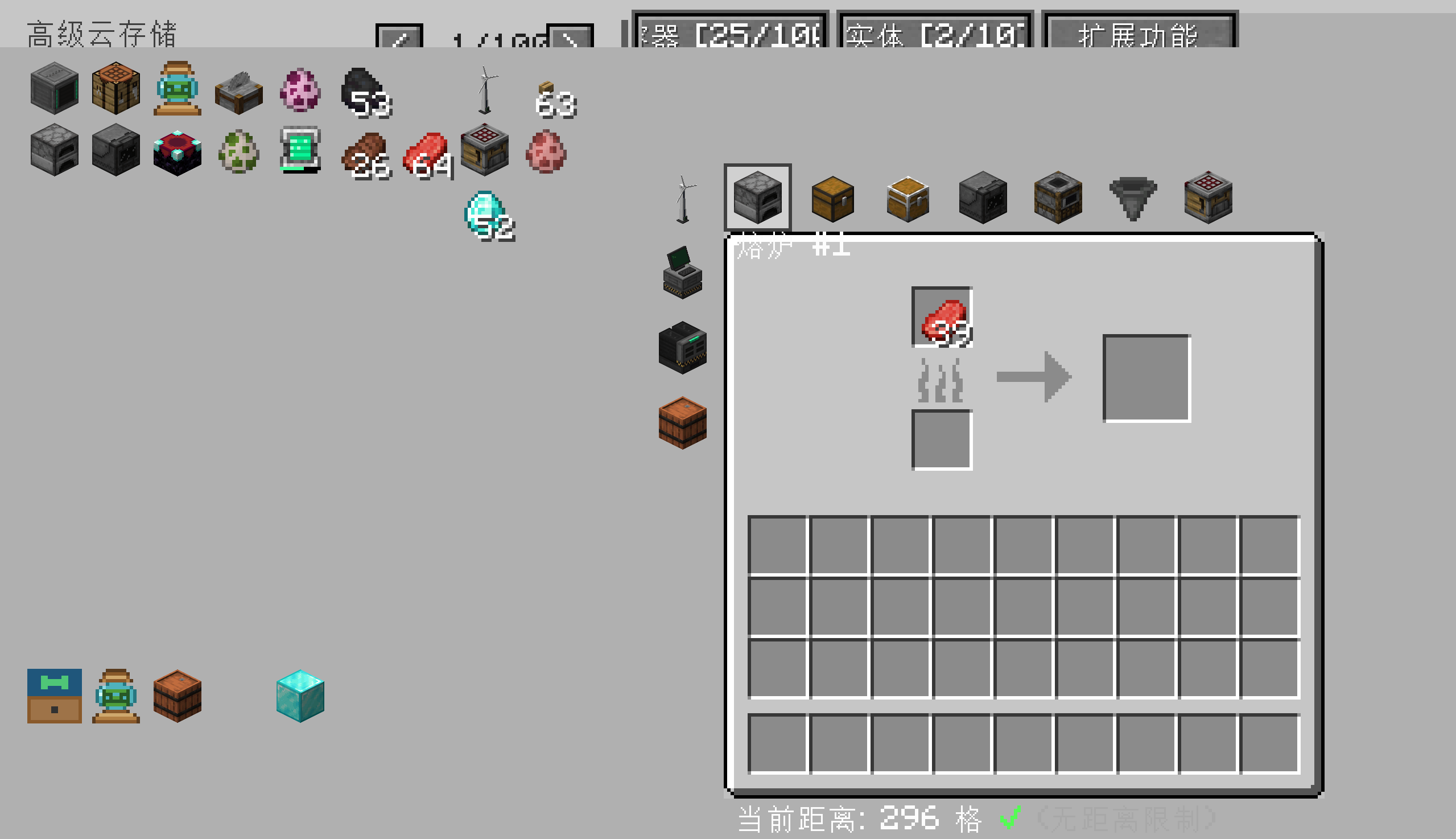
å±å¹æªå¾ 2026-07-26 190450.png
å±å¹æªå¾ 2026-07-26 190431.png
Description
**Press V to open your personal cross-dimensional cloud warehouse** — store up to 5,400 slots, link containers and recall them from anywhere, capture entities, and craft 3×3 recipes that persist across sessions.
---
### What is Advanced Cloud Storage?
A personal warehouse mod for **NeoForge 1.21.1** that gives every player their own cloud-based inventory. Press V to open it — even across dimensions. Link chests, barrels, shulker boxes, and even entities, then access them from up to **175 blocks away**. Craft persistent 3×3 recipes that survive game restarts, and progress through a 5-level upgrade system to expand storage up to **5,400 slots** and **100 linked containers**.
---
### Core Features
- **5,400-Slot Personal Warehouse** — Up to 100 pages of 54 slots each, all accessible from a single keybind.
- **Remote Container Access** — Link any chest, barrel, or shulker box and open it from up to 175 blocks away. No more running back to base.
- **Entity Capture & Recall** — Capture mobs, store them in your warehouse, and release or summon them anywhere.
- **Persistent 3×3 Crafting** — Your crafting grid is saved across sessions. Never lose a recipe in progress.
- **5-Level Upgrade System** — Start with 1 page and 5 container slots. Upgrade up to 100 pages and 100 linked containers.
- **Multi-Dimensional Storage** — Your warehouse follows you across dimensions. Same inventory, anywhere.
- **Item Categories & Search** — Organize your warehouse with custom categories. Search within the active category.
- **Drop Pickup** — Sweep nearby dropped items into your warehouse with a single command.
---
### How to Use
1. **Press V** to open your cloud warehouse.
2. Use the toolbar to **switch categories**, **search**, **sort**, **upgrade**, or **flip pages**.
3. **Link a container**: Aim at any chest / barrel / shulker box and run `/cloud link`.
4. **Open a linked container**: Click its icon in the Containers tab, or run `/cloud openlinked <index>`.
5. **Capture an entity**: Aim at a mob and run `/cloud capture`.
6. **Upgrade your warehouse**: Run `/cloud upgrade` after placing required materials in your inventory.
---
### Upgrade Levels
| Level | Pages | Linked Containers | Required Materials |
|---|---|---|---|
| Lv1 (default) | 1 | 5 | — |
| Lv2 | 5 | 10 | 64 iron ingots |
| Lv3 | 20 | 20 | 64 diamonds |
| Lv4 | 50 | 50 | 64 emeralds |
| Lv5 (max) | 100 | 100 | 1 nether star |
*(Material requirements are configurable — see Configuration below.)*
---
### Configuration
All settings live in `config/premiumcloudstorage-common.toml`:
- `warehouse.maxSlots` — Default slot capacity per player
- `warehouse.upgradeMaterials` — Required materials per upgrade level
- `warehouse.maxLinkedContainers` — Container limit per level
- `warehouse.maxLinkedEntities` — Entity slot limit per level
- `warehouse.remoteAccessDistance` — Max distance for remote container access (default 175)
---
### All Done via GUI — No Commands Needed
Advanced Cloud Storage is designed to be **fully GUI-driven**. There are no chat commands to memorize.
- **Press V** to open your warehouse
- **Aim at a chest/barrel/shulker box** with a Container Connector to link it
- **Aim at a mob** with an Entity Container to capture it
- Click in-GUI buttons to upgrade, rename, sort, search, switch categories, or flip pages
- Grant / revoke player access through the in-GUI permission manager
The only commands the mod registers (`/cloudstorage-perm-allow/deny`, `/cloudstorage-item-accept/deny`) are auto-triggered by chat buttons — they exist only so the click-to-accept flow works.
---
### Compatibility
- **Minecraft**: 1.21.1
- **Mod Loader**: NeoForge 21.1.x
- **Dependencies**: None (standalone mod)
---
### Feedback
Found a bug or have a suggestion? Open an issue on this page. Please include `latest.log` and reproduction steps.
Advanced Cloud Storage Team