Acidglow's Centered Doors
- By
Adjuster tool that lets you reposition doors inside their block space
Description
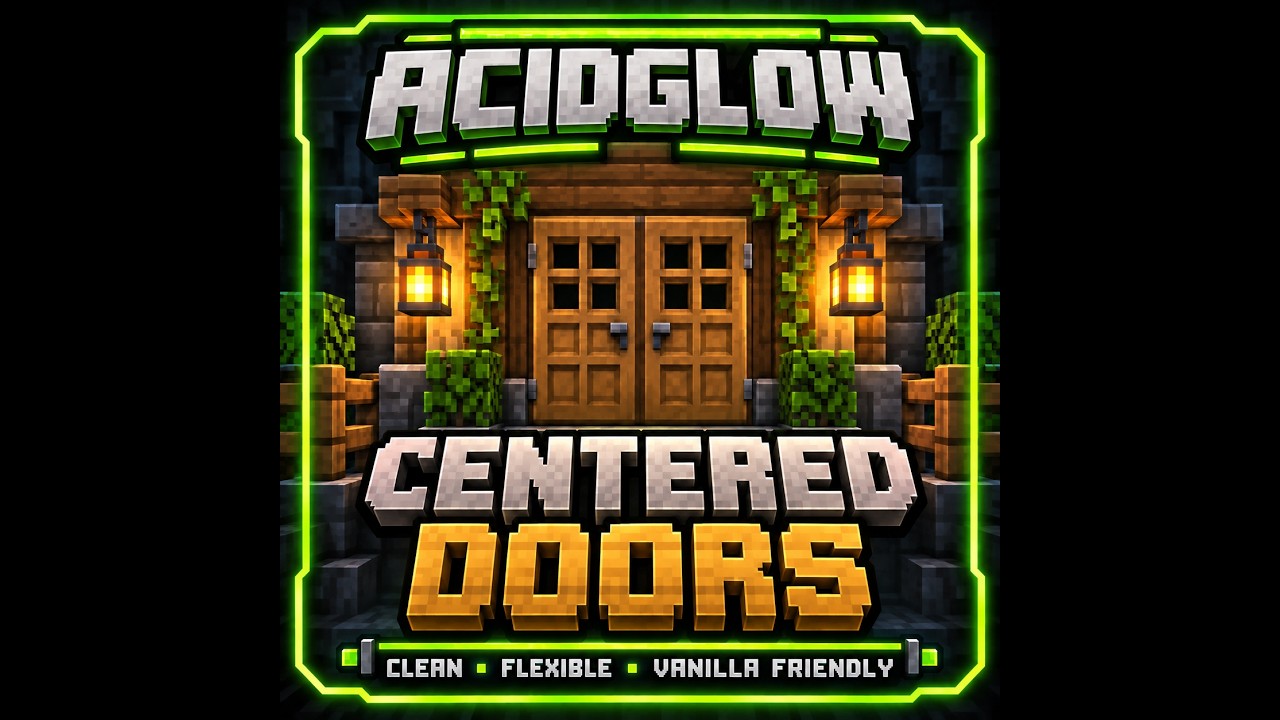
Acidglow's Centered Doors
Better door placement without changing the familiar Minecraft look.
Acidglow's Centered Doors adds a simple Door Adjuster that lets you reposition doors inside their block space.
Move doors to the front, center, or back, mirror their orientation, and create cleaner entrances that line up naturally with walls, fences, glass panes, and the rest of your build.
No replacement doors and no complicated building system — just more control over the doors you already use.
✨ Features
- Three door positions — Move doors between front, middle, and back
- Mirror doors — Switch the handle and hinge orientation
- Cleaner builds — Align doors more naturally with walls, fences, and glass panes
- Double door support — Matching double doors continue to open together
- Improved interaction — Centered and back-positioned doors can still be opened from the hinge side
- Vanilla appearance — Doors keep their original textures, behavior, and item drops
- Vanilla door support — Works with standard Minecraft doors
- Modded door support — Built-in support for standard doors from Macaw's Doors
- Simple tool-based controls — Everything is handled using the Door Adjuster
🚪 Door Positions
The Door Adjuster lets you reposition a door without replacing it.
Doors can be placed in three different positions inside their normal block space:
Front → Middle → Back
This makes it much easier to create entrances that visually line up with the surrounding blocks.
Centered doors work especially well between:
- Walls
- Fences
- Glass panes
- Decorative block edges
- Symmetrical entrances
The door still behaves like a normal Minecraft door — it is simply rendered and positioned differently.
🔧 Using the Door Adjuster
Hold the Door Adjuster in your main hand and interact with a door.
- Right-click — Change the door's position
- Sneak + Right-click — Mirror the door
The position cycles like this:
Front → Middle → Back → Middle → Front
While holding the Door Adjuster, interacting with a door adjusts it instead of opening it.
Put the tool away and the door behaves normally again.
↔️ Mirroring Doors
Sometimes the position is right, but the handle or hinge is on the wrong side.
Sneak + Right-click with the Door Adjuster to mirror the door.
This is especially useful for symmetrical builds and custom entrances where the orientation of each door matters.
🚪 Double Doors
Matching double doors continue to work together after being repositioned.
This means you can create centered or recessed double-door entrances without losing the familiar paired-door behavior.
Centered and back-positioned doors can also be opened from the hinge side, making custom placements feel natural during normal gameplay.
🧱 Compatibility
Acidglow's Centered Doors works with:
- Vanilla Minecraft doors
- Standard doors from Macaw's Doors
The mod keeps the original appearance and drops of supported doors rather than replacing them with custom versions.
🛠️ Door Adjuster Recipe
The Door Adjuster is crafted using 2 Iron Ingots and 2 Sticks.
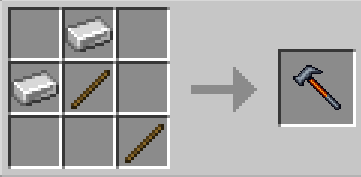
Once crafted, a single Door Adjuster can be used to reposition and mirror supported doors.
🏗️ Built for Builders
Acidglow's Centered Doors is designed to solve a small but common building limitation without adding unnecessary complexity.
Place it. Adjust it. Align it. Build it.
Keep the vanilla look — just put the door where it actually looks right.
📦 Modpack Friendly
Feel free to include Acidglow's Centered Doors in both public and private modpacks.
No additional permission is required.
📜 License
This mod is released under the MIT License.
You are free to use, modify, and redistribute the mod in accordance with the terms of the license.
Acidglow's Centered Doors Team