Armor Painting
- By
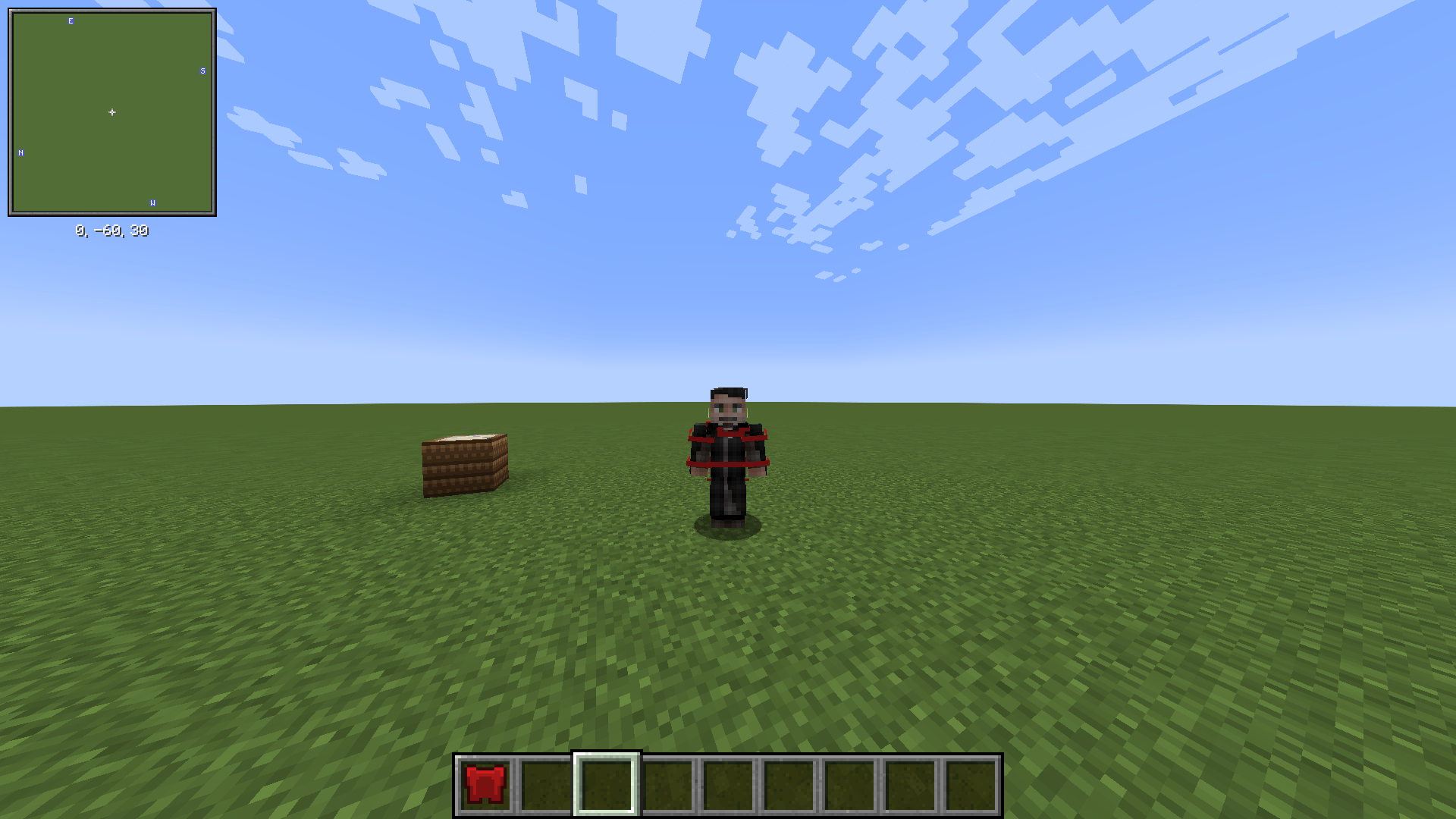
Armor Painting extends PaintCraft's Painting Table so you can paint the model of any armor piece — helmet, chestplate, leggings or boots — pixel by pixel, with a live 3D preview of how it will look once worn.
2026-08-04_18.25.04.png
2026-08-04_18.24.48.png
Description
Armor Painting is an addon for PaintCraft. It replaces nothing and adds no new block — it reuses the Painting Table you already know. Drop an armor piece into the input slot instead of paper, and the canvas becomes that piece's model texture.
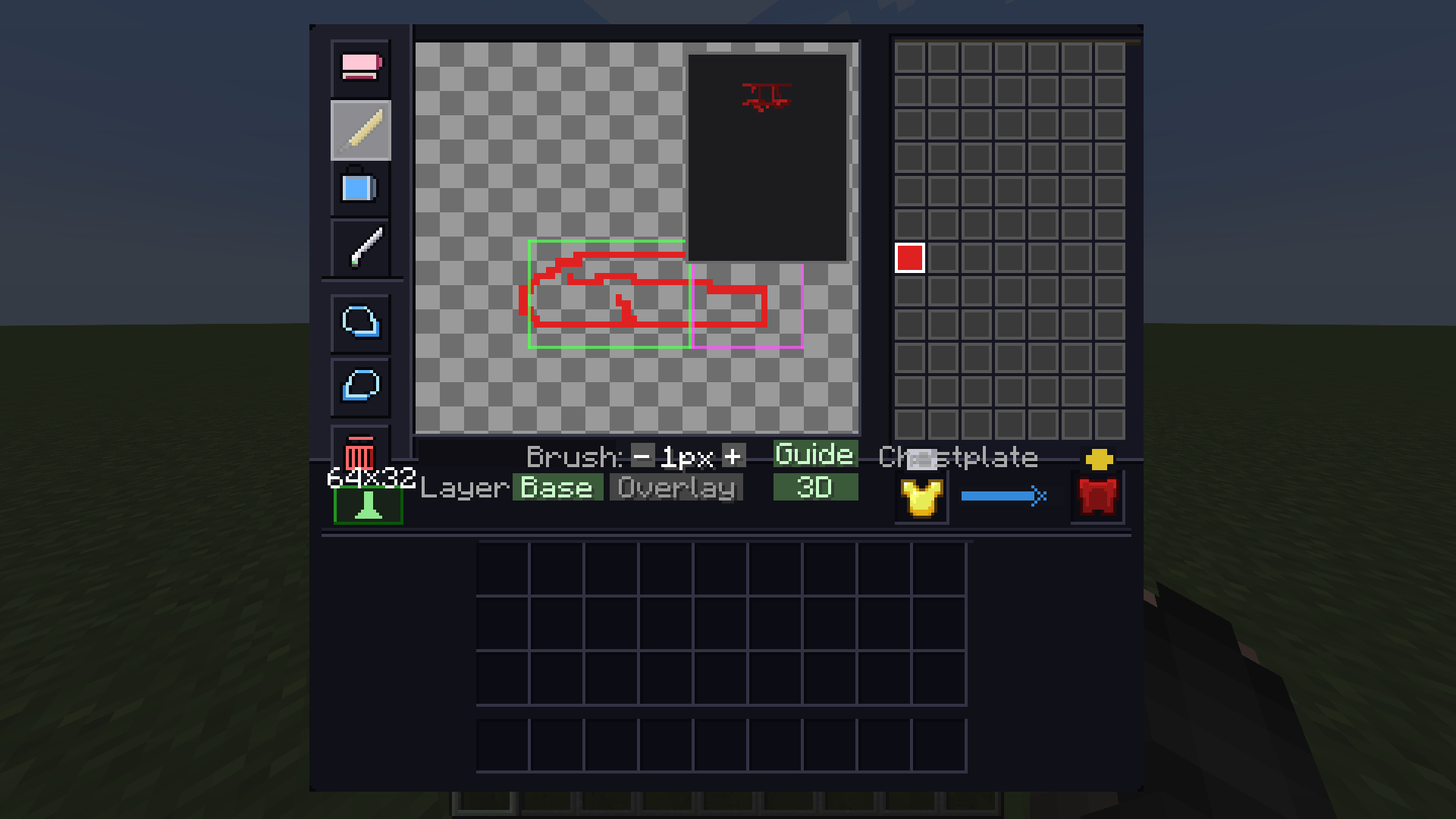
Paint the actual model. The canvas is the standard 64×32 armor layer, exactly what the game draws on your character. It starts pre-filled with the vanilla texture of whatever material you inserted — put in an iron chestplate and you paint over the iron texture rather than a blank grid. Toggleable guides outline each UV region (head, helmet overlay, body, arms, legs, feet) so you always know which part of the model you're working on.
See it before you commit. A panel in the corner of the canvas shows the piece on the real humanoid armor model, updating with every brush stroke. It spins slowly on its own, or you can grab it and rotate it yourself.
Two layers. Every piece has a base layer and an overlay layer drawn on top of it, switchable at any time. The inactive layer stays visible but dimmed, so you keep your bearings. Every tool — brush, eraser, fill, eyedropper, clear, image import — works on the layer you're editing, and undo/redo remembers which layer each step belongs to.
Full color. Maps are limited to Minecraft's map palette; armor textures aren't. Every pixel keeps the exact RGB you picked, transparency included — the canvas shows a checkerboard so you can see what you left empty.
No downgrade. The painted piece inherits the source armor's material, remaining durability, enchantments and custom name. Painted pieces can be put back in the table to keep editing, and they can be dyed like leather armor, which tints the base layer while your painted detail stays as-is.
Requires PaintCraft 1.1.0+ (Minecraft 1.20.1, Forge). Armor Painting plugs in entirely through PaintCraft's public paint-target API — no mixins, no patching of the base mod.
Armor Painting Team