
Server Login Message
Use custom messages and server changelog to let players know when someone's joined!
- 942
- June 26, 2020
Server Login Message
Use custom messages and server changelog to let players know when someone's joined!
- 942
- June 26, 2020



/--- Description en-EN ---
This script making for CraftTweaker2.
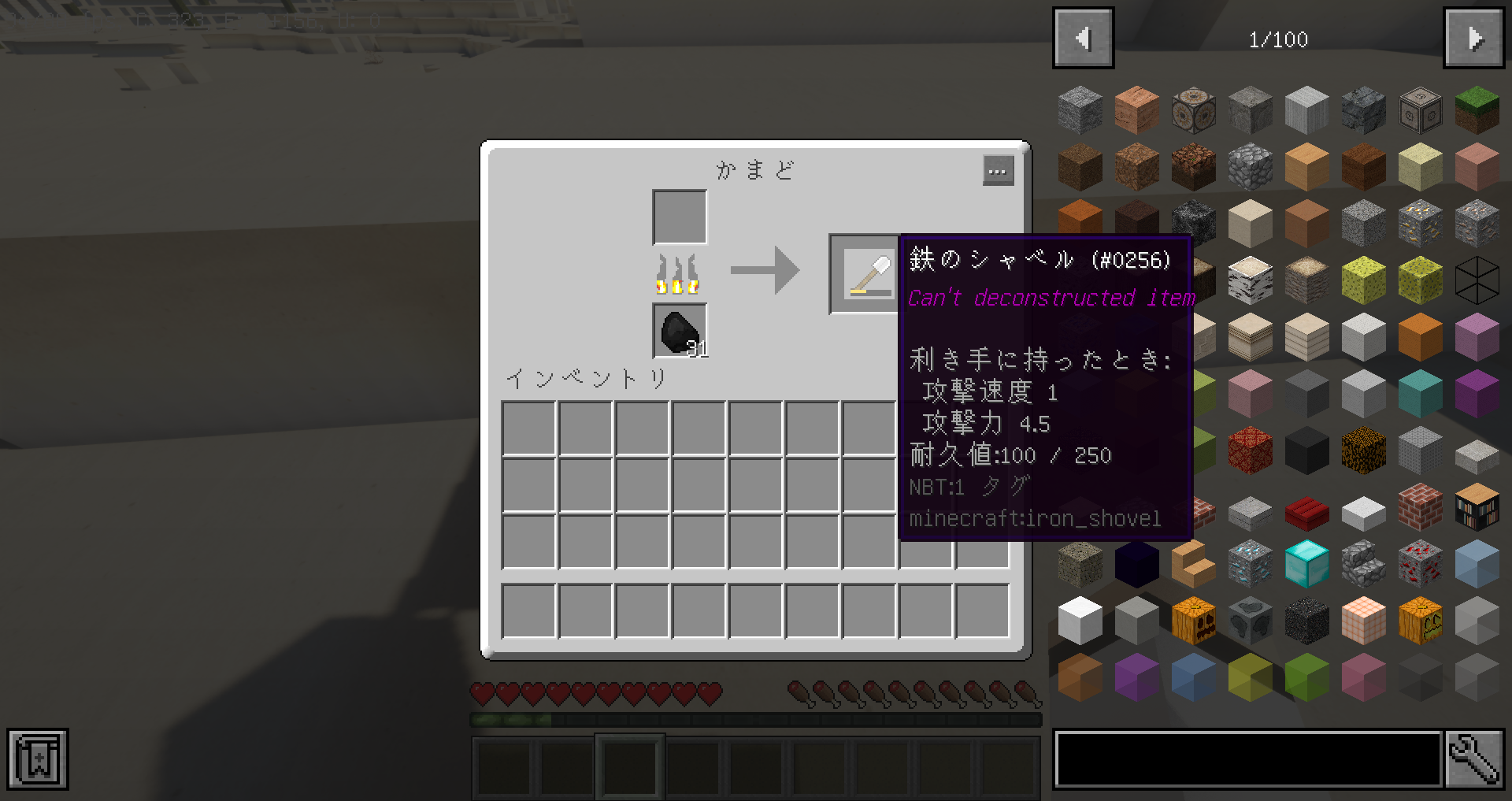
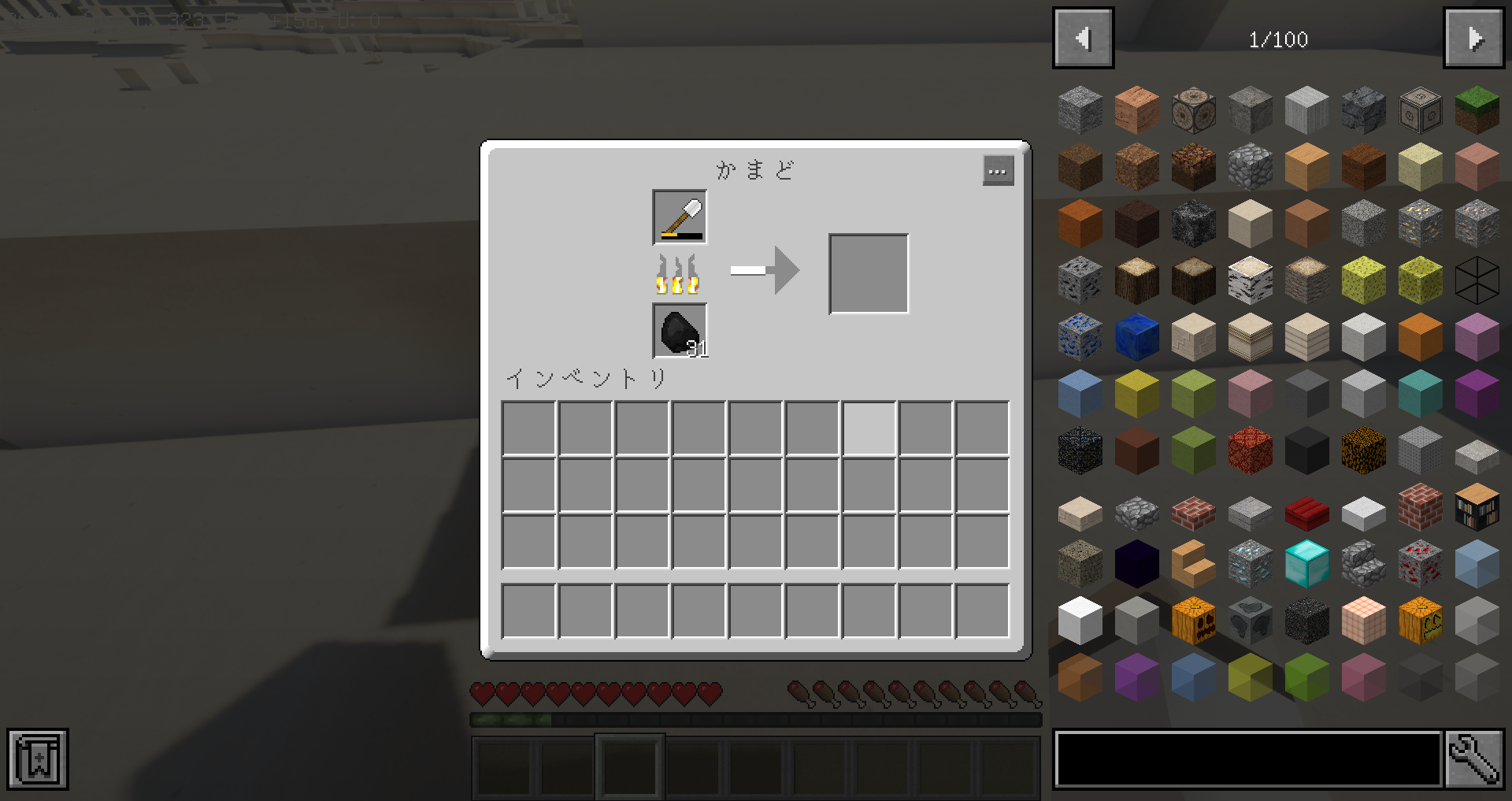
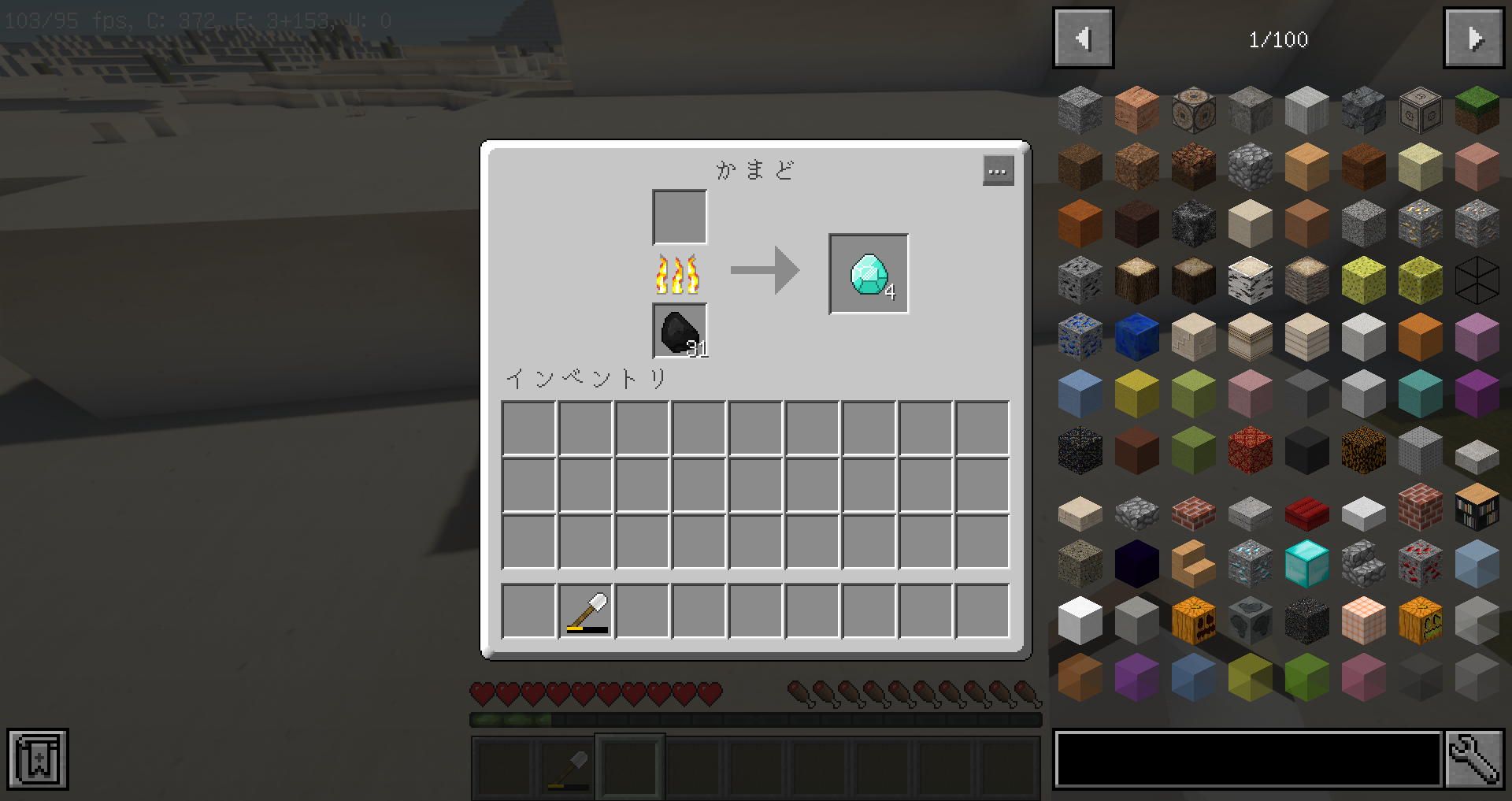
This scripts is add deconstruct furnace recipes for used items.
And return of the items depend on durability.
[Possible for Deconstruct items]
//Iron Items
Iron Helmet
Iron Chestplate
Iron Leggings
Iron Boots
Iron Sword
Iron Pickaxe
Iron Axe
Iron Hoe
Iron Shovel
Shears
Bucket
//Gold Items
Golden Helmet
Golden Chestplate
Golden Leggings
Golden Boots
Golden Sword
Golden Pickaxe
Golden Axe
Golden Hoe
Golden Shovel
//Diamond Items
Diamond Helmet
Diamond Chestplate
Diamond Leggings
Diamond Boots
Diamond Sword
Diamond Pickaxe
Diamond Axe
Diamond Hoe
Diamond Shovel
[Caution]
This script is very high-loading for your computer.
Recommended for this script using has to java loading RAM more than 8GB.
(Please adding to your Java startup paramater for:[-Xms8G -Xmx8G])
I will not bear any responsibility whatsoever for this script.
[Requirement]
Please add your CraftTweaker2 for Minecraft
[Downloads]
<Deconstruct Furnace Recipe-1.0> is normal version.
<Deconstruct Furnace Recipe-Ver-Nugget-1.0> is nugget version.
"Deconstruct Furnace Recipe Ver Nugget" is output to nugget at low durability items.
But, diamond items is not applicable.
[Remarks]
Please be carefull, this target items less than zero durability is not processing, and this continues to remain.
[Customization (For technical information)]
If you want to add other than minecraft vanilla items (For example 3rd-party MOD...etc), please this try it.
1. Open this script sources.
2. First, Add your MOD itemsID for "materialItems" array variable.
3. Please insert to " //Import Variable" between "//Remove all furnace recipes for nugget" for any variable.
4. Please setting maximum durability for your added variable.
5. Next, please copy to the following sources code.
for requestItems in materialItems {
var i=0;
if (requestItems has <Your added MOD ItemsID>) {
while (i <= <Your added variable>) {
var reqValItem = requestItems.withDamage(i);
if (i >= 0 & i <= <Your added variable>/4) {
furnace.addRecipe(<Output ItemsID>*<Num>, reqValItem);
} else if (i >= <Your added variable>/4+1 & i <= <Your added variable>/2) {
furnace.addRecipe(<Output ItemsID>*<Num>, reqValItem);
} else if (i >= <Your added variable>/2+1 & i <= <Your added variable>) {
furnace.addRecipe(<Output ItemsID>*<Num>, reqValItem);
} else {
print("This script has been crashed.");
break;
}
i += 1;
}
}
6. Please, change to the <RED Words> for your environment.
7. Paste this sources code at the bottom.
8. Save it.
9. Please comfirm minecraft launch.
[About Redistribution]
Please feel free to remodeling.
But, unauthorized copying and replication of this script is strictly prohibited.
Please contact me if you have any questions.
Have a fun!!
/--- Description ja-JP ---
このスクリプトは、CraftTweaker2で作成されています。
このスクリプトは、かまどレシピにアイテム分解レシピを追加します。
また、アイテムの耐久値に応じて、得られるアイテム数が変動するようになっています。
[分解可能なアイテム]
//鉄系アイテム
鉄のヘルメット
鉄のチェストプレート
鉄のレギンス
鉄のブーツ
鉄の剣
鉄のピッケル
鉄の斧
鉄のクワ
鉄のシャベル
バケツ
ハサミ
//金系アイテム
金のヘルメット
金のチェストプレート
金のレギンス
金のブーツ
金の剣
金のピッケル
金の斧
金のクワ
金のシャベル
//ダイヤモンド系アイテム
ダイヤモンドのヘルメット
ダイヤモンドのチェストプレート
ダイヤモンドのレギンス
ダイヤモンドのブーツ
ダイヤモンドの剣
ダイヤモンドのピッケル
ダイヤモンドの斧
ダイヤモンドのクワ
ダイヤモンドのシャベル
[注意事項]
このスクリプトは非常に高負荷です。
JavaのRAMローディングを8GB以上にして使用することを推奨します。
(Java起動引数に[-Xms8G -Xmx8G]を追加してください)
このスクリプトによる不具合について、作者は一切の責任を負いません。
[前提MOD]
[ダウンロード]
<Deconstruct Furnace Recipe-1.0> は通常版です。
<Deconstruct Furnace Recipe-Ver-Nugget-1.0> はナゲット出力版です。
Deconstruct Furnace Recipe Ver Nuggetは低耐久値のアイテムを鉄塊などのナゲットへ変換します。
但し、ダイアモンド系アイテムは対象外です。
[特記事項]
処理対象のアイテムが耐久値0未満であった場合、処理されずアイテムが残り続けますので注意してください。
[技術的情報]
マインクラフトのバニラアイテム以外を追加したい場合は、以下を試してください。
1. ソースコードを開きます。
2. MODのItemsIDを"materialItems"配列変数へ追加してください。
3. " //Import Variable" から"//Remove all furnace recipes for nugget"の間に任意の変数を追加してください。
4. 追加した変数に最大耐久値を設定してください。
5. 次に、以下のソースコードをコピーしてください。
for requestItems in materialItems {
var i=0;
if (requestItems has <Your add MOD ItemsID>) {
while (i <= <Your add variable>) {
var reqValItem = requestItems.withDamage(i);
if (i >= 0 & i <= <Your add variable>/4) {
furnace.addRecipe(<Output ItemsID>*<Num>, reqValItem);
} else if (i >= <Your add variable>/4+1 & i <= <Your add variable>/2) {
furnace.addRecipe(<Output ItemsID>*<Num>, reqValItem);
} else if (i >= <Your add variable>/2+1 & i <= <Your add variable>) {
furnace.addRecipe(<Output ItemsID>*<Num>, reqValItem);
} else {
print("This script has been crashed.");
break;
}
i += 1;
}
}
6. 環境に応じて、<RED Words>の部分を変更してください。
7. 変更したソースコードを一番下へペーストしてください。
8. 保存してください。
9. マインクラフトを起動し、動作を確認してください。
[再配布について]
当スクリプトの改造はご自由に行って構いません。
但し、再配布については固く禁止します。
上記について不明な点がありましたら、ご連絡ください。
---/
[Video]

Use custom messages and server changelog to let players know when someone's joined!
Use custom messages and server changelog to let players know when someone's joined!