Config Highlighter for Notepad++
- By
Easier configuring, works with all configs that use the usual format
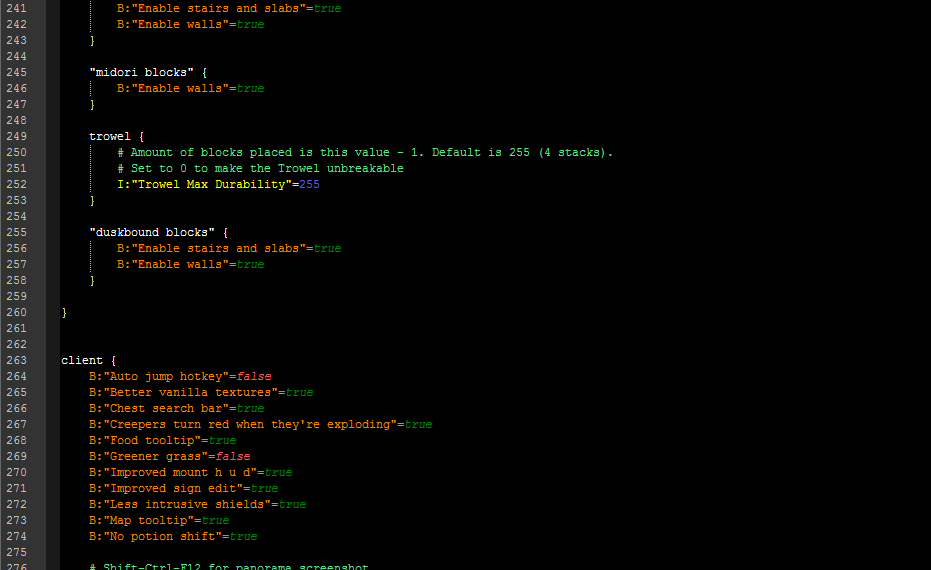
Used Quark's .cfg file.
Description
Syntax highlighter for use with modded Minecraft .cfg files.
What is it? It's not a mod, not a map, not a resource pack!
It is a User-Defined Language for Notepad++, that makes specific parts of modded Minecraft .cfg files render using different colours, for improved readability.
How to install:
Installation can be done in four quick steps.
Step 1
From the top toolbar navigate to "Languages" and scroll down and click "Define your language..."
Step 2
In the window that pops up click on the "Import" button. From the file selection window that pops up you will need to choose the minecraftCFG.xml file you downloaded from this page.
Once selected, you will notice the fields on the User Defined Language window have been populated. Click on the "Save as..." button and enter a name for the language in the dialog box. Name it how you want.
Step 3
Once you have chosen a name and clicked the "OK" button, you can close all open dialogs.
Step 4
You can now chose "Minecraft .cfg" (or whatever you named it) from the same "Language" drop-down we accessed earlier.
Clicking this will set the highlighting for that language if it hasn't already.
It is made to be used with the built-in "Deep Black" theme of Notepad++ - it would render weirdly if it's used with another theme, but I'm planning to make a white background version.
there's a white version!
Feel free to do whatever you want with it, by the way. Except re-uploading it elsewhere. Please, no.
Known bugs:
Lists like this one:
S:"Delayed Update List" <
minecraft:dispenser
minecraft:dropper
>
are doing unintended stuff. It is fixed in the next version. (partly)
Fixed!
The Config Highlighter for Notepad++ Team