🐺 WolfLoot
WolfLoot is a complete crate, reward, currency, and temporary-ability system for Paper servers. Create custom crates, configure rewards, distribute virtual keys, build powerful Wolf Tools, sell items through the Fang Shop, and connect crates to FancyNPCs—all from an intuitive in-game admin GUI.
Spend less time editing configuration files and more time building an engaging reward system for your players.
Current release: WolfLoot 2.0.4
Platform: Paper 26.2
Java: Java 25
✨ Main Features
🎛️ Complete In-Game Admin GUI
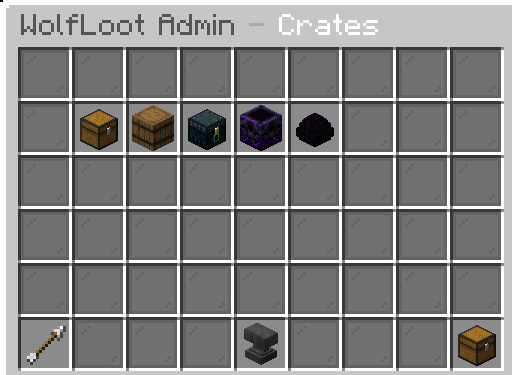
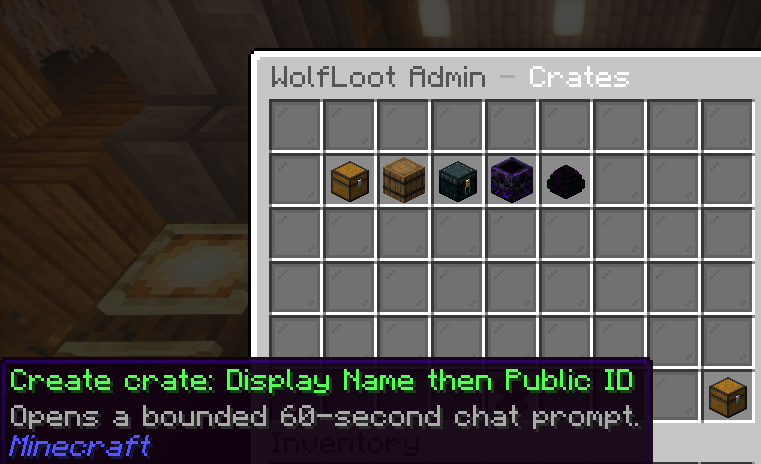
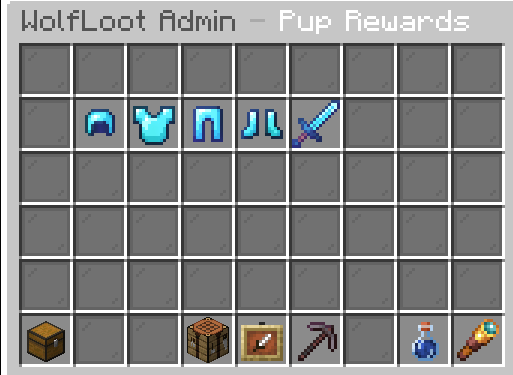
Open /wolflootadmin to manage WolfLoot without manually editing YAML files.
The admin interface supports:
- Creating, duplicating, archiving, and deleting crates
- Changing crate names, icons, availability, and shop prices
- Configuring hourly key-drop chances and amounts
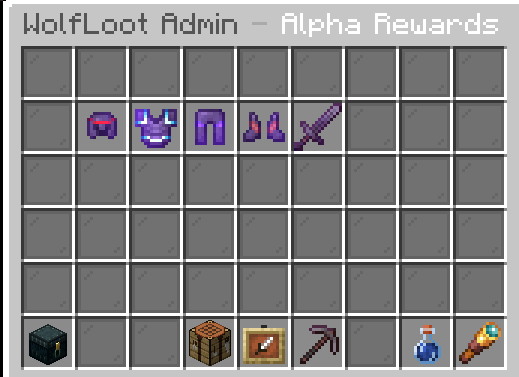
- Adding, editing, previewing, reordering, and deleting rewards
- Creating safe vanilla item rewards
- Selecting canonical Wolf Tools by category
- Creating custom Wolf items with one unique ability
- Creating Fang Booster rewards
- Capturing typed creature spawners
- Binding crates to exact FancyNPC IDs
- Granting virtual crate keys to online players
- Editing shop, AFK, PvP, transformation, and ability settings
- Configuring canonical Wolf Tool enchantments
Changes are validated before they are published to the live server.
🎁 Key-Gated Crates
Each crate has its own:
- Stable crate ID
- Display name and icon
- Virtual key balance
- Reward collection
- Shop availability and Fang cost
- Hourly key-drop chance
- Hourly key-drop amount
- FancyNPC bindings
- Active or archived state
Players can preview a crate’s rewards and select the reward they want to claim. A successful claim consumes one matching virtual key.
Keys can be:
- Earned through hourly drops
- Purchased using Fangs
- Granted through the admin GUI
- Viewed using
/keys
- Tracked through PlaceholderAPI
🐾 Fangs and the Wolf Shop
Fangs are WolfLoot’s built-in server currency.
Players can earn Fangs through:
- PvP kills
- Configurable AFK earning zones
- Other server systems using WolfLoot
- Active Fang Boosters
Players can spend Fangs in /wolfshop on:
- Crate keys
- Typed mob spawners
- Fang Boosters
- Temporary wolf transformations
Shop prices and availability are configurable through the admin GUI or config.yml.
🛠️ Wolf Tools
Wolf Tools are special temporary items that can automatically expire after a configured number of days.
WolfLoot includes preset tools such as:
- Wolf Pickaxes from 3×3 through 6×6
- Vein Wolf Pickaxe
- Tree Feller Wolf Axe
- Lightning Wolf Sword
- Frostbite Wolf Sword
- Gale Wolf Sword
- Wolf Scythe
- Thunder, Frost, Wind, and Hunter Wolf Bows
- Gravity Wolf Boots
- Miner’s Wolf Helmet
- Tidal Wolf Crown
- Guardian Wolf Chestplate
- Prowler Wolf Leggings
- Wolf Crossbow, Trident, Shield, Shears, Shovel, and more
Expiration begins when the player claims the reward. Expired Wolf Tools are automatically removed.
Available abilities
| Category |
Abilities |
| Mining |
Excavator, Tree Feller, Vein Miner |
| Weapons |
Sweep, Lightning, Frostbite, Gale Strike, Hunter’s Mark |
| Ranged |
Lightning, Frostbite, Gale Strike, Hunter’s Mark |
| Armor |
Gravity Glide, Miner’s Vision, Tidal Crown, Guardian Heart, Prowler Speed |
Ability limits, cooldowns, damage, duration, radius, and maximum affected blocks can be configured.
🌟 Custom Wolf Item Creator
WolfLoot 2.0.4 includes a guided custom Wolf item creator.
From the reward editor:
- Select Add Reward
- Select Choose Wolf Tool
- Select Create Custom Wolf Item
- Choose a category
- Choose a compatible vanilla base item
- Choose one unique ability
- Save the reward
No held item is required.
WolfLoot automatically filters incompatible combinations. For example, Gravity Glide is limited to boots, Tidal Crown is limited to helmets, and ranged abilities are only shown for supported ranged items.
Custom Wolf items are saved to the plugin’s custom tool catalog and can be used as time-limited crate rewards.
🧪 Fang Boosters
Fang Boosters temporarily multiply Fang earnings.
Example:
- type: FANG_BOOSTER
  booster-version: 1
  multiplier: 2
  duration-seconds: 300
This example provides a 2× Fang multiplier for five minutes.
Boosters work with supported Fang sources such as AFK rewards and PvP rewards.
🧟 Typed Spawners
WolfLoot supports typed creature spawners as shop items and crate rewards.
Available default shop spawners include:
- Skeleton
- Zombie
- Creeper
- Blaze
- Iron Golem
- Cave Spider
Example crate reward:
- type: SPAWNER
  spawner-version: 2
  entity-type: SKELETON
  spawn-rule: FULL_LIGHT
WolfLoot-issued spawners retain their configured creature type and include a full-light spawn rule. Normal Minecraft requirements such as player proximity, available space, delay, collision, and nearby-entity limits still apply.
🗡️ Regular Item Rewards
The in-game item editor supports:
- Any supported vanilla item material
- Stack amounts
- Custom names
- Custom lore
- Vanilla enchantments and levels
- Armor trim patterns
- Armor trim materials
- Item flags
- Custom model data
You can select an item through the GUI or safely copy supported properties from a held item.
For security, WolfLoot does not copy arbitrary plugin data, nested containers, executable metadata, or unknown custom NBT.
Simple YAML item example
- type: DIAMOND_SWORD
  name: "&c&lAlpha Blade"
  amount: 1
  enchantments:
    - "SHARPNESS:5"
    - "UNBREAKING:3"
    - "LOOTING:3"
  lore:
    - "&7Forged for the leader of the pack."
    - "&6Tier: Legendary"
Armor trim example
- type: NETHERITE_HELMET
  name: "&3&lTidal Helmet"
  amount: 1
  trim: "tide"
  trim-material: "diamond"
  enchantments:
    - "PROTECTION:4"
    - "RESPIRATION:3"
    - "UNBREAKING:3"
  lore:
    - "&7Marked by the ocean pack."
🐺 Wolf Tool Reward Example
- type: WOLF_TOOL
  tool: wolf-frost-sword
  days: 2
  name: "&b&lFROSTBITE WOLF SWORD"
  lore:
    - "&7Slows enemies struck by the blade."
    - "&cTemporary: expires two days after claiming."
Area-mining example:
- type: WOLF_TOOL
  tool: wolf-pickaxe-5x5
  days: 2
  name: "&c&lFENRIR PICKAXE &7(5x5)"
  lore:
    - "&7Breaks a bounded 5x5 mining plane."
    - "&cTemporary: expires two days after claiming."
📜 Modern Crate Configuration
Crates can be managed entirely through /wolflootadmin, but advanced users can also edit crates.yml.
schema-version: 2

crates:
  lunar:
    display-name: "&d&lLunar Crate"
    icon: ENDER_CHEST
    enabled: true
    archived: false

    shop:
      enabled: true
      cost: 800

    hourly-drop:
      enabled: true
      chance-percent: 1
      amount: 1

    fancy-npc-ids: []

    rewards:
      - type: WOLF_TOOL
        tool: wolf-pickaxe-3x3
        days: 2

      - type: FANG_BOOSTER
        booster-version: 1
        multiplier: 2
        duration-seconds: 300
After manual changes, run:
/wolfloot reload
Invalid configuration changes are rejected, and the previous valid live configuration remains active.
Replacing the plugin JAR with a new version still requires a normal server restart.
🐕 FancyNPCs Integration
FancyNPCs is an optional integration.
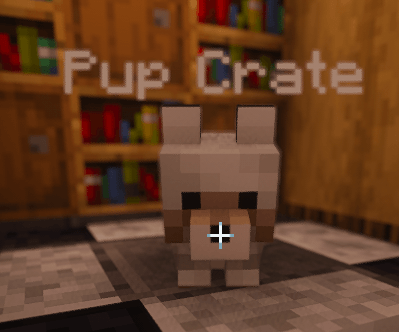
Administrators can bind one or more exact FancyNPC IDs to a crate through the in-game editor. Interacting with a bound NPC opens that crate’s visual reward interface.
Bindings are stored by exact NPC identity, preventing crates from accidentally connecting to similarly named NPCs.
⏰ Hourly Key Drops
Every active crate can have an independent hourly drop configuration:
- Enable or disable hourly drops
- Set an exact chance from 0% through 100%
- Configure how many keys are awarded
- Display the next-drop countdown through PlaceholderAPI
This allows both traditional crate tiers and custom seasonal or event crates.
⚔️ PvP and AFK Fang Rewards
PvP rewards
Configure:
- Fangs awarded per kill
- Same-player reward cooldowns
- Chat and action-bar messages
- Fang Booster multiplication
AFK earning zones
Use /setafkzone <radius> to capture a zone around your current position.
Configure:
- Fang earning rate
- Zone radius and location
- Boss-bar appearance
- Action-bar messages
- Fang Booster multiplication
🐺 Wolf Transformation
Players can purchase a temporary wolf transformation through the Wolf Shop.
The transformation can include:
- Wolf-themed cosmetic effects
- Speed
- Jump Boost
- Night Vision
- Strength
- Configurable damage boost
- Fall-damage protection
- Particles and sounds
- Duration and cooldown controls
🎮 Commands
| Command |
Description |
/wolflootadmin |
Open the visual administration panel |
/wolfshop |
Open the Fang Shop |
/fangs [player] |
View a Fang balance |
/keys [player] |
Open or inspect a virtual key wallet |
/wolfloot help |
Display WolfLoot command help |
/wolfloot reload |
Validate and reload configuration |
/wolfloot stats |
View plugin status and runtime information |
/givefangs <player> <amount> |
Give Fangs to a player |
/takefangs <player> <amount> |
Remove Fangs from a player |
/setfangs <player> <amount> |
Set a player’s Fang balance |
/setafkzone <radius> |
Capture and enable an AFK earning zone |
🔐 Permissions
| Permission |
Default |
Description |
wolfloot.fangs |
Everyone |
View Fang balances |
wolfloot.keys |
Everyone |
View the virtual key wallet |
wolfloot.shop |
Everyone |
Access the Wolf Shop |
wolfloot.wolf |
Everyone |
Use wolf transformations |
wolfloot.admin |
Operators |
Admin GUI, configuration, Fang management, and administrative commands |
🧩 PlaceholderAPI Support
When PlaceholderAPI is installed, WolfLoot provides:
| Placeholder |
Value |
%wolfloot_fangs% |
Player’s current Fang balance |
%wolfloot_keys_total% |
Total keys across all crates |
%wolfloot_keys_<crate-id>% |
Keys owned for a specific crate |
%wolfloot_keydrop_countdown% |
Time remaining until the next hourly drop |
Example:
%wolfloot_keys_lunar%
📦 Installation
- Install a compatible Paper 26.2 server running Java 25.
- Place
WolfLoot-2.0.4.jar inside the server’s plugins folder.
- Optionally install:
- FancyNPCs for interactive NPC crate access
- PlaceholderAPI for Fang, key, and countdown placeholders
- Start or restart the server.
- Run
/wolflootadmin as an operator.
- Create or configure your crates and rewards.
WolfLoot includes default configuration files so you can begin testing immediately.