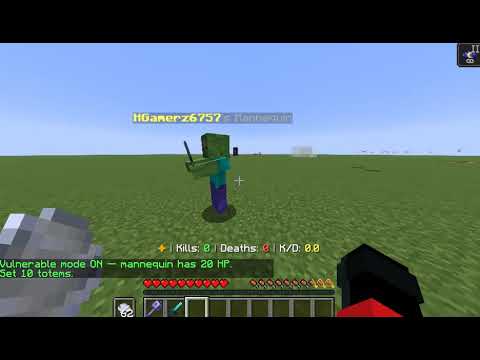
> A cutting-edge practice dummy plugin for Paper 1.21+ servers. > GUI-first design • Zero dependencies • Performance optimized
✨ Features
🎨 Visual & Customization - Full armor, weapon, and off-hand equipment rendering (totems only) - Potion effect particles for visual feedback - Custom loadout system per mannequin
⚔️ Combat Mechanics - Infinite health with real-time floating damage holograms - Accurate player-sized hitbox - Full support for macing , elytra combos, critical hits, enchantments, and potions
🎭 Totem of Undying - Store multiple totems inside the mannequin's inventory - Automatic consumption on killing blows with full animation & sounds - Totem usage tracked in statistics
🤖 AI Behaviors (All Toggleable) | AI | Description | |----|-------------| | **Look-at-Player** | Tracks and faces the nearest player |
📊 Statistics Tracking - Total damage, hit count, average damage per hit, totems popped - Individual stat resets or full reset in one click
### 🖥️ GUI System Six integrated menus — no commands needed after spawning: 1. Main Management (equipment + quick actions) 2. AI Settings 3. Statistics & Reset 4. Deletion Confirmation 5. Back Navigation
---
📥 Installation
**Requirements** - Paper 1.21+ (Spigot not officially supported) - Java 21+ - No dependencies
**Steps** 1. Download \`UltMannequin-1.0.0.jar\` 2. Place it in your \`/plugins/\` folder 3. Restart the server 4. Run \`/mannequin spawn\` to create your first mannequin 5. *(Optional)* Edit \`plugins/UltMannequin/config.yml\` and run \`/mannequin reload\`
---
🔧 Commands & Permissions
Commands
| Command | Description | Permission | Aliases | |---------|-------------|------------|---------| | \`/mannequin spawn\` | Spawn a new mannequin at your location | \`ultmannequin.spawn\` | \`/um spawn\`, \`/manne spawn\` | | \`/mannequin removeall\` | Remove all mannequins on the server | \`ultmannequin.admin\` | \`/um removeall\`, \`/manne removeall\` | | \`/mannequin reload\` | Reload plugin configuration | \`ultmannequin.admin\` | \`/um reload\`, \`/manne reload\` |
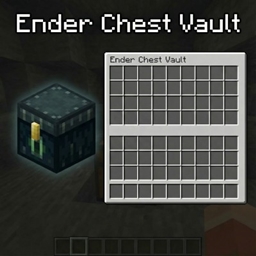
Main Management Right-click a mannequin to access equipment slots, AI settings, statistics, full inventory, and removal options.
AI Settings Toggle Look-at-Player behaviors with visual indicators showing enabled/disabled status.
Statistics & Reset View total damage, hit count, average damage, and totems popped. Reset individual stats or perform a full reset.
---
💡 Use Cases
**PvP Training** — Practice combos with realistic mechanics **Weapon Testing** — Compare damage between different weapons and enchantments **Potion Testing** — Test strength and weakness effects with before/after comparisons **Enchantment Comparison** — Side-by-side damage testing with separate tracking **Arena Practice** — Set up training stations with customizable difficulty levels
---
🐛 Troubleshooting
| Issue | Solution | |-------|----------| | "Maximum mannequins reached" | Increase \`max-mannequins-per-player\` in config | | Mannequin burns in daylight | Ensure Paper 1.21+ is used, then restart server | | Damage hologram not showing | Set \`damage-indicator.enabled: true\` in config | | Can't open GUI | Right-click with empty hand and verify you own the mannequin | | Command not working | Check if you have \`ultmannequin.spawn\` or \`ultmannequin.admin\` permission |
---
🤝 Support
- 💬 **Discord**: [Join Discord](https://discord.gg/xctckUQukB) - 🐛 **Bug Reports**: Include server version, plugin version, reproduction steps, and logs