UABlockConverter
Warning: this does not work for uSkyBlock 2.7.x and later.
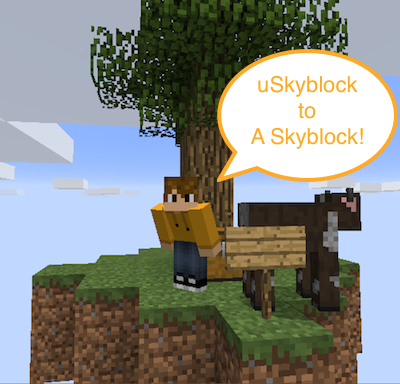
This plugin converts files between uSkyblock files and A Skyblock plugin. It is easy to use and low-risk.
Features
- Enables uSkyblock plugin users to transition to aSkyblock
- One command usage
- Keeps current uSkyblock world - no changes made to the skyblock world
Instructions
- Back up everything just in case, however, no changes are made to uSkyblock files or the world.
- Keep players off the server or do the conversion on a test server.
- Download askyblock.jar and place in your in plugins folder.
- Start server - this will create the askyblock folders, files, world and nether.
- Stop the server.
- Remove askyblock.jar and uskyblock.jar from the plugins folder. The converter will not run if these plugins are active.
- Remove the *world* folders (not plugin folders) askyblock and askyblock_nether because askyblock will use you uSkyblock world after conversion.
- Make a copy of askyblock's config.yml for reference later.
- Place this plugin uaconv.jar in the plugins folder and start the server.
- In the console, type uaconvert.
- After it is complete (see below for what it does and does not do), stop the server.
- Remove uaconv.jar.
- Copy askyblock.jar back into the plugins folder.
- Check askyblock's config.yml to make sure it's correct. When it is converted, the comments are lost so use the copy from #5 for reference.
- If you want a different starter island to the default one, then replace island.schematic. Note there are rules about what it must have to be acceptable
- (optional) Have a look in plugins/askyblock/players and see that it is full of player files - it should be.
- Restart the server - askyblock will create a nether world associated with the uskyblock world if one does not already exist. Note that askyblock will use your old uskyblock world as-is.
- Remove all the WorldGuard regions for the skyblock world. ASkyBlock does not use WorldGuard and it will cause confusion if you leave them operational.
- (optional) Follow the setup instructions in the main plugin page, like checking the nether, establishing a spawn etc.
- (optional) After conversion, your config.yml will have no comments and may not have every setting. Look at the config.yml you saved in step #8 and merge it with your converted config.yml so you get all the comments and extra settings.
- Write a glowing review, or donate a few bucks so little Jenny can get shoes this year. :-)
- You are done!
What may be required
ASkyblock is constantly changing as new features are being added. You may need to do the following to ensure your island data is all up to the latest settings:
- Stop server
- Delete islands.yml
- Restart server - the islands.yml file will be regenerated.
Another recommendation is to turn on auto-level calculation on login, at least for a while. This will quickly reset the island levels to the new values. Check blockvalues.yml for the level values and death penalties.
What is converted:
The following will be converted:
- The uSkyBlock world - actually, nothing has to change here.
- config.yml settings for world name, chest items, reset cool down timer, the distance between islands, protection range, island height, island level, max team size, remove creatures by teleport and whether PVP is allowed or not.
- Island data for island owner and team members, island location, home location of each player.
- UUID's for each player - this is done by asking Mojang for UUID's.
What is not converted:
- Challenges - the challenges are different and I've no idea what customization you may have done to them. As a result, all challenges are reset for players. This may result in a mini-boon for players as they yet again get to finish the cobble challenge (woohoo).
- Bonus chest items - I don't have this option in askyblock - just the basic.
- Level calculations - A Skyblock calculates levels differently to uSkyblock - it's similar, but will result in different level values. Although the levels are copied over, as soon as a player types /is level it will be recalculated the A Skyblock way.
- Warp locations
- A few other misc settings, like island lock, use/not use top ten.
Permissions
- No permissions are required for this plugin. The command should be run from the console and the plugin removed after use.
Remote server access declaration
- As mentioned above, this plugin will try to grab UUID's from Mojang via their player API. This means that the server will remotely access and send all the user names it can find to Mojang's servers.
- If you do not want this to happen, *do not use this plugin*.
- If players on the list are not known to Mojang, the plugin will request a local UUID from the server that may or may not work.
Useful?
If this has been useful to you, please leave a recommendation or positive comment.