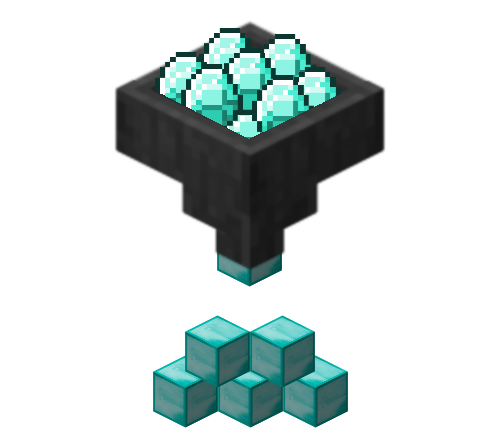
ItemCondenser is a fairly inclusive inventory management tool. Its original claim to fame was the /condense command, which automatically takes raw materials and converts them into blocks. It has since expanded well beyond that. Now, you can sort your inventory by item ID, store your items in a chest from up to 32 blocks away, drop your items at a distance, and create additional inventories. ItemCondenser now hooks into Lockette to check for private chests.
Requirements
This plugin requires the ShortCommands plugin to function
Features:
Condensing (/condense):
Removes stacks of raw materials and replaces them with their equivalent in blocks
Target a chest using /condense chest
Requires permissions node ItemCondenser.Condense
Crafting GUI (/ctable):
Opens a 3x3 crafting GUI
Requires permissions node ItemCondenser.Utility.Craft
Enchanting GUI (/etable):
Opens a low-level enchanting GUI
Requires permissions node ItemCondenser.Utility.Enchant
Clear (/clear):
Clears the player's inventory
Target a chest using /clear chest
Requires permissions node ItemCondenser.Clear
Sorting (/sort)
Concentrates distributed items into a single stack for condensing
Target a chest using /sort chest
Requires permissions node ItemCondenser.Sort
Trash (/trash):
Opens a temporary inventory for item removal
Requires permissions node ItemCondenser.Utility.Trash
Drop (/drop):
Drops the highlighted item where the player is looking
Requires permissions node ItemCondenser.Items.Drop
Drop All (/dropall):
Drops all items where the player is looking
Requires permissions node ItemCondenser.Items.Drop.All
Store (/store):
Store the highlighted item in the chest a player is looking at
Requires permissions node ItemCondenser.Items.Store
Store All (/storeall):
Store all items in the chest a player is looking at
Requires permissions node ItemCondenser.Items.Store.All
Create Inventory (/invcreate):
Create an additional inventory
Requires permissions node ItemCondenser.Inventories.Create
Open Inventory (/invopen):
Open an additional inventory
Requires permissions node ItemCondenser.Inventories.Open
List Inventories (/invlist):
Lists all the player's additional inventories
Requires permissions node ItemCondenser.Inventories.List
Remove Inventory (/invremove):
Removes the player's additional inventory
Requires permissions node ItemCondenser.Inventories.Remove
Edit item names (/itemname):
Changes an item's name
Requires permissions node ItemCondenser.Items.Name
Edit item lore (/itemlore):
Adds to an item's lore (or remove it with /itemlore remove)
Requires permissions node ItemCondenser.Items.Lore
Obtain a full stack of an item (/moreitems):
Expands the stack to 64 items
Requires permissions node ItemCondenser.Items.More
Smelting GUI (/smelt):
Opens a furnace GUI
Requires permissions node ItemCondenser.Utility.Smelt
Brewing GUI (/brew):
Opens a brewing stand GUI
Requires permissions node ItemCondenser.Utility.Brew
Anvil GUI (/anvil): Opens an anvil GUI
Requires permissions node ItemCondenser.Utility.Repair
NOTE: Items in italics are works in progress, and should not be used
If any commands conflict conflict with other plugins (such as Essentials), you can use /cmd-disable <command>
This lovely video by Jebanany PL does a wonderful job of showing what this plugin does, even if I can't understand a word of Polish:
VIDEO