
Java 8 required

http://textanim.com/ font: bayoc size: 50

digitalclock example colors

6changelog

over 30k downloads! thanks!

default
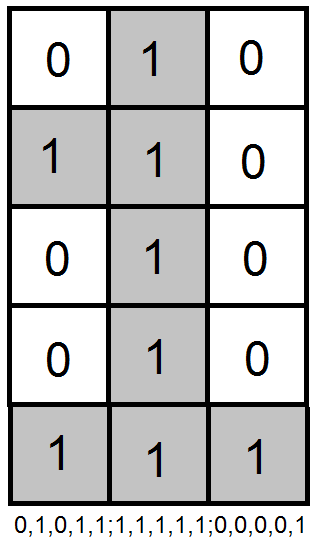
This image explains how you can set the look for numbers. (this is number one)

digitalclock example white

3howdoesitlookinthegame

1whatisthedigitalclock

DigitalClock logo new - square

7doyoulikemyplugins

info: created on http://textanim.com/ font: gilgonk
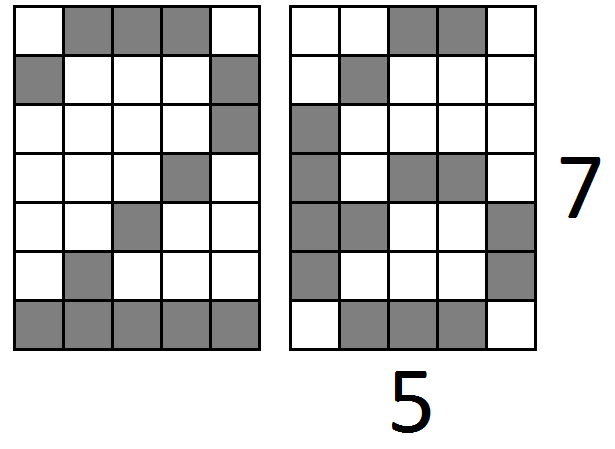
Bigger numbers example

2features

Animated Clock GIF - DigitalClock Preview

v17released gif
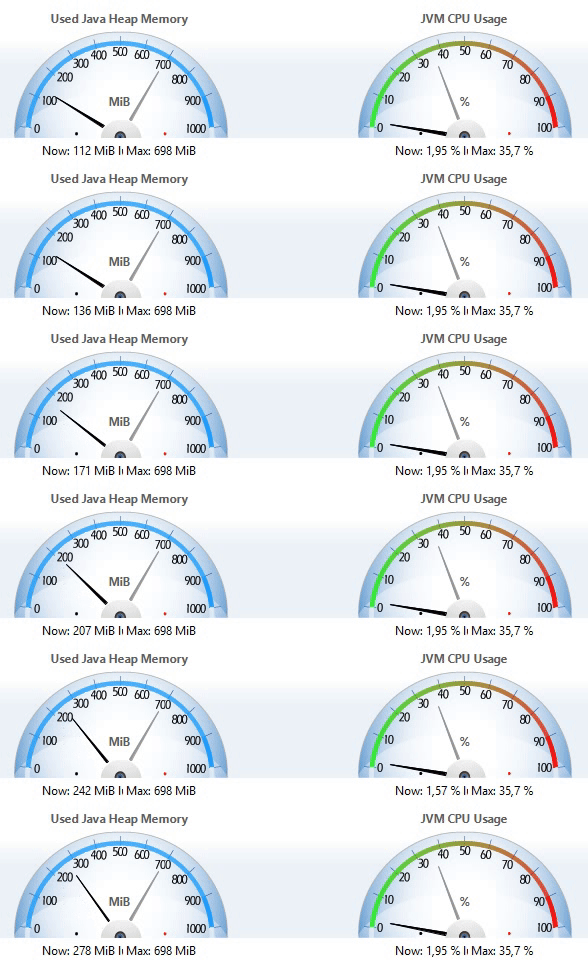
Java Mission Control - Test of lightweight (CPU, Memory)
Recorded time: 15s
Plugin version: v2.0
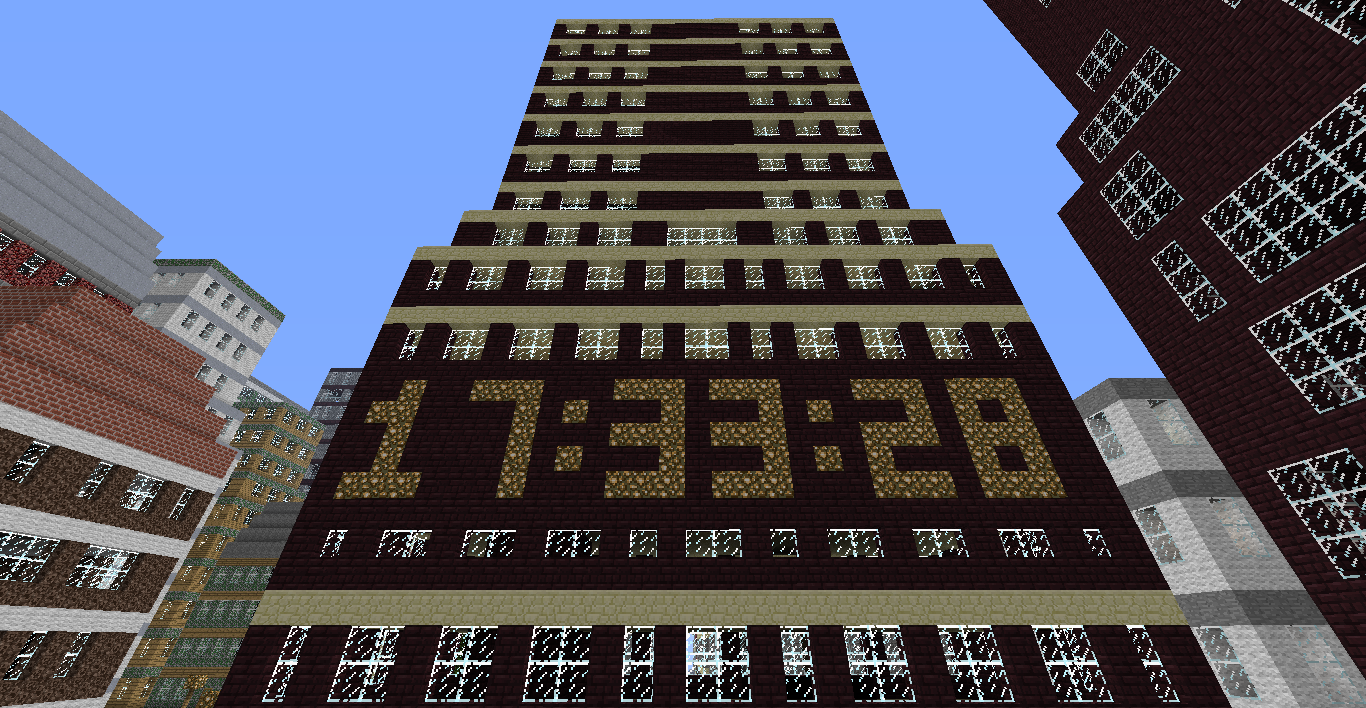
Screenshot of example clock

logo

v1.7 released

4videotutorials

MinecraftLogo

5updatingtonewerversion
Description

Video tutorials · Config · Commands · Source · To do
What is the DigitalClock?
With this plugin you can create a digital clock from any block material you want! The digital clock is in format HH:mm:ss, it's 5 block high and 26 blocks wide. You can show AM/PM, toggle showing seconds and much more!
Here is tutorial how to use this plugin in programming in your own plugin.
Please write about all issues here: github issues list. I will reply to them there. Or you can simply post a ticket :).
Features
- Pretty light plugin, it does not cause any lags
- Simple commands and useful permissions
- Customizable number font and size
- Showing not just server time, but local time of each player is possible
- Available modes: real time mode, in-game time mode, countdown mode or stopwatch mode
- Customizable material, filling material and behaviour of your clock
- Automatic terrain backups, used to restore replaced blocks when you delete your clock
- Always new version for the newest CB
- Public API for creating addons and public plugin source
- When problem occurs, it is easy to PM me (author of this plugin) and I am always willing to help :)
and much much more...
CPU and memory usage

Information from Java Mission Control tool. Running 10 different clocks (plugin version 2.0, CB 1.8.8).
(PC specs: Intel(R) Core(TM) i5-4460 CPU @ 3.20 GHz + 12 GB RAM)
How does it look in the game?

You can modify look of every number in config.yml. More about that is on the Config page (link).
Video tutorials
If you are looking for video tutorails, go to the Video tutorials page (link).
Updating to newer version?
If you update to newer version, it is recommended to backup previus DigitalClock folder from plugins folder and then delete it, the newer version may need to create new folder with changes. Maybe you will have to create all your clocks once again.
Changelog
Can be found here.

Do you like my plugins?

The DigitalClock Team


Owner