Play Soccer in Minecraft with a block ! Cube Ball provide a mechanic to move the ball smoothly on your map.
Features
Play soccer in Minecraft !
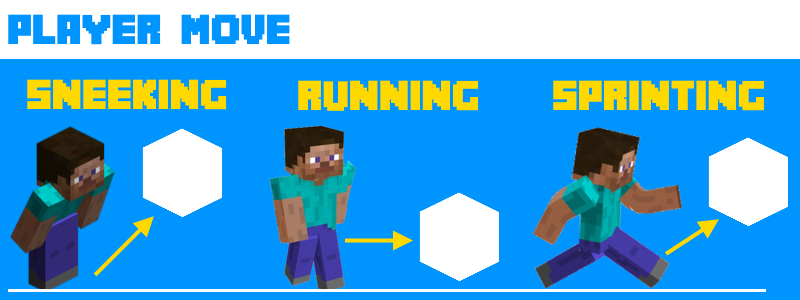
Ball is represented by a movable block
Smooth shifting
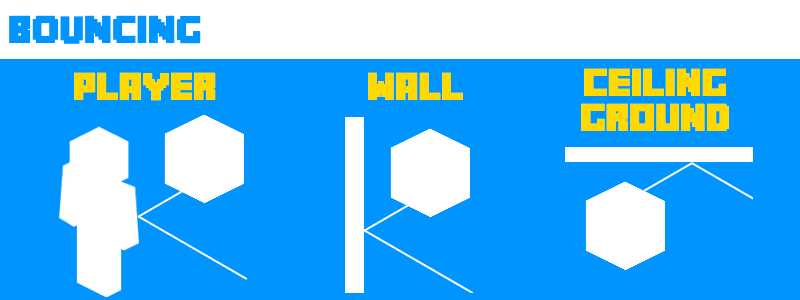
Bouncing
Configurable ball block
Match System with
Score
Team
Round
Time
Goal speed
Overtime
Goal animation
Spectator mode
Match administration (pause/resume)
Multi world support (play where you want !)
Command auto-completion
Play as many player you want (1vs1, 2vs2, 3vs3 etc...)
Create special game mode, limit is your imagination
hoops
fishing rod
Horse ball
Pig ball
...
Trailer
How to use it ?
You can use the plugin in two different way :
Simply type /cb generate <ID> with cubeball.manage permission and enjoy the ball as you want
Use match system included in the plugin. Description of this mode is explain below.
Commands & Permission
Command
Description
Permission
/cb generate <ID> [x] [y] [z]
Generate a ball
cubeball.manage
/cb remove <ID> [x] [y] [z]
Remove the ball
cubeball.manage
/cb match
Create a match
cubeball.manage
/cb team (BLUE|RED|SPECTATOR) (playerName)
Add player to the specific team
cubeball.manage
/cb start
Start match
cubeball.manage
/cb stop
Stop match
cubeball.manage
/cb pause
Pause match
cubeball.manage
/cb resume
Resume match
cubeball.manage
Match configuration
To create a match you need to follow some steps :
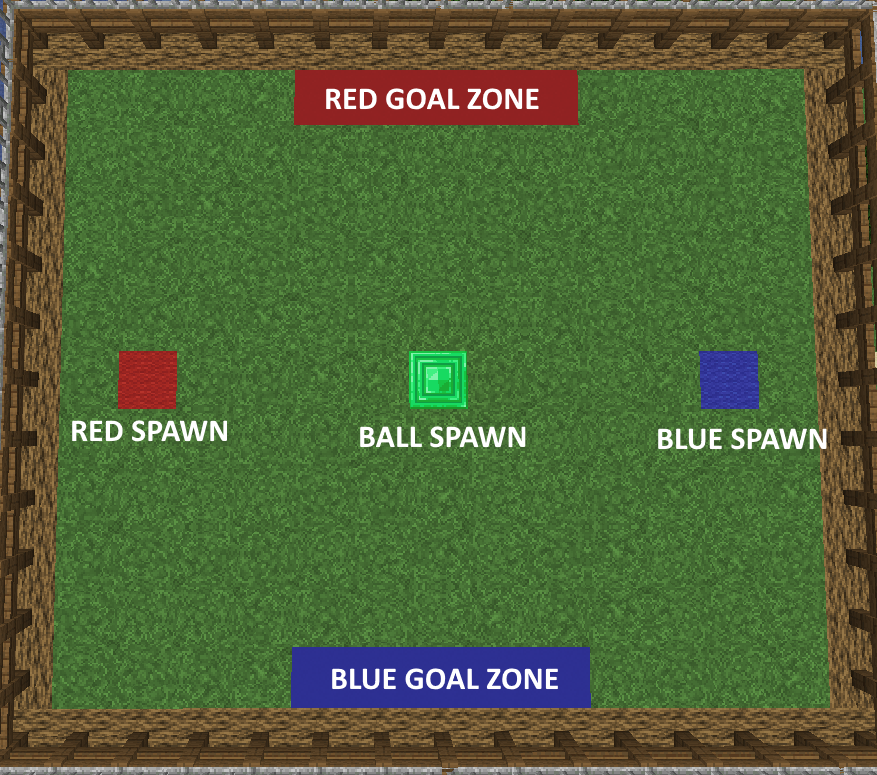
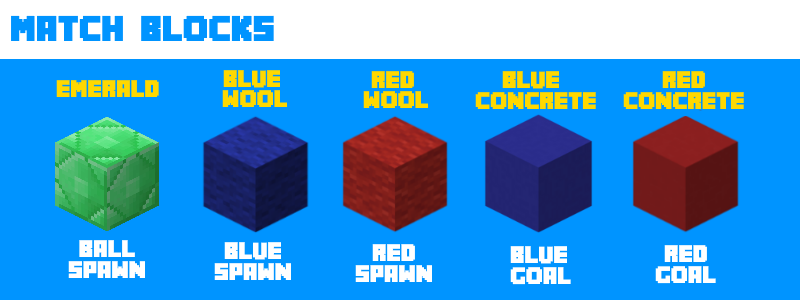
Place a block of emarald at the position you want the ball spawn
Place at least one spawn for each team. Blue wool for blue team, red wool for red team. You can set severals spawns per team. At the beggining of the round.a random one will be pick for each player
Place goal zone for each team. Blue concrete for blue team and red concrete for red team. These block represent the zone to trigger a goal. If a player put the ball in the blue zone, that make one goal for red team.
Do /cb match with cuball.manage permission to scan your map and detect different spawns. Plugin will scan 75 blocks around you. If your spawn block are two far from you, the plugin will not detect it. After doing this command, the plugin will give you a feedback of what it found and if your setup is correct.
When your match is created, you must now add player to teams. Use /cb team blue <playerName> or /cb team red <PlayerName> to add player to the corresponding team. You can also add player to spectator mode to see time remaining goal etc..
Do /cb start, the match is now starting for a duration of 5 minutes
Enjoy !
CAUTION : The ball don't like stairs , trap and some others special blocks. The ball can be destroyed by touching theses kind of blocks. Avoid using them in your arena. If your ball disappears, you can regenerate it by using /cb remove and /cb generate or /cb pause and /cb resume







%2526business%253darthur.pavarino%2540gmail.com%2526bn%253dPP-DonationsBF%253abtn_donateCC_LG.gif%253aNonHosted%2526cancel_return%253dhttps%253a%252f%252fdev.bukkit.org%252fprojects%252f322434%253fgameCategorySlug%253dbukkit-plugins%2526projectSlug%253dredstoneme%2526lc%253dUS%2526item_name%253dRedStoneMe%2b(from%2bbukkit.org)%2526cmd%253d_donations%2526rm%253d1%2526no_shipping%253d1%2526currency_code%253dUSD)