Quote from from News:New update has been appoved! Download now.
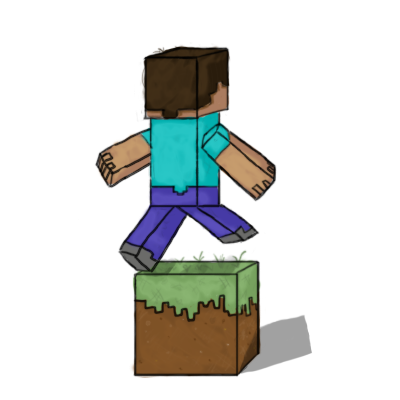
BlockBoost is a server tool that easily allows you to create a fun way of moving your players around your server. It allows server admins to add attributes to blocks, like setting the speed and the jump height when players run over them, giving players a boost.
- Easy to install
- Only one command to use
- Multi-world support
- Great for an interesting and challenging parkour
- Great for zipping around spawn and server hubs
- Highly configurable
- † Works with NCP and Anti-Cheat
Commands
creates a boost block with any name and preset
- /blockboost create <name> <preset>
shows all of the presets and their values
creates a new preset
- /blockboost presets create <name> <preset value code>
For more commands look here.
Presets
Presets have changed a little look on the presets page
Presets are settings that are used with blocks. They can make a player speed up and also make them jump higher. Presets control what each boostblock can do. They define how they behave. You can reuse presets on any boostblock. Each preset has a special preset value code. To learn how to form these codes look here.
Getting Started
- Add blockboost.jar to your "/plugins" folder
- Start your bukkit server and BlockBoost is installed
Creating your first boostblock:
taken from here
Quote from from preset value codes page:Forming these codes is a very easy and straight forward process. You choose how much you want the player to move up when standing on the block. Then you choose how fast you want the player to go when standing on that block. All you have to do then is put the first number at the beginning. Add a plus sign then put the second number after the plus.
To form the preset value code take the jump multiplier that you have selected and put it first. So I will select 1 to be my jump multiplier. Next choose a speed multiplier. I will choose 0. I will 'add' the speed multiplier to the jump multiplier: 1+0. Lets say I want this block to have nofall damage the I simply add, "+true" on the end. If you want fall damage the remove, "+true" with, "+false"
So the finished command should look like this:
/blockboost presets create presetone 1+0+true
Now we need to create a block in which to use this new preset. Stand on the block that you want to be a boostblock and type in the command:
/blockboost create blockone presetone
I will go over what is happening. We are creating a boostblock with the name of blockone with the preset we made before. This will give the player a jump multiplier of 1 and a speed boost of 0 when moving over that block.
Now just run over the block and your player should jump up in the air.
Planned Features
Look here for update and release info
| Things that you should be looking forward to: |
|---|
|
- Allowing teleportation of players
- Tons of Permissions
- Allowing blocks to give potion effects
Notes from the developer
Please if you have any ideas about what you want added to this plugin, please send me a pm.
† From my tests it works fine with both of these. If you find that it doesn't work with either of them then please let me know.