Authen
Authen is a lightweight yet powerful authentication plugin for offline-mode and VPN/Radmin servers.
Players register once and log in with a password. No client mod, no setup — just drop it in and the server is protected:
- register & log in with a password
- auto-login from your own trusted IPs (perfect for Radmin / Hamachi groups)
- nobody can move, chat, build or interact until they log in
- passwords are stored as an irreversible hash — never in plain text
Features
Authentication
- Password registration & login (
/register, /login)
- Change password and log out at any time
- Configurable login timeout + kick after too many failed attempts
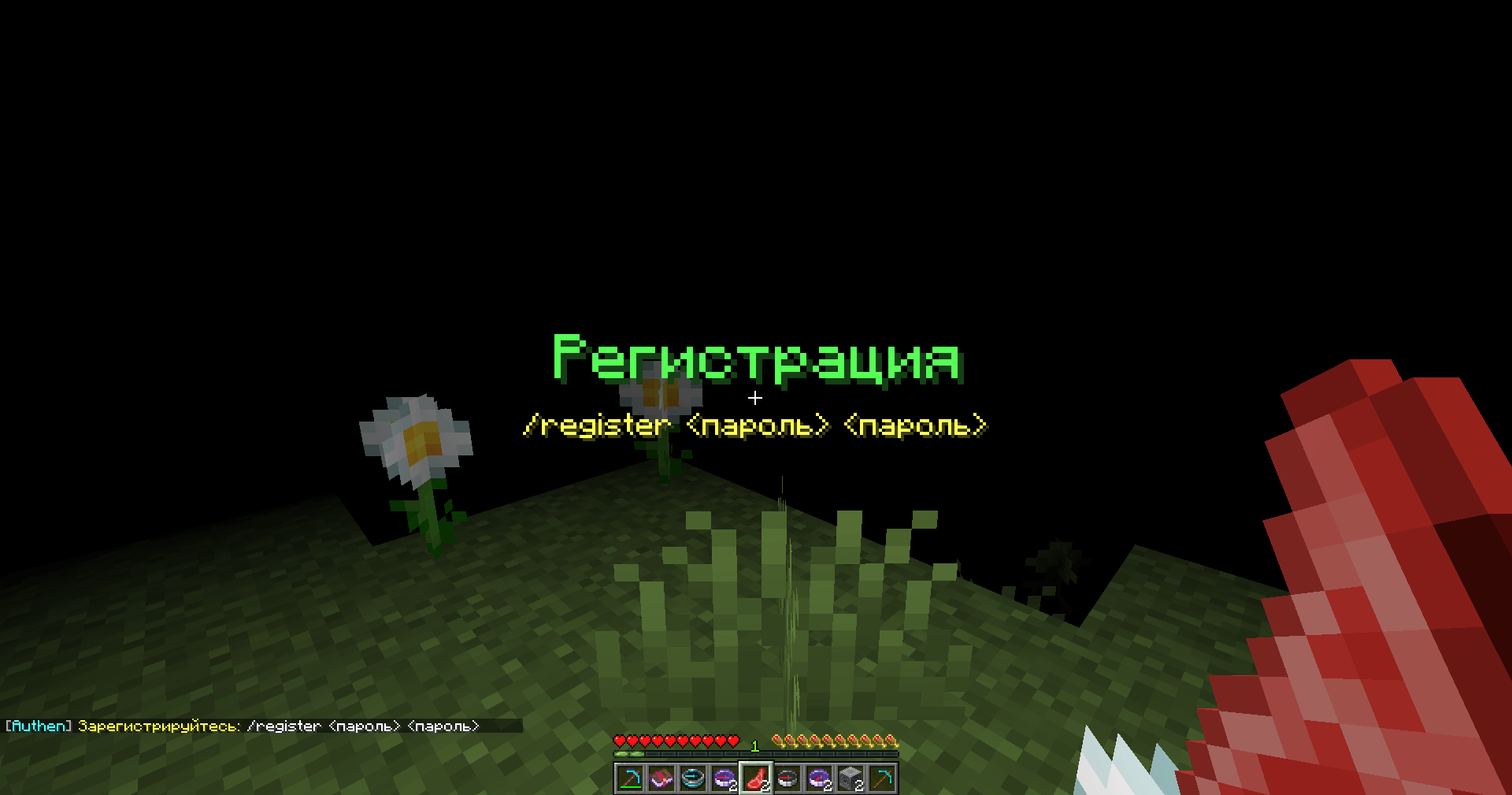
- Big center-screen title prompts + repeating reminders so nobody misses the login screen
Protection for unauthenticated players
- Blindness and/or teleport to spawn until logged in
- Blocks movement (head rotation still allowed), chat, commands, interactions
- Blocks block break/place, inventory, item drops, damage dealt/taken, and more
- Every protection can be toggled individually
IP auto-login & sessions
- Each account remembers its own trusted IPs — log in once with a password, then connect without a password next time
- Designed for Radmin / VPN groups: every player keeps their personal IP, no cross-login
- Quick session resume after a short disconnect
- Shared-IP guard: if one IP is trusted by several accounts (common NAT / mobile / one VPN network), auto-login is disabled and a password is required — closing account-takeover
Anti-bot & validation
- Max accounts per IP
- Join throttle (cooldown between connections)
- Name validation: length, allowed characters, blocked names
- Password policy: minimum length and more
Security
Passwords are hashed with PBKDF2-HMAC-SHA256 (120 000 iterations + a unique random salt per password) and compared in constant time.
The stored value cannot be reversed back into the original password — even if someone gets your data file. No plain-text passwords, ever.
For Players
- Works right out of the box — just join and register
/register <password> <password> to create your account/login <password> to log in (or get auto-logged in from a trusted IP)- Nothing to install on the client
- Your password is stored securely and can never be read by anyone
For Server Admins
The plugin is highly configurable via config.yml and messages keys:
- Toggle any protection (movement, chat, commands, blocks, inventory, damage…)
- Blindness / teleport-to-spawn for unauthenticated players
- Login timeout, max attempts, kick-on-fail
- IP auto-login: enable/disable, ignore local addresses, auto-add on login, max trusted IPs (
0 = unlimited), block shared IPs
- Sessions: enable + duration
- Title prompts + reminder interval
- Anti-bot: max accounts per IP, join throttle
- Name & password rules
- Fully customizable messages (MiniMessage formatting)
Commands & Permissions
| Command |
Aliases |
Description |
/register <pass> <pass> |
/reg |
Create an account |
/login <pass> |
/l |
Log into your account |
/changepassword <old> <new> |
/changepass, /passwd |
Change your password |
/logout |
— |
Log out of the current session |
/authen |
/sauth |
Admin commands (authen.admin) |
Installation
- Download the
.jar file
- Put it in your
plugins/ folder
- Restart the server
- Done! (Optionally, edit
config.yml)
Requirements
- Minecraft 1.21+ (tested up to 26.x)
- Paper / Spigot / Purpur (or compatible forks)
- Java 21+ (Java 25 for the newest deobfuscated builds)
- Offline mode server
FAQ
Are passwords stored safely?
Yes. They are hashed with PBKDF2-HMAC-SHA256 (120 000 iterations + salt) and cannot be reversed. The original password is never stored.
How does IP auto-login work with Radmin / VPN?
Each account remembers its own trusted IPs. After your first password login, your IP is trusted and you'll be logged in automatically next time. Every player keeps their personal IP, so nobody logs into someone else's account.
What if two players share the same IP?
If one IP becomes trusted by more than one account (shared NAT, mobile internet, one VPN network), auto-login from that IP is automatically disabled and a password is required. This is controlled by block-shared-ips (on by default).
Do I need a database (MySQL / SQLite)?
No. Authen uses a simple flat-file storage — no external database required.
Can I change all the messages?
Yes — every message is configurable and supports MiniMessage formatting.
Links
Modrinth • Telegram
© 2026 Kasperoid — All Rights Reserved