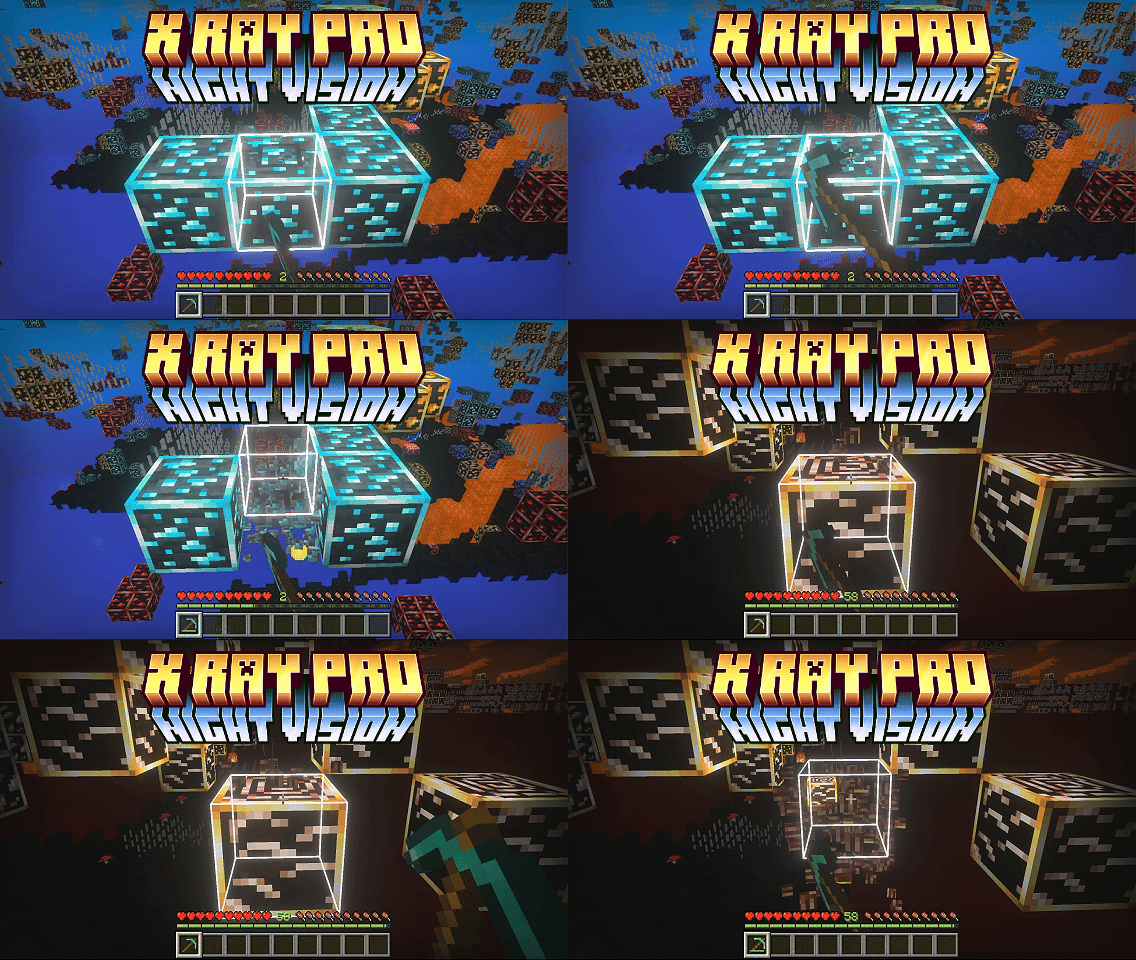
X RAY + Night Vision shows you every ore without disabling achievements. No mods, no commands, just a lightweight resource pack that hides the terrain around ores so they stand out in any graphics mode, and makes them glow when Vibrant Visuals is on.
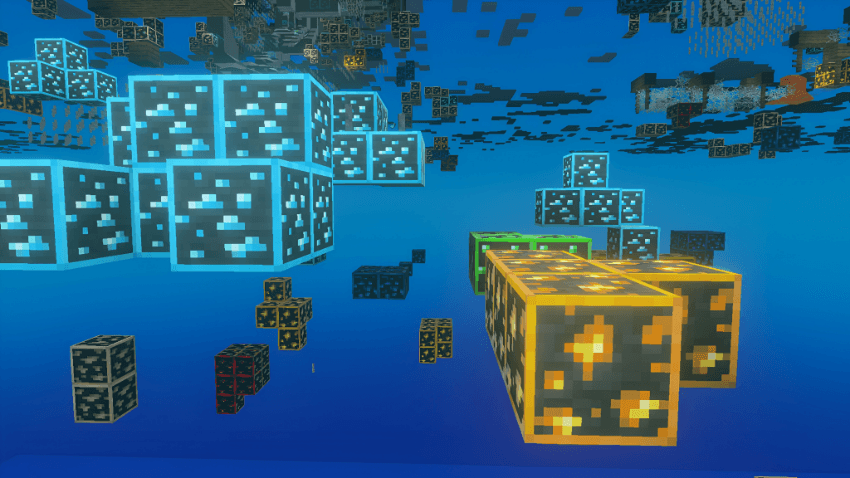
Two X-Ray Modes
Pick one in the pack settings (the gear icon on the pack):
- X RAY DEFAULT: hides stone, deepslate, tuff, granite, diorite, andesite, dirt, sand, sandstone, plain terracotta, netherrack, basalt, blackstone and other common terrain. Water and lava stay visible, and gravel, obsidian, sculk shriekers and sculk catalysts show as thin markers so you still know where they are.
- X RAY 100%: full see-through. On top of the usual terrain it also hides grass blocks, cobblestone, coloured terracotta, snow, ice, nether bricks, nylium, end stone, sculk, dripstone, bone blocks, suspicious sand and gravel, and even water and lava.
Spot gravel before it gets you. In X RAY DEFAULT, gravel is drawn as a thin torch-shaped marker instead of a full block, so you can see exactly where it is and avoid digging under it. It's still real gravel and can still fall, the pack only changes how it looks. In X RAY 100% gravel is hidden completely, so take extra care there.
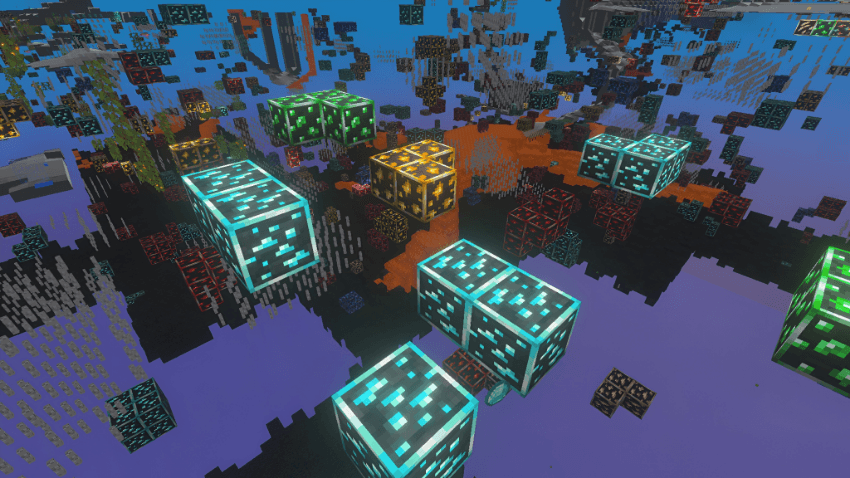
See lava before you dig into it. In X RAY DEFAULT, lava stays visible while the stone around it disappears, so hidden lava pools show up clearly while you mine. X RAY 100% hides water and lava too, so switch to DEFAULT when you're mining near lava.
Key Features
-Ores visible in every graphics mode (Simple, Fancy or Vibrant Visuals)
-Two modes, DEFAULT and 100%, switchable any time in pack settings
-Ores glow with real PBR texture sets when Vibrant Visuals is on, plus brighter lighting for a night-vision feel
-Fog pushed far out in every biome, the Nether and the End
-Chests and shulker boxes in bright solid colours so loot stands out
-No pumpkin overlay, no falling leaf particles, minimal block-breaking cracks
-100% resource pack, achievement-safe and safe to add to existing worlds
Recommended Settings
-Turn off Smooth Lighting for the clearest ore visibility
-Simple or Fancy both work. On Fancy, use the water trick above
-Enable Vibrant Visuals for glowing ores (optional but looks amazing)
Install
- Place the resource pack in your resource_packs folder or import it in-game
- Edit or create a world → Resource Packs → enable X RAY + Night Vision
- Click the gear icon on the pack to choose X RAY DEFAULT or X RAY 100%
- Turn off Smooth Lighting for best results
- Enjoy finding every ore effortlessly!