Wayfarer's UI Bright
Wayfarer's UI Bright is a resource pack for Minecraft Bedrock Edition that keeps the game's familiar light interface and adds a set of new screens in a color you choose. It replaces the loading screen and the pause menu, adds an in-game guide, and bundles many small quality-of-life tweaks from the community. Made for the Classic interface; touch, mouse and controller all work.
New loading screen
- The main menu panorama drifts slowly behind the loading screen.
- The loading title and an animated spinner sit at the bottom left.
- A wide progress bar with a percentage appears whenever the game reports progress, for example while a world is generated.
- An exit button.
New pause menu
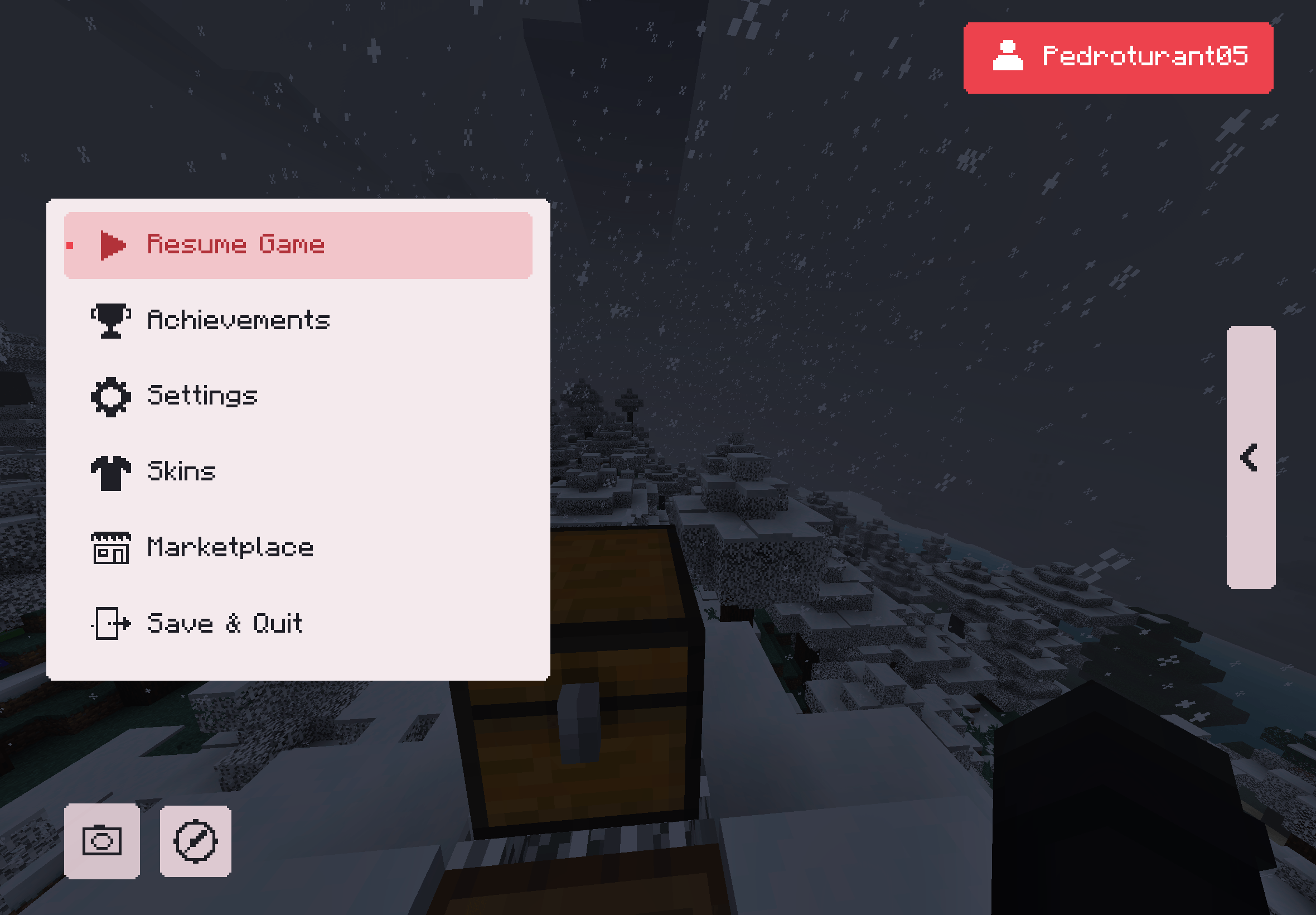
- A clean list of buttons with icons: Resume, Achievements, Settings, Skins, Marketplace and Save & Quit.
- Your player name on a card at the top right.
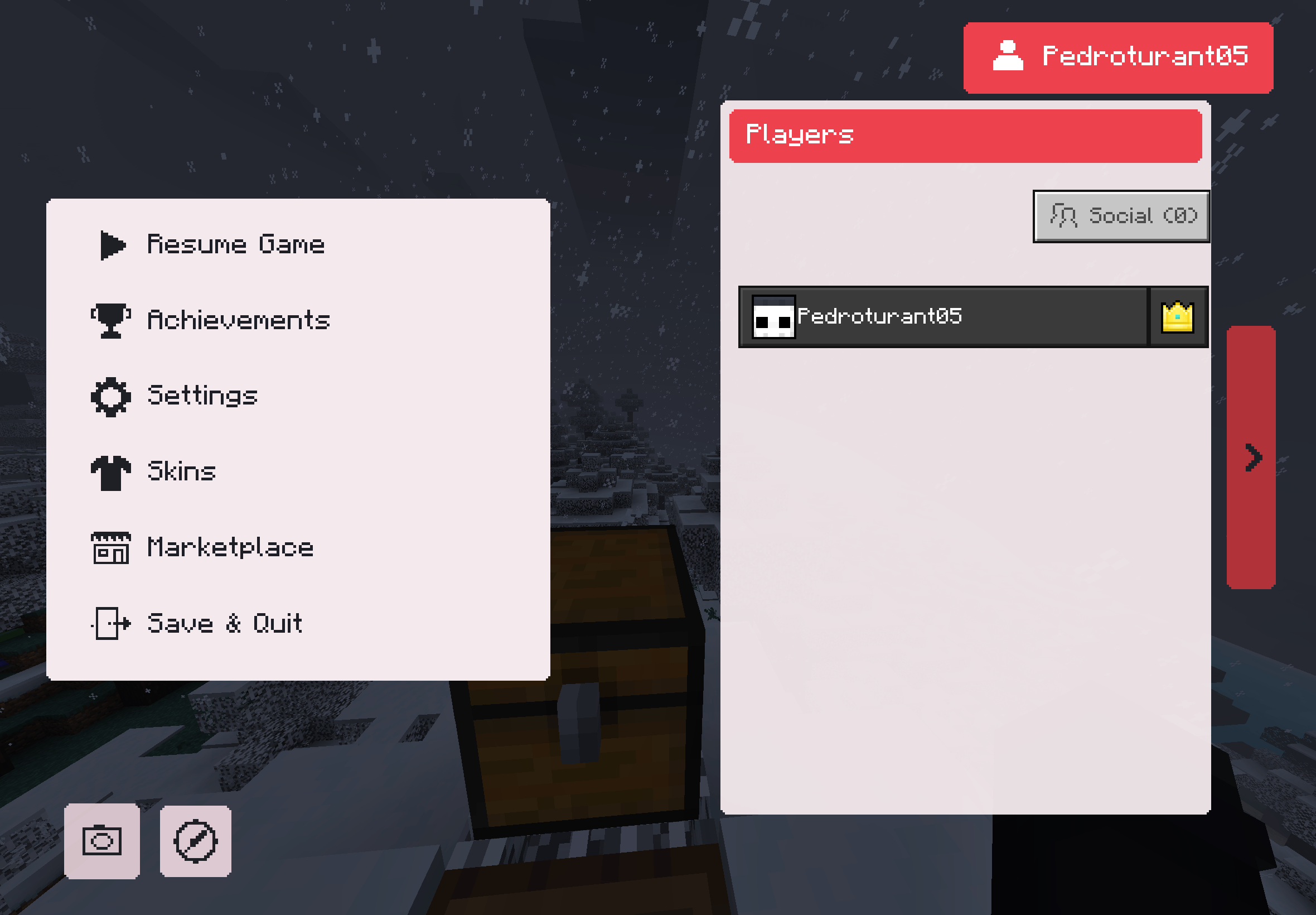
- A side tab (the "<" arrow) that slides out the list of players in the world.
- A screenshot button.
Wayfarer Menu
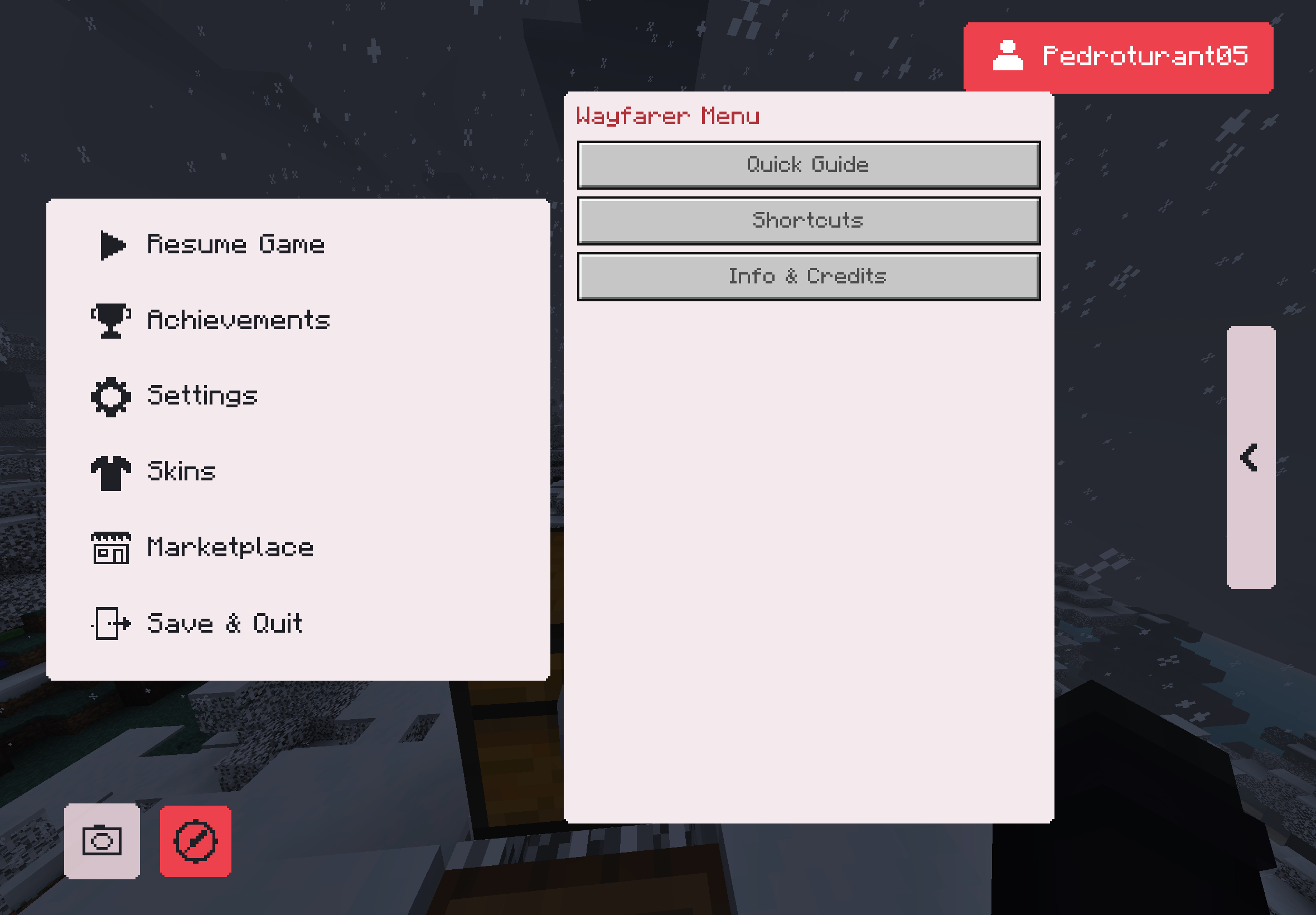
Open it with the compass button next to the screenshot button in the pause menu:
- Ore guide: the best height to mine each ore.
- Shortcuts: Nether travel, mob spawning and beds.
- Info and credits.
Your color
Pick one of 8 colors: purple, blue, cyan, green, red, orange, pink or gray. The color appears on the loading screen, the pause menu and the Wayfarer Menu. Inventories and the other screens keep the vanilla light look, with no dark overlays or gradients.
Community tweaks (always on)
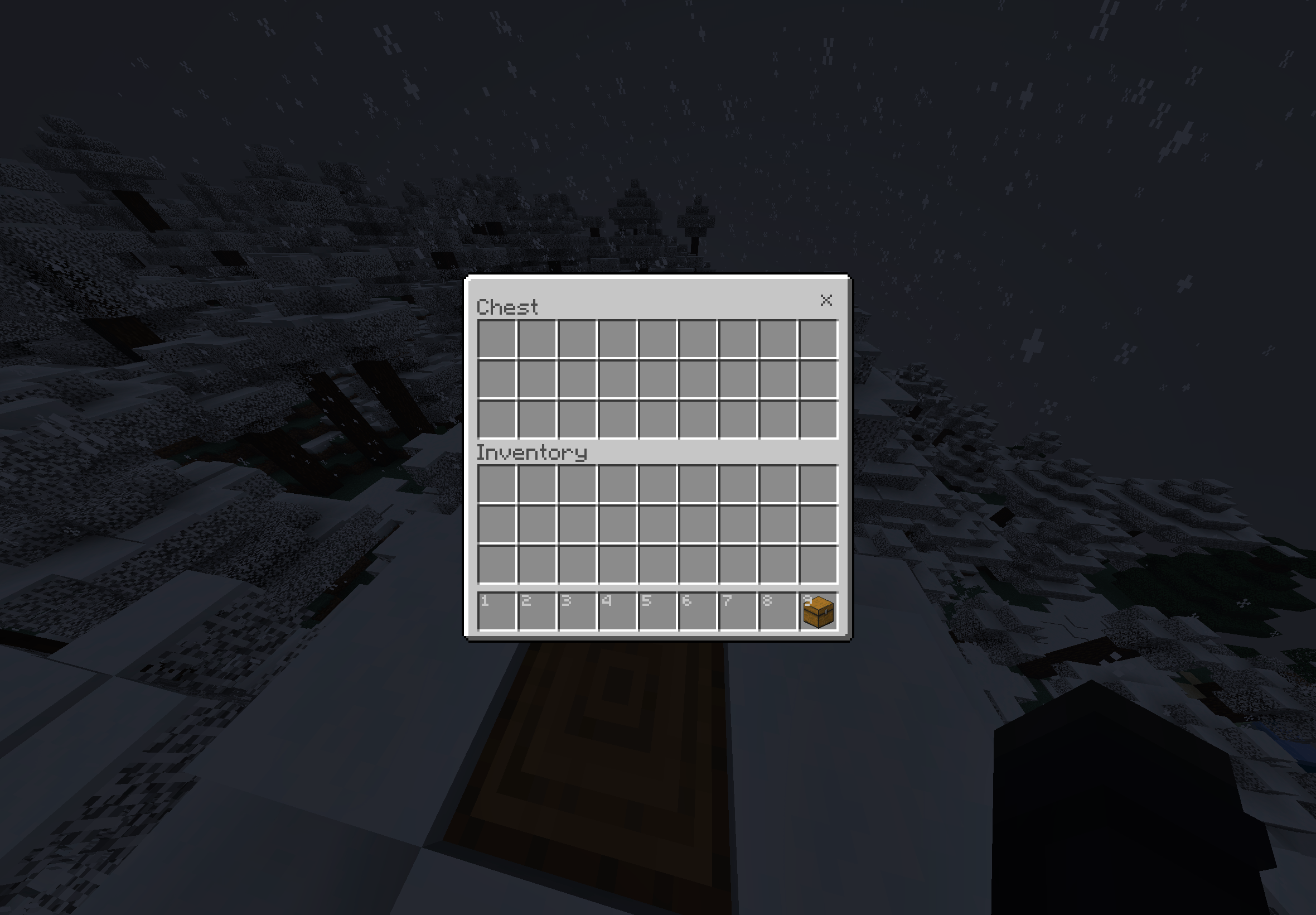
- Numbered hotbar
- Quick crafting button
- Trading helper
- Brewing guide
- Hunger preview
- Arabic numerals for enchantment levels
- Redstone level of each music disc
- Chat tweaks and translucent tooltips
Block tweaks ("Full" options)
Glass doors and trapdoors, golden helmets shown as crowns, directional hoppers and observers, sticky piston sides, lodestone compass, clean redstone dust, visible tripwires, crop and amethyst markers, low fire, low shield and a see-through carved pumpkin.
How to install and set up
- Open the .mcpack file; Minecraft imports it.
- Go to Settings > Global Resources and activate Wayfarer's UI Bright.
- Click the gear icon on the pack to choose your color and Full (interface + block tweaks) or UI only (interface only).
It works in every world because it only changes textures and the interface. Available in all 29 Bedrock languages.
Prefer a darker look? See Wayfarer's UI Dark.
Inspired by community UI packs such as Deesse UI (not affiliated).
Credits
Credits:
Vanilla Tweaks: https://vanillatweaks.net/
Bedrock Tweaks: https://bedrocktweaks.net/
Bedrock Tweaks is not affiliated or made by Vanilla Tweaks. This is a fan made learning project developed by DrAv0011.
Descrição (Português)
Pacote de recursos para o Minecraft Bedrock que mantém a interface clara do jogo e adiciona telas novas na cor que você escolher:
- Tela de carregamento com a panorâmica do menu se movendo ao fundo, título e ícone girando no canto e barra de progresso com porcentagem.
- Menu de pausa com botões e ícones (Voltar, Conquistas, Configurações, Skins, Marketplace, Salvar e Sair), seu nome no canto, aba lateral com os jogadores e botão de captura de tela.
- Menu do Andarilho (botão da bússola): guia de altura dos minérios, atalhos sobre o Nether, mobs e camas, informações e créditos.
- 8 cores e duas opções: Completo (interface + ajustes de blocos) ou Só interface. Escolha no ícone de engrenagem em Configurações > Recursos globais.
- Ajustes da comunidade (hotbar numerada, botão de craft rápido, guia de poções, prévia da fome e outros) e ajustes de blocos (portas de vidro, coroa dourada, funis e observadores com direção, fogo e escudo baixos e mais).
- Em 29 idiomas.