promotional bannermobile promotional banner

Srkuls's Custom Wings

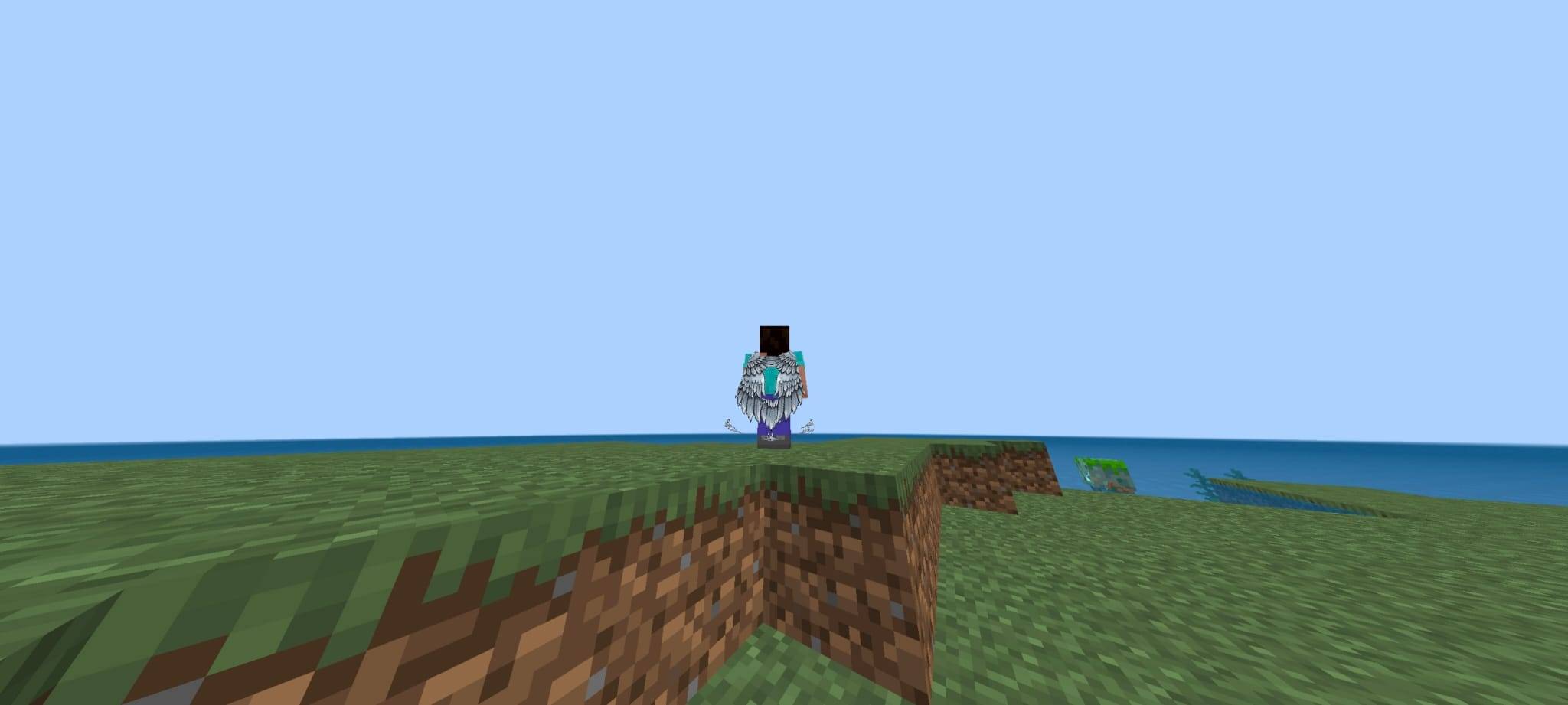
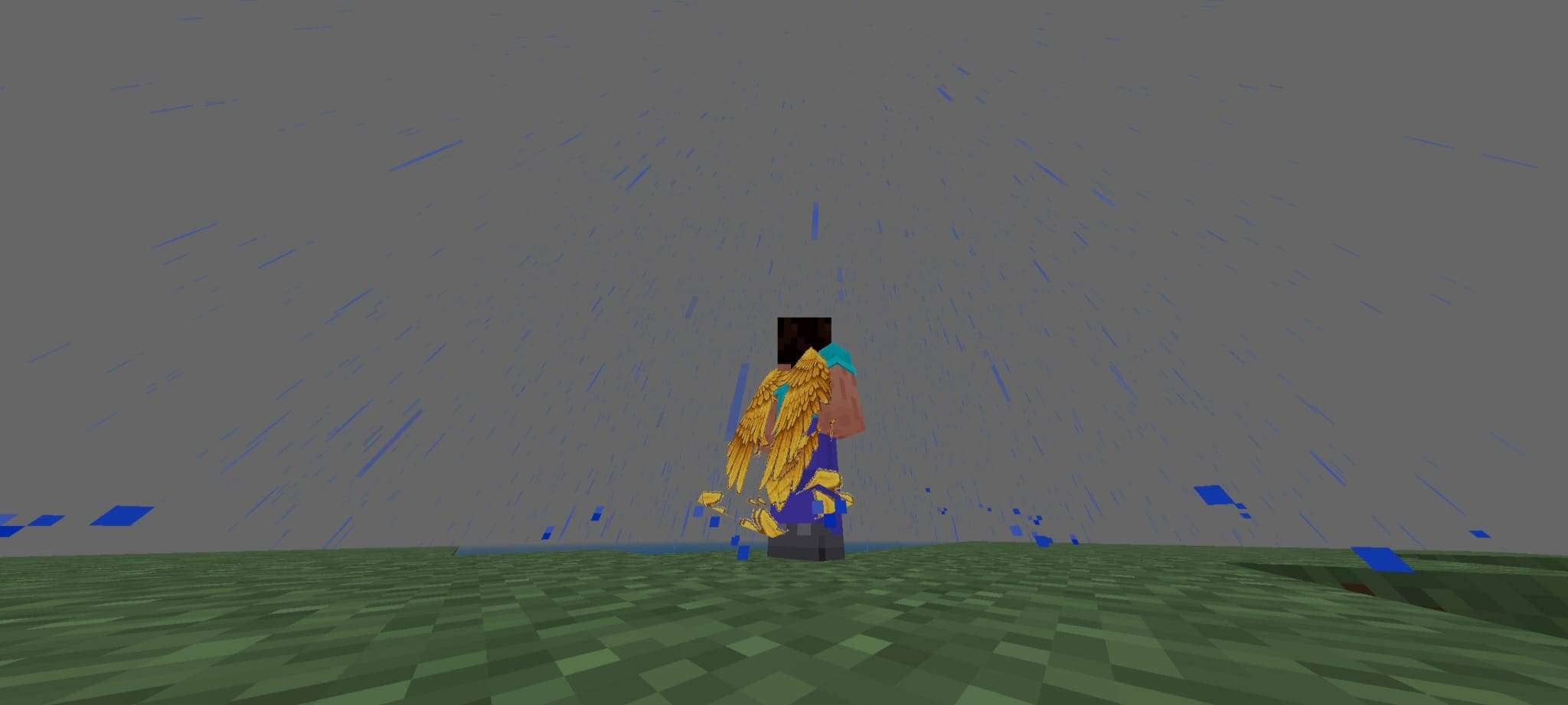
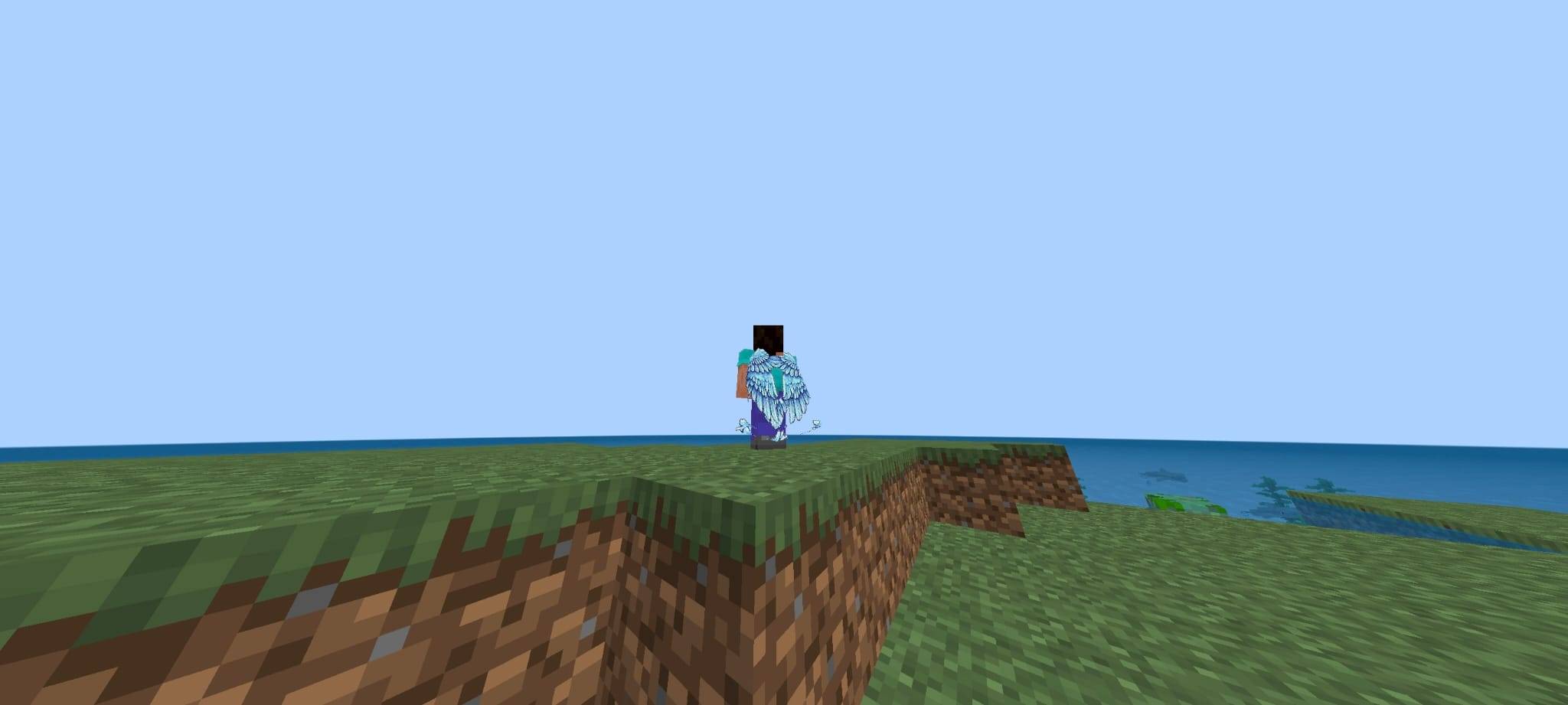
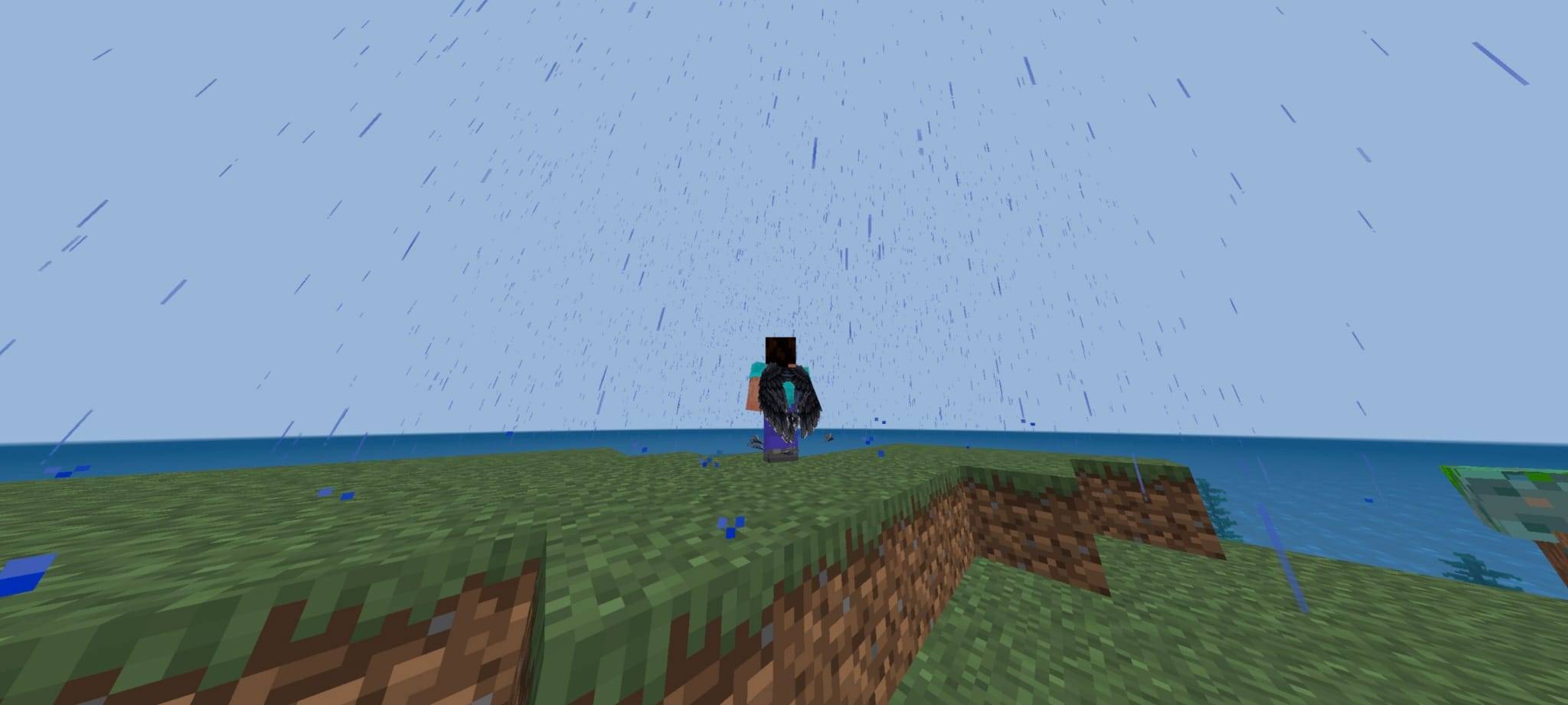
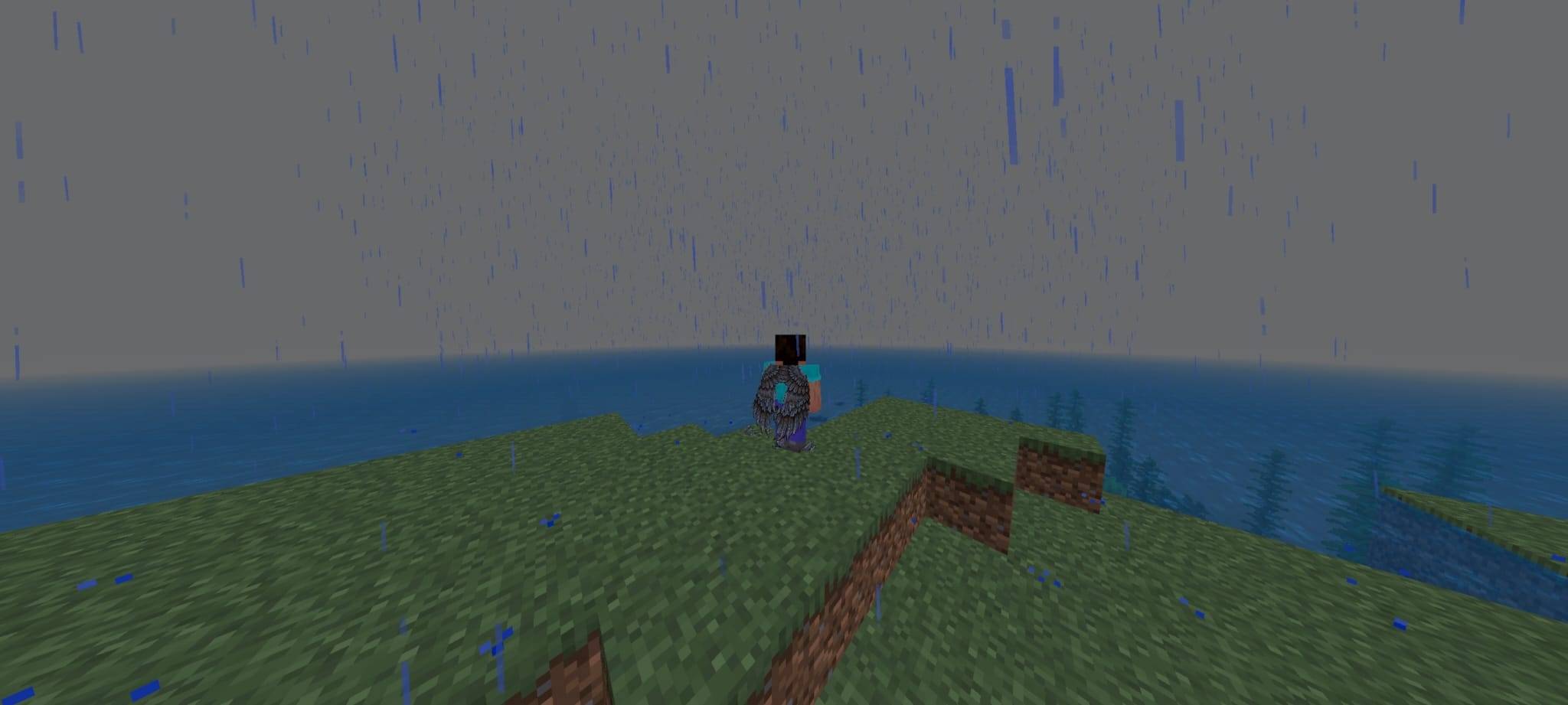
Equip 5 HD custom wings (Steampunk, Golden Angel, Shadow Dark, Silver Steel, Crystal Ice) using the in-game slider subpack config! [Pre-Release Beta: minor UV/rendering limitations apply].
WhatsApp Image 2026-07-22 at 18.34.42 (2).jpeg

WhatsApp Image 2026-07-22 at 18.34.42 (2).jpeg

WhatsApp Image 2026-07-22 at 18.34.41 (1).jpeg

WhatsApp Image 2026-07-22 at 18.34.41 (1).jpeg

WhatsApp Image 2026-07-22 at 18.34.42 (1).jpeg

WhatsApp Image 2026-07-22 at 18.34.42 (1).jpeg

WhatsApp Image 2026-07-22 at 18.34.42.jpeg

WhatsApp Image 2026-07-22 at 18.34.42.jpeg

WhatsApp Image 2026-07-22 at 18.34.41.jpeg

WhatsApp Image 2026-07-22 at 18.34.41.jpeg

Description

πŸͺ½ Custom Wings Elytra Resource Pack (Bedrock .mcpack)

Custom Wings Elytra brings 5 high-definition, hand-crafted pixel art wing designs to Minecraft Bedrock Edition! Players can easily switch between their favorite wings directly from the Resource Pack Settings (βš™ Slider) in-game.


✨ Features

  • βš™ 5 Selectable Wing Variants (In-Game Subpack Slider):
    1. βš™ Steampunk Iron Wings — Heavy industrial iron plates detailed with rustic rivets.
    2. ✨ Golden Angel Wings — Radiant celestial golden feathers with bright aura sparkles.
    3. πŸŒ‘ Shadow Dark Wings — Obsidian dark feathers infused with shadowy energy.
    4. βš” Silver Steel Wings — Sleek, polished steel blades for a knightly aesthetic.
    5. πŸ’Ž Crystal Ice Wings — Glowing cyan crystal shards with icy prismatic reflections.
  • πŸŽ› Instant Subpack Configuration: No need to install multiple packs! Change wings dynamically via the pack settings gear icon.
  • 🎨 1024x512 HD UV Resolution: Ultra-crisp textures crafted from original pixel-art wing renders.
  • πŸŽ’ Custom Item Icons: Matching 128x128 icons in your inventory for each equipped wing variant.

βš™ How to Change Wings in-game

  1. Import and activate Custom Wings Elytra under Global Resources or World Resource Packs.
  2. Click on the pack and select the βš™ (Gear Icon / Settings) button.
  3. Move the Subpack Slider to select your favorite wing design (Steampunk IronGolden AngelShadow DarkSilver Steel, or Crystal Ice).
  4. Close the settings menu and enjoy your new custom wings!

⚠️ Known Issues & Pre-Release Notes

πŸ“Œ BETA RELEASE NOTICE: This project is currently in Pre-Release / Beta. Please review the following technical notes:

  1. World Re-log for Texture Refresh:
    • After changing the wing variant using the Subpack Slider, you may need to re-enter your world or restart Minecraft for the new texture to refresh properly on your character.
  2. Custom Player Model (4D Skins / Add-on) Alignment:
    • Textures are fully tested and aligned for standard Steve and Alex models. If you use custom 3D skin add-ons or modified player models, minor UV alignment variations may occur on inner wing joints.

The Srkuls's Custom Wings Team

profile avatar
Owner
  • 5
    Followers
  • 22
    Projects
  • 15.3K
    Downloads

More from SrkulsView all