If I got paid one cent every time I browsed MCPEDL or Curseforge to find a speedrun timer pack of some sort, then I would have... well, two cents and a very bad mood. I have simply looked everywhere for one, and the only ones available are behavior packs (which, very soon, will no longer be achievement-friendly) or resource packs that only worked like two years ago! Simply put, no one could figure out how to make a speedrun timer into a resource pack, so that's what I spent the last month of my life doing!
This pack works exactly as advertised, along with a couple of cool "perks". The timer starts as soon as you load into a world, which differs from average behavior pack-oriented timers. Most of them start before you can even touch your controls or look around. This pack starts the timer as soon as your GUI loads (as soon as you can see the world), so it actually starts at a fair place. And, after that, well, it's simple... It just keeps counting up! If you wish to restart the timer, just relog into the world. Here's an image of the timer (the graphics aren't great; I might update them if this pack gets enough support):
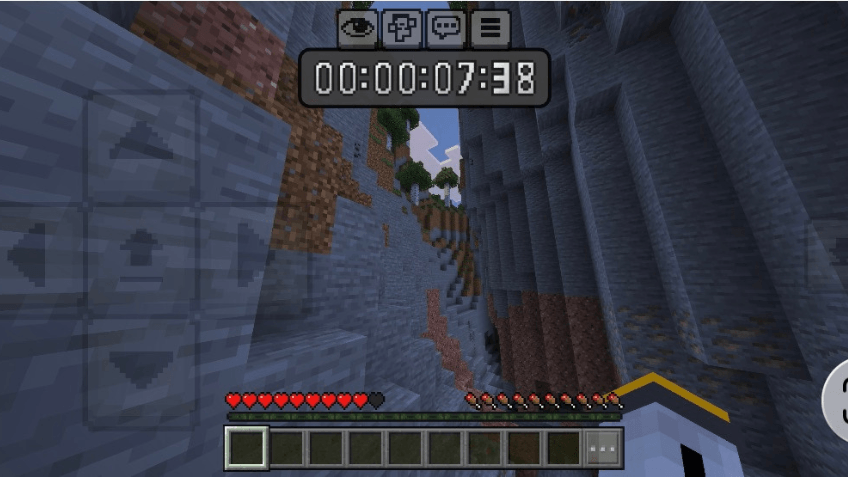
As you can see it starts on GUI load (and counts up correctly):
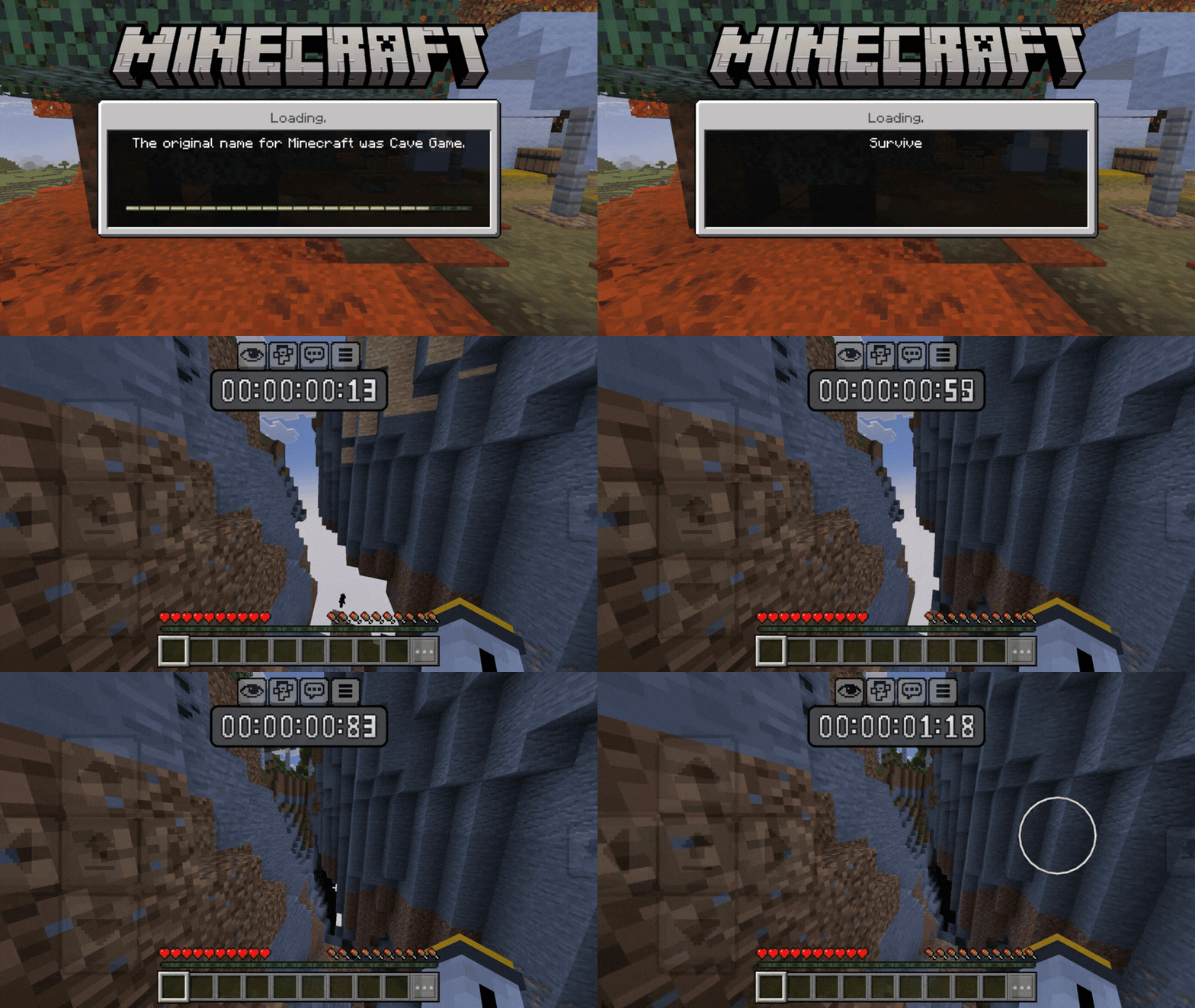
NOTE: Aspects of this pack were generated with AI. Please DO NOT click off, as this took literal weeks to figure out! The only thing that WAS generated with AI was the code. Everything else (such as visuals, writing [this description], ideas, brainstorming, implementation, and troubleshooting) was done ENTIRELY by me! Thank you for reading this; I hope this helps build more trust in the Minecraft community. One funny fact is that the idea to use animation endings to make the timer actually count up was entirely mine; I just thought of it one day. Originally, when I told the AI my idea to make this pack, it said it was impossible until I thought of this loophole.
I must give a fair warning: this pack probably cannot be used in actual speedruns without moderation specifically saying so. Even though it is a resource pack, please DO NOT submit a run while using this pack; it will probably get the run disqualified. In addition, I haven't done a lot of testing, but from what I have seen, the time isn't always correct to the millisecond. This is due to lag and individual network issues, which make the timer start to fall behind the actual time. From what I can see, it loses about three seconds per hour, but that might just be for me. Also, there is no way to give resource packs the functionality to stop once you exit The End (that I know of; keep pushing the limits and maybe one day I'll figure out a way). This pack is mainly for visual purposes (e.g., to look cool) and to be able to know how much time you've roughly spent in a world or somewhere else. You can also use this pack on servers, so it might be a good way to track a game session or use it as a stopwatch!
I might be making a separate timer resource pack later on... stay tuned for that.
Now it's time for the nerdy stuff! If you're interested in how I managed to do this and why it was so hard, you can keep reading. Otherwise... go download the pack already!!
I originally thought this was impossible because of many of the limitations of resource packs. Resource packs cannot know what is happening in the world at any given time. They can only change visuals and other very specific aspects of the game. Because of this, there was seemingly no way to even make the timer start, much less get it to cycle through all the numbers logically. If you think about it, how can you make something display a timer if it has no access to in-game time/actual time and no way to know which number to put after the next? This was actually much harder to implement than it originally seemed... Then I realized I had already looked into resource pack animations. I figured out I could make animations of various lengths, and when these animations finished, it could tell the next number to go up. This took a lot of troubleshooting to get the timing and visuals to line up, but eventually it worked surprisingly well. I also realized that the timer started on GUI load (because it had to), and this was an added pro because I was expecting it to start on world load and not on GUI load.
Thank y'all for reading this far, and hopefully this helps you out or helps you time your speedruns or... something else?
Happy speedrunning! :p
-Echol0w