Precise Decimal XP 🟢🔢✨
- By
Precise Decimal XP 🟢🔢✨ is a Minecraft Bedrock Edition / MCPE resources pack that displays your Experience Points (XP) with precise decimal accuracy 🎯, giving you a cleaner and more detailed way to track XP progression. ⚡
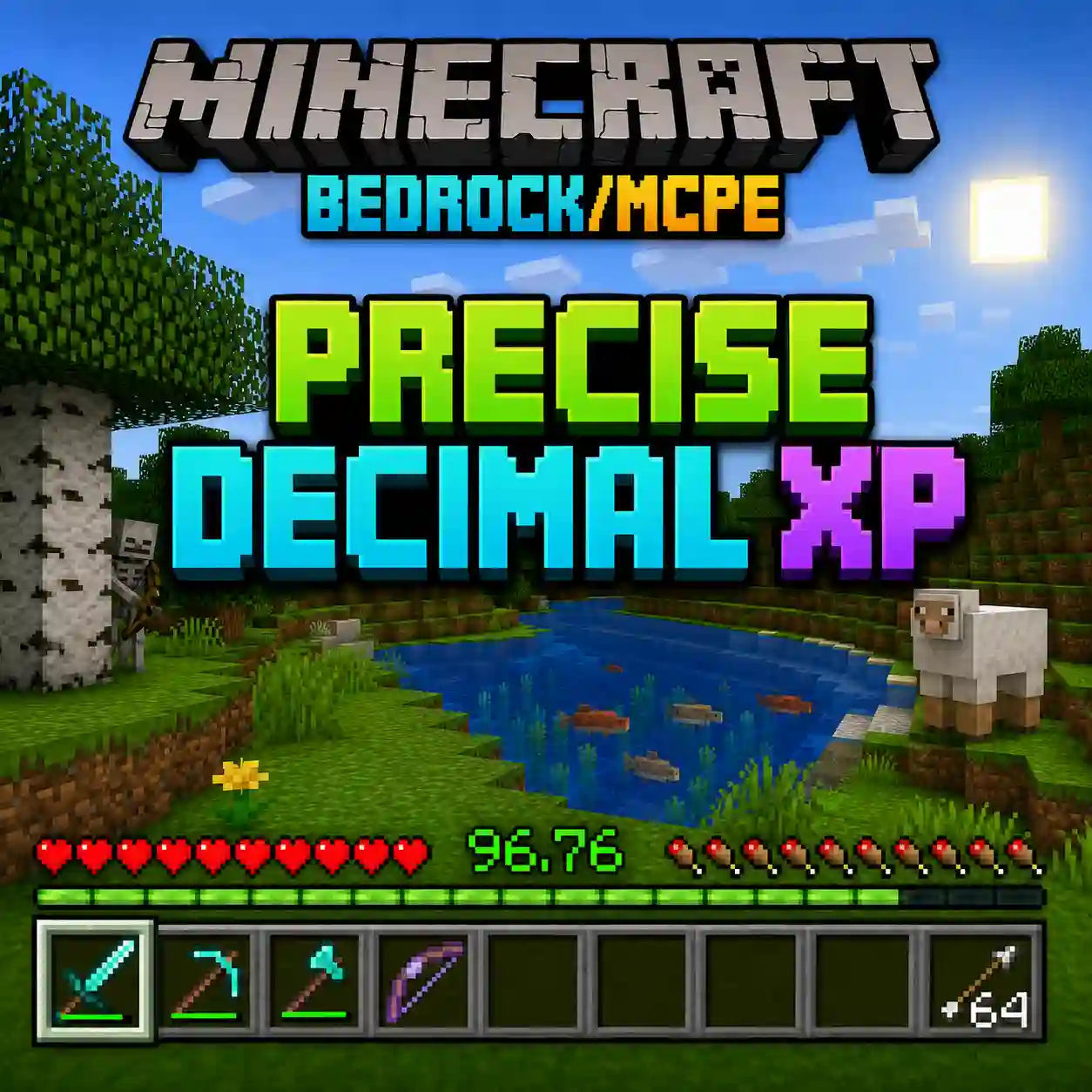
Thumbnail and pack_icon
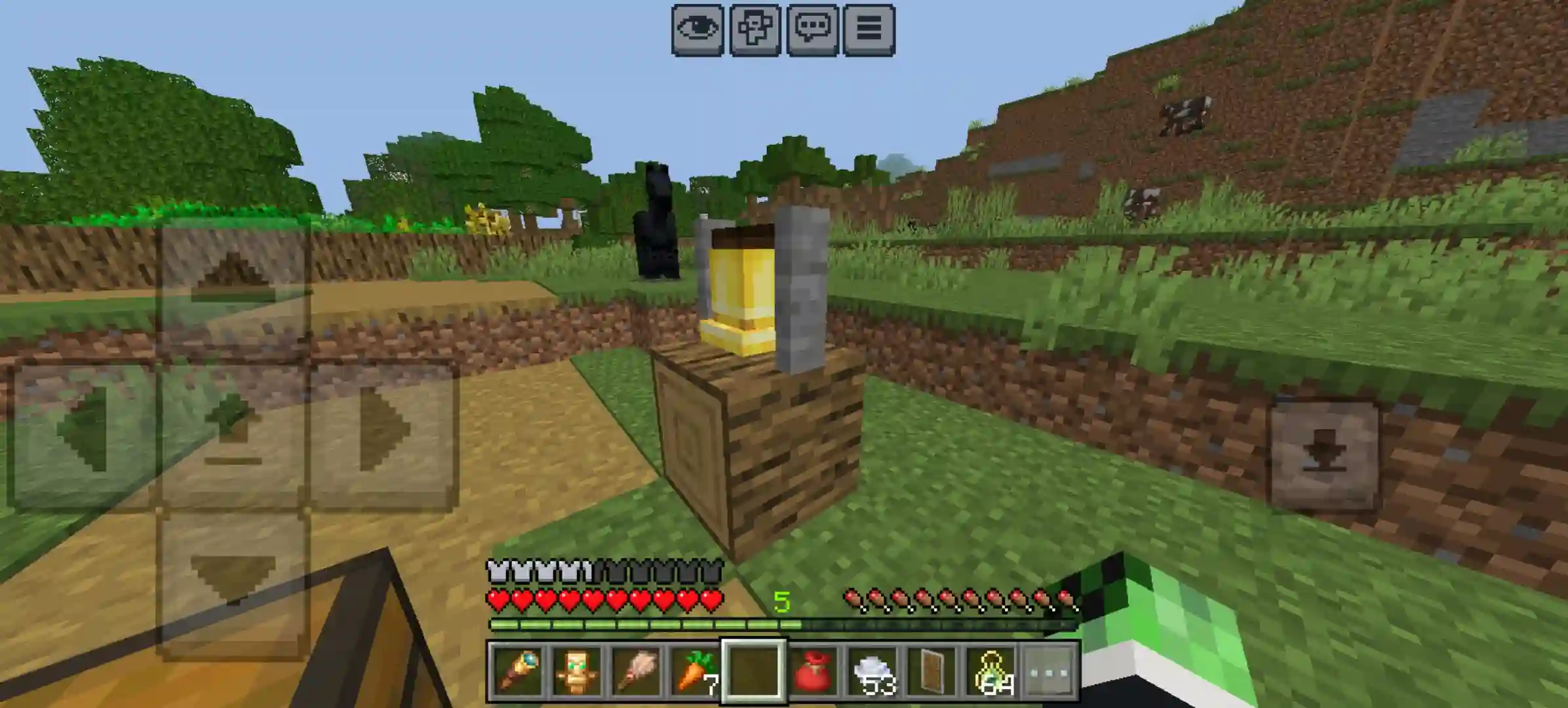
Integer Only
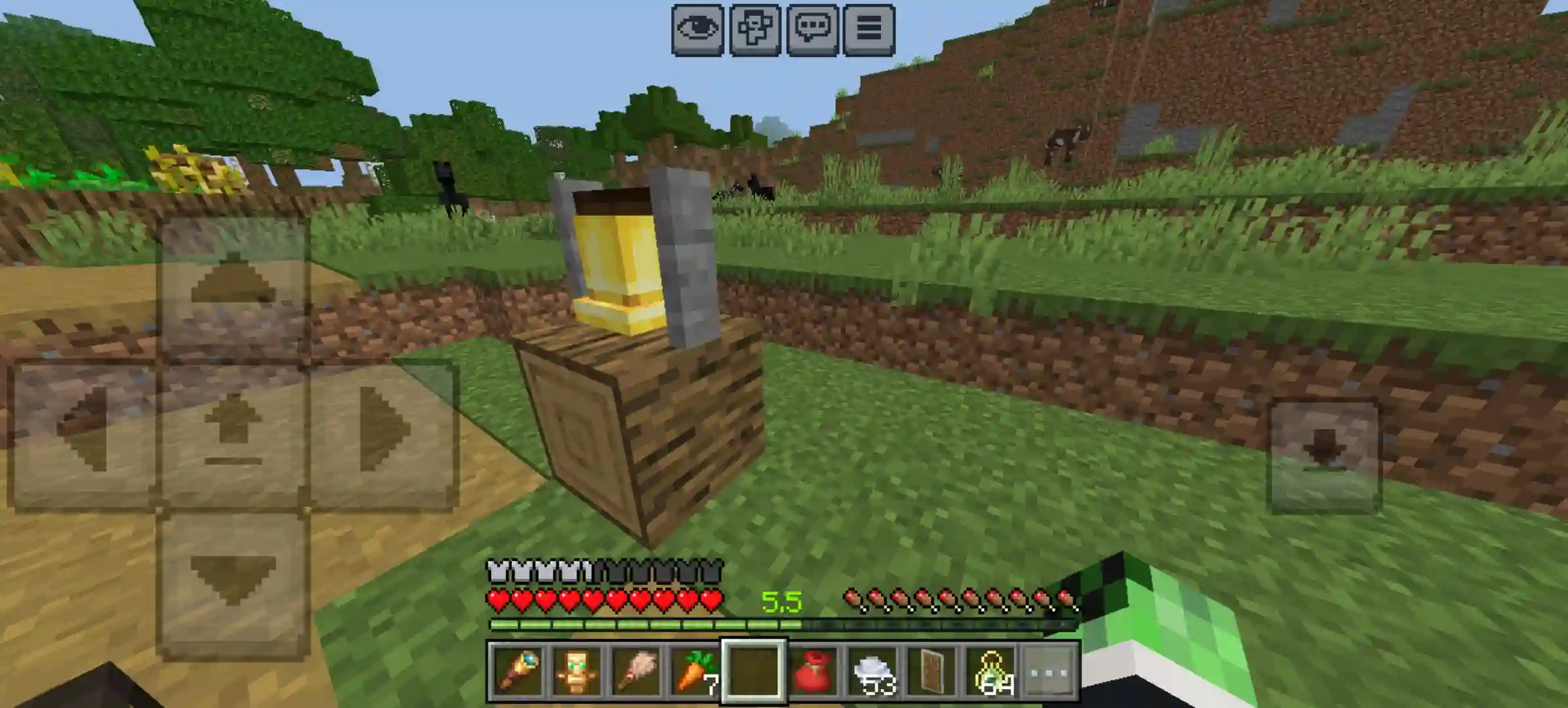
1 number after Decimal
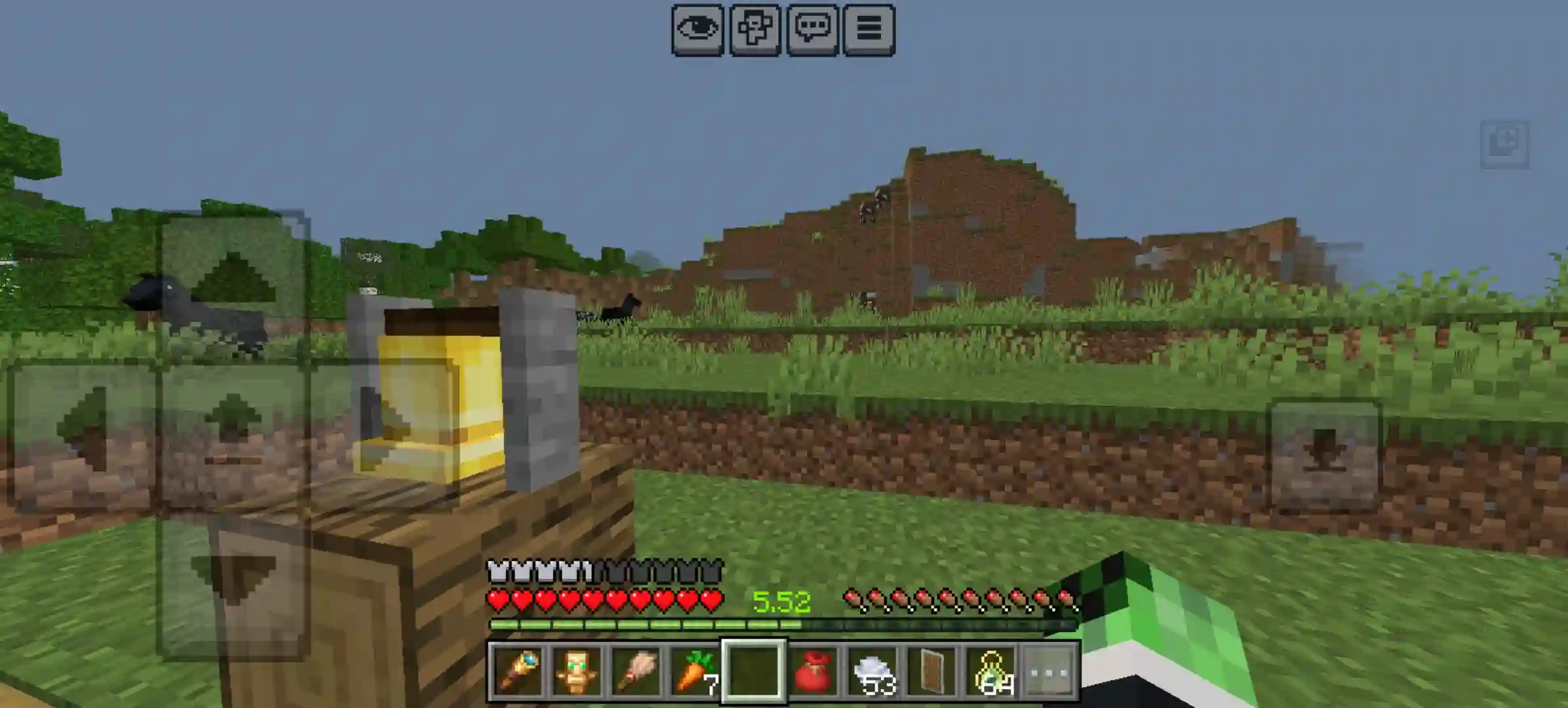
2 number after Decimal
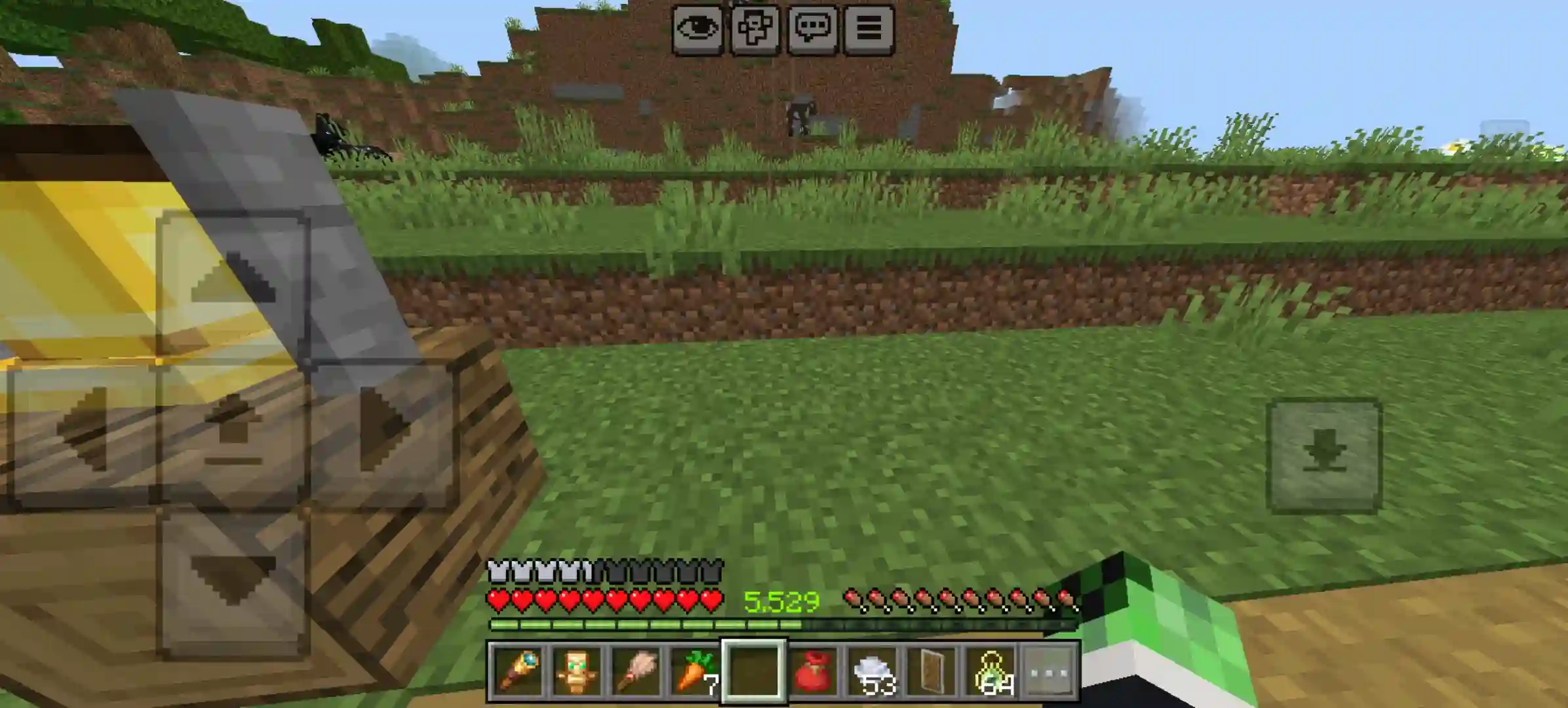
3 number after Decimal
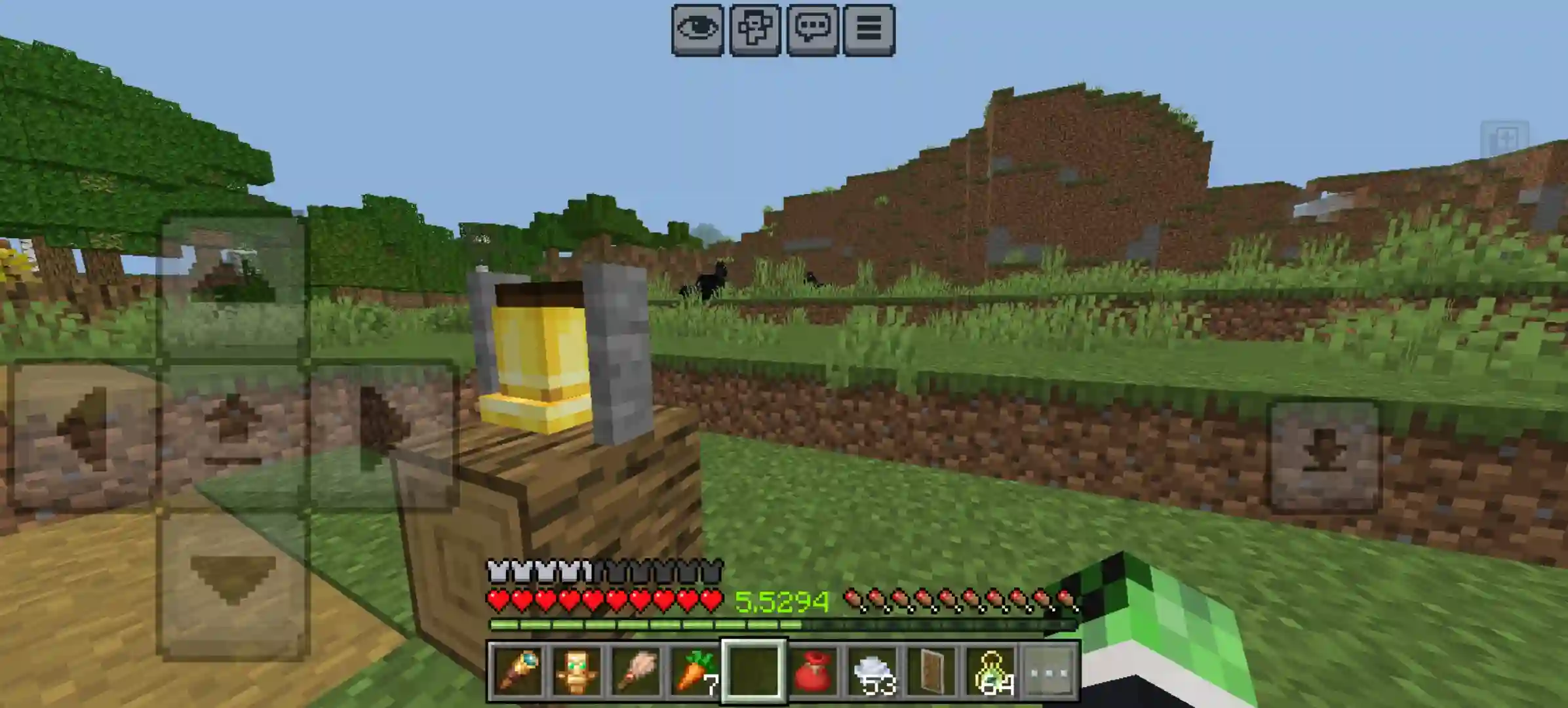
4 number after Decimal
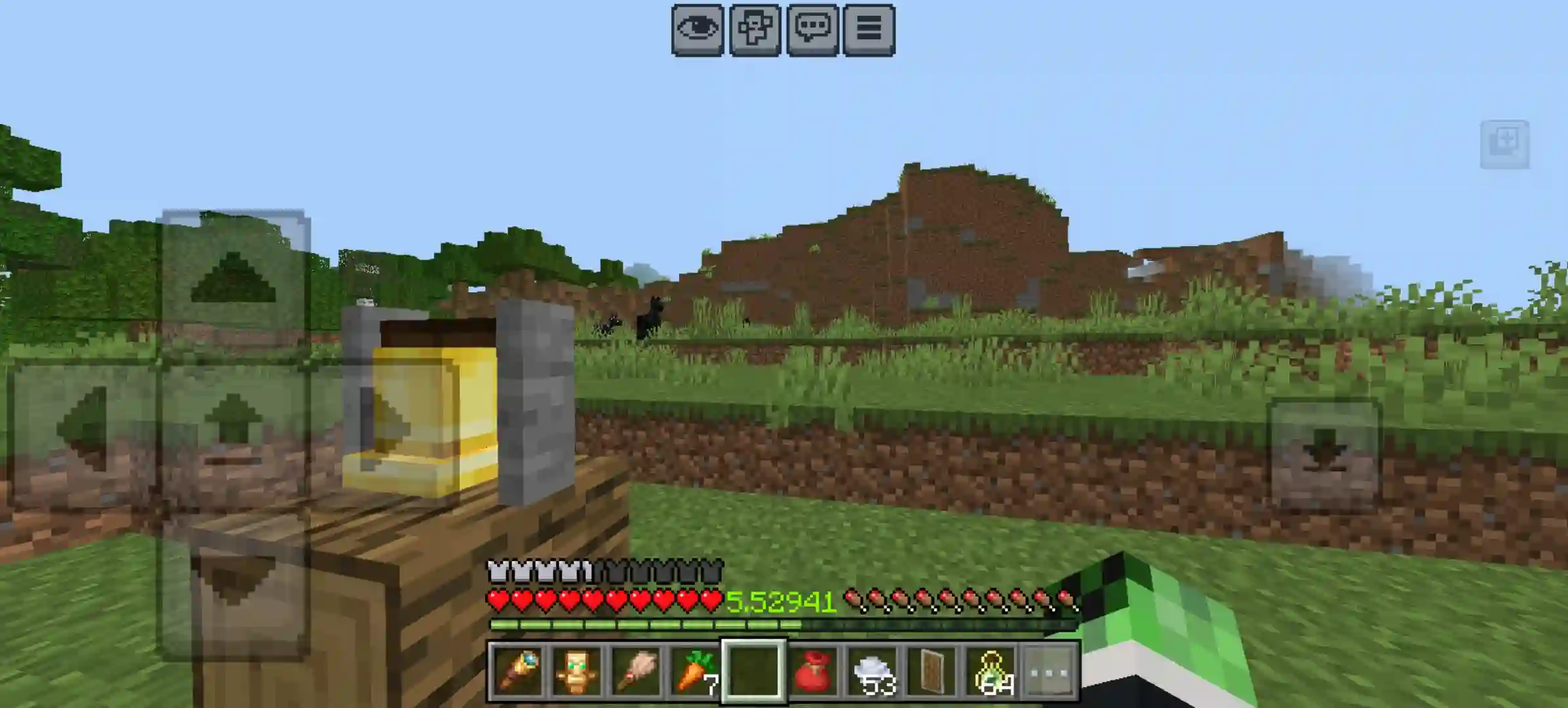
5 number after Decimal
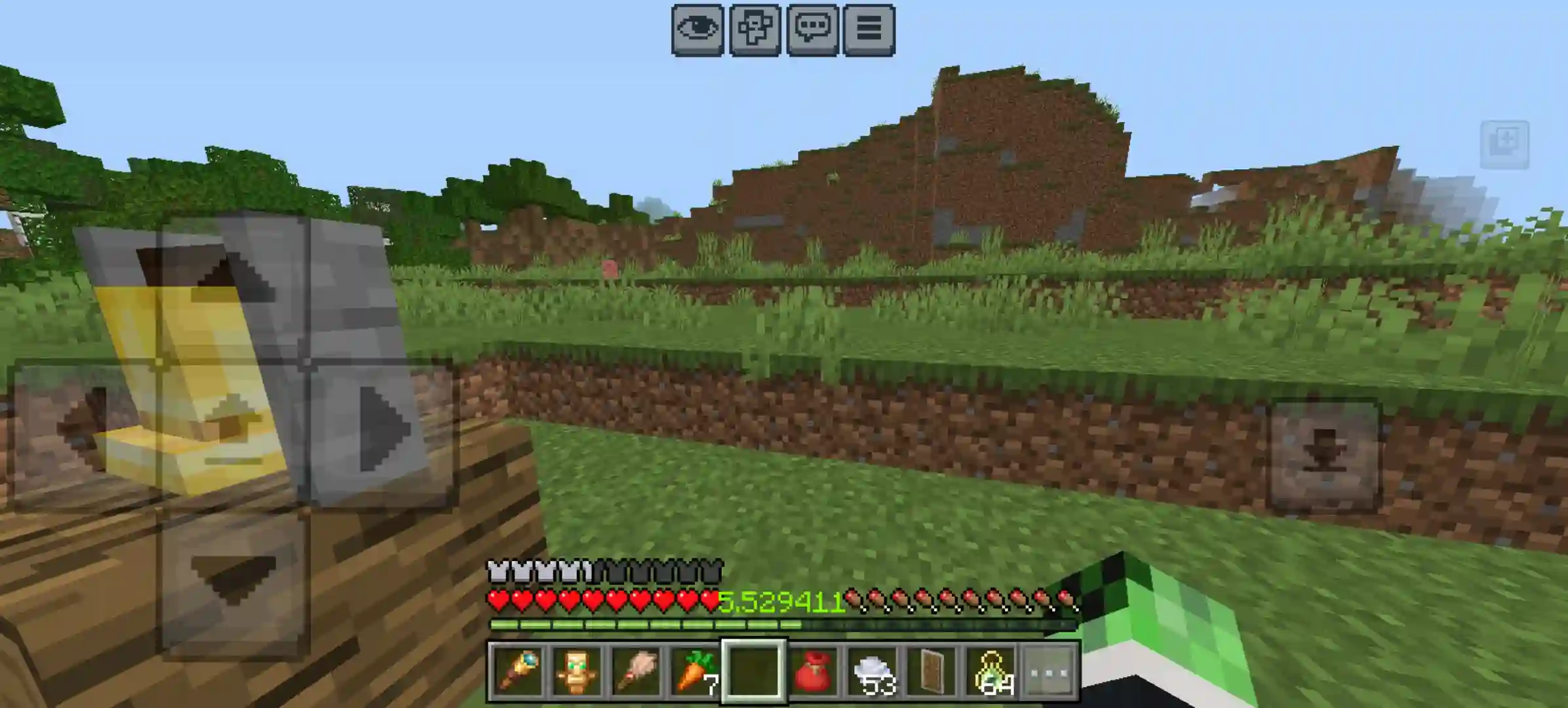
6 number after Decimal
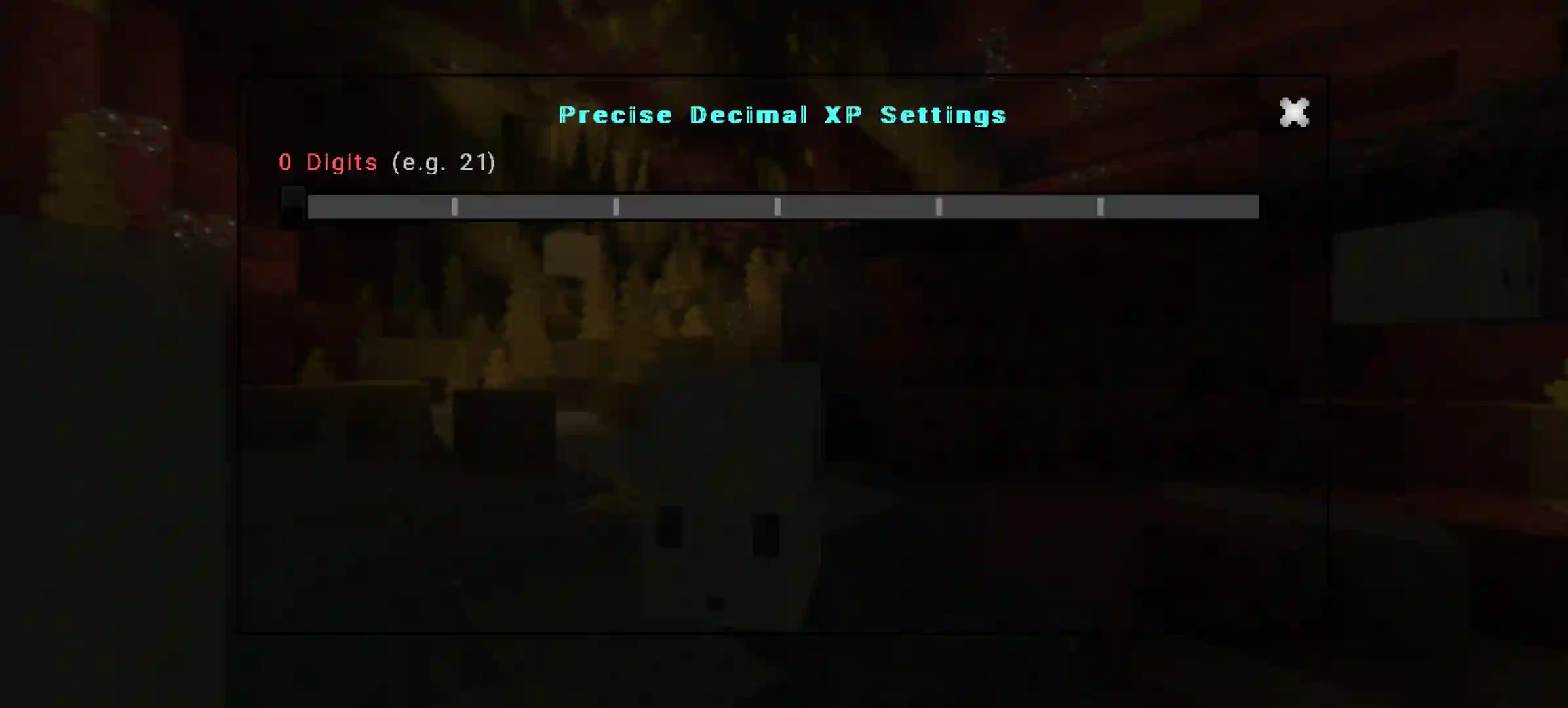
Selecting precision using subpack
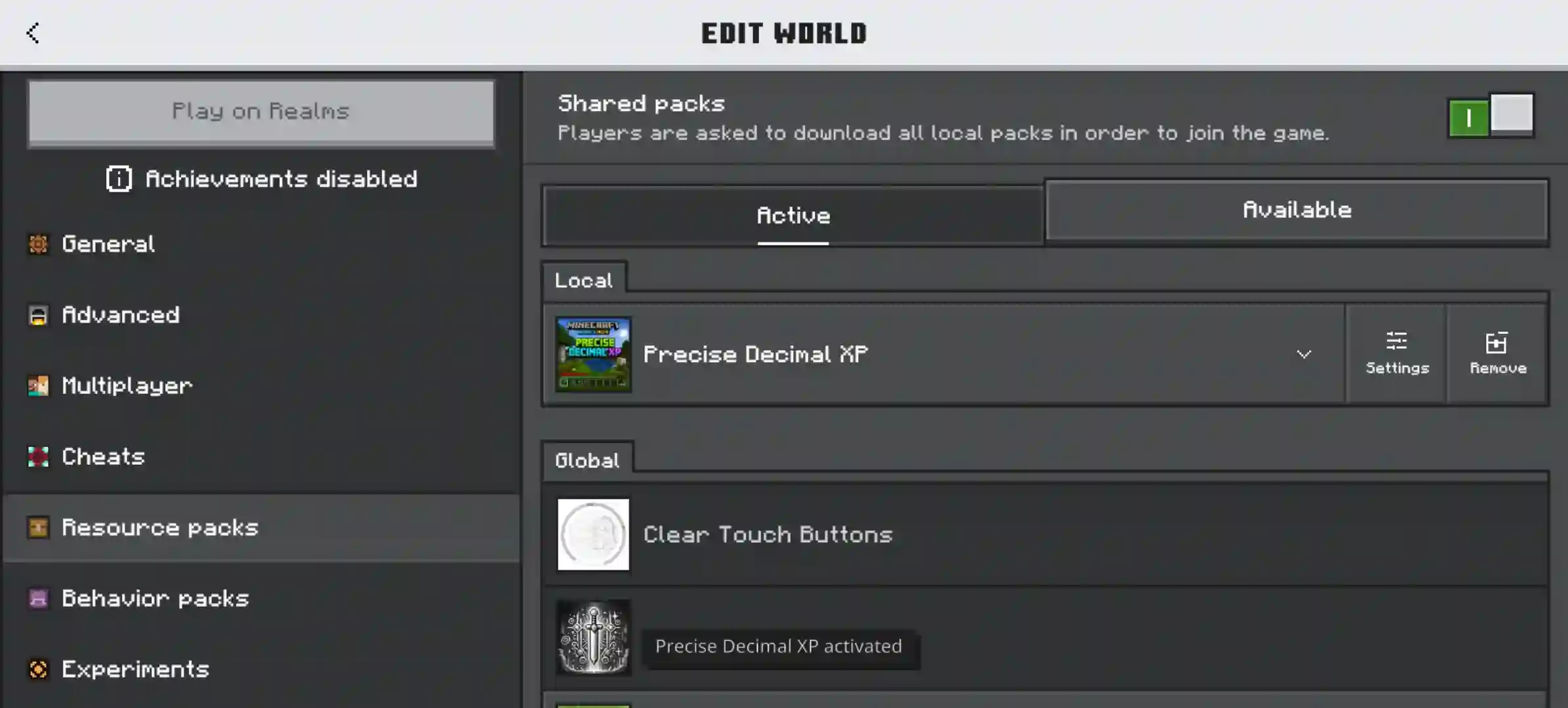
Enabling it in world
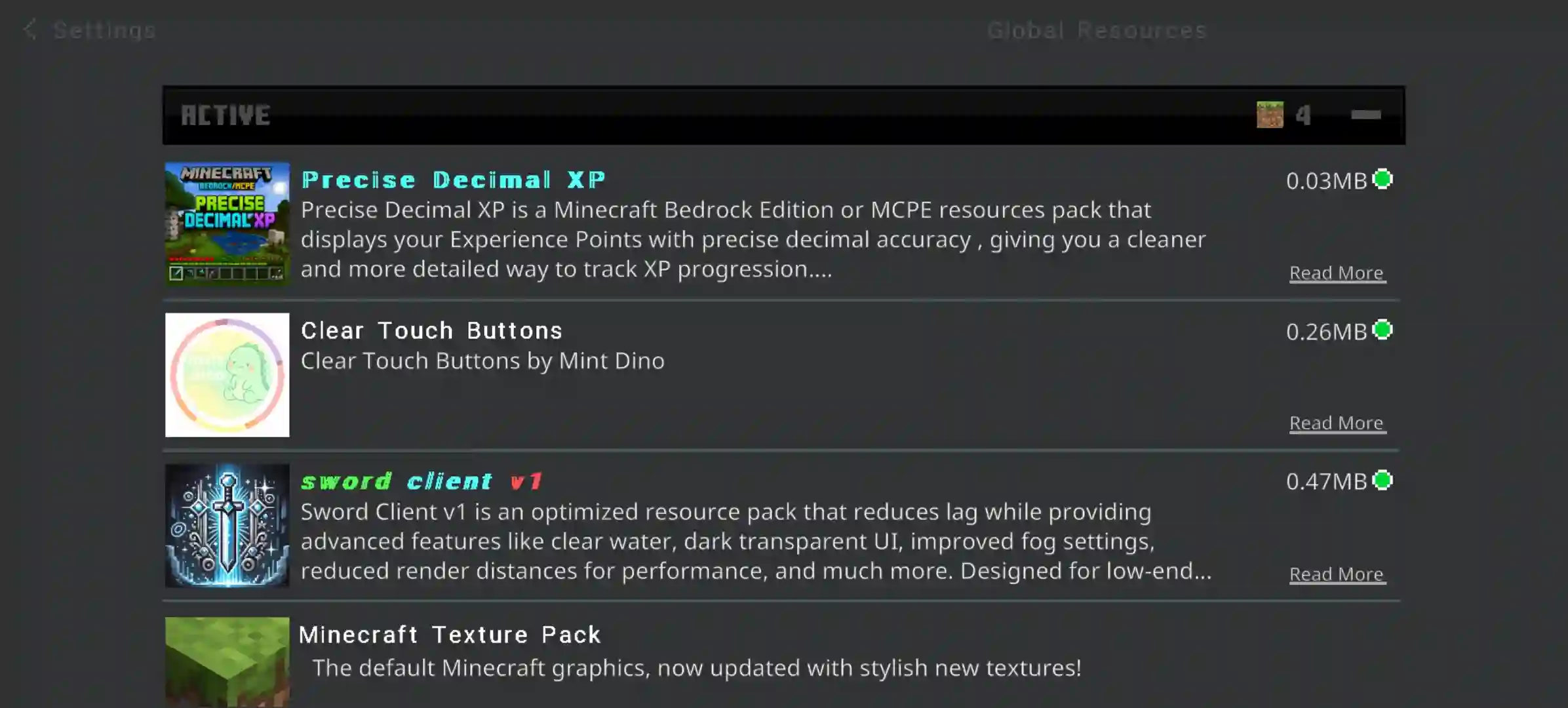
Enabling Precise Decimal XP pack Globally
Description
🟢🔢✨ Precise Decimal XP
Beautiful XP precision for players, PvP users, and addon-heavy worlds.
Precise Decimal XP is a Minecraft Bedrock Edition / MCPE resource pack that upgrades the XP level number shown in the HUD with configurable decimal precision. Instead of only seeing a rounded value, you can display your XP level with clean decimal detail — from 0 all the way to 6 decimal places. 🎯
This pack is achievement friendly, resource-pack only, and built for players who want better XP information without changing vanilla gameplay. It is especially useful for PvP players, players using addons that interact with XP, and anyone who needs more precise XP visibility than vanilla provides. ⚡
Perfect for: PvP players · addon users · technical survival players · XP-sensitive gameplay setups · anyone who wants accurate XP display instead of vanilla rounding.
📋 Requirements
- Minecraft Bedrock: v1.21.110 or higher
- Pack Type: Resource Pack
- Platform: Windows 10/11, Mobile, Console
- Configuration: Precision is selected using subpacks
- ✅ Achievement friendly.
- ✅ No cheats, operator permissions, or experimental toggles required.
Important: This is a resource pack only. It changes the XP level number shown in the HUD and does not add gameplay systems or require a behavior pack.
🎨 Precision Levels
Precise Decimal XP includes multiple built-in subpacks, each changing how many decimal places are shown in the XP level display.
0 Decimals — clean integer-style display
1 Decimal — light precision
2 Decimals — balanced everyday detail
3 Decimals — stronger precision for XP-sensitive setups
4 Decimals — high-detail display
5 Decimals — very fine precision
6 Decimals — maximum supported precision 🔢
Example: a level that would normally appear as 3 can instead show as 3.2, 3.24, 3.247, or up to 3.247891 depending on the selected precision.
📸 Precision Preview Screenshots
Use the same XP value in every screenshot, only changing the display precision. That makes the difference obvious at a glance.
🔢 Precision 0 — Integer Only
Example: 3
🔢 Precision 1 — 1 Decimal Place
Example: 3.2
🔢 Precision 2 — 2 Decimal Places
Example: 3.24
🔢 Precision 3 — 3 Decimal Places
Example: 3.247
🔢 Precision 4 — 4 Decimal Places
Example: 3.2478
🔢 Precision 5 — 5 Decimal Places
Example: 3.24789
🔢 Precision 6 — Maximum Accuracy
Example: 3.247891
⚙️ How to Change Precision
Precision is selected through the pack's built-in subpacks.
- 📦 Open Resource Packs
- 🟢 Select Precise Decimal XP
- 🧩 Open the pack settings / subpack selector
- 🔢 Choose a precision level from 0 to 6 decimal places
- ✨ Apply the pack and reload the world
🚀 Installation
File naming guide:
- Stable release: precise-decimal-xp-bedrock-vX.X.X-release.mcpack or precise-decimal-xp-bedrock.mcpack
- Beta: precise-decimal-xp-bedrock-vX.X.X-beta.mcpack
- Alpha: precise-decimal-xp-bedrock-vX.X.X-alpha.mcpack
Client Global Resource Pack
- Download the .mcpack file
- Open it to import into Minecraft
- Go to Settings → Global Resources
- Enable Precise Decimal XP
- Open the pack settings and choose your precision subpack
- Apply and reload Minecraft if needed
World Resource Pack
- Download the .mcpack file
- Import it into Minecraft
- Open your world settings
- Go to Resource Packs for that world
- Enable Precise Decimal XP
- Select the precision subpack you want
- Save the world and load it normally
BDS / Realm For Admins
For Realm owners or server admins who want everyone to use the same pack, apply it as the world or server resource pack before publishing or deploying it.
- Prepare the world with Precise Decimal XP enabled
- Select the precision subpack you want to enforce
- Save the world with the pack active
- Upload or deploy that world to your Realm or BDS setup
- Players joining the world will use the resource pack configuration you set
✨ Why Use Precise Decimal XP?
- 🎯 Better XP precision — see finer detail instead of only rounded values
- ⚔️ Useful for PvP — better XP visibility when every small detail matters
- 🧩 Useful with XP-based addons — especially if another addon uses XP and more precise display is helpful
- 🔢 Cleaner XP tracking — easier to monitor progress than vanilla’s integer-only HUD
- ✅ Achievement friendly — a UI-focused resource pack for normal gameplay
- 🟢 Compatible with most packs — designed to fit into common resource-pack setups
🧩 Compatibility
This pack is built to work with almost every resource pack. It is intended for normal Bedrock play and works well in most pack setups.
🏷️ Categories
GUI · PvP · Simplistic · Miscellaneous
✅ What You CAN Do — Apache 2.0
- ✔ Use freely — in worlds, Realms, or server setups
- ✔ Monetize your content — streams, videos, showcases, all fine
- ✔ Modify for personal use — customize it privately however you like
- ✔ Share modified versions publicly — keep the Apache 2.0 license and state changes clearly
- ✔ View the source code — open and readable
❌ What You CANNOT Do
- ✖ Strip credits — do not remove the original author credit
- ✖ Reupload as your own — do not claim original authorship
- ✖ False endorsement — do not imply approval from the original creator
- ⚠ Modified forks must stay open — keep the Apache 2.0 license and note what changed
❓ FAQ
Does this change XP gameplay?
No. It changes the display of the XP level number in the HUD.
What is the maximum precision?
The maximum supported precision is 6 decimal places.
Is it achievement friendly?
Yes. It is a resource pack, so it is achievement friendly.
Does it work with other resource packs?
Yes, it is designed to work with almost every pack.
How do I install it for a Realm or BDS server?
Set it as the world resource pack before uploading or deploying the world, then choose the precision subpack you want to enforce.
📸 More Screenshots
🤝 Contributing
This project is open-source and contributions are welcome. Whether you want to fix a bug, suggest a new game mode, or improve the code — here is how to get involved:
Preferred: GitHub
The best way to contribute is through the GitHub repository. You can:
- 🐛 Report bugs — open an Issue with steps to reproduce, your Minecraft version, and what happened vs what you expected
- 💡 Suggest features — open an Issue tagged as a feature request and describe the idea
- 🔧 Submit code — fork the repo, make your changes, and open a Pull Request with a clear description of what you changed and why
- 📖 Improve docs — fix typos, clarify installation steps, or add missing information
Alternative: CurseForge Comments
Not comfortable with GitHub? That is completely fine. You can still help by:
- 💬 Leaving a comment on this CurseForge page with bug reports or suggestions
- ⭐ Leaving a review — honest feedback helps improve the addon and helps other players decide
Please include your Minecraft version, platform, and a clear description when reporting issues in comments. This makes it much easier to reproduce and fix.
📜 Credits
Created by: Priyanshu Raj
License: Apache License 2.0
Version: v1.0.0 — Stable Release
Made for: Minecraft Bedrock Edition v1.21.110+
🎮 CurseForge: curseforge.com — Precise Decimal XP
📲 MCPEDL: mcpedl.com — Precise Decimal XP
💻 Source Code: GitHub — indpriyanshuraj/PreciseDecimalXP-Bedrock
📘 Wiki: Project Wiki
🌐 Website: Project Website
Precise Decimal XP 🟢🔢✨ Team