☠️ Minecraft but XP = Death
The addon that turns your survival instincts into a death wish.
In this Bedrock addon, gaining even one XP orb means instant death. No warnings. No second chances. Mine coal? Dead. Smelt iron? Dead. Accidentally tap a chicken? Dead.
Every green orb is now your enemy. Every kill, every craft, every accidental pickup — all of it can end you. This isn't normal survival. It's psychological warfare disguised as Minecraft.
Perfect for: Twitch/YouTube challenges · destroying friendships on SMPs · hardcore runs · testing your composure. Spoiler: you will fail.
⚠️ FAIR WARNING: I am NOT responsible for broken keyboards, lost hardcore worlds, destroyed friendships, or uncontrollable rage. Use a test world first. You have been warned. ☠️
📋 Requirements
- Minecraft Bedrock: v1.26.10 or higher
- Platform: Windows 10/11, Mobile, Console
- Cheats: Only required for the /xpdeath:settings admin command. After configuration, cheats can be disabled again if desired.
- Permissions: Operator status is required for admin commands such as /xpdeath:settings
- ✅ No experimental toggles needed. Works using standard vanilla Bedrock APIs.
Important: The addon is OFF by default after installation. An operator must run /xpdeath:settings at least once to choose a game mode and configure the addon.
Cheats are only needed to access the settings command. The core XP death system does not require experimental features or permanently enabled cheats.
🎲 The Five Rings of Suffering
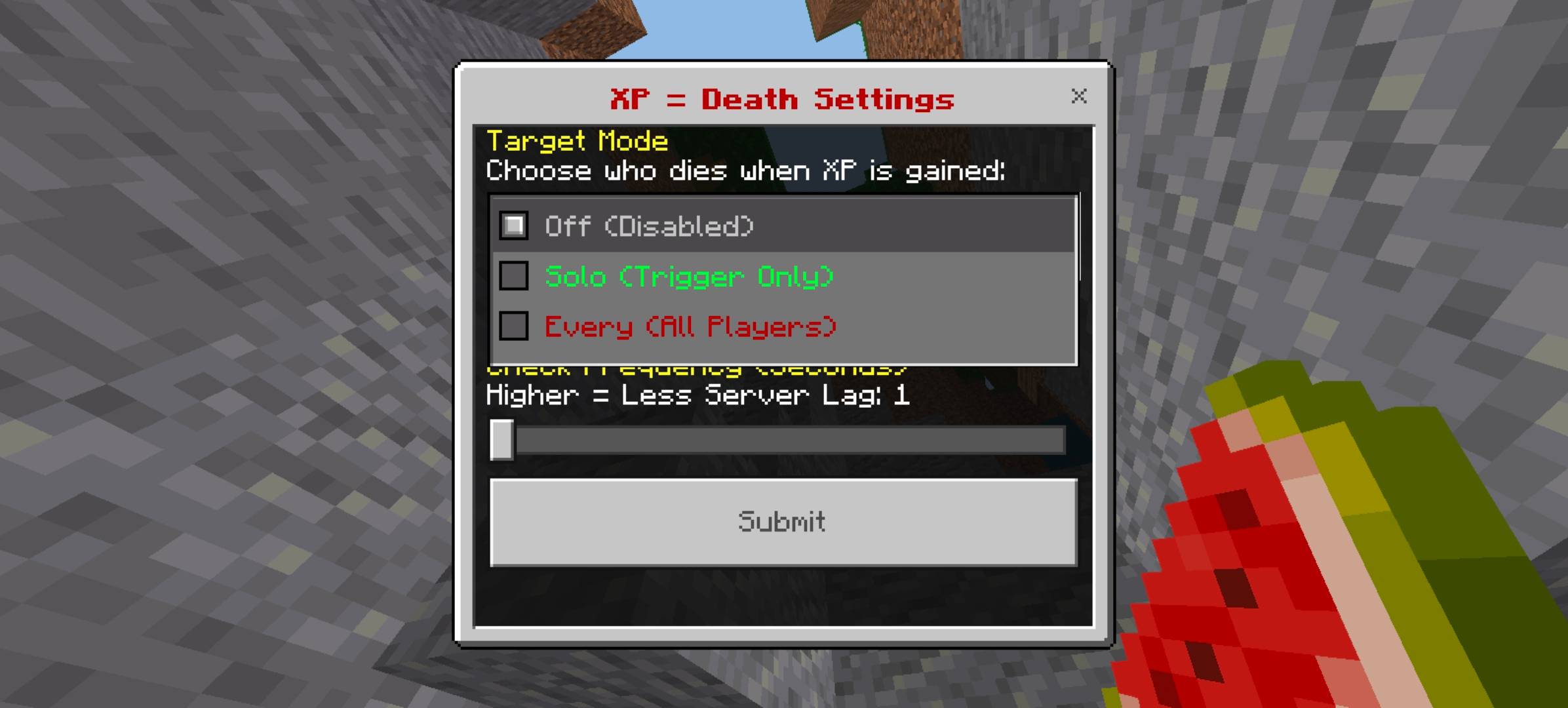
Open /xpdeath:settings and choose your preferred level of chaos. There is no easy mode — only different levels of suffering.
🔇 Off
The addon sleeps. You are free to farm XP like a coward. Not recommended if you have any self-respect.
💀 Solo Suffering
Only you die when you touch an XP orb. Your friends watch. They laugh. Your base burns. Your dreams collapse with you.

👥 Shared Suffering
One player touches XP. EVERYONE on the server dies instantly. No exceptions. No mercy. Perfect for discovering how much your friends actually trust you.

🎰 Russian Roulette
A player gains XP. A completely RANDOM player in the world is struck down instead. It could be you. It could be the guy AFK in his farm. Pure paranoia. Pure chaos.

💥 Collateral Damage
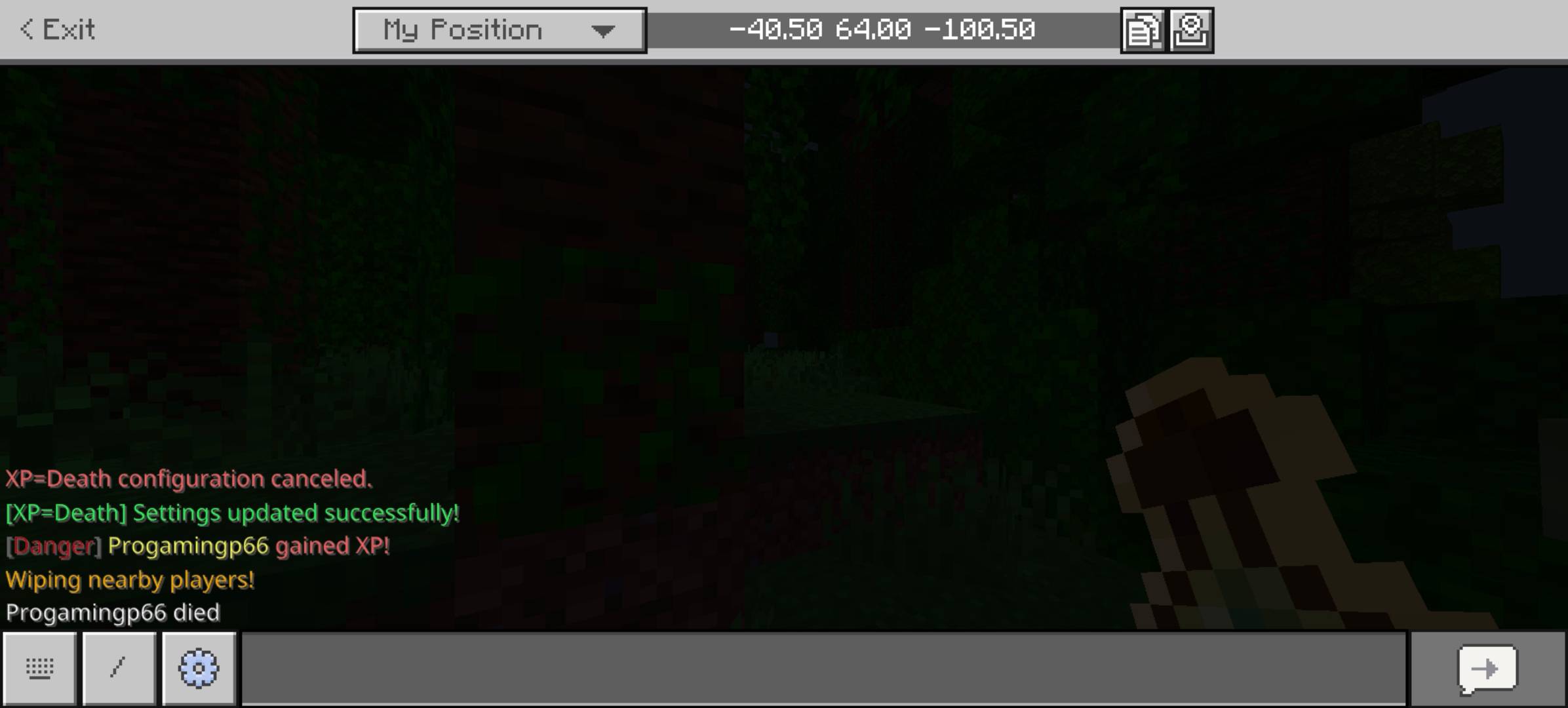
You touch XP? You die. Everyone within 15 blocks dies too. No innocents. No survivors. Just a radius of destruction and regret.

⚙️ Configuration
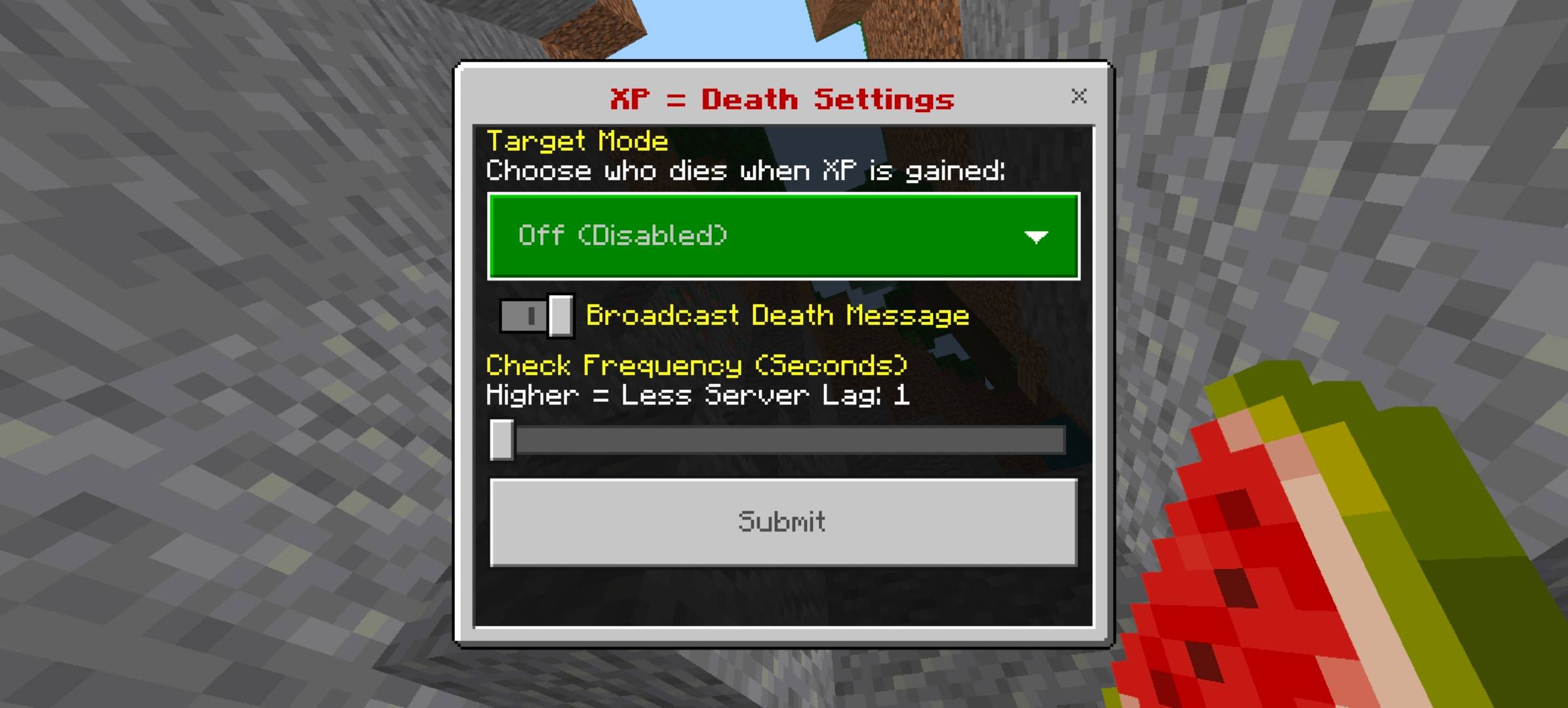
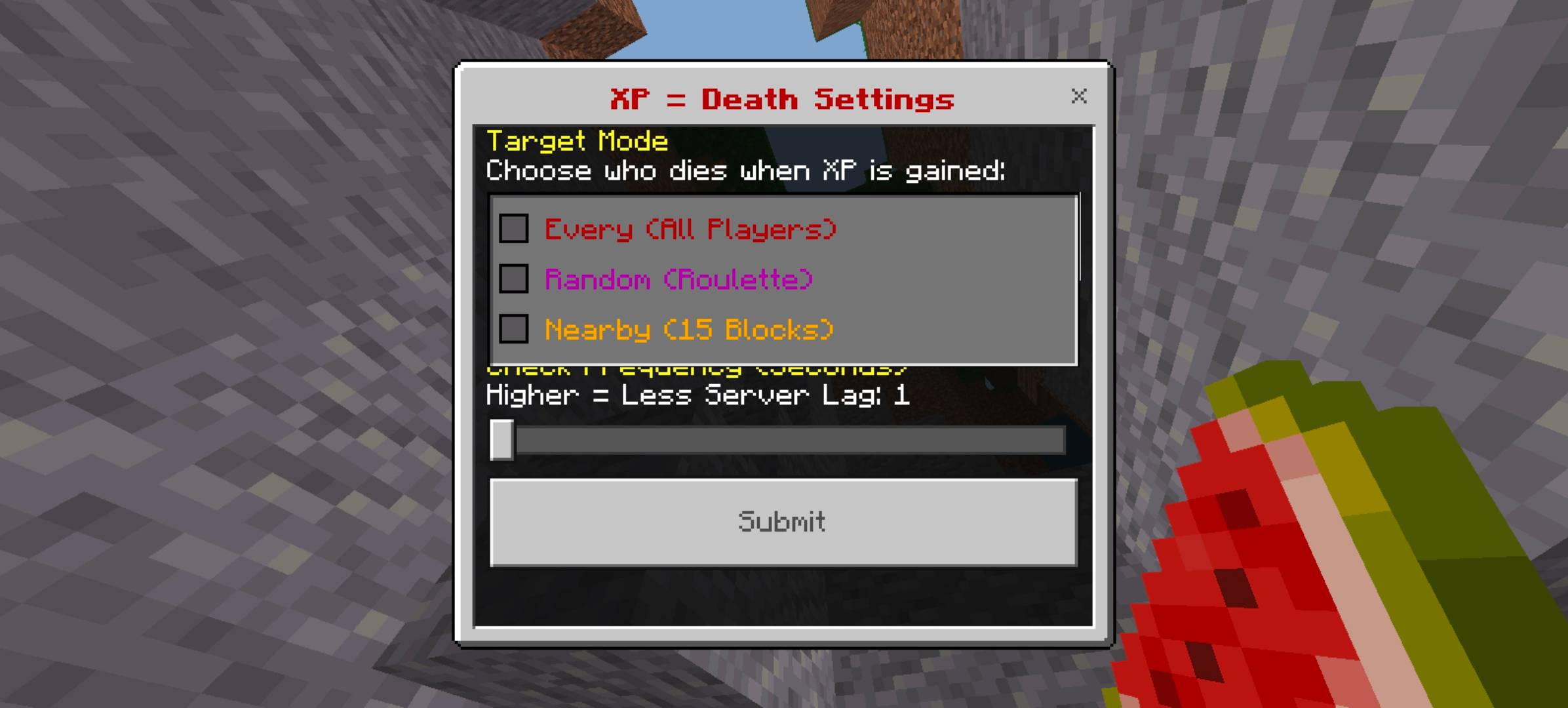
Type /xpdeath:settings in chat to open the admin menu. Requires Operator status and Cheats enabled.
- 🔄 Switch between all 5 game modes in real-time — no world reload required
- ⏱️ Adjust XP detection delay — a fraction of a second of pure panic before death kicks in
- 📢 Toggle death broadcast messages — announce deaths to the whole server or keep them silent
/xpdeath:settings — opens the main configuration panel
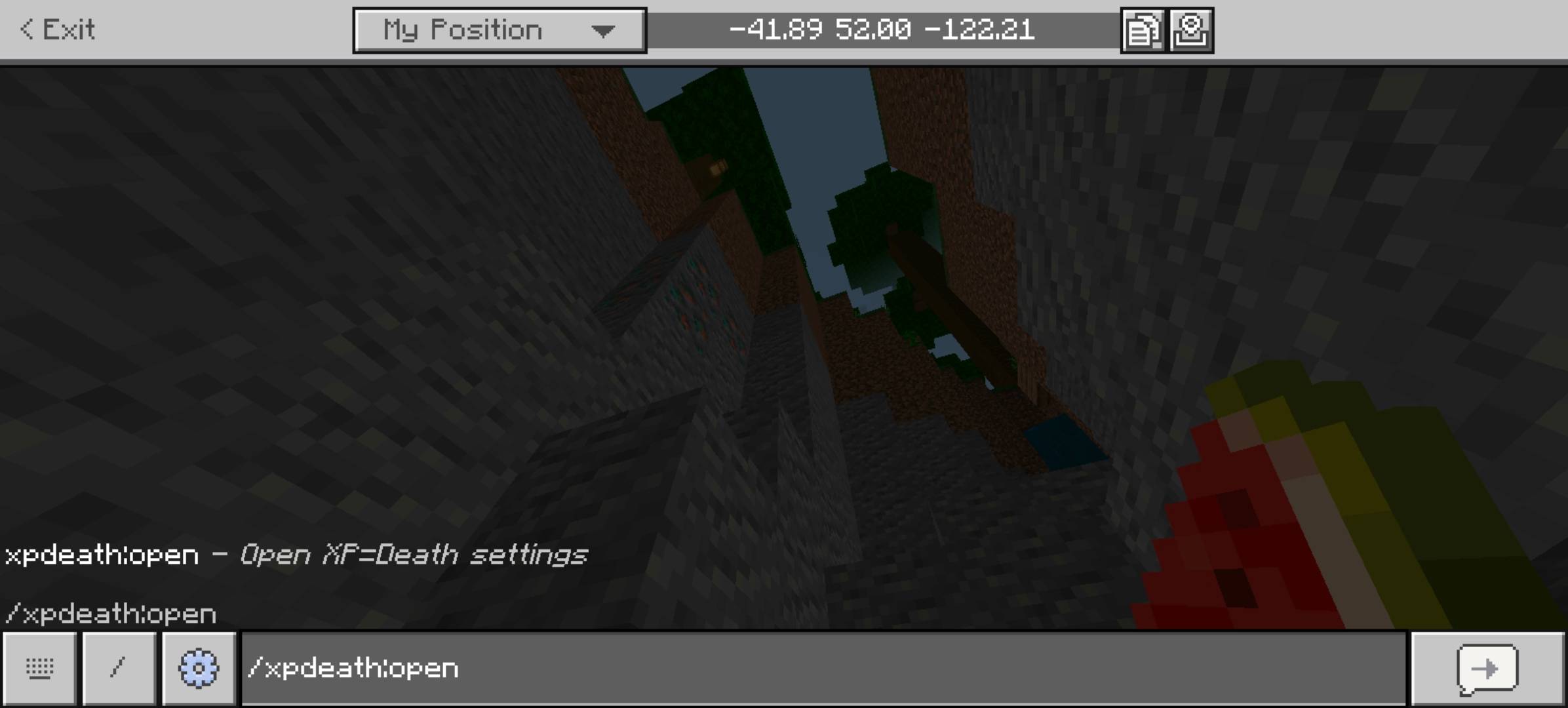
⚠️ OLD COMMAND NOTICE: /xpdeath:open was only available in v1.0.0-beta and no longer works in any later version. Use /xpdeath:settings from v1.0.1 onwards.
⚙️ Settings UI Screenshots
🚀 Installation
File naming guide:
- Stable release: xp-death-bedrock-vX.X.X-release.mcpack or simply xp-death-bedrock.mcpack
- Beta: xp-death-bedrock-vX.X.X-beta.mcpack — a testing build that may still change and may contain bugs
- Alpha: xp-death-bedrock-vX.X.X-alpha.mcpack — an early experimental build for testing and not guaranteed to be stable
Version note: The x.x.x part is the addon version number. Bigger changes usually mean a higher version. Use release builds for normal play, and beta/alpha builds only if you are comfortable with unfinished behavior.
Standard Local Worlds (Singleplayer & Multiplayer)
- Download the latest .mcpack release file
- Double-click or tap the file — Minecraft will import it automatically
- Create or edit a local world → go to Behavior Packs
- Find XP=Death Bedrock and toggle it ON
- Enable Cheats if you want to use admin commands
- Make sure the player using commands has Operator (OP) permissions
- Load the world and type /xpdeath:settings
- Suffer.
“Standard world” means a normal local Bedrock world. This includes both singleplayer and multiplayer worlds hosted on your device or local session.

Realms
- Download the .mcpack file and import it into Minecraft
- Create or open a world, then activate XP=Death Bedrock in Behavior Packs
- Save the world with the pack active
- Upload that world with Add-Ons active to your Realm
- Open the Realm and type /xpdeath:settings if you have operator access
⚠️ Realm editing requires the Realm owner, or someone with access to the world slot being uploaded. The pack must already be activated in the world before publishing it to the Realm.

Bedrock Dedicated Server (BDS)
- Download the .mcpack file and extract its contents (rename it to .zip and unzip it)
- Copy the extracted behavior pack folder into your BDS behavior_packs/ directory
- Edit world_behavior_packs.json in your world folder and add the pack entry using its UUID and version from manifest.json
- Restart the server
- Join and type /xpdeath:settings as an operator to configure it
⚠️ BDS requires the Beta APIs experiment in server.properties if you are running an older BDS build. On v1.26.10+, standard APIs are sufficient.

🏃 Survival Tips
If you can even call it surviving.
- Mining: Use instamine or TNT — never directly pick up XP orbs from ore
- Mob farming: Fire, fall damage, and suffocation give no XP — weaponize the environment
- Enchanting: Getting stronger literally kills you. Avoid enchanting tables entirely.
- Shared Suffering: One teammate's mistake wipes the whole server. Choose your team wisely.
- Collateral Damage: Spread out at all times or die together in a 15-block circle of doom.
- Russian Roulette: The AFK player is always the scapegoat. Use this information strategically.
✅ What You CAN Do — Apache 2.0
- ✔ Use freely — on any world, server, or realm. Zero restrictions.
- ✔ Monetize your content — stream it, post videos, run challenges, and earn money. Completely fine.
- ✔ Modify for personal use — change the code however you want for your own private world.
- ✔ Share modified versions publicly — keep the original license and clearly state what you changed.
- ✔ View the source code — everything is public and readable by anyone.
❌ What You CANNOT Do
- ✖ Strip credits — you cannot remove the original author's name and claim you made this from scratch.
- ✖ Reupload as your own — uploading this to CurseForge, MCPEDL, or anywhere else as if you are the creator is not allowed.
- ✖ False endorsement — if you publish a modified fork, you cannot imply that the original creator supports or approves it.
- ⚠ Modified forks must stay open — include the Apache 2.0 license and a clear changelog of what you changed.
❓ FAQ
Will this destroy my hardcore world?
Yes. Use a dedicated test world first. Hardcore + this addon is a fast route to regret.
Does it work on Java Edition?
No. This addon uses the Bedrock ScriptAPI, which only exists on Bedrock Edition. Java Edition is a completely different platform.
What if I didn't kill the mob but the XP orb drifts toward me?
If you absorb it, you die. The addon checks XP gain, not who swung the sword. Proximity is guilt.
Can I disable it per-player?
Not in v1.0.1. The mode applies world-wide. Per-player exemptions are planned for a future update.
How do I install it on a Realm?
Import the .mcpack into Minecraft first, activate the pack in a local world, save that world with the pack enabled, and then upload that world with Add-Ons active to your Realm. After the Realm is live, use /xpdeath:settings only if you have operator access.
Does it work on a Bedrock Dedicated Server (BDS)?
Yes. You need to manually extract the .mcpack (rename to .zip), place the folder in behavior_packs/, and register it in world_behavior_packs.json using the UUID from manifest.json.
Does it work with other addons installed?
Generally yes. This addon only listens to XP gain events and does not modify world generation, items, or entities. Conflicts are rare but possible with other addons that also hook into player XP events. If you notice issues, try disabling other addons one by one to isolate the conflict.
Does it conflict with XP-modifying addons (custom enchants, skill trees, etc.)?
Possibly. If another addon actively gives or modifies XP, it may trigger this addon's death logic unintentionally. Use the XP Check Delay setting to reduce false positives, or use Solo Suffering mode to limit world-wide impact during testing.
Does it work with the Education Edition?
Important Notes: Minecraft Education Edition is a separate game edition and is not the same thing as Bedrock Edition with an Education-related toggle enabled in a normal Bedrock world.
This addon is made for Minecraft Bedrock Edition. Normal Bedrock worlds with the Education-related world setting enabled are still Bedrock worlds, so that setup should be compatible.
The standalone Education Edition app is not officially supported because its scripting behavior and API support can differ.
My /xpdeath:settings command isn't working. What's wrong?
Check these in order:
- Make sure the behavior pack is actually activated in your world
- Make sure Cheats are enabled in world settings
- Make sure you have Operator (OP) permissions
- Make sure you are using Minecraft Bedrock v1.26.10 or higher
- If you used v1.0.0-beta before, the old command /xpdeath:open no longer works — use /xpdeath:settings instead
📸 Other Screenshots
🤝 Contributing
This project is open-source and contributions are welcome. Whether you want to fix a bug, suggest a new game mode, or improve the code, here is how to get involved:
Preferred: GitHub
The best way to contribute is through the GitHub repository. You can:
- 🐛 Report bugs — open an Issue with steps to reproduce, your Minecraft version, and what happened vs. what you expected
- 💡 Suggest features — open an Issue tagged as a feature request and describe the idea
- 🔧 Submit code — fork the repo, make your changes, and open a Pull Request with a clear description of what you changed and why
- 📖 Improve docs — fix typos, clarify installation steps, or add missing information
github.com/indpriyanshuraj/xp-death-bedrock
Alternative: CurseForge Comments
Not comfortable with GitHub? That is completely fine. You can still help by:
- 💬 Leaving a comment on this CurseForge page with bug reports or suggestions
- ⭐ Leaving a review — honest feedback helps improve the addon and helps other players decide
Please include your Minecraft version, platform, and a clear description when reporting issues in comments. This makes it much easier to reproduce and fix.
📜 Credits
Created by: Priyanshu Raj
License: Apache License 2.0
Version: v1.0.1 — Stable Release
Made for: Minecraft Bedrock Edition v1.26.10+
🎮 CurseForge: curseforge.com — XP=Death
📲 MCPEDL: mcpedl.com — XP=Death
💻 Source Code: GitHub — indpriyanshuraj/xp-death-bedrock — curious how it works, want to report a bug, or suggest a new mode? All open.