Particles Disabler | PvP & FPS Optimization
Cleaner Combat, Less Visual Clutter
Particles Disabler is a Minecraft Bedrock utility and performance pack designed to remove unnecessary particles that can block your view, clutter the screen, and add extra visual processing during gameplay.
It is especially useful for PvP, low-end devices, heavy farms, mob grinders, mining, Nether exploration, and effect-heavy situations where large amounts of particles can become distracting or contribute to performance problems.
Instead of forcing one configuration on every player, the pack includes three selectable modes, allowing you to choose between maximum particle removal, combat-focused cleanup, or mining-oriented optimization.
Reduce distracting effects, keep important gameplay easier to see, and choose the particle configuration that fits the way you play.
Remove Screen-Blocking Particles
One of the main purposes of Particles Disabler is improving visibility during combat.
Minecraft can produce several effects directly around the player during fights, making opponents harder to track at critical moments.
This pack targets many of those distracting effects.
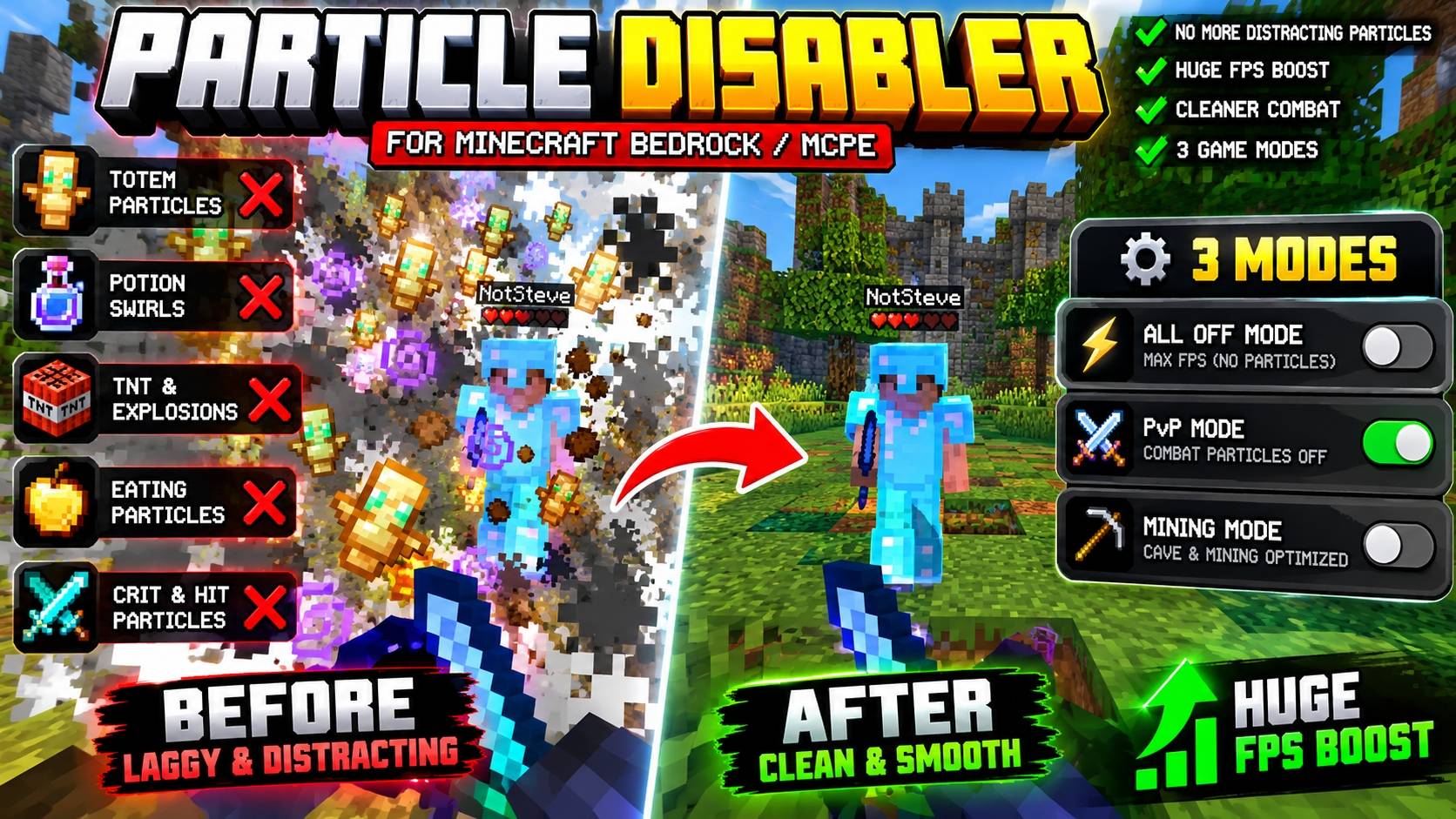
Totem of Undying Particles
Removes the large visual particles that appear when a Totem activates, helping keep your opponent visible immediately after a totem pop.
Potion Swirls
Removes the swirling potion particles that normally surround players with active effects.
TNT & Explosion Particles
Reduces the smoke, flashes, and visual clutter produced by explosions.
Eating Particles
Removes the particles that appear while eating food, Golden Apples, and other consumables.
Critical Hit & Combat Particles
Reduces distracting particles generated during fights for a cleaner PvP view.
Three Performance Modes
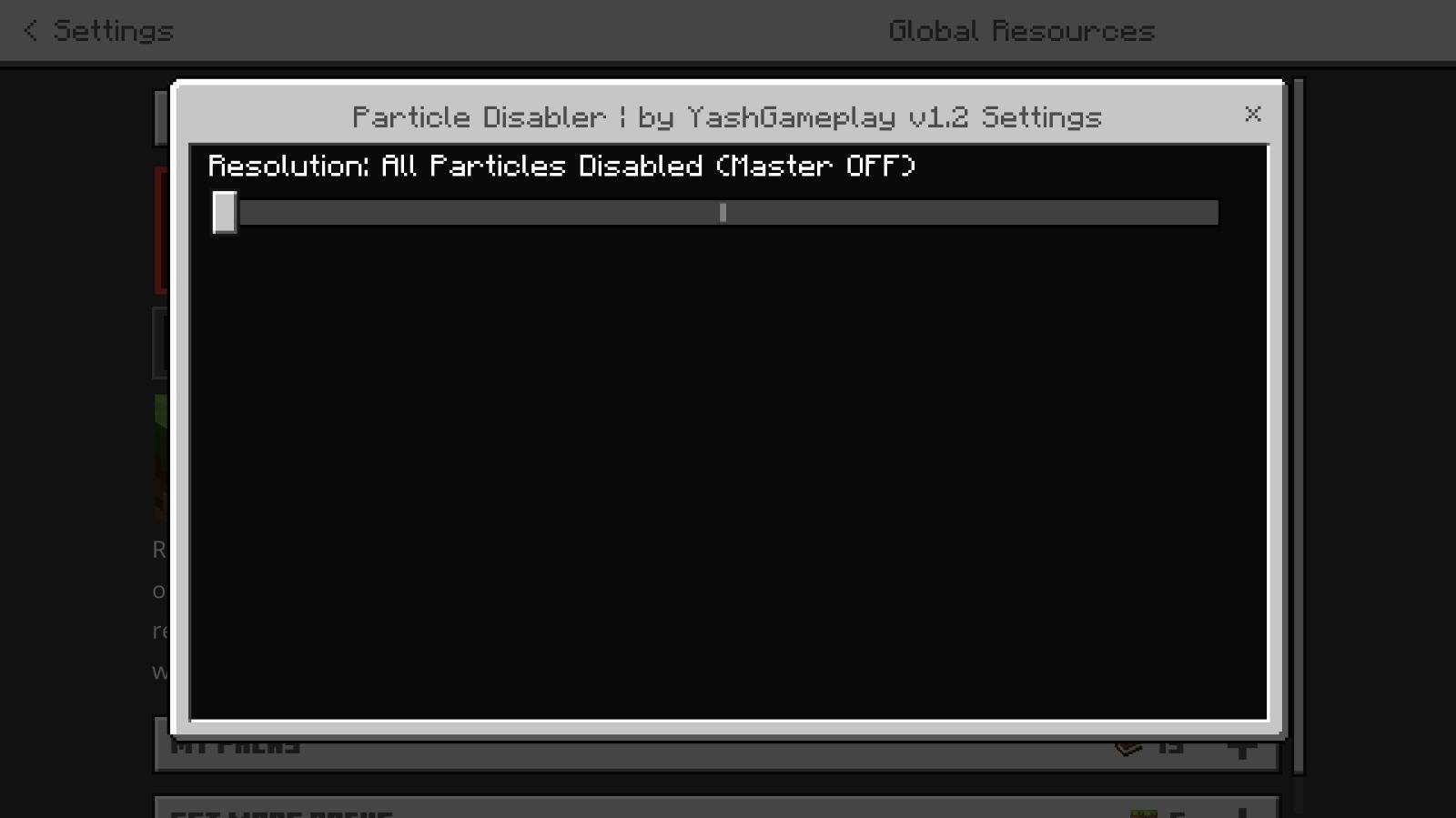
Particles Disabler includes three configurable modes that can be selected through the resource pack settings / Gear icon.
All Off Mode
Designed for maximum particle reduction.
This mode disables the targeted particle effects as aggressively as possible and is intended for players who prioritize performance and visibility over decorative effects.
Best suited for:
Low-end devices
Heavy farms
Mob grinders
Large multiplayer areas
Performance-focused Minecraft setups
PvP Mode
Designed specifically for competitive and combat-focused gameplay.
PvP Mode removes the particles most likely to interfere with player visibility during fights while keeping the experience less aggressive than the full All Off configuration.
Targets effects such as:
Totem particles
Potion swirls
TNT and explosion effects
Eating particles
Combat-related visual clutter
This helps create a cleaner battlefield during Crystal PvP, Sword PvP, SMP fights, competitive servers, and other combat situations.
Mining Mode
Mining Mode focuses on creating a cleaner experience inside caves and underground areas.
It is designed for players who want reduced particle clutter while mining, exploring caves, working around lava, or moving through particle-heavy underground environments.
Performance-Focused Particle Reduction
Particles may look small individually, but many of them can appear simultaneously around mob farms, explosions, fire, lava, Redstone builds, grinders, PvP fights, and crowded servers.
Reducing unnecessary particle effects can decrease visual clutter and may reduce rendering workload, particularly on devices that already struggle in demanding Minecraft environments.
This makes the pack useful for both mobile players and PC users who prefer a lighter visual setup.
Actual FPS improvements depend on device hardware, Minecraft version, graphics settings, world complexity, render distance, server conditions, and other active resource packs.
Built for PvP Visibility
Particles Disabler is not only a performance pack.
Its combat-focused options are also designed around visual clarity.
Totem pops, potion effects, explosions, eating animations, and combat particles can temporarily cover important parts of the screen. Removing selected effects can make it easier to track nearby players and understand what is happening during fast fights.
For competitive players, this means less unnecessary visual obstruction without changing Minecraft's underlying combat mechanics.
Lightweight Minecraft Utility
Particles Disabler focuses on removing or controlling effects rather than introducing heavy new textures or graphical systems.
It is designed as a straightforward Minecraft Bedrock resource pack for players who want:
Cleaner PvP
Reduced particle clutter
Better visibility
Low-end device optimization
Simplified visual effects
Configurable performance modes
Minecraft Bedrock and MCPE support
Standalone Resource Pack
Particles Disabler is a standalone pack.
It does not require YashGameplay's Main UI or another base UI pack to function.
Activate the resource pack and choose the preferred mode from its available pack settings.
Made for Minecraft Bedrock & MCPE
Particles Disabler is suitable for players looking for a Minecraft particle remover, MCPE FPS boost pack, PvP particle disabler, Totem particle remover, no potion particles pack, Minecraft Bedrock optimization pack, low-end device resource pack, explosion particle remover, or Minecraft lag reduction texture pack.
These terms directly represent the purpose of the pack: controlling distracting particles, improving visibility, and offering multiple configurations for combat, mining, and performance-focused gameplay.
Choose How Much You Want to Remove
Particles Disabler gives you control instead of removing every effect in every situation.
Use PvP Mode when combat visibility matters most.
Use Mining Mode for a cleaner underground experience.
Use All Off Mode when maximum particle reduction is your priority.
With three configurable modes and targeted removal of Totem, potion, explosion, eating, combat, fire, smoke, and other particle effects, Particles Disabler provides a cleaner and more performance-focused Minecraft Bedrock experience.





![All Ores Multiplier | More Diamonds & Ore Veins [1.20 - 1.21] project image](https://media.forgecdn.net/avatars/thumbnails/2113/378/256/256/639274216888391695.png)