Newb Aero Shader v1.3.0
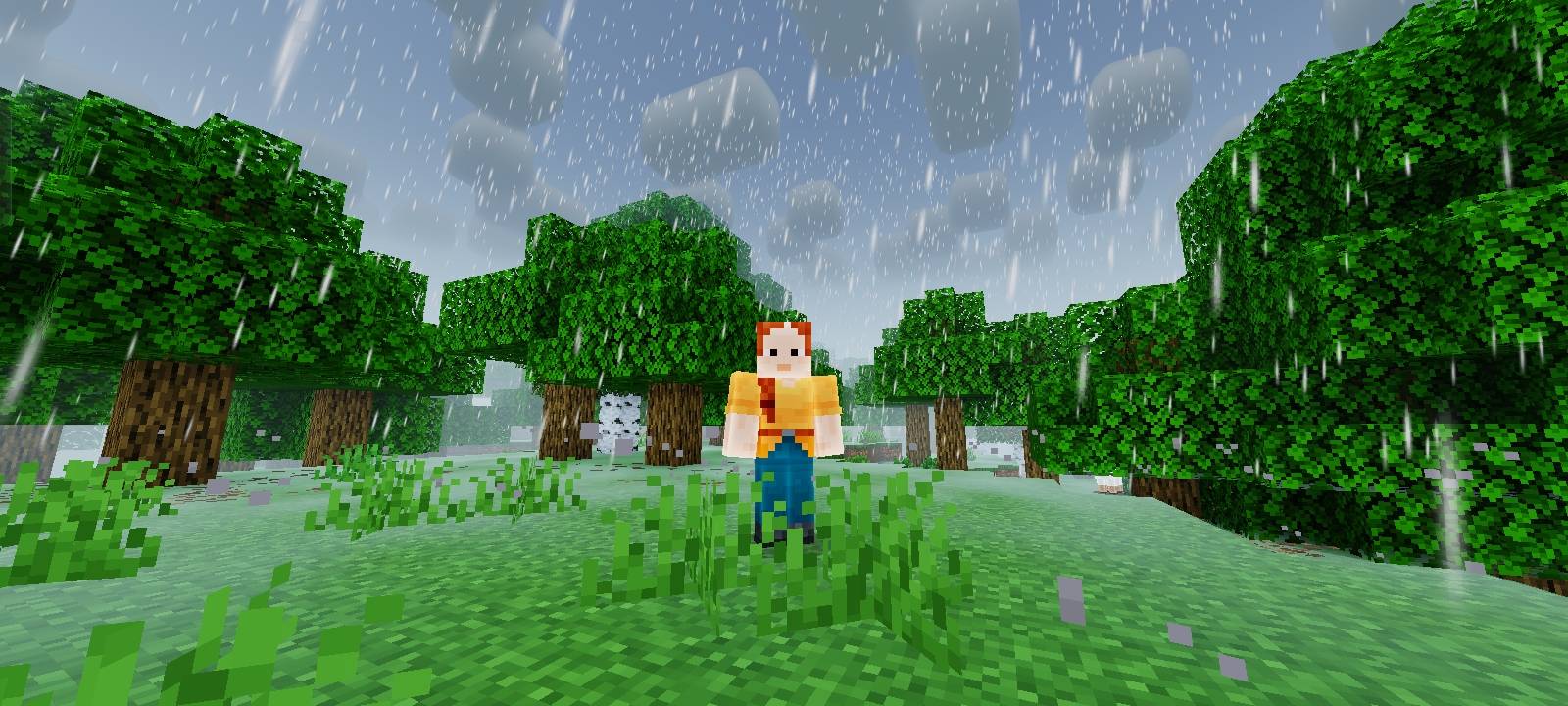
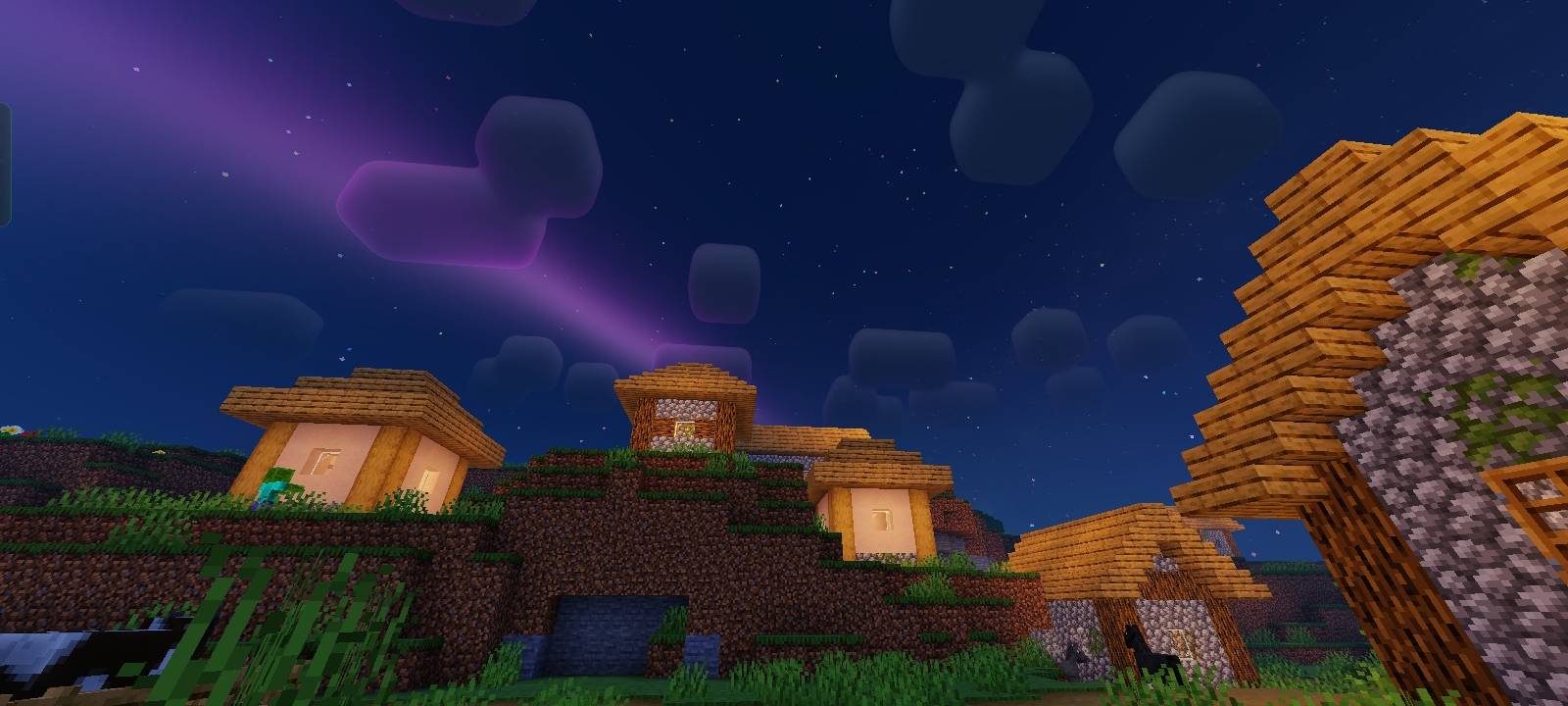
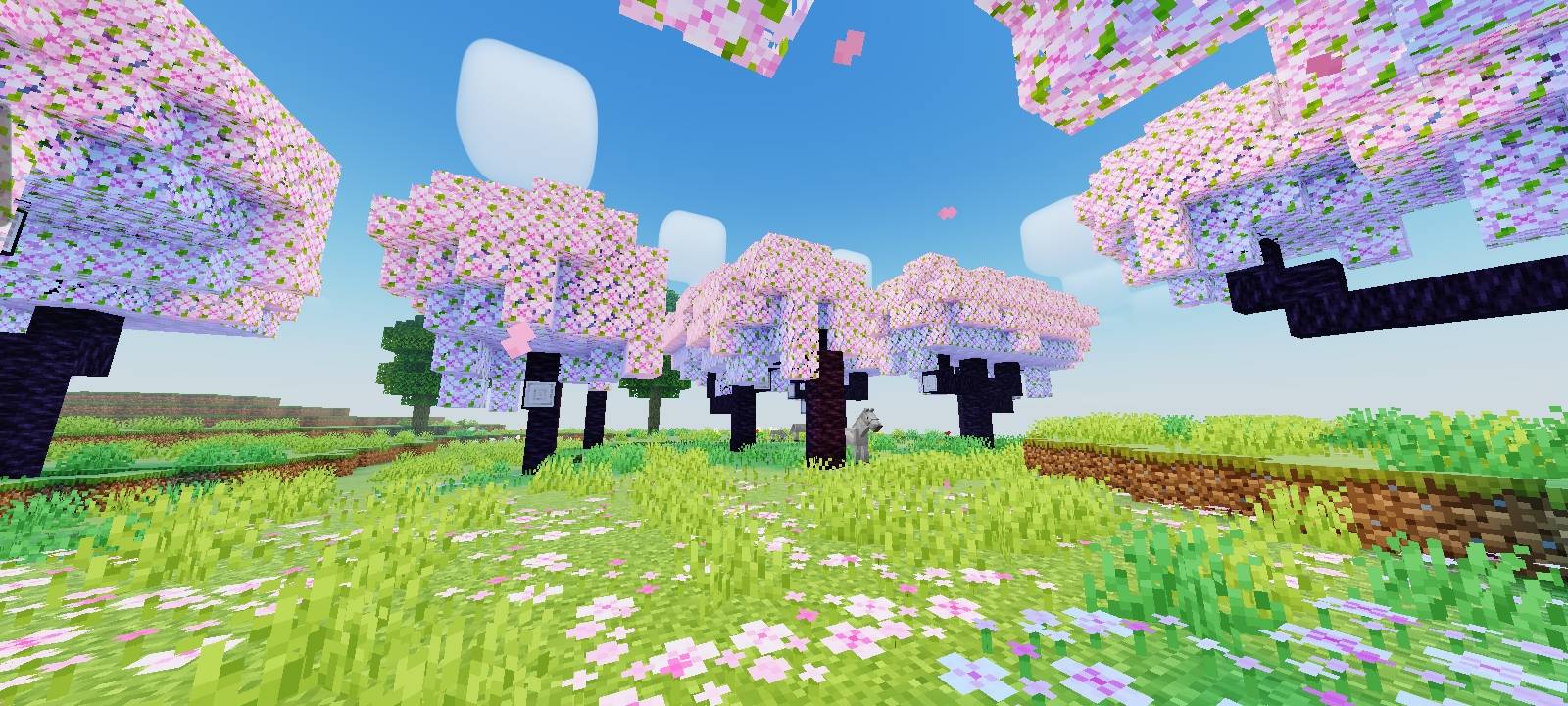
Newb Aero Shader is an enhanced vanilla RenderDragon shader for Minecraft Bedrock Edition, designed to preserve Minecraft's original charm while delivering a cleaner, more colorful, and cinematic visual experience.
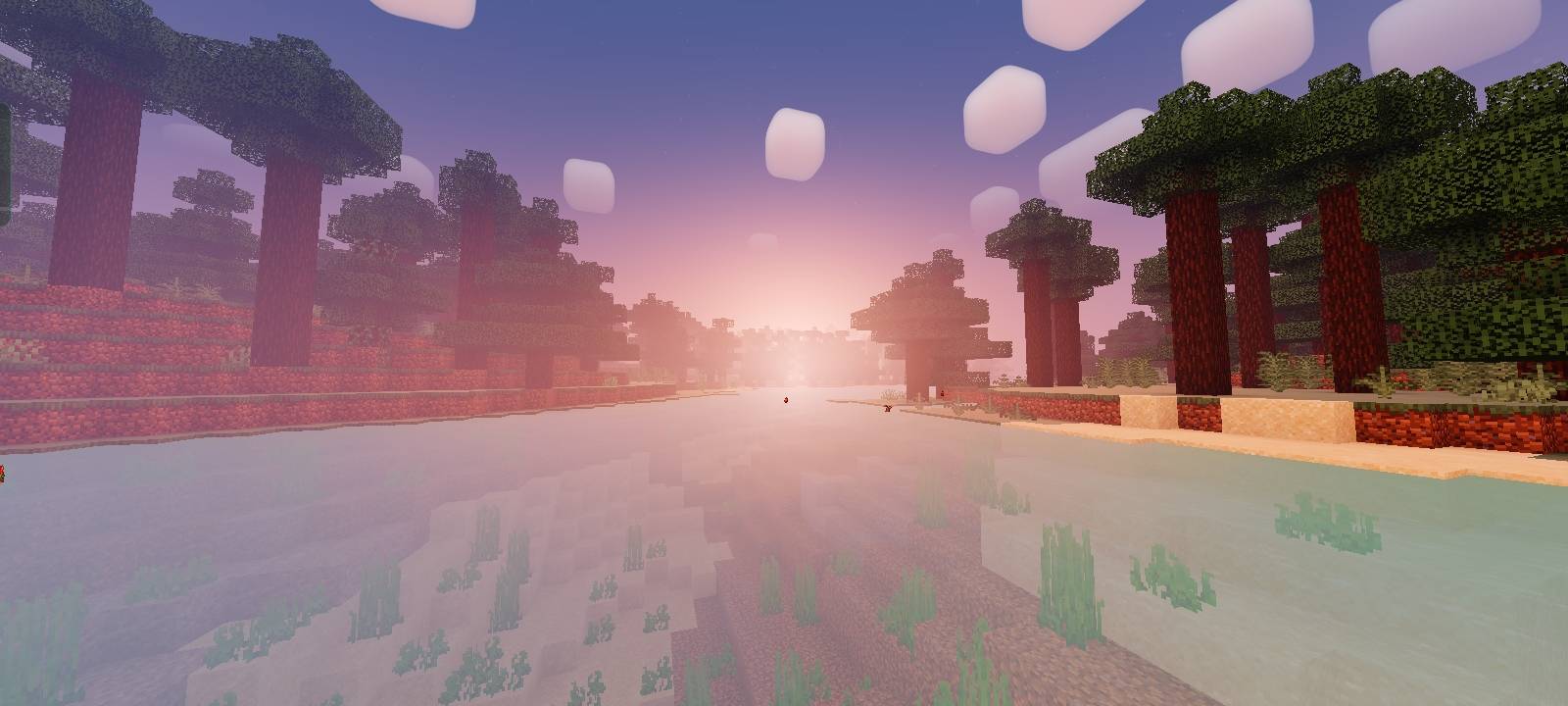
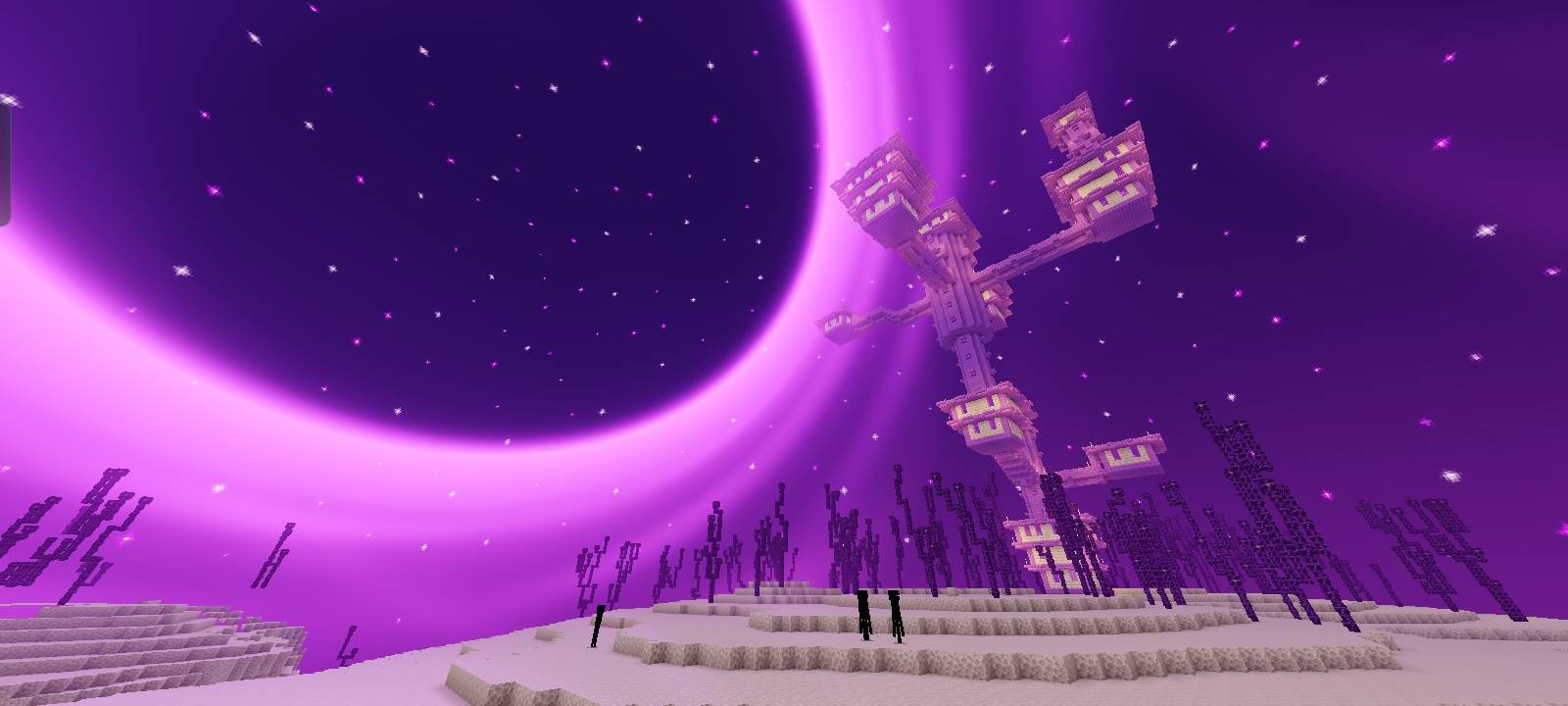
Featuring vibrant blue skies, cinematic lighting, crystal aqua water, rounded clouds by default, immersive atmospheric effects, an enhanced Black Hole in The End, and carefully balanced colors, Newb Aero Shader enhances the vanilla experience while maintaining its familiar style.
Built with performance in mind, it remains lightweight and suitable for both everyday gameplay and cinematic screenshots.
══════════════════════════════════════
FEATURES
Cinematic lighting & soft shadows
Enhanced sunrise & sunset
Improved sky, moon & stars
Dynamic clouds
Atmospheric fog
Clear aqua water with animated waves
Enhanced rain & storm atmosphere
Animated grass, leaves & crops
Warm torch & lantern lighting
Bloom & emissive ores
Cinematic color grading
Smooth day/night transitions
Lightweight & optimized
Rounded Clouds
FITUR CHUNK LOADING ANIMASI
══════════════════════════════════════
INSTALLATION
Minecraft Bedrock Edition does not officially support RenderDragon shaders.
Newb Aero Shader requires a compatible RenderDragon shader loader depending on your platform.
Android
1. Download MB Loader
2. Launch Minecraft using MB Loader.
3. Import the Newb Aero Shader resource pack.
4. Enable it in Settings → Global Resources.
5. Restart Minecraft if the shader does not load immediately.
Windows
1. Download BetterRenderDragon
2. Follow the installation guide included with BetterRenderDragon.
3. Import the Newb Aero Shader resource pack.
4. Enable it in Settings → Global Resources.
5. Restart Minecraft.
Linux (x86_64)
For mcpelauncher-manifest users only.
1. Download mcpelauncher-manifest
2. Download mcpelauncher-materialbinloader
3. Import the Newb Aero Shader resource pack.
4. Enable it in Settings → Global Resources.
5. Restart Minecraft if necessary.
iOS
A compatible RenderDragon-enabled Minecraft client is required.
1. Join the Newb Community Discord
2. Follow the latest iOS installation guide or download links provided by the community.
3. Import the Newb Aero Shader resource pack.
4. Enable it in Settings → Global Resources.
5. Restart Minecraft if the shader is not applied.
══════════════════════════════════════
RECOMMENDED SETTINGS
Graphics: Beautiful
Smooth Lighting: On
Clouds: On
Fancy Graphics: On
Brightness: 50%–90%
For better performance, use the No Wave + No Fog subpacks.
══════════════════════════════════════
SUBPACKS
Default
The complete Newb Aero Shader experience with every visual feature enabled.
Soft Clouds
Soft Clouds Subpack for a softer and smoother sky.
No Fog
Disables atmospheric fog for better visibility and slightly improved performance.
No Wave
Turns off water wave animation to provide a calmer appearance and improve performance.
No Wave + No Fog
Combines both optimizations for the best performance on lower-end devices.
No Chunk Anim
Disables the animated chunk loading feature.
══════════════════════════════════════
SUPPORT
You can support the development of Newb Aero Shader by:
• Sharing the project
• Rating the shader
• Reporting bugs
• Sending feedback and suggestions
• Following future updates.
══════════════════════════════════════
CREDITS & LICENSE
• Base Shader: Newb Shader by devendrn
• Original Source: https://github.com/devendrn/newb-x-mcbe
• License: This project is an enhanced modification built under the terms of the MIT License.
(The original copyright notice and permission rights are preserved within the software pack files).