Before downloading, please read the description carefully!
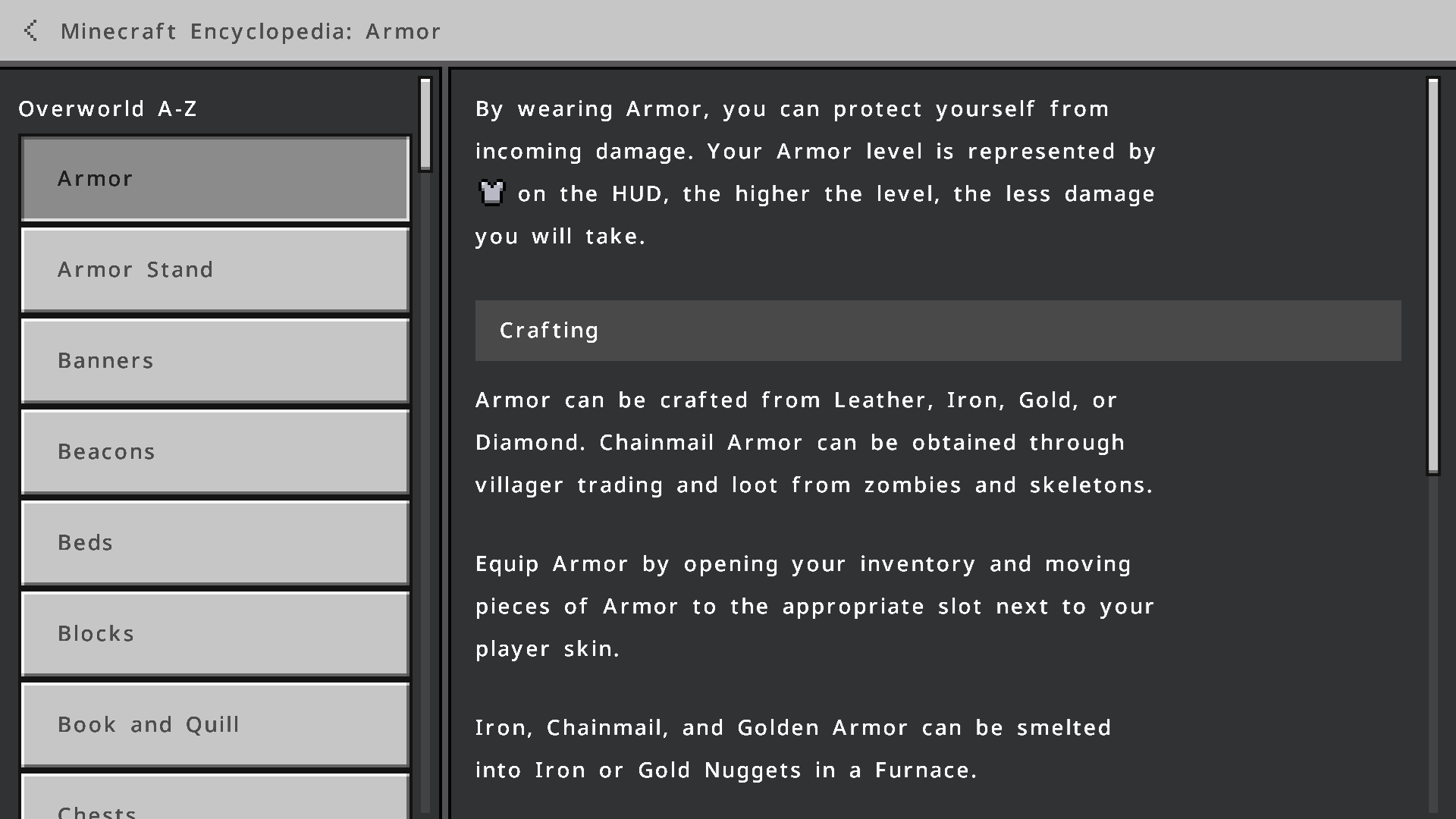
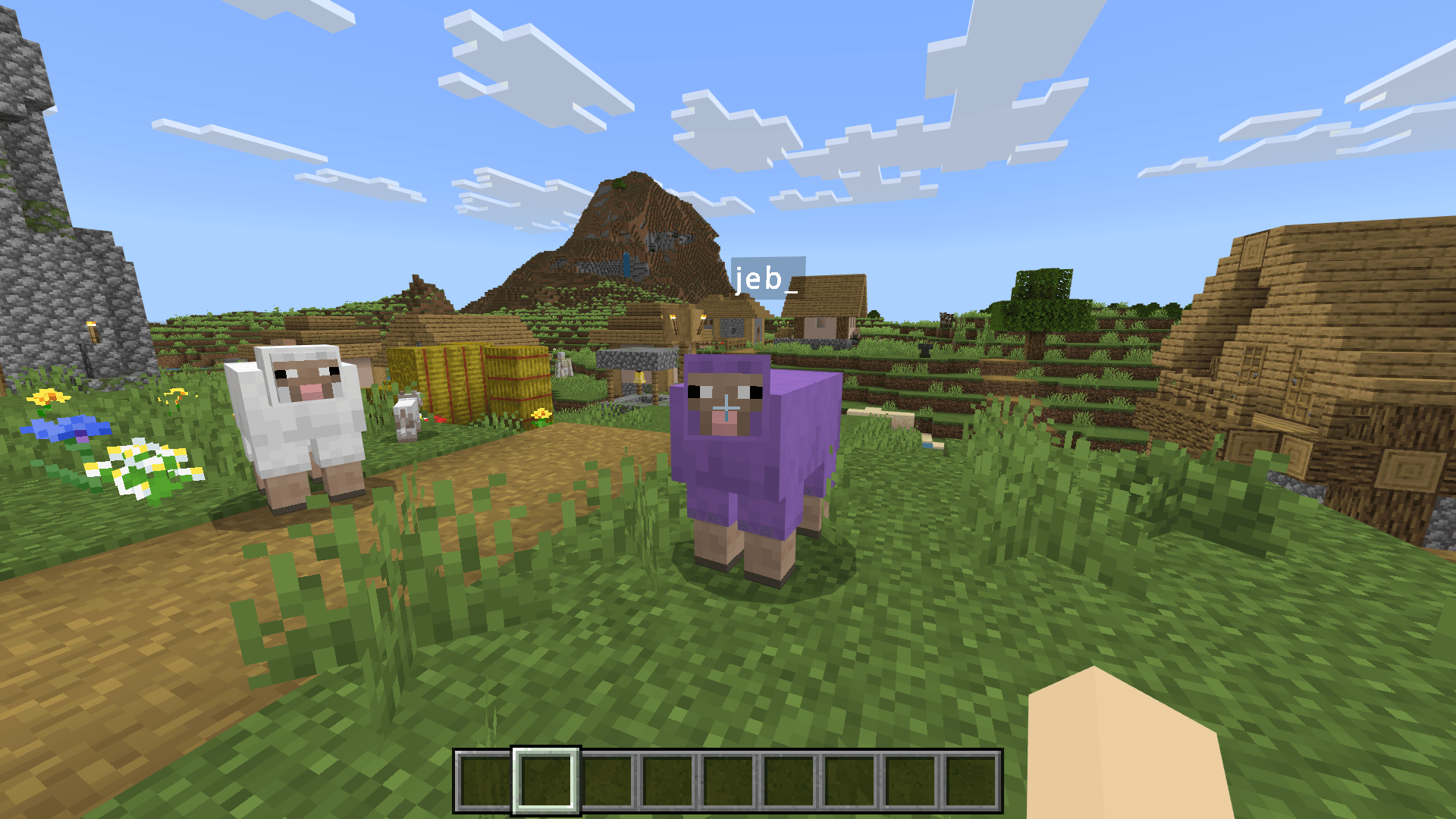
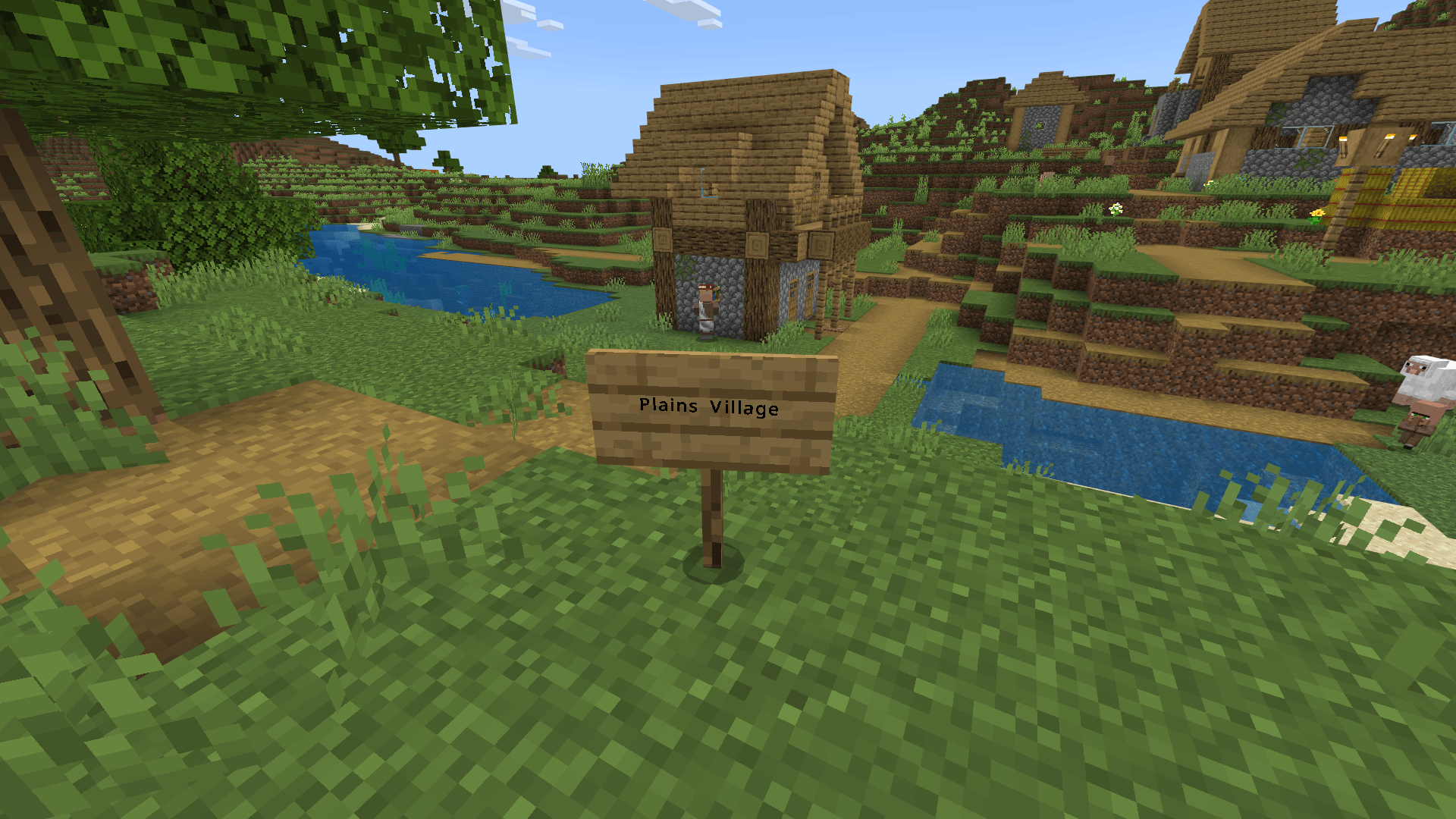
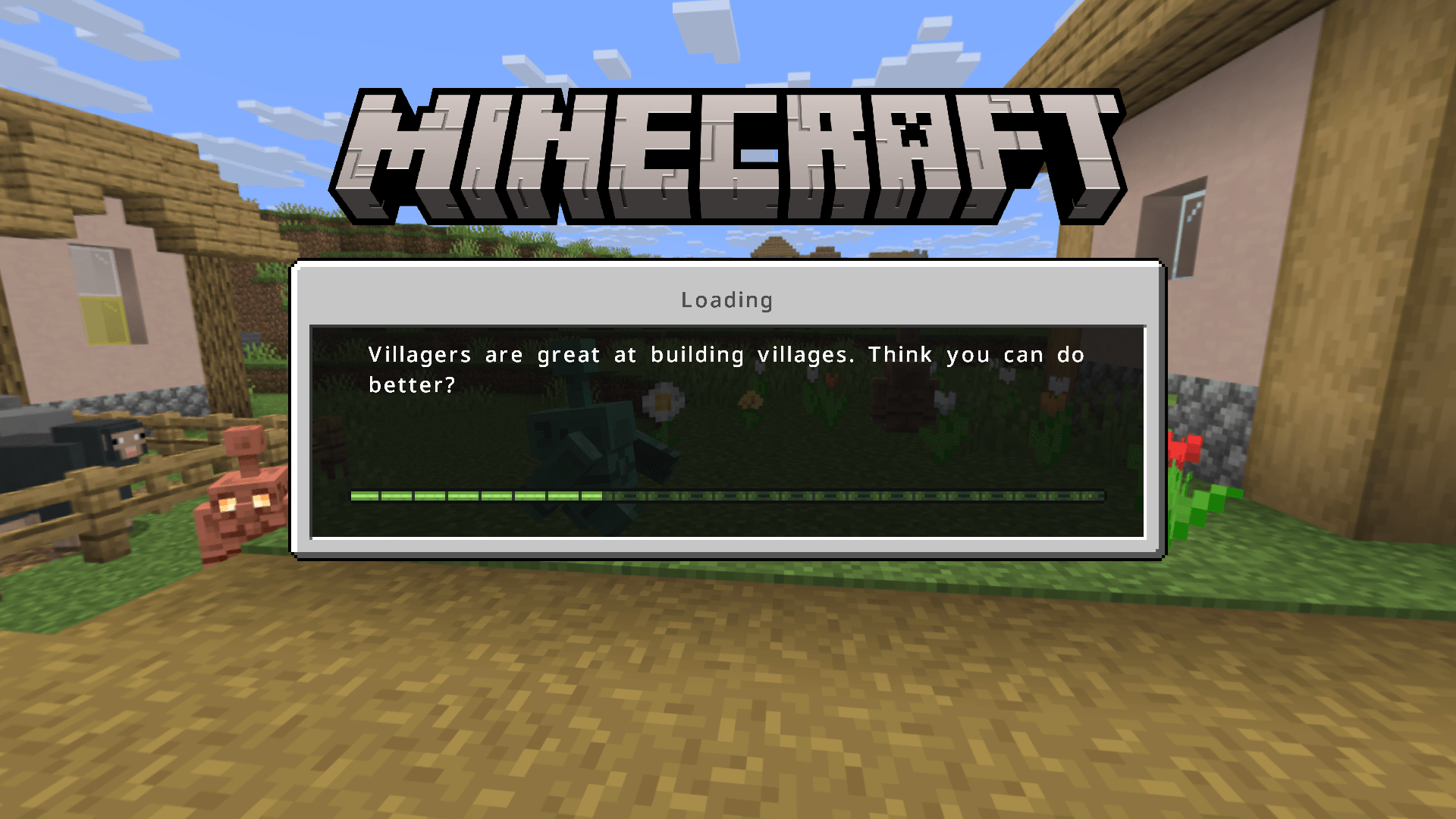
Are you tired of Minecraft's thick and large default font? If you enter a sentence with non-ASCII characters, all characters will be in Unicode Font. Although Unicode Font does not have the problem of being thick and large, it will look rough on a high-resolution screen. This resource pack will solve these problems so that you can see a more beautiful, modern and smooth font when you play Minecraft.
By default, each character of Minecraft is designed in an 8 by 8 grid. Therefore, they look thick and large.
If characters not in the default8.png file appear in a line of text, all characters will use Unicode Font. The characters in each Unicode Font are designed in a 16 by 16 grid, so they look thin.
À Á Â È Ê Ë Í Ó Ô Õ Ú ß ã õ ğ İ ı Œ œ Ş ş Ŵ ŵ ž ȇ § © ™ ! " # $ % & ' ( ) * + , - . / 0 1 2 3 4 5 6 7 8 9 : ; < = > ? @ A B C D E F G H I J K L M N O P Q R S T U V W X Y Z [ \ ] ^ _ ` a b c d e f g h i j k l m n o p q r s t u v w x y z { | } ~ ⌂ Ç ü é â ä à å ç ê ë è ï î ì Ä Å É æ Æ ô ö ò û ù ÿ Ö Ü ø £ Ø × ƒ á í ó ú ñ Ñ ª º ¿ ® ¬ ½ ¼ ¡ « » ░ ▒ ▓ │ ┤ ╡ ╢ ╖ ╕ ╣ ║ ╗ ╝ ╜ ╛ ┐ └ ┴ ┬ ├ ─ ┼ ╞ ╟ ╚ ╔ ╩ ╦ ╠ ═ ╬ ╧ ╨ ╤ ╥ ╙ ╘ ╒ ╓ ╫ ╪ ┘ ┌ █ ▄ ▌ ▐ ▀ α β Γ π Σ σ μ τ Φ Θ Ω δ ∞ ∅ ∈ ∩ ≡ ± ≥ ≤ ⌠ ⌡ ÷ ≈ ° ∙ · √ ⁿ ² ■

This also leads to the problem of inconsistent fonts in different situations.
Due to the popularity of high-resolution displays, Unicode Font will also look rough.
Therefore, this resource pack was made so that you can see more beautiful, smooth and modern fonts.
- HD Version: There are 5 variants, JP, KR, CN, TW and HK. The font is taken from the Noto Sans font family commissioned by Google.
1. JP: CJK font is Noto Sans Japanese.

2. KR: CJK font is Noto Sans Korean.

3. CN: CJK font is Noto Sans Simplified Chinese.

4. TW: CJK font is Noto Sans Traditional Chinese.

5. HK: CJK font is Noto Sans Hong Kong.

- Basic Version: There are also 5 variants, JP, KR, CN, TW and HK. The font is also taken from the Noto Sans font family commissioned by Google. Since its content is basically the same as the HD version, it will not be repeated here. The difference is that the font uses a basic smoothing effect, designed for low-resolution screens or smaller GUI scales.

It also solves the problem of inconsistent fonts in different situations.
As Chinese characters have different standards in different countries or regions, as well as different screen resolutions, 10 versions have been specially designed, namely HD-Japanese version, HD-Korean version, HD-Chinese version, HD-Taiwan version, HD-Hong Kong version, Basic-Japanese version, Basic-Korean version, Basic-Chinese version, Basic-Taiwan version and Basic-Hong Kong version.
Please observe the following picture carefully, and you will find some differences in the writing of some characters:
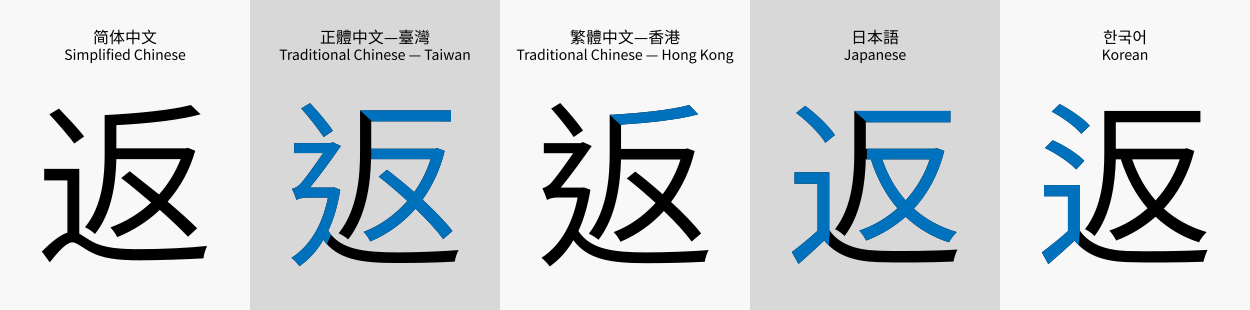
(Image taken from Wikipedia)
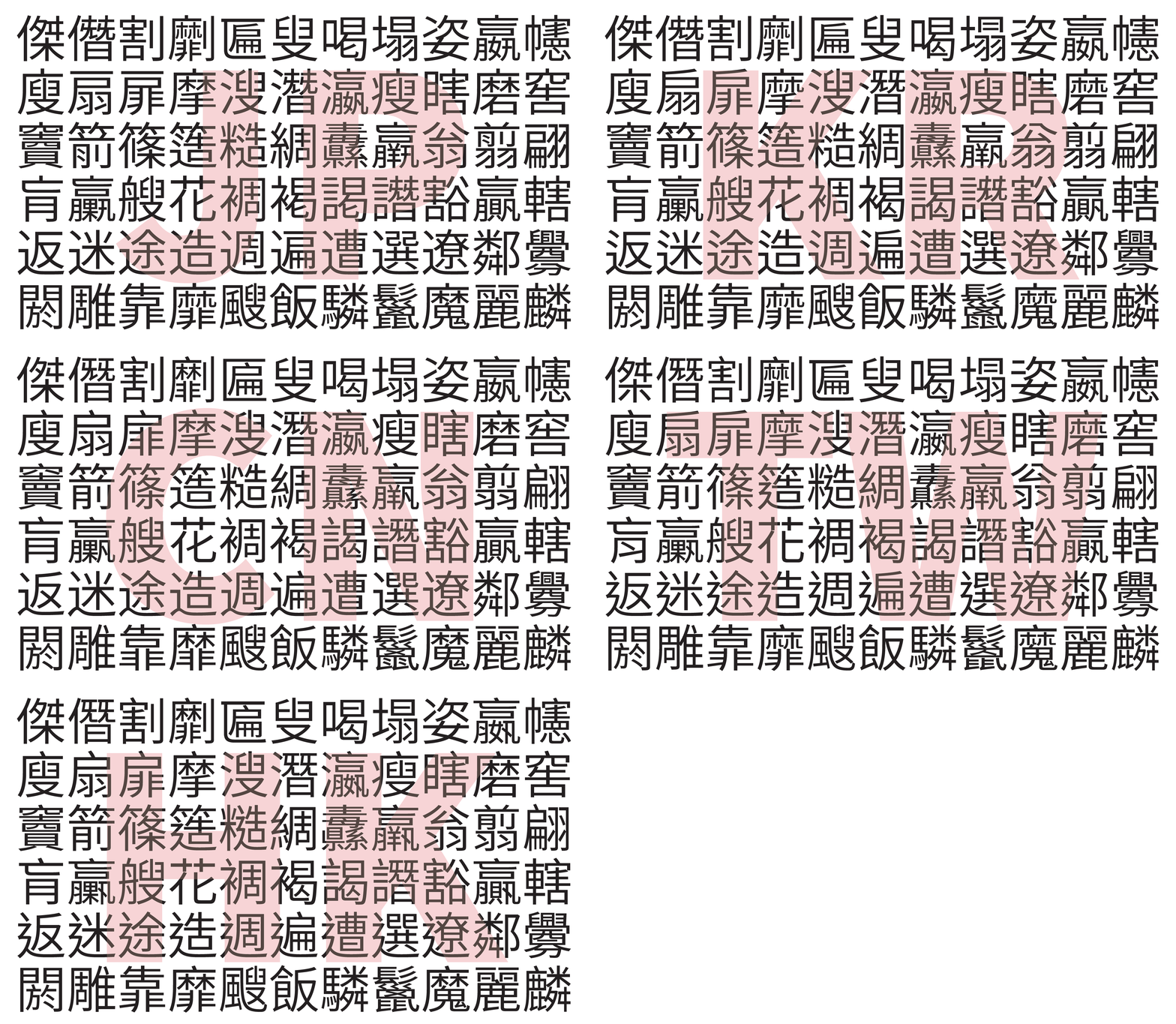
(Image taken from Adobe's blog)
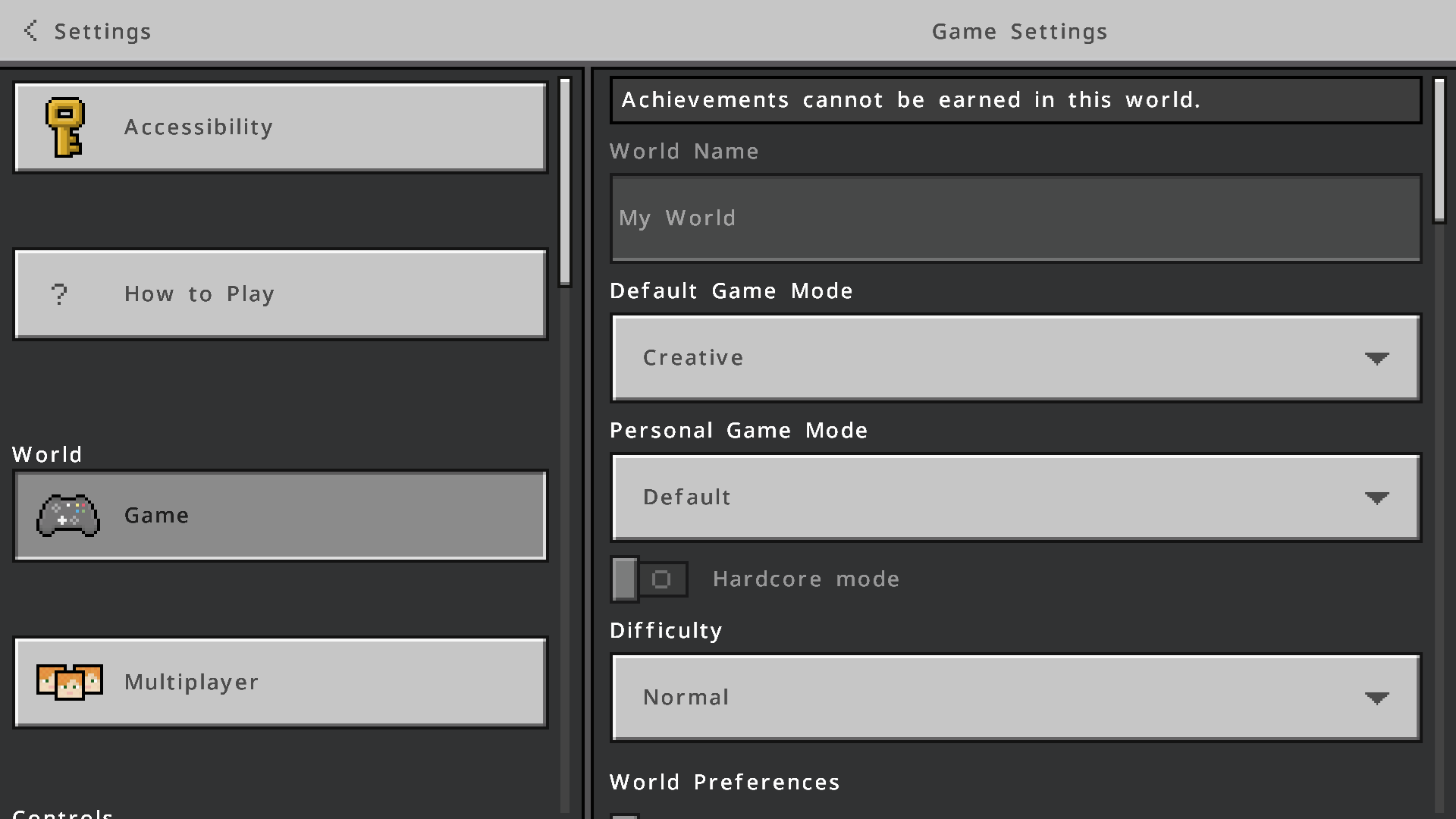
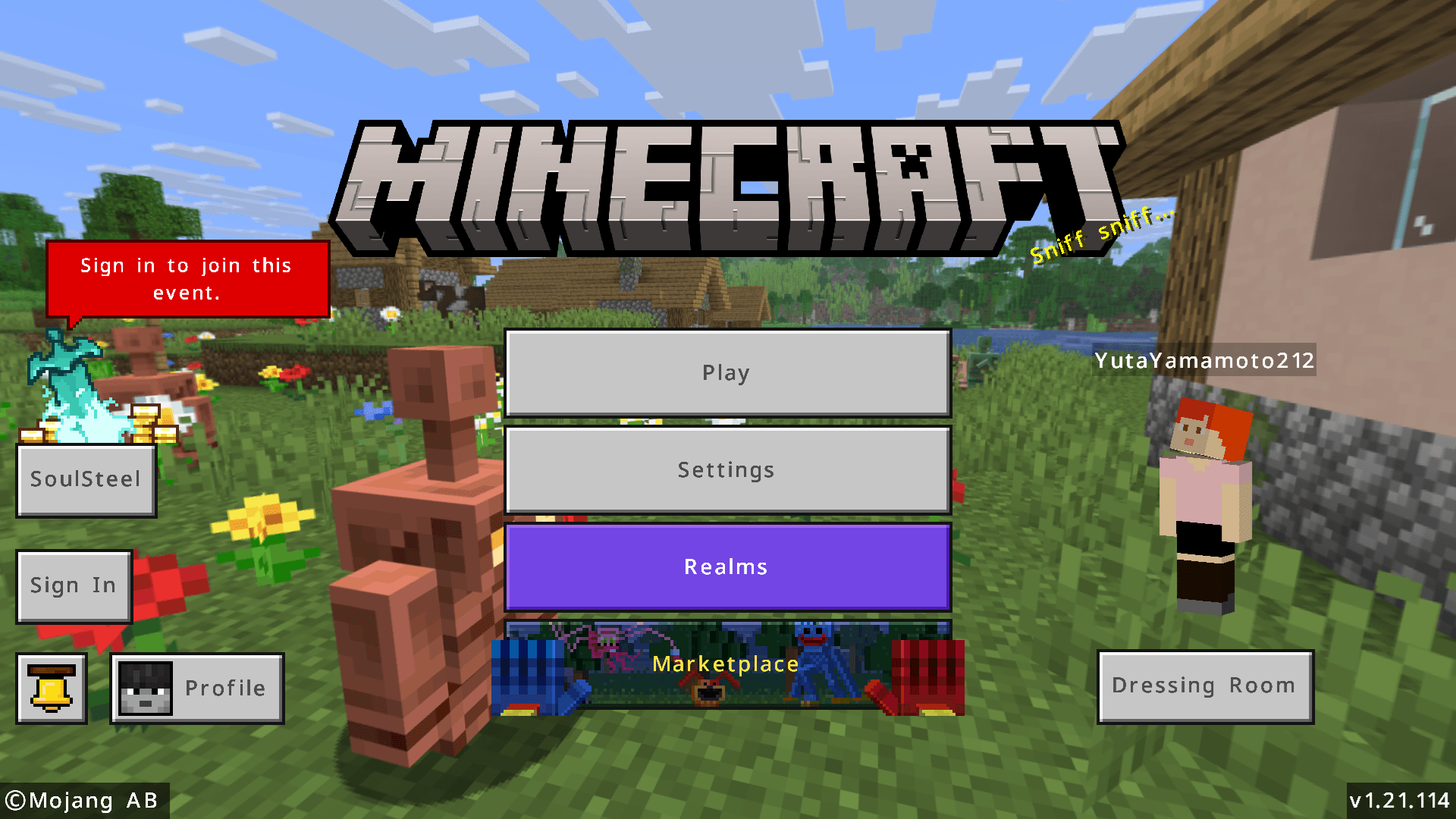
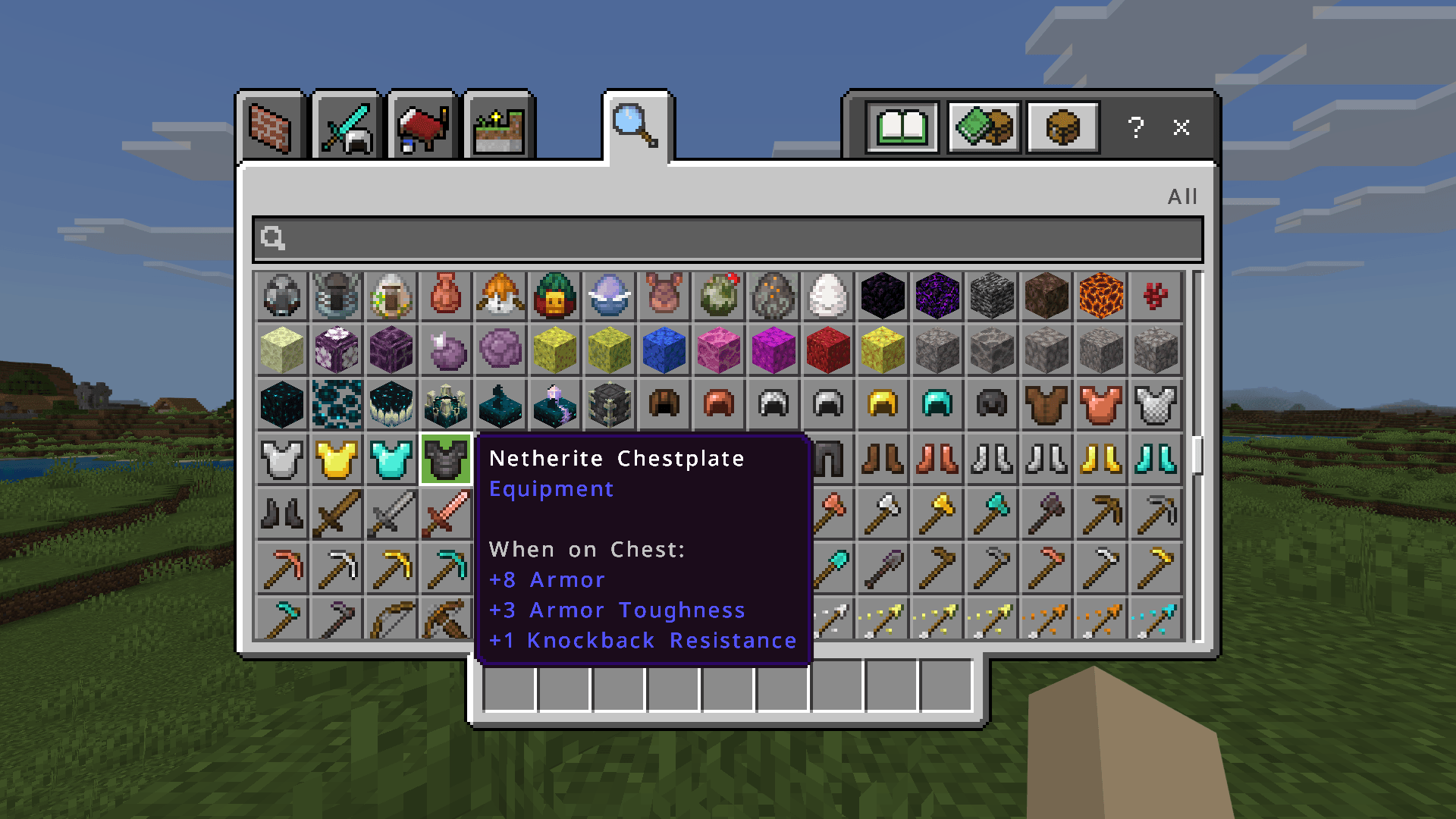
Due to different screen resolutions, there will be different display effects in different situations. Please see the picture below:

(Click HERE to see the original image.)
Please choose to install the Basic version or the HD version according to the actual situation. If you choose the wrong version, the interface font may become blurry or rougher.
If you still don't know which version you should use, click HERE to see the display effect in various resolutions.
The format of the resource pack file name is "MFP-B[Smoothness]-[Version Category][Version Number][CJK Type].mcpack" (or the ZIP file), where:
1. [Smoothness]:
- H represents that the resource pack is the HD version.
- B represents that the resource pack is the Basic version.
2. [Version Category]:
- 01 represents that the resource pack is suitable for versions 1.2.0 to 1.14.60.
- 02 represents that the resource pack is suitable for versions 1.16.0 and above.
3. [Version Number]: Start from 00. Every time it is updated, the number will increase by 1.
4. [CJK Type]:
- J represents that the Chinese characters are designed according to the Chinese character standard in Japan.
- K represents that the Chinese characters are designed according to the Chinese character standard in Korean.
- C represents that the Chinese characters are designed according to the Chinese character standard in China.
- T represents that the Chinese characters are designed according to the Chinese character standard in Taiwan.
- H represents that the Chinese characters are designed according to the Chinese character standard in Hong Kong.
For example:
- If you want to use the resource pack that is the HD version, can be used in version 1.14.60, and the Chinese characters are designed according to the Chinese character standard in China, the file to be downloaded is "MFP-BH-0124C.mcpack".
- If you want to use the resource pack that is the HD version, can be used in version 1.17.11, and the Chinese characters are designed according to the Chinese character standard in Japan, the file to be downloaded is "MFP-BH-0224J.mcpack".
- If you want to use the resource pack that is the Basic version, can be used in version 1.13.3, and the Chinese characters are designed according to the Chinese character standard in Korea, the file to be downloaded is "MFP-BB-0124K.mcpack".
- If you want to use the resource pack that is the Basic version, can be used in version 1.16.221, and the Chinese characters are designed according to the Chinese character standard in Taiwan, the file to be downloaded is "MFP-BB-0224C.mcpack".
If your country or region does not use Chinese characters, you do not need to pay attention to the Chinese character standard in the [CJK Type] field. You just need to pay attention to the [Smoothness] field and the [Version Category] field.
Frequently Asked Question
Click the spoiler to view.
1. What is the difference between the Basic version and the HD version?
Due to the different screen resolutions, and the font rendering of Minecraft will not be resampled as the GUI Scale changes, the same resource pack will have different display effects on different screens. The smoothing effect of the Basic version is relatively simple, and it will have an ideal effect in the case of a low-resolution screen or a GUI Scale of 2. The HD version uses a normal smoothing effect, which will have an ideal effect in the case of medium and high resolution screens or GUI Scale of 3 or above. See HERE for details.
2. What are the differences between CJK font types "jp", "kr", "cn", "hk", and "tw"?
For details, please see the picture below. You can see five different ways of writing the word "返":
And this picture illustrates some of the different ways of writing Chinese characters:
To learn more about the standard of Chinese characters, please read THIS (Simplified Chinese page).
3. Can I apply multiple versions of resource packs at the same time?
No. If you do this, only the content of the top-most resource pack will take effect.
4. After applying the resource pack, the interface font displays abnormally. What should I do?

This problem happens after applying the resource pack, but it doesn't necessarily happen. If this happens, restart the game to fix it.
5. After applying the resource pack, the interface font becomes rough. What should I do?

If you use the HD version of the resource pack, the interface font will become rough when the GUI Scale is lower than the recommended GUI Scale. Please adjust the GUI Scale Modifier or apply the appropriate version to achieve the desired display effect. See HERE for details.
6. After applying the resource pack, the interface font becomes blurry. What should I do?

If you use the Basic version of the resource pack, the interface font will become blurry when the GUI Scale is higher than the recommended GUI Scale. Please adjust the GUI Scale Modifier or apply the appropriate version to achieve the desired display effect. See HERE for details.
7. The bold text is displayed abnormally, and it looks like two texts overlap each other. What should I do?

This problem cannot be fixed. If a line of text contains characters not in the default8.png file, this problem will not occur.
8. I'm using a glow inc sac on a sign and I'm finding the effect is getting weird. What should I do?


This problem cannot be fixed. The problem is not apparent if a line of text contains characters that are not in the default8.png file.
9. I tried entering emojis, fancy text, extended Chinese characters, etc, but the game hardly allows them. What should I do?
In Bedrock Edition, only the following emoji characters are available:
© ® ‼ ⁉ ⃣ ™ ℹ ↔ ↕ ↖ ↗ ↘ ↙ ↩ ↪ ⌚ ⌛ ⌨ ⏏ ⏩ ⏪ ⏫ ⏬ ⏭ ⏮ ⏯ ⏰ ⏱ ⏲ ⏳ ⏸ ⏹ ⏺ Ⓜ ▪ ▫ ▶ ◀ ◻ ◼ ◽ ◾ ☀ ☁ ☂ ☃ ☄ ☎ ☑ ☔ ☕ ☘ ☝ ☠ ☢ ☣ ☦ ☪ ☮ ☯ ☸ ☹ ☺ ♀ ♂ ♈ ♉ ♊ ♋ ♌ ♍ ♎ ♏ ♐ ♑ ♒ ♓ ♟ ♠ ♣ ♥ ♦ ♨ ♻ ♾ ♿ ⚒ ⚓ ⚔ ⚕ ⚖ ⚗ ⚙ ⚛ ⚜ ⚠ ⚡ ⚧ ⚪ ⚫ ⚰ ⚱ ⚽ ⚾ ⛄ ⛅ ⛈ ⛎ ⛏ ⛑ ⛓ ⛔ ⛩ ⛪ ⛰ ⛱ ⛲ ⛳ ⛴ ⛵ ⛷ ⛸ ⛹ ⛺ ⛽ ✂ ✅ ✈ ✉ ✊ ✋ ✌ ✍ ✏ ✒ ✔ ✖ ✝ ✡ ✨ ✳ ✴ ❄ ❇ ❌ ❎ ❓ ❔ ❕ ❗ ❣ ❤ ➕ ➖ ➗ ➡ ➰ ➿ ⤴ ⤵ ⬅ ⬆ ⬇ ⬛ ⬜ ⭐ ⭕ 〰 〽
As for other emoji characters, fancy text, and extended Chinese characters, etc, it is not possible to fix this due to technical limitations. You can only use them in Java Edition 1.16 and above.
10. This resource pack is so cool. Can I add its content into the resource pack I made and share it?
Not recommend. Due to the different screen resolutions, and the font rendering of Minecraft will not be resampled as the GUI Scale changes, the same resource pack will have different display effects on different screens. Therefore, it is recommended that this resource pack be used as a separate resource pack instead of being added into the resource pack you made and shared.
11. This resource pack is so cool. Can I rehost these files for easy download by some people (eg players in mainland China)?
Not recommend. As resource packs will be updated due to feature requests, bug fixes or game updates, it is recommended to use the links on this site so players can enjoy the latest version of the content. If you have to rehost these resource pack files because some people don't have access to the site or its download link, remember to check back from time to time to see if the resource pack has been updated.
Share This Resource Pack!
Welcome to share this resource pack to some Minecraft communities! As resource packs will be updated due to feature requests, bug fixes or game updates, it is recommended to use the links on this site so players can enjoy the latest version of the content. If you have to rehost these resource pack files because some people don't have access to the site or its download link, remember to check back from time to time to see if the resource pack has been updated. It is recommended to join my Discord server to ensure that you are notified when resource packs are updated.
Feedback
If you find a bug or want to make a feature request, please read the FAQ first. To report a bug or make a feature request, it is recommended to go to my GitHub Repository to submit an issue. You are also welcome to join my Discord server.
Discord
Click HERE to join my Discord server!
Installation
Before downloading, please note:
- This site only provides resource packs for Minecraft: Bedrock Edition. For Minecraft: Java Edition, click HERE.
- You should read the FAQ before downloading.
If you are playing Minecraft: Bedrock Edition, please click the spoiler and follow the steps below to install the Resource Pack:
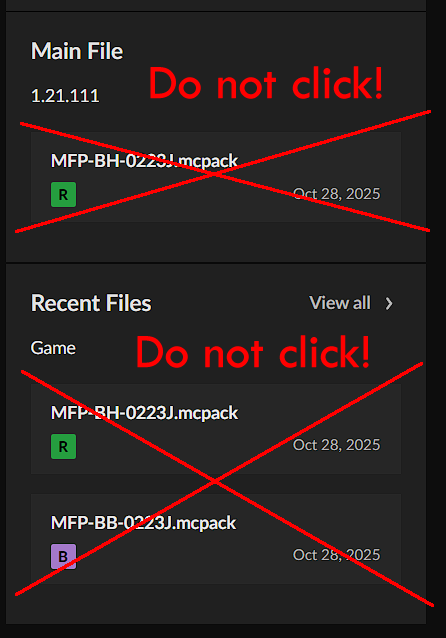
1. Download this Resource Pack in the Files tab. Since the Main File on the right will only display one of the version for 26.30, and Recent Files will only display only two of the versions, do not use the link there to download.

2. Select your game version from the Filter by drop-down menu on the left.
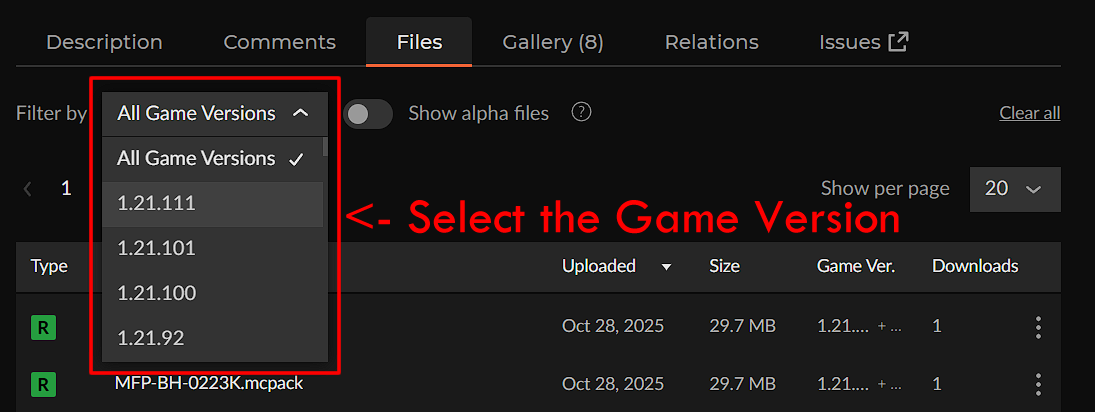
3. HD version is marked as Release (the letter R in the green square), and Basic version is marked as Beta (the letter B in the purple square). This does not represent their development status, but is used to distinguish different versions so that you can quickly recognize them.
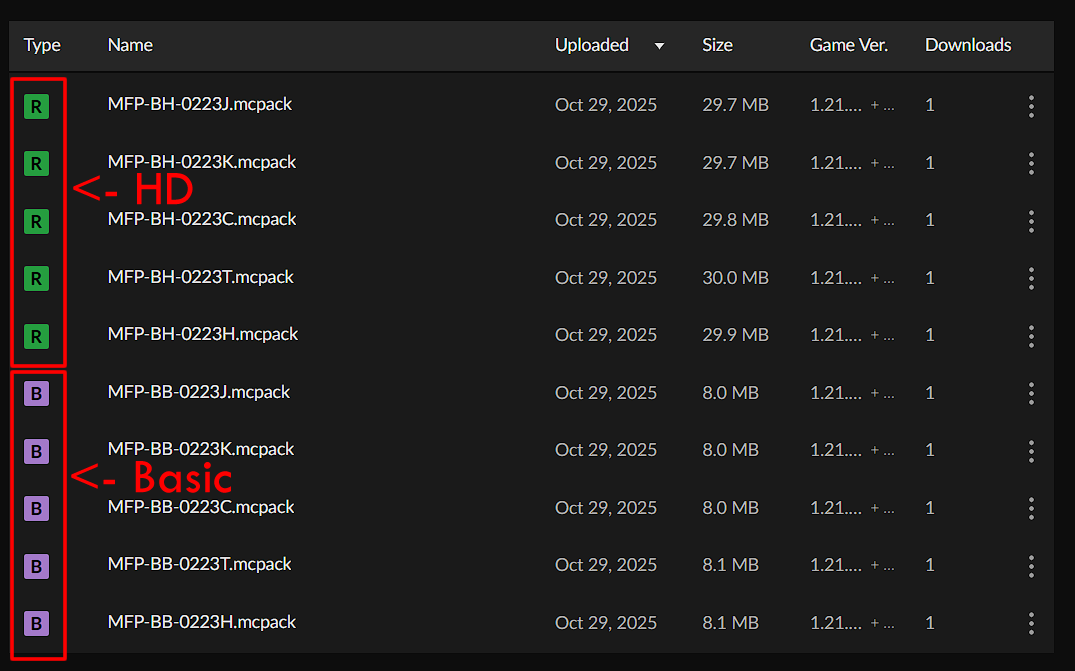
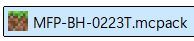
4. Once you find the resource pack you want, click the "⁝" icon on the right and click Download file.

5. Load it into your Minecraft: Bedrock Edition. Since the MCPACK installation method only uses the first 10 characters of the "name" field in the manifest.json file as the folder name in the resource_packs folder, it may cause confusion for some players. If you are used to managing resource packs in the resource_packs folder instead of the in-game Storage feature, it is recommended to rename the file extension .mcpack to .zip and unzip it into that folder. (You might receive a warning message, "If you change a file name extension, the file might become unusable. Are you sure you want to change it?" But once you've ensured the extension has indeed been renamed to .zip, you can safely click Yes to complete the change.)
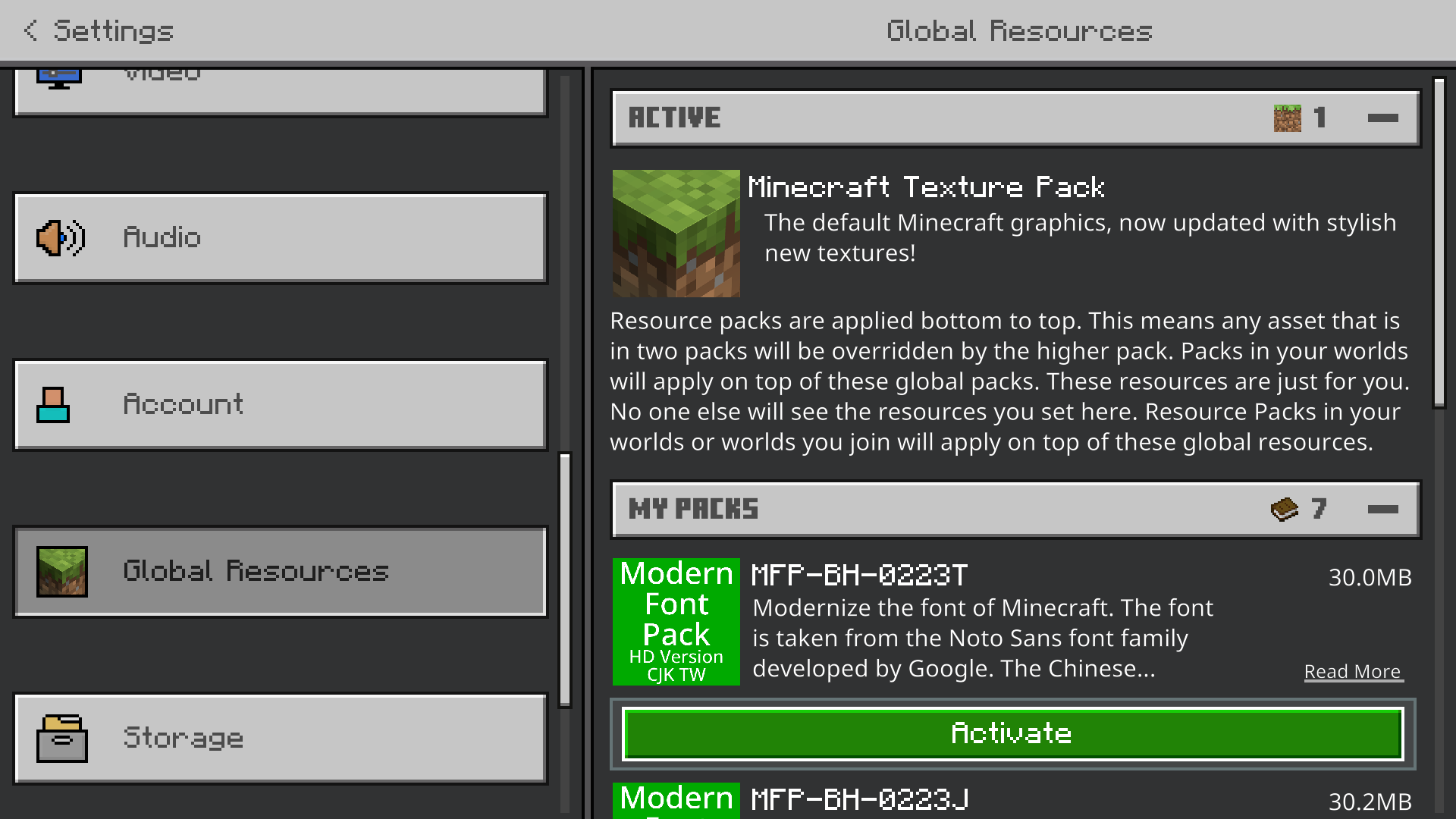
6. Go to Settings -> Global Resources, and then apply it.
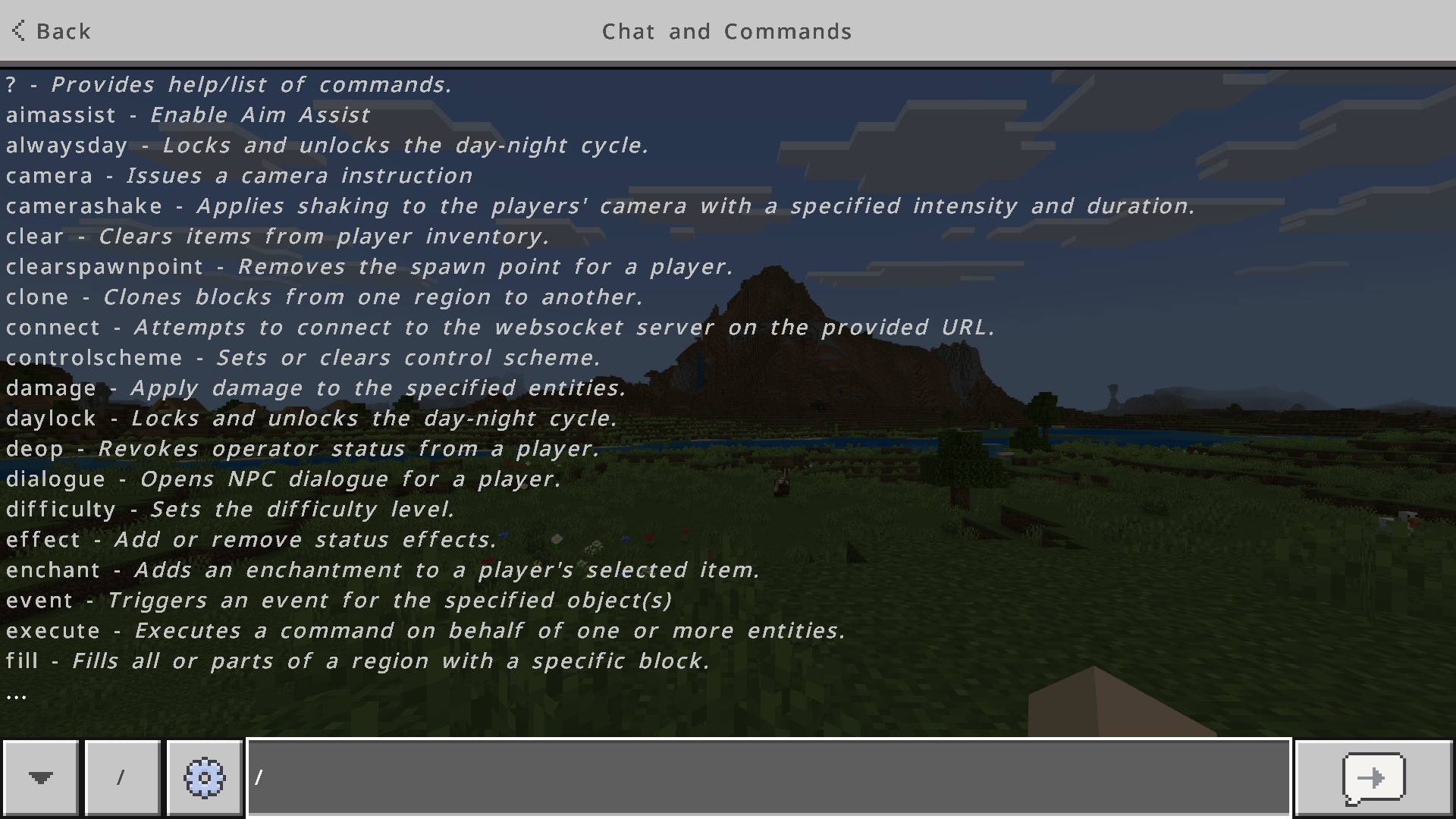
7. If the font display is abnormal, restart Minecraft.
8. If you find that the interface font becomes blurry or rougher after applying the resource pack, please adjust the GUI Scale Modifier or change to another version (Basic -> HD or HD -> Basic).


![[BE] Better Chinese Localization Pack project image](https://media.forgecdn.net/avatars/thumbnails/1563/280/256/256/639014167694435717.png)