FPS Booster | Minecraft Bedrock Performance Optimization
Built for Higher FPS and Smoother Minecraft Gameplay
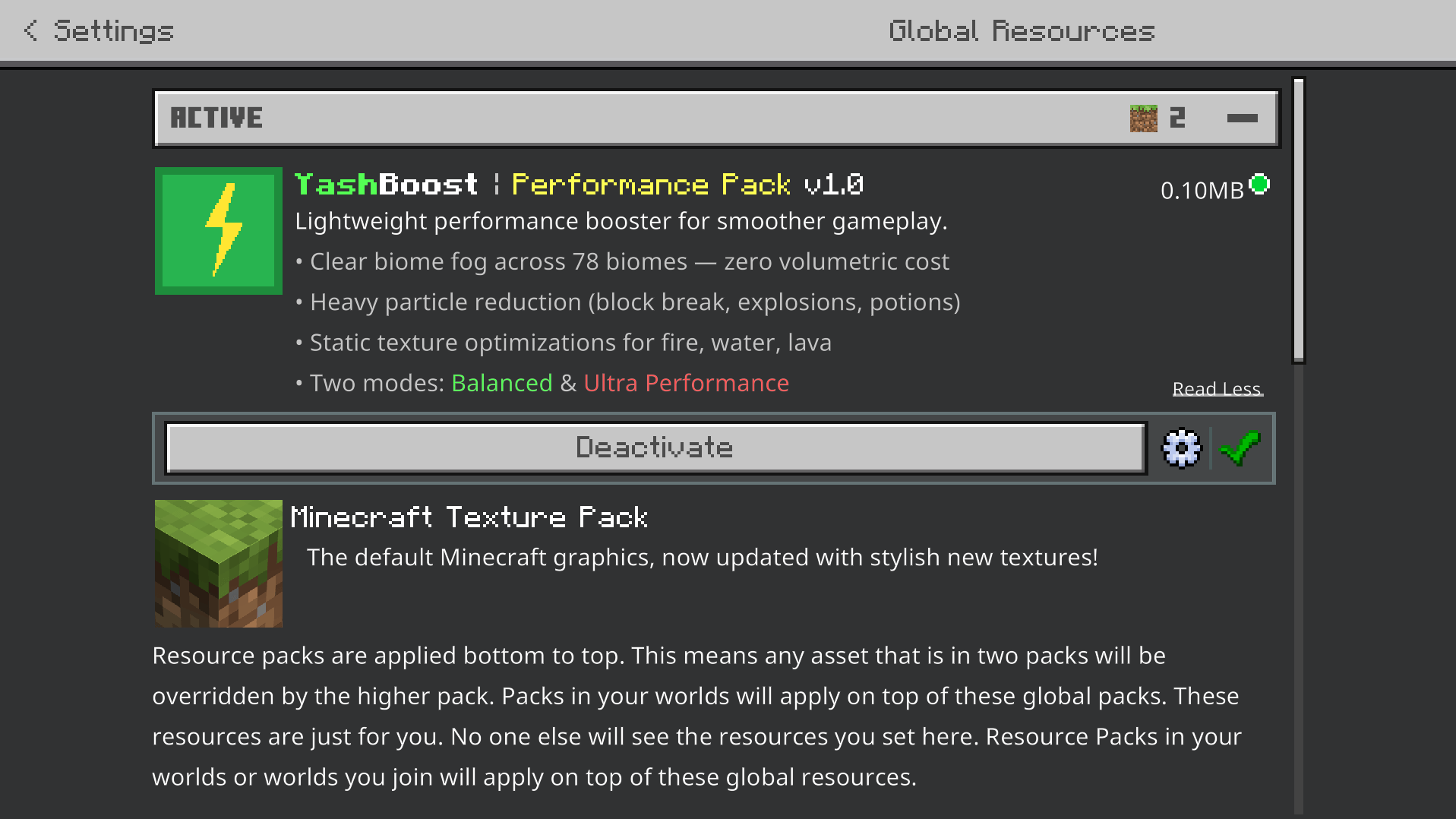
This performance-focused Minecraft Bedrock pack is designed to reduce unnecessary visual processing and create a lighter gameplay experience, especially on low-end phones, older devices, crowded servers, Realms, large farms, and demanding survival worlds.
Instead of relying on a single optimization trick, the pack targets several common sources of visual load at the same time: particles, fog, animated effects, weather visuals, fire animations, and other rendering-heavy elements.
The result is a compact 77 KB performance pack with multiple optimization levels, giving players control over how aggressively Minecraft should prioritize performance over visual effects.
Choose Balanced Mode for cleaner visuals with controlled effects, or switch to Ultra Mode when maximum performance is more important than visual detail.
78 Biome Fog Profiles
Minecraft fog can add atmosphere, but complex fog rendering can also increase GPU workload depending on the device and graphics configuration.
This pack includes custom fog settings for 78 different biomes, giving environments their own suitable fog colors while using a lightweight approach designed around performance.
The goal is to preserve biome identity without relying on unnecessarily demanding visual effects.
78 custom biome fog profiles
Biome-specific fog colors
Lightweight fog presentation
Reduced visual overhead
Cleaner distance visibility
Designed for Bedrock and MCPE performance
8 Individual Particle Toggles
Not every player needs to remove every visual effect.
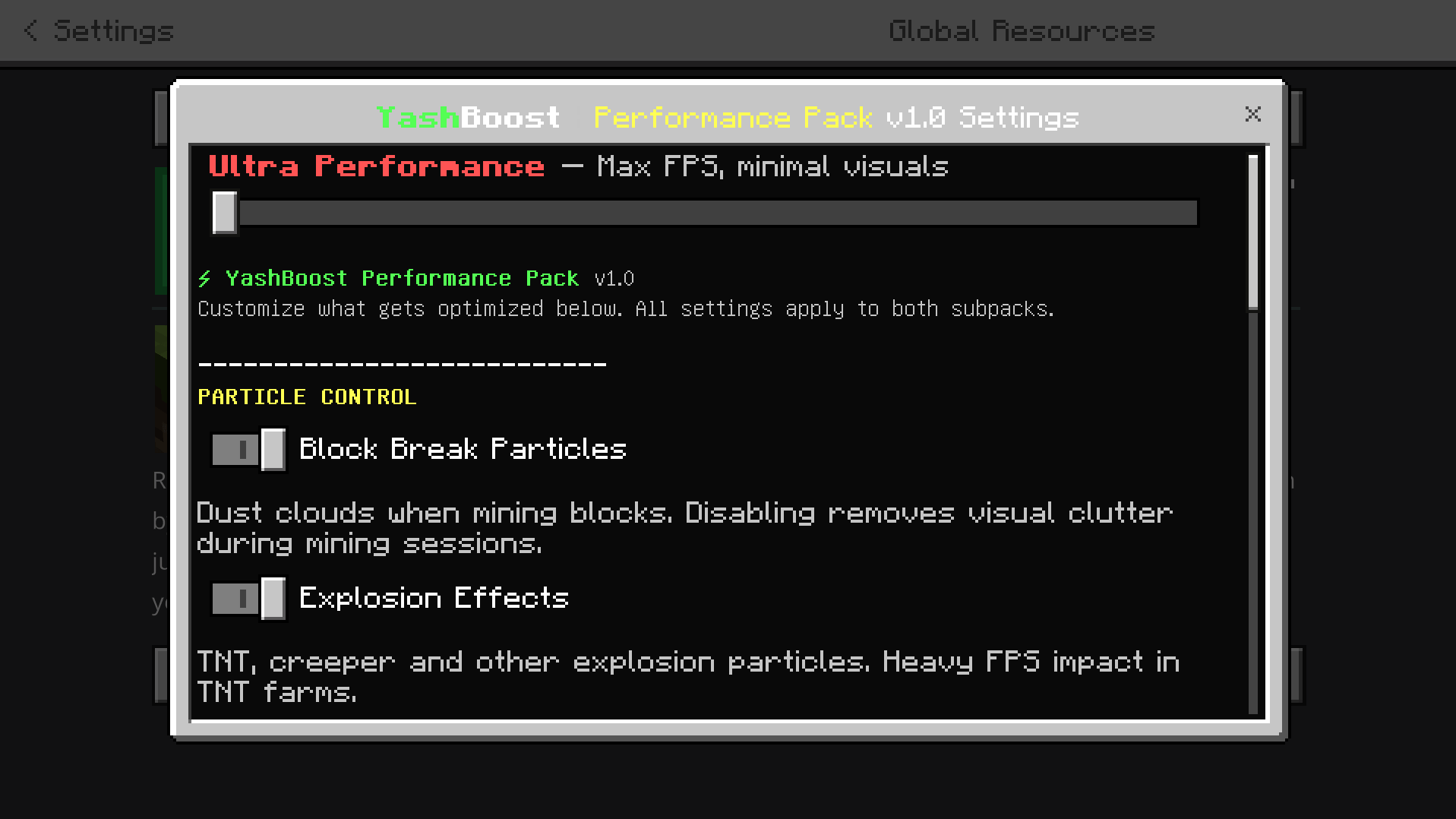
The pack includes 8 configurable particle categories that can be individually enabled or disabled through the pack settings / Gear menu.
Block Breaking Particles
Explosion Effects
Campfire Smoke
Redstone Particles
Torch Effects
Rain Splash Particles
Potion Particles
Portal Particles
This gives you more control over performance instead of forcing one universal configuration.
Players can keep the effects they like and disable the ones that create unnecessary visual clutter or additional load in their specific worlds.
Balanced Performance Mode
Balanced Mode is designed for players who want better performance while keeping more of Minecraft's normal visual presentation.
It uses a clearer fog configuration and controlled particle behavior to reduce unnecessary rendering without stripping away every visual effect.
Balanced Mode is a practical option for mid-range devices, regular survival gameplay, multiplayer, PvP, and players who want smoother performance without an extreme visual reduction.
Ultra Performance Mode
Ultra Mode is the most aggressive optimization option included in the pack.
It is intended for low-end devices, demanding worlds, large multiplayer servers, heavy farms, or situations where maintaining smoother gameplay is more important than preserving decorative effects.
Ultra Mode applies stronger visual reductions, including:
All 22 targeted particle types removed
Shorter optimized fog
Static fire textures
Static rain textures
Static snow textures
Reduced unnecessary animated effects
Removed enchanted item glint
Rain and snow visual reduction
Lower visual processing requirements
This mode is specifically designed to reduce as many unnecessary graphical effects as possible while keeping Minecraft playable and recognizable.
Reduce Particle-Heavy Lag
Particles can become especially noticeable around TNT machines, Creeper explosions, block-breaking farms, campfires, Redstone systems, weather, portals, and potion-heavy gameplay.
Large amounts of these effects can create additional work for the device rendering the scene.
By allowing selected particle categories to be disabled, this pack can create a cleaner screen and reduce unnecessary visual processing in situations where many effects appear at once.
This can be particularly useful for technical survival worlds, mob farms, PvP environments, multiplayer servers, and older mobile devices.
Extremely Lightweight
The entire pack is approximately 77 KB, keeping the resource itself exceptionally small.
The focus is not on adding large textures or complicated graphical features. Instead, it removes, simplifies, or controls effects that may be unnecessary when performance is the priority.
77 KB lightweight package
No large texture replacement library
No heavy visual additions
Performance-focused configuration
Simple resource pack based optimization
Standalone design
Standalone Performance Pack
This pack does not require YashGameplay's Main UI or any separate base UI pack.
It is designed to function independently as a Minecraft Bedrock performance optimization resource pack.
You can use it by itself or combine it with other compatible resource packs depending on your setup.
Made for Low-End Devices and Heavy Worlds
The pack is especially useful for players dealing with:
Low-end Android devices
Older phones and tablets
Entry-level PCs
Large survival worlds
Busy Minecraft servers
Realms
Redstone builds
Mob farms
TNT-heavy areas
Large multiplayer sessions
PvP gameplay
Performance-focused Minecraft setups
Actual FPS improvement will depend on your device hardware, Minecraft version, render distance, world complexity, graphics settings, active resource packs, and server conditions, so exact performance gains can vary between players.
Minecraft Bedrock & MCPE Performance Optimization
This pack is relevant for players searching for Minecraft FPS Booster, MCPE FPS Boost, Minecraft Bedrock Optimization, Low End Minecraft Pack, Minecraft Lag Fix, Particle Remover, No Particles Pack, Fog Optimization, Minecraft Performance Pack, Bedrock FPS Pack, Ultra Performance Mode, Low End Device Texture Pack, and Minecraft PE Optimization.
These terms reflect the actual purpose of the pack: reducing unnecessary visual effects, controlling particles, optimizing fog, and providing multiple performance modes for Minecraft Bedrock players who prioritize smoother gameplay.
Performance Without Unnecessary Weight
This pack is designed around one goal: reduce unnecessary visual workload while giving players control over how far the optimization should go.
Balanced Mode keeps the experience closer to normal Minecraft, while Ultra Mode aggressively removes additional effects for devices that need every possible reduction in graphical load.
With 78 biome fog profiles, 8 configurable particle categories, two performance modes, 22 removable particle types, static effect options, and a total size of only 77 KB, this pack provides a focused performance toolkit for Minecraft Bedrock and MCPE.