Health Bar Indicator
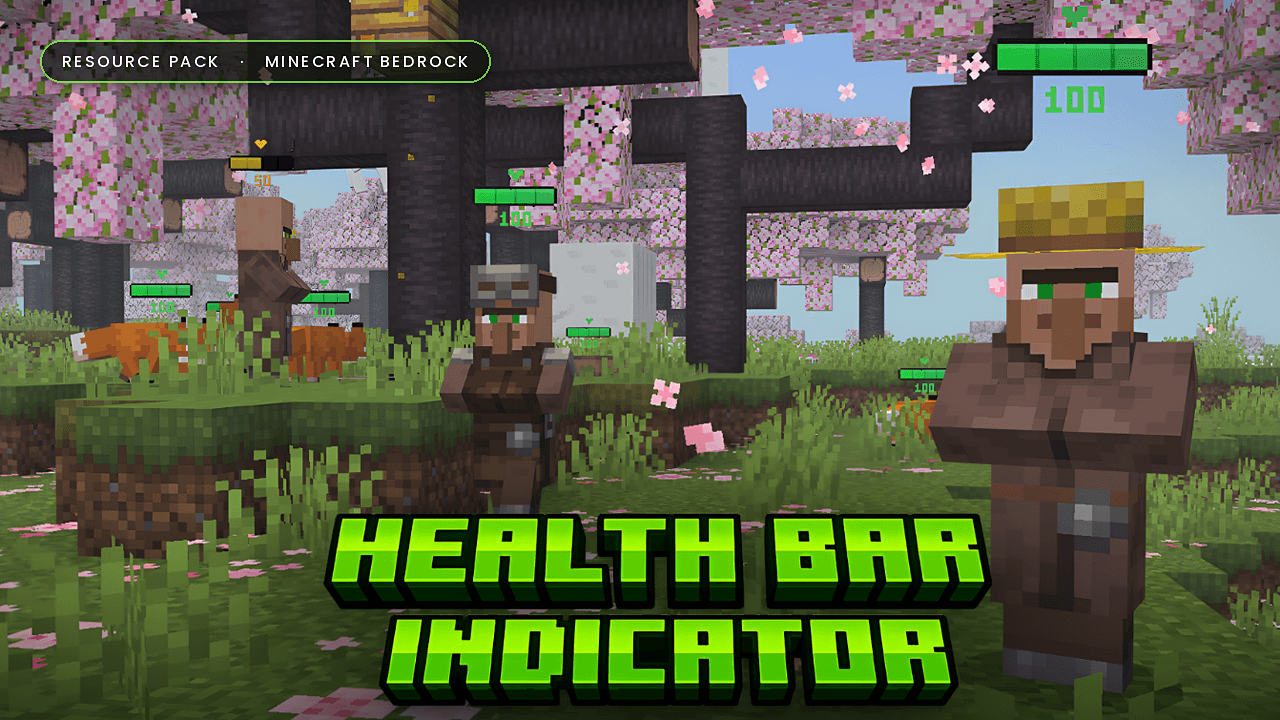
See every mob's health at a glance. Health Bar Indicator adds a dynamic, colour-coded health bar above every mob in your world. Watch health drop in real time as you fight, or keep an eye on your pets and mounts without guessing.
About
How much health does that Warden have left? Does your wolf need healing? Health Bar Indicator shows a smooth, percentage-based health bar above every mob's head. The bar updates in real time, always turns to face you, and scales correctly for baby mobs.
It's a pure resource pack: no behavior pack, no experiments, no commands. Just activate it and play.
Features
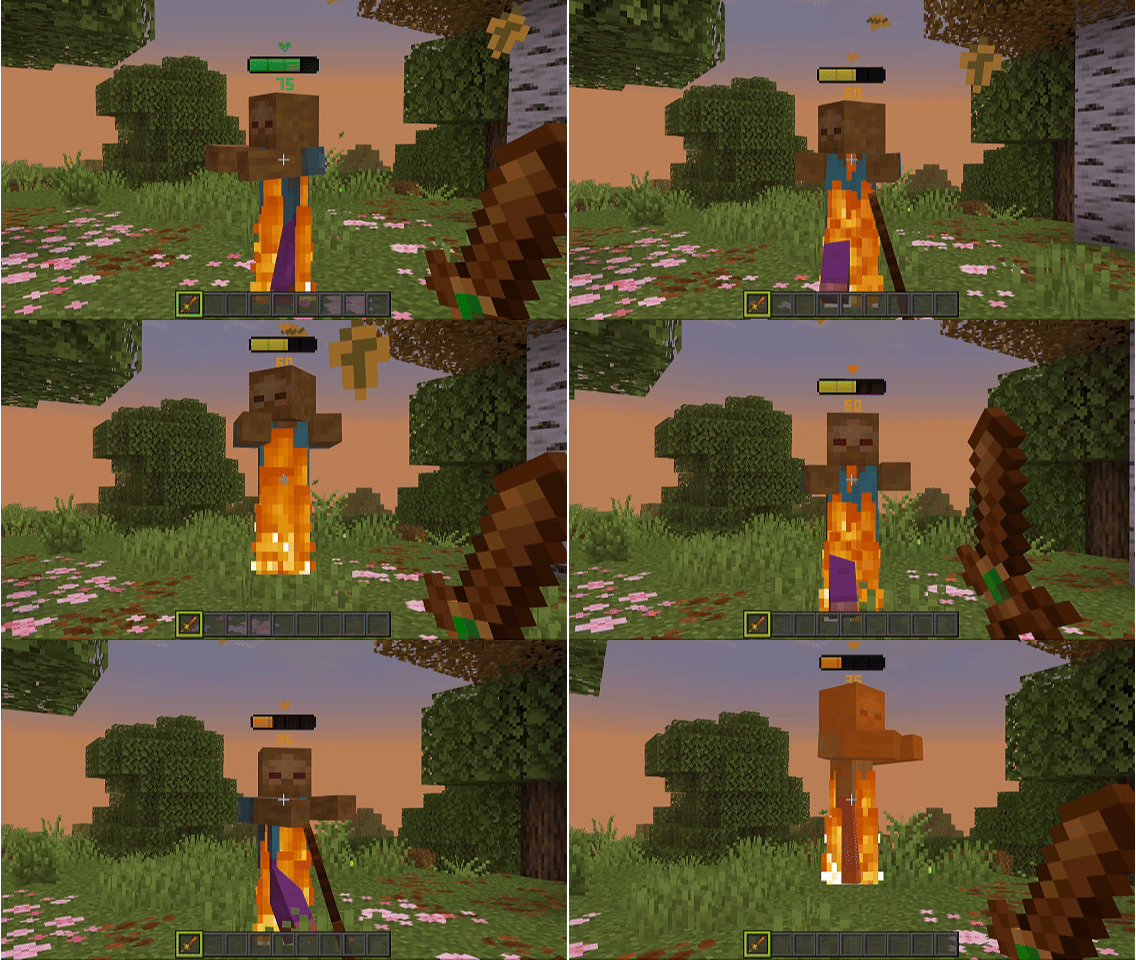
- Real-time health tracking. Bars update instantly as mobs take damage or heal
- 86 mobs supported. Covers every living mob in Minecraft Bedrock, including the newest additions: nautilus, zombie nautilus, camel husk, parched, sulfur cube, copper golem and happy ghast
- Colour-coded bars. The bar changes colour as health drops, so you can read it in a split second
- Always facing you. Bars rotate toward the camera so they're readable from any angle
- Baby mob scaling. Each mob has its own tuned bar height and size, with separate settings for babies
- Clean and lightweight. Bars only show within 32 blocks, and hide on invisible mobs, in inventory screens and on spawn egg previews
- Two display modes (chosen in the subpack menu):
- Player + Mobs. Health bars on all mobs and on other players (your own bar is hidden in first person)
- Mobs Only. Health bars on mobs only
📥 Installation
- Download the
.mcpack file
- Open it, and Minecraft imports it automatically
- Activate it in Global Resources or in a world's Resource Packs
- Tap the pack and choose Player + Mobs or Mobs Only
🛠 Compatibility
- Minecraft Bedrock Edition 1.21.80 or newer, updated for 26.50
- Android, iOS/iPadOS, Windows 10/11, Xbox, PlayStation
- Works in single-player, on servers and on Realms
- No experimental features required
Note
Health Bar Indicator modifies mob entity files. If another resource pack changes the same mobs, only one pack's version will show. Place Health Bar Indicator above the other pack if you want the health bars to take priority.