





Diamond Ore UI
- 4.8K
- Texture Packs
Diamond Ore UI brings a sleek, unified look to Bedrock inspired by the upcoming Ore UI system. Overhauls player inventory, crafting, smelting, chests, redstone screens, buttons, and toggles for a clean, unified gaming experience!
- 4.8K
- September 11, 2026
Dungeons UI
- 48.0K
- Texture Packs
It's a close replica of Minecraft Dungeons UI made for Minecraft Bedrock. [Read The Description]
- 48.0K
- August 13, 2026
Utility HUD
- 153.0K
- Texture Packs
This pack is an inventory overlay that adds some QoL features to HUD that are normally not available without addons.
- 153.0K
- June 25, 2026
Emojis! Resource Pack
- 29.6K
- Texture Packs
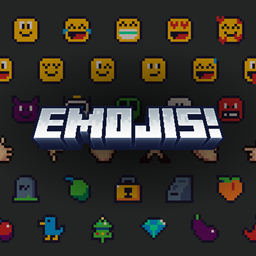
A lightweight resource pack for Minecraft Bedrock that adds emoji support, without disabling achievements. Compatible with servers and Realms.
- 29.6K
- June 24, 2026
Diamond Ore UI
- 4.8K
- Texture Packs
Diamond Ore UI brings a sleek, unified look to Bedrock inspired by the upcoming Ore UI system. Overhauls player inventory, crafting, smelting, chests, redstone screens, buttons, and toggles for a clean, unified gaming experience!
- 4.8K
- September 11, 2026
Dungeons UI
- 48.0K
- Texture Packs
It's a close replica of Minecraft Dungeons UI made for Minecraft Bedrock. [Read The Description]
- 48.0K
- August 13, 2026
Utility HUD
- 153.0K
- Texture Packs
This pack is an inventory overlay that adds some QoL features to HUD that are normally not available without addons.
- 153.0K
- June 25, 2026
Emojis! Resource Pack
- 29.6K
- Texture Packs
A lightweight resource pack for Minecraft Bedrock that adds emoji support, without disabling achievements. Compatible with servers and Realms.
- 29.6K
- June 24, 2026