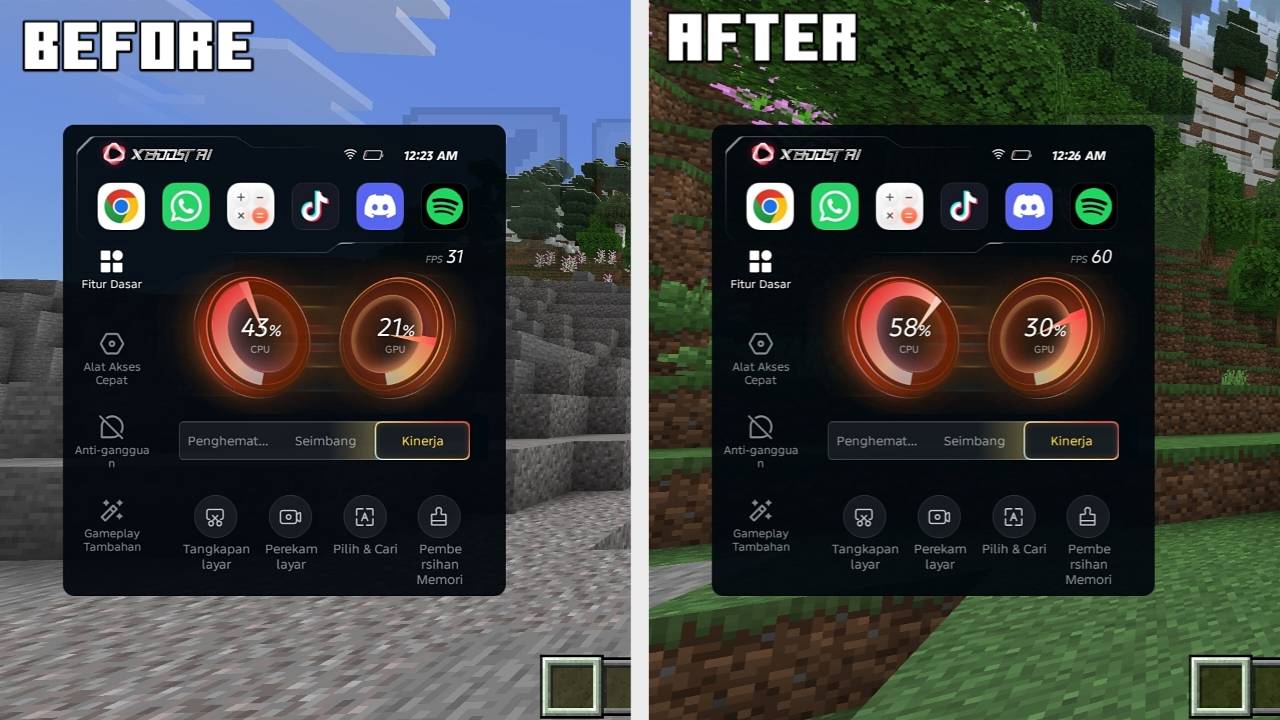
Cesium is The performance pack that doesn't force you to choose. Boost FPS, keep control.
A lightweight resource pack for Minecraft Bedrock. Toggle the visual effects that hit your FPS the most — without losing everything at once.
Features
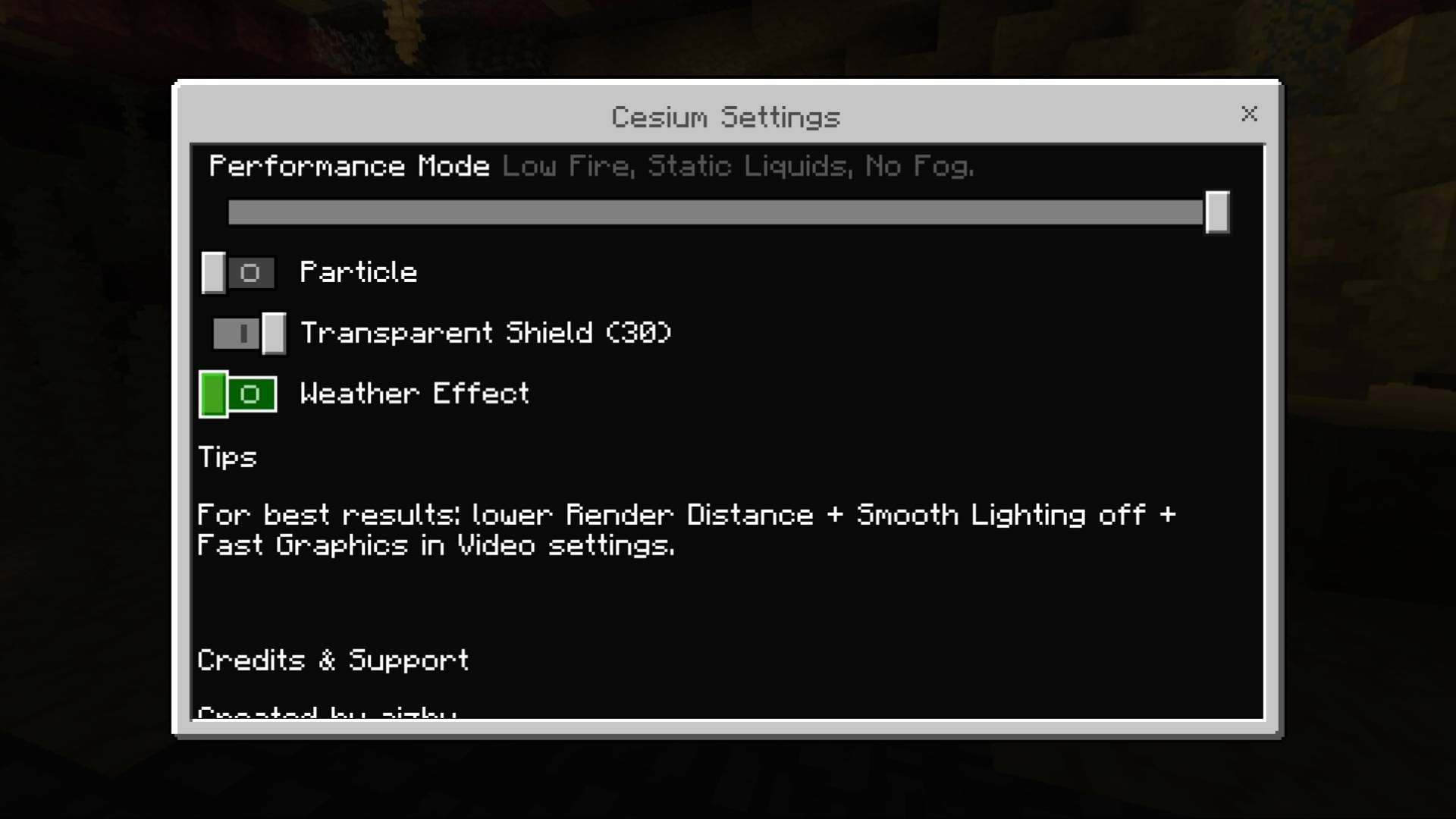
In-Game Settings — accessible from Global Resources → Cesium → gear icon
| Setting |
Description |
| Particle |
Toggle all particle effects on/off |
| Transparent Shield (30%) |
Semi-transparent shield while blocking |
| Weather Effect |
Toggle rain particles on/off |
Performance Mode — accessible from the subpack slider
| Feature |
Description |
| Low Fire |
Smaller, lighter fire texture |
| Static Liquids |
Water, lava, and bubble columns no longer animate |
| No Fog |
Removes distance/weather fog |
Installation
- Download the
.mcpack file
- Open the file — it'll launch straight into Minecraft and import automatically
- Go to your world settings → Resource Packs → activate Cesium
- (Optional) Switch between Vanilla Experience and Performance Mode via the subpack slider
- Adjust individual toggles via the gear icon next to the pack.
Compatibility
Cesium only overrides a small, targeted set of files (particles, shield, fire, liquid, fog), so it's generally safe to use alongside other resource packs.
Possible conflicts if you use another pack that also modifies:
- Shield textures
- Fire/liquid textures
- Fog settings
If a conflict occurs, try adjusting the pack order in Resource Packs → Active Packs.
Support
YouTube: @siaizhu
TikTok: @siiaizhu
Instagram
@endviii
Donate:
Discord Community: Aizhu comunity
More addons and texture packs: my project
If you enjoy this addon, consider following me on CurseForge so you don't miss future updates and new projects.
If you enjoy this addon, consider following me on CurseForge so you don't miss future updates and new projects.