




Water Splash Animation
- 163.8K
- Texture Packs
Custom animated water splash effect, creating smooth splashes around the player for a more realistic and polished experience.
- 163.8K
- November 10, 2026

Survival Overhaul
- 442.6K
- Texture Packs
Survival Overhaul is an all-in-one Minecraft Bedrock resource pack that enhances your survival experience with Dark UI, animated RGB XP bar, health bar indicators, better crops, food stats, enchantment icons, coordinates display, and more.
- 442.6K
- November 2, 2026
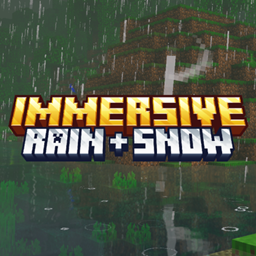
Immersive Rain + Snow
- 117.1K
- Texture Packs
Enhanced rain and snow effects with immersive splash, ripple, and weather particles.
- 117.1K
- October 28, 2026

Cinematic Fog
- 88.0K
- Texture Packs
Cinematic Fog adds thick atmospheric fog, dramatic god-rays, and per-biome depth to Minecraft Bedrock for Vibrant Visuals.
- 88.0K
- October 21, 2026
Water Splash Animation
- 163.8K
- Texture Packs
Custom animated water splash effect, creating smooth splashes around the player for a more realistic and polished experience.
- 163.8K
- November 10, 2026
Survival Overhaul
- 442.6K
- Texture Packs
Survival Overhaul is an all-in-one Minecraft Bedrock resource pack that enhances your survival experience with Dark UI, animated RGB XP bar, health bar indicators, better crops, food stats, enchantment icons, coordinates display, and more.
- 442.6K
- November 2, 2026
Immersive Rain + Snow
- 117.1K
- Texture Packs
Enhanced rain and snow effects with immersive splash, ripple, and weather particles.
- 117.1K
- October 28, 2026
Cinematic Fog
- 88.0K
- Texture Packs
Cinematic Fog adds thick atmospheric fog, dramatic god-rays, and per-biome depth to Minecraft Bedrock for Vibrant Visuals.
- 88.0K
- October 21, 2026