BRGamers: AuroraVale Visuals — A New Atmosphere for Minecraft Bedrock
-------applicable in vibrant visuals-----------
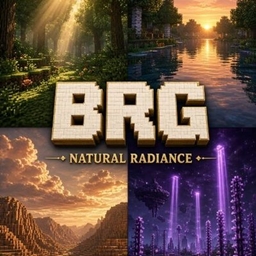
Welcome to BRGamers: AuroraVale Visuals, a Minecraft Bedrock visual resource pack designed to give your world a fresh, atmospheric, and cinematic appearance. Inspired by beautiful natural landscapes, cool blue skies, warm golden sunsets, turquoise water tones, and immersive environmental colors, AuroraVale Visuals aims to make exploring Minecraft feel more engaging and visually rewarding.
Whether you enjoy building peaceful lakeside homes, exploring forests, travelling across mountains, creating impressive survival bases, or capturing screenshots of your favourite worlds, AuroraVale Visuals brings a carefully designed visual direction to your Minecraft experience.
The goal is simple: create an atmosphere that feels beautiful, immersive, and recognizably Minecraft, while keeping compatibility and performance in mind.
🌅 A Beautiful and Atmospheric Sky
The sky is an important part of the Minecraft experience. It influences the appearance of distant landscapes, mountains, forests, oceans, and buildings. AuroraVale Visuals focuses on a cinematic atmosphere inspired by natural daylight, cool blue horizons, and warm golden-hour colors.
During the day, the intended visual style emphasizes clear blue tones and a refreshing atmosphere. These colors complement green forests, snowy peaks, rivers, and open plains, helping the environment feel cohesive and inviting.
Sunrise and sunset provide a different mood. Warm peach, gold, and orange-inspired tones create a peaceful atmosphere that works especially well around lakes, mountain ranges, and village builds. These colors can make ordinary landscapes feel more dramatic without changing Minecraft's familiar block-based identity.
The pack's atmospheric settings are designed around gradual color transitions rather than sudden, unnatural changes. The final appearance depends on the Minecraft version and rendering features supported by your device.
☀️ Cinematic Lighting and Environmental Color
Lighting has a major influence on how Minecraft worlds look. The same building or landscape can feel completely different depending on the time of day, the surrounding colors, and the contrast between illuminated and shaded areas.
AuroraVale Visuals aims for a balanced visual style that combines warm sunlight-inspired colors with cooler environmental tones. The intention is to complement wooden houses, stone structures, gardens, forests, and mountain landscapes.
Warm colors can create a welcoming appearance around sunrise and sunset, while cooler blue tones can contribute to a calmer nighttime atmosphere. This contrast helps establish different moods throughout the day.
The pack is intended to preserve the recognizable appearance of Minecraft blocks instead of turning the world into something that no longer feels like Minecraft. The visual direction focuses on atmosphere, color harmony, and environmental presentation.
Actual shadow quality, ambient occlusion, dynamic illumination, and advanced lighting effects depend on the rendering pipeline. These features should not be assumed to work on every device merely because a resource pack is installed.
🌊 Beautiful Turquoise-Inspired Water
Water is one of the most noticeable elements in a Minecraft landscape. Rivers, oceans, lakes, waterfalls, and underwater areas can change the entire appearance of a world.
AuroraVale Visuals uses a visual direction inspired by turquoise, aqua, and deep-blue water tones. These colors work particularly well with bright skies, green vegetation, sandy shores, and rocky mountains.
Imagine building a house beside a lake, creating a bridge across a river, or exploring an ocean near a coastal village. A coordinated water palette can complement the surrounding environment and make the landscape feel more visually connected.
Water appearance may vary between biomes, lighting conditions, and supported rendering features. Transparency, realistic reflections, animated waves, underwater light shafts, and physically accurate water shading require appropriate engine support and cannot be guaranteed by changing a resource pack's description or icon.
The goal is to create a beautiful water-inspired aesthetic while maintaining the familiar Minecraft environment.
🌫️ An Immersive Environmental Atmosphere
Atmosphere helps establish distance and depth in a landscape. Distant mountains, forest edges, and valleys can look different depending on fog colors, horizon transitions, and lighting conditions.
AuroraVale Visuals aims for an atmospheric style that complements both open landscapes and densely wooded areas. Cool blue and soft neutral tones contribute to the intended daytime appearance, while warmer colors support the golden-hour visual direction.
A carefully balanced atmosphere can help distant scenery blend more naturally with the sky. It can also create a more cinematic appearance when exploring large landscapes or taking screenshots.
However, the exact behaviour of fog depends on the available Minecraft rendering system and the settings supported by the pack. True volumetric fog, dynamic weather scattering, and realistic light shafts require additional rendering capabilities where available.
AuroraVale Visuals should therefore be understood as a visual resource pack whose final effects depend on the supported environment, rather than a guarantee of every advanced shader feature.
🌲 A Visual Style for Forests and Natural Landscapes
Minecraft forests are filled with trees, leaves, grass, flowers, and natural terrain. AuroraVale Visuals is designed around colors that complement these environments.
Cool sky tones contrast with green foliage, while warm sunset-inspired colors can create an inviting atmosphere around clearings and woodland builds. Mountain landscapes, riverside paths, and open plains can also benefit from a consistent environmental palette.
If you enjoy building cabins, gardens, bridges, farms, or peaceful survival bases, this visual direction is intended to complement those creations without replacing the basic Minecraft aesthetic.
Dynamic leaf movement, realistic wind simulation, detailed foliage shadows, and advanced light filtering are dependent on the rendering features actually available to the pack. These effects should only be expected when implemented through a compatible rendering method.
🌙 A Calm and Cinematic Nighttime Mood
Nighttime gives Minecraft a different atmosphere from daytime. Darker skies, cooler colors, and the contrast between illuminated areas and the surrounding environment can make exploration feel distinct.
AuroraVale Visuals aims for a cool, blue-inspired nighttime mood that complements forests, mountains, villages, and lakes. This direction is intended to create a calmer visual experience while preserving the familiar nighttime gameplay environment.
If supported by the rendering pipeline, lighting and atmospheric settings can contribute to the difference between daylight, sunset, and night. The exact result varies according to the engine, graphics settings, and device.
The pack's overall visual identity combines cool atmospheric colors with warm golden-hour inspiration to create a consistent look throughout the world.
🏡 Great for Building, Survival, and Exploration
AuroraVale Visuals is intended for players who enjoy different aspects of Minecraft.
For builders: The atmospheric color palette can complement modern houses, mountain cabins, medieval villages, gardens, bridges, and lakeside bases.
For survival players: A coordinated environment can make travelling through forests, plains, and mountains more visually engaging.
For explorers: Natural landscapes, rivers, coastlines, and distant terrain are central to the pack's intended visual direction.
For screenshot creators: Warm sunsets, cool skies, and turquoise-inspired water provide a useful starting point for scenic Minecraft screenshots, depending on the actual effects supported by the game.
For content creators: A consistent visual style can help establish a recognizable look for gameplay clips, building showcases, and world tours.
The pack is designed to complement your existing world rather than require you to rebuild it around a completely different art style.
📱 Minecraft Bedrock Compatibility
AuroraVale Visuals is intended for Minecraft Bedrock environments, but compatibility depends on the exact implementation of the included resource-pack files.
Some advanced visual settings require a compatible Minecraft version, graphics mode, and rendering pipeline. A pack that contains deferred-rendering or Vibrant Visuals-related configuration may not produce the intended effects in the standard graphics mode.
Before using the pack in your main world, check the compatibility information supplied with the download. If your Minecraft installation provides Vibrant Visuals or another required graphics mode, follow the pack's documented requirements.
Importing a resource pack successfully does not necessarily mean that all its visual settings are active. If the world looks unchanged, check whether the pack is enabled, whether another pack overrides it, and whether your version supports the included rendering features.
Compatibility should be confirmed on the actual Minecraft version and device being used.
⚙️ Installation Instructions
Follow these steps to install the resource pack:
-
Download the AuroraVale Visuals .mcpack file from its official distribution source.
-
Open the downloaded file using Minecraft, if your device offers that option.
-
Wait for Minecraft to finish importing the pack.
-
Open Minecraft's resource-pack settings.
-
Locate AuroraVale Visuals in the available packs.
-
Activate the pack in the appropriate resource-pack menu.
-
Check the graphics settings and enable the required rendering mode if your version and device support it.
-
Enter a test world and observe the sky, water, and environment at different times of day.
Menu names can vary between Minecraft versions and platforms. If the pack does not appear after import, verify that the file downloaded correctly and that Minecraft recognized it as a resource pack.
🛠️ Troubleshooting and Performance
If you activate AuroraVale Visuals but see no noticeable difference, first check the pack's activation status and rendering requirements. Another resource pack may also override some of the same files.
If the game reports an incompatible pack, review the manifest's engine requirements and confirm that your Minecraft version supports the pack's features.
If you experience performance problems, test the pack in a separate world and reduce other graphics-heavy settings where possible. Performance varies according to hardware, resolution, world complexity, and the rendering features being used.
For safety, test new resource packs in a copy of your world before relying on them in an important survival save. Keep backups of valuable worlds.
No universal FPS figure or crash-free guarantee is provided, because actual performance and stability must be verified on the target device.
🎨 Original Visual Direction by BRGamers
AuroraVale Visuals follows a visual direction built around atmospheric skies, cool environmental colors, warm sunsets, and turquoise-inspired water. Its goal is to complement the Minecraft world with a cohesive and cinematic aesthetic.
The name AuroraVale reflects the combination of atmospheric color and natural landscapes that inspired this project. The pack is intended for players who appreciate scenic environments, peaceful building locations, and visually appealing world exploration.
The actual effects available in the pack depend on the implemented configuration and the rendering capabilities of the Minecraft version being used. The description does not imply that unsupported features such as true ray tracing, volumetric sunrays, or physically accurate reflections are available on every device.
⭐
BRGamers: AuroraVale Visuals is designed to give Minecraft Bedrock players a fresh atmospheric style inspired by beautiful skies, warm sunsets, cool nighttime colors, and turquoise water tones.
Whether you are exploring a new world, designing a mountain retreat, building beside a river, or capturing a sunset over the ocean, the pack's intended visual direction focuses on creating a more cohesive and immersive environment.
Check compatibility before installation, enable the required graphics mode where supported, and test the pack in your own world to see how its settings work on your device.