
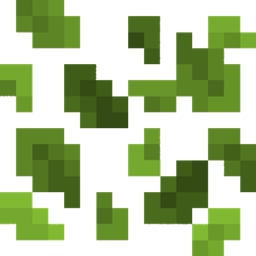
Better Leaf Litter
A simple Bedrock texture pack that recolors Leaf Litter to a vibrant green.
- 993
- September 4, 2026

Better Leaf Litter
A simple Bedrock texture pack that recolors Leaf Litter to a vibrant green.
- 993
- September 4, 2026


BetterUI is a lightweight interface overhaul for Minecraft Bedrock Edition, designed to give the game a cleaner, more modern look while preserving its original vanilla style. It redesigns menus, HUD elements, inventory interfaces, and in-game windows with translucent backgrounds, improved layouts, and useful quality-of-life features.
- Redesigned main menu and centered pause screen.
- Cleaner navigation and improved player preview.
- Double-tap your character on the main menu to open the Dressing Room.
- Custom Save & Quit and Exit buttons.
- Color-coded coordinates and a Days Played counter.
- Dynamic held-tool durability indicator in the bottom-right corner.
- Animated XP bar with authentic Minecraft XP Orb colors.
- Custom crosshair and lime hotbar selector.
- White block selection outline instead of the vanilla black outline.
- Translucent pumpkin, spyglass, and fire overlays.
- Quick-action buttons for dropping one item, dropping one stack, and quickly transferring items.
- Tap the vanilla crafting arrow to quick-craft items.
- Similar quick-craft functionality is available in other supported interfaces.
- Dynamic durability indicators for equipped armor and shield, displayed while the inventory is open.
- Improved slot highlights and translucent tooltips.
- Trade Preview: View all available villager trades at a glance in the left panel.
- Quick Trade: Use the double-arrow button between the vanilla input and output slots to complete trades with a single tap.
- Consistent translucent backgrounds across supported interfaces.
- Redesigned add-on forms, NPC editor, Dressing Room, and more.
- Improved chat interface with minor layout refinements.
- Three quick chat buttons next to the Send button:
- Tab – Quick tab navigation.
- Previous (up) – Navigate to the previous message.
- Next (down) – Navigate to the next message.
- Custom loading screen with the vanilla background and logo.
- In-game tips, loading percentage, and an XP-style progress bar.
- Minecraft Bedrock Edition 1.26.50 and newer.
- Supports Classic and Pocket UI.
Note: Newer Ore UI screens, such as the Play menu and World Settings, cannot be modified by resource packs and remain vanilla.
- Bedrock Tweaks: Some features and design elements were inspired by or based on Bedrock Tweaks.
- UI Design Inspiration: Various design ideas were inspired by popular Minecraft UI texture packs.
BetterUI is an independently developed project and is not affiliated with the creators of the projects mentioned above.


A simple Bedrock texture pack that recolors Leaf Litter to a vibrant green.
A simple Bedrock texture pack that recolors Leaf Litter to a vibrant green.