


NPC Pathmaker: Bring NPCs to Life
- By
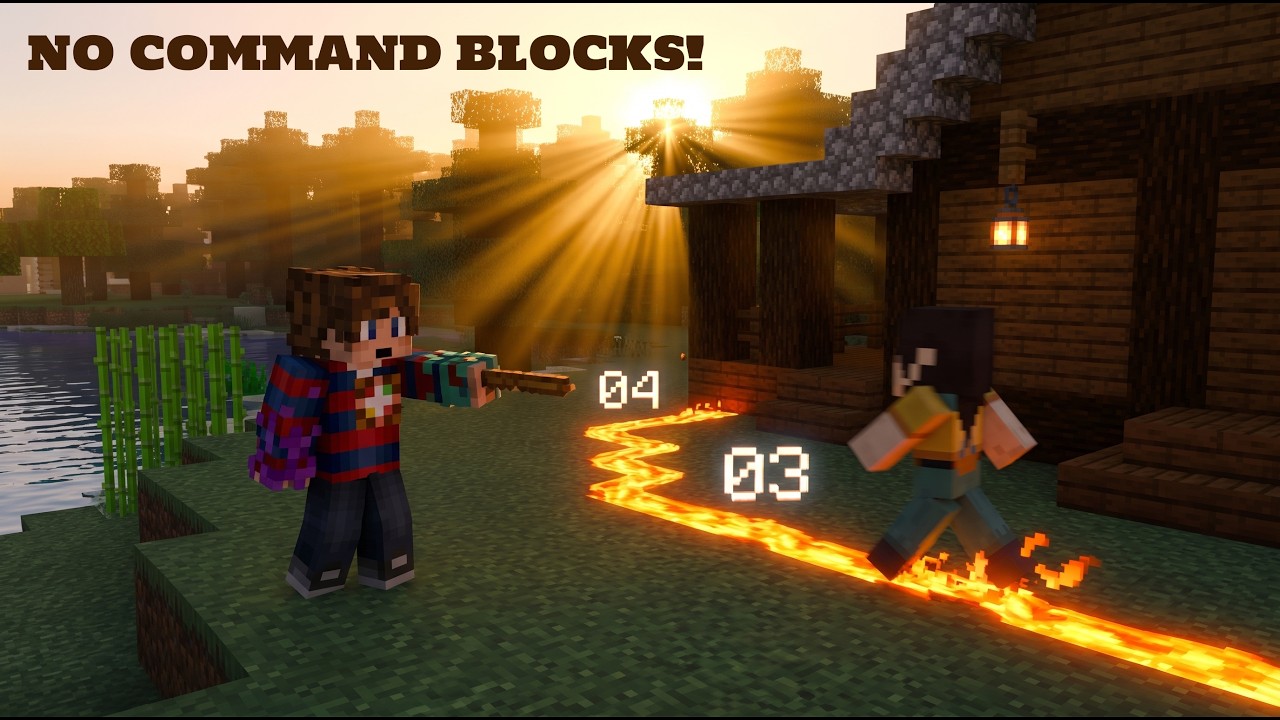
Create complex NPC routes with built-in obstacle avoidance, realistic gravity, and customizable waypoint events.
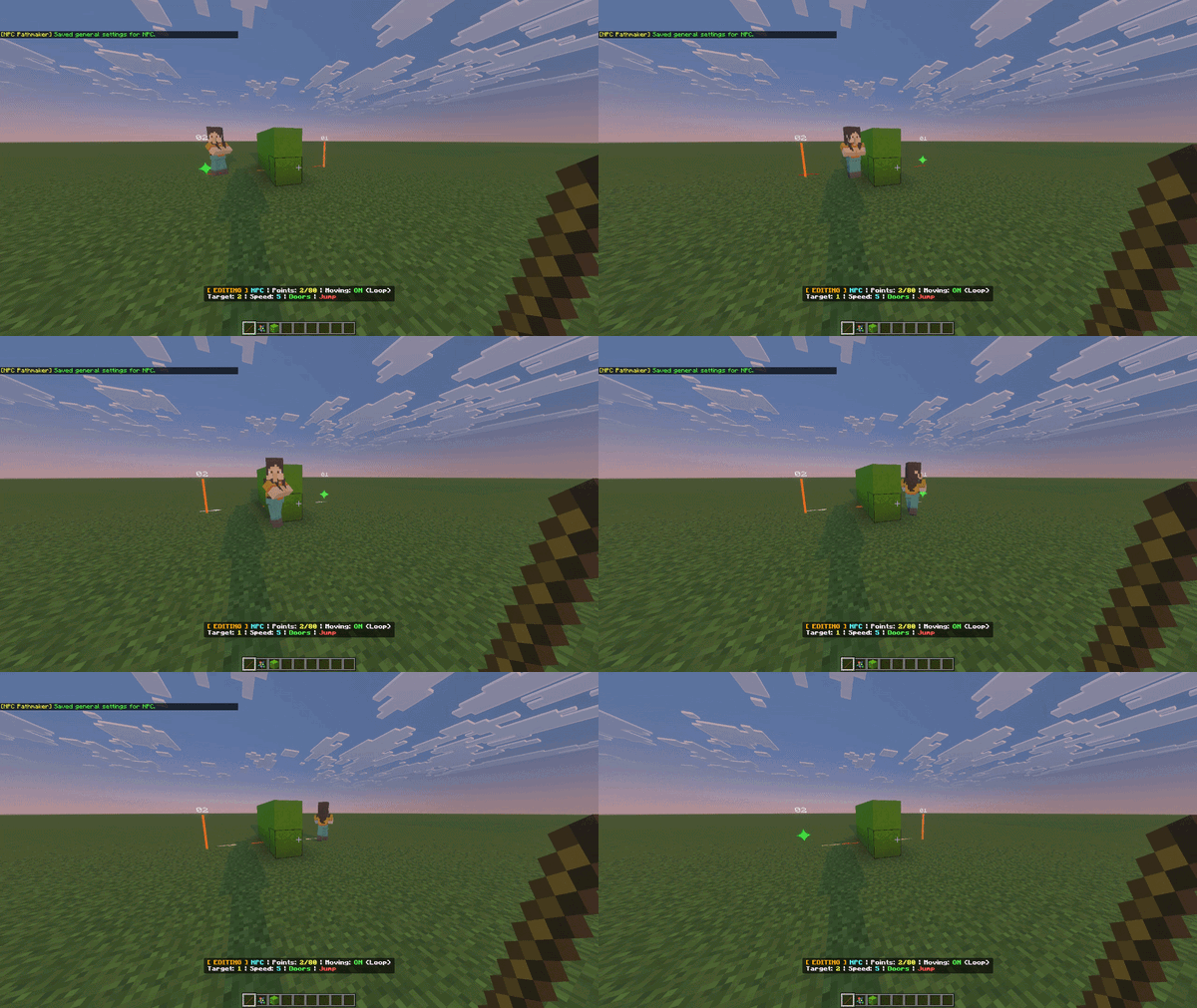
Wall Avoiding & Sliding.gif
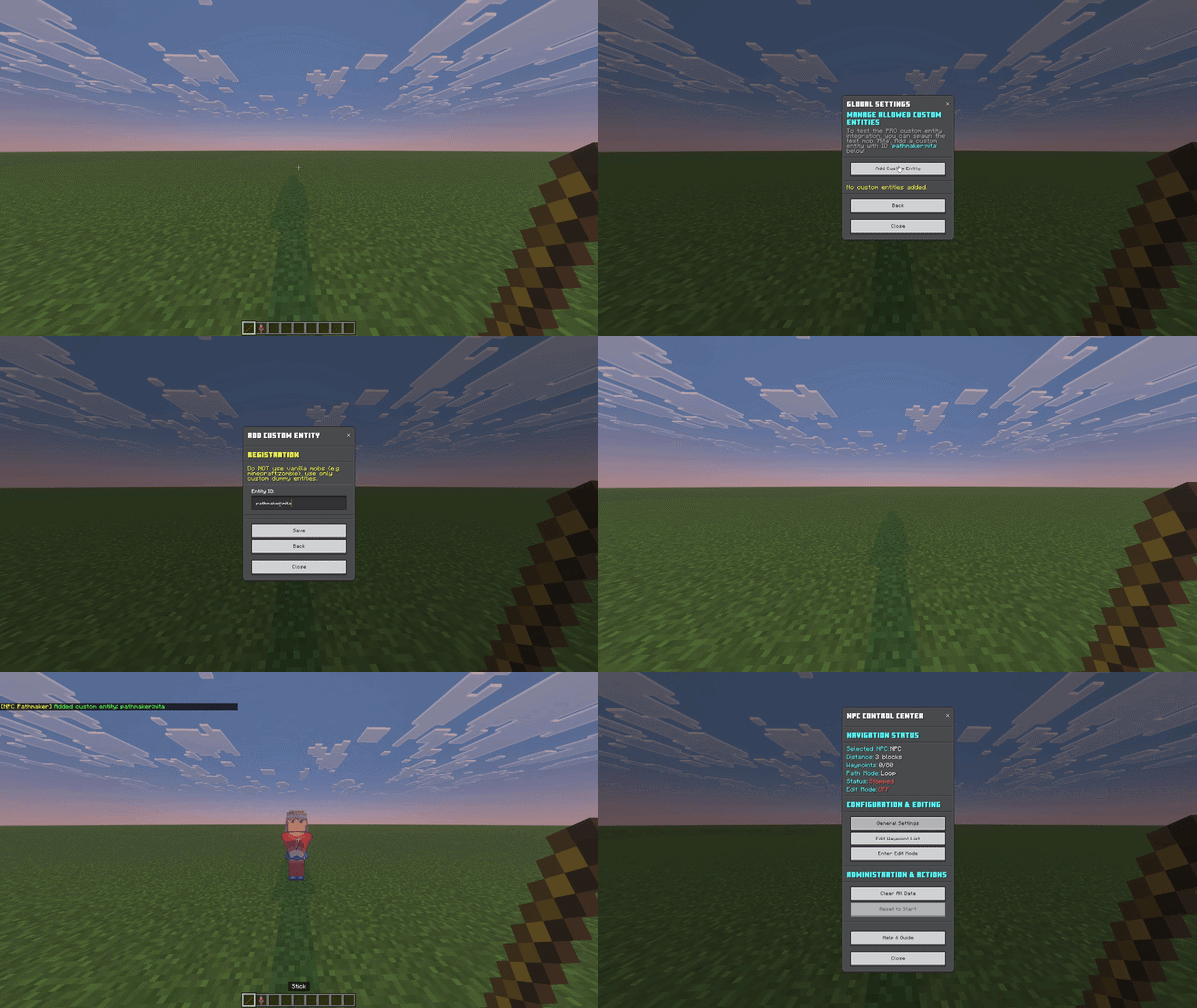
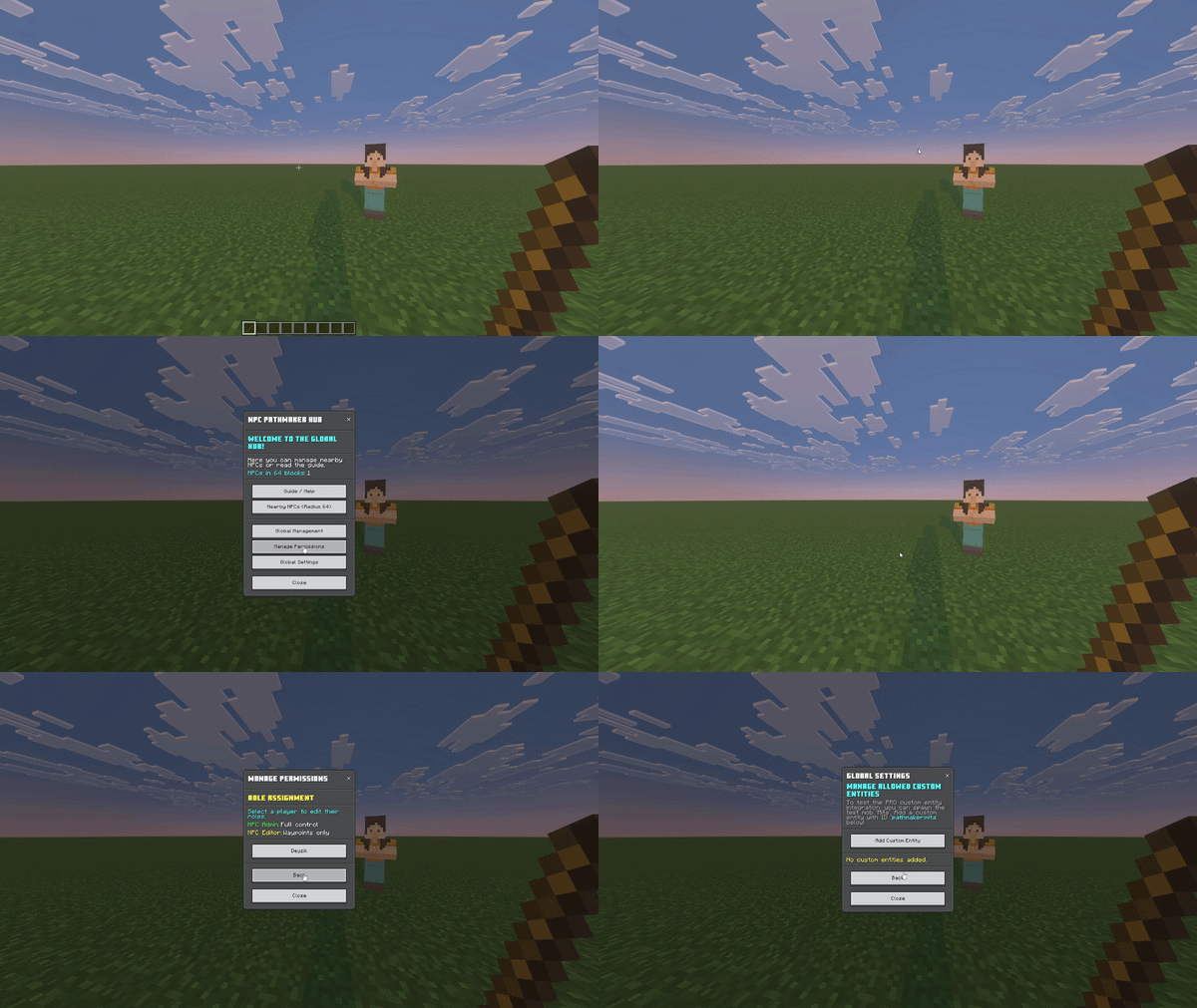
Managing Custom Entities.gif
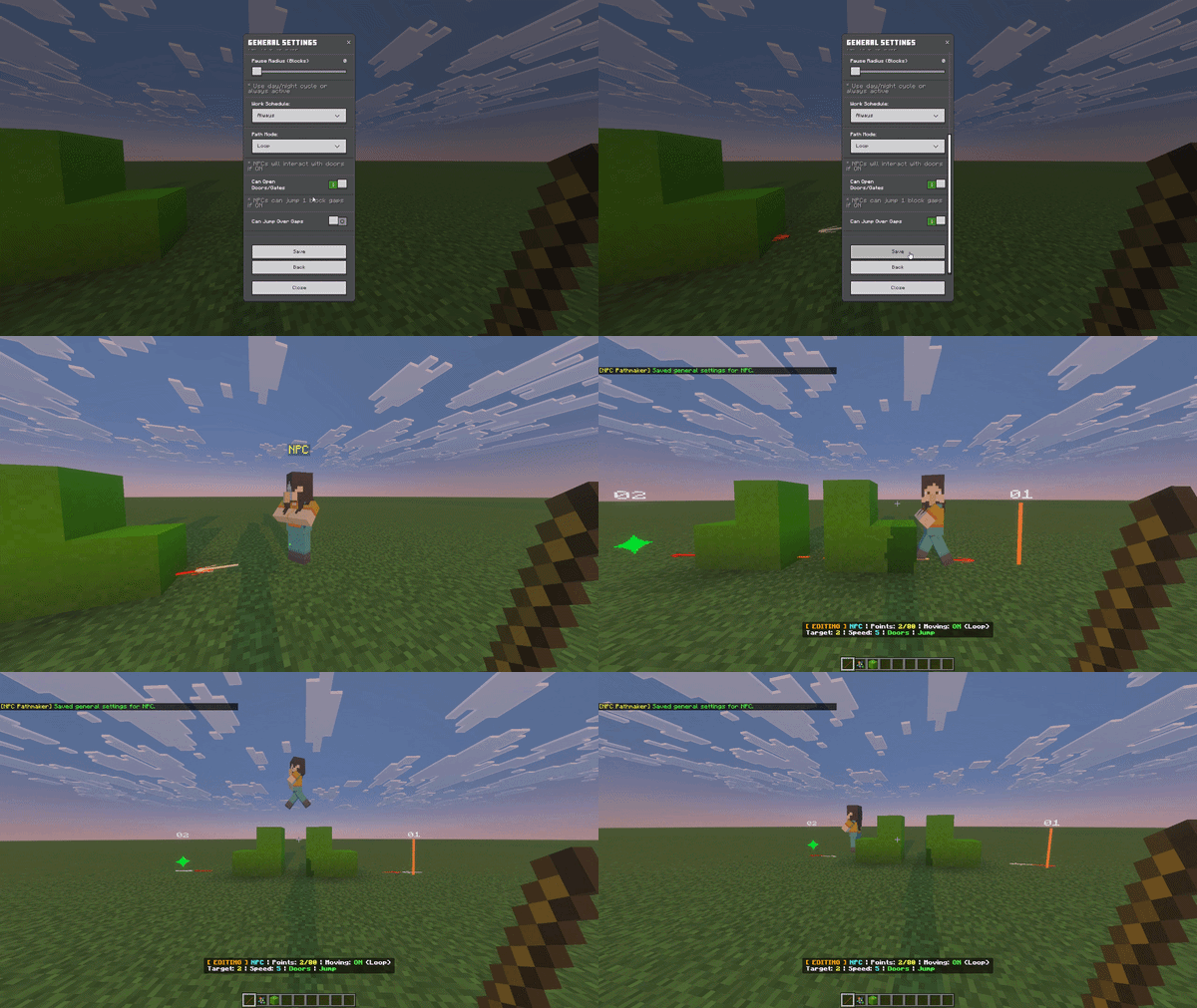
Jumping over Obstacles 2.gif
Description
NPC Pathmaker (v1.1.8 Cinematic AI & Reactive UI Update) - Professional NPC AI
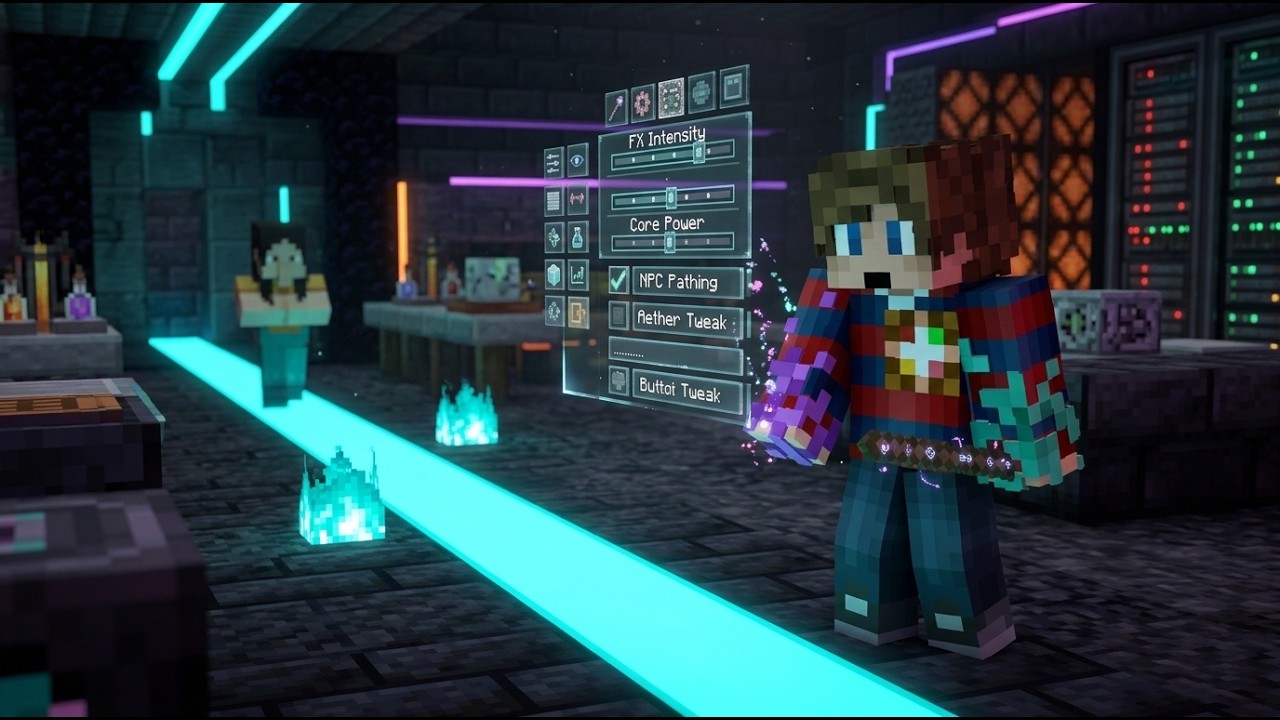
Stop using hundreds of clunky Command Blocks! Bring your NPCs and Custom Mobs to life with the power of modern Minecraft Scripting. NPC Pathmaker is a high-performance navigation and AI system for Minecraft Bedrock that allows you to engineer complex, realistic movement behaviors for any entity using a professional, in-game interface.
🔥 KEY FEATURES & MECHANICS:
- 🧠 Reactive AI & Fast-Travel Catchup (New!): "Skyrim-style" fast-travel catchup for unloaded chunks. When players leave the area, the engine saves resources. Upon return, it instantly calculates the time passed and teleports the NPC to their correct scheduled location!
- 🚀 Reactive UI & Custom Forms (New!): Real-time, flicker-free UI updates with dynamic visibility, disabled button states, and direct client-server data binding. Replaces standard vanilla forms with sleek grid-layouts and styled menus.
- ⚙️ Modular Architecture (New!): Upgraded event standardization (
pathmaker:stop_ai,pathmaker:resume_ai) ensures plug-and-play integration for any custom mob creator without breaking vanilla behaviors. As an example, you can download the custom mob Mita from CurseForge, which includes a mini-guide for integration! - 🛠️ Undo/Redo System (New!): Edit your waypoints flawlessly using physical items: Blaze Rod (Undo) and Breeze Rod (Redo).
- 📐 Dynamic Hitboxes & Scaling (New!): Adjust Hitbox Width and Height via the UI. The engine's collision math dynamically adapts to giant bosses or tiny pets, altering gap-jump and obstacle-avoidance distances automatically!
- 🎬 Cinematic & Execution Controls: Support for
cmdDelayspecific offset commands, and native parsing of Blockbench custom animations. Includes native/eventsupport for custom mobs to trigger specific behaviors exactly when needed! - 🧠 Smart Pathing & Whiskers: Advanced 'Whiskers' approach with multiple fan-shaped rays, Corner Detection Squeeze, Spline-Based Arc Detours, and smart surface detection. Perfect collision logic for all block heights (Slabs, Stairs, Snow).
- 🏃 Optional Gap Jumping: NPCs can be configured to either jump over 1-block wide gaps or treat them as impassable walls.
- ⚙️ Advanced Pathing Settings: Includes ping-pong reverse mode and customizable home waypoints.
- 🛡️ In-Game Permission Manager: Manage team roles (Admin vs. Editor) directly through a redesigned in-game UI. Admins can lock sensitive "Arrival Commands" from regular editors.
- 🌙 Day/Night Schedules & Return Home: NPCs have specific work shifts! Configure them to only move during the day, night, or 24/7. When a shift ends, they intelligently finish their journey and return to waypoint #0 (Home) before resting.
- 📍 Waypoint Event Editor (Core Mechanism): Set up to 80 waypoints per NPC. Each point is an independent event trigger with custom wait times, animations, and console commands. Route waypoints are connected by animated particle lines in Edit Mode.
- 📖 In-Game Help & Guide: A full documentation system explaining interactions and scriptevent commands directly inside the tool.
- 🚀 Zero-Lag "Staggered" Engine: Processes NPC logic in a staggered frequency across multiple ticks to allow for 50+ active NPCs with zero impact on server TPS.
🛠️ QUICK START GUIDE & HOW TO USE
First Launch & Admin Setup
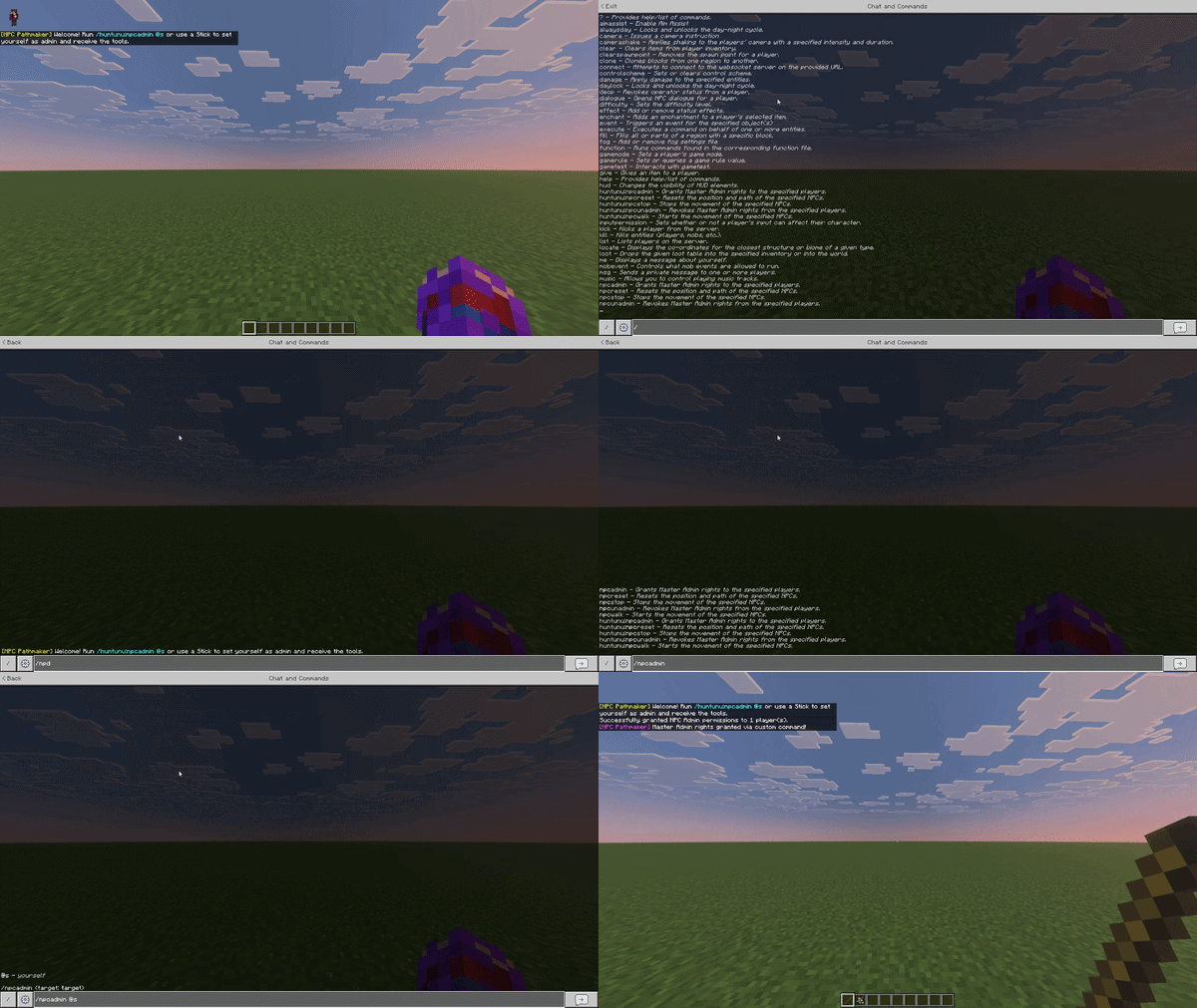
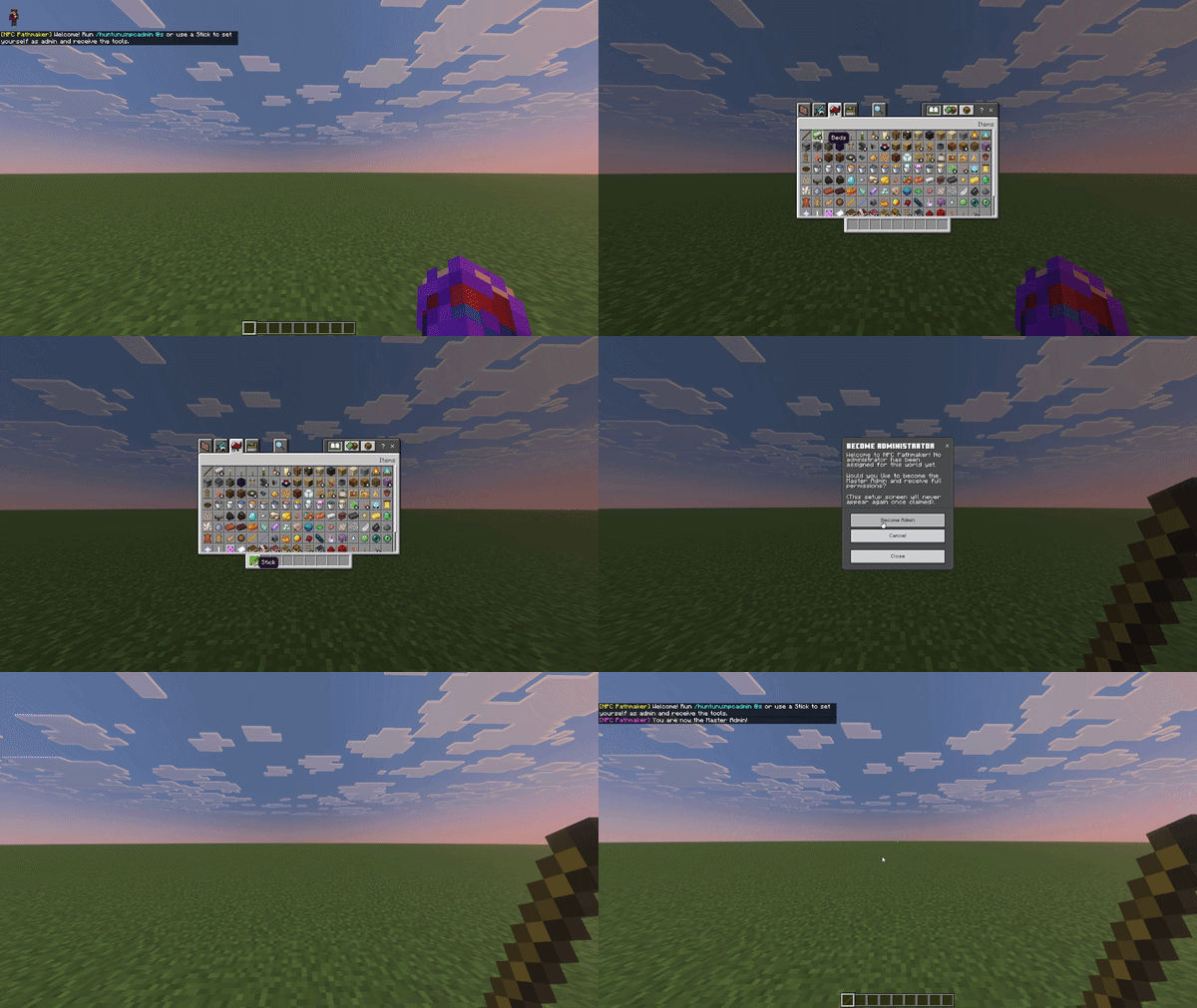
Run /huntunu:npcadmin @s or simply hold a Stick to grant yourself the master admin role. This is required to access all tools.
Global Hub
Simply tap with a Stick in the air (while not sneaking) to open the Global Hub. Manage nearby NPCs, check the guide, or manage player permissions.
Control Center (New Reactive UI)
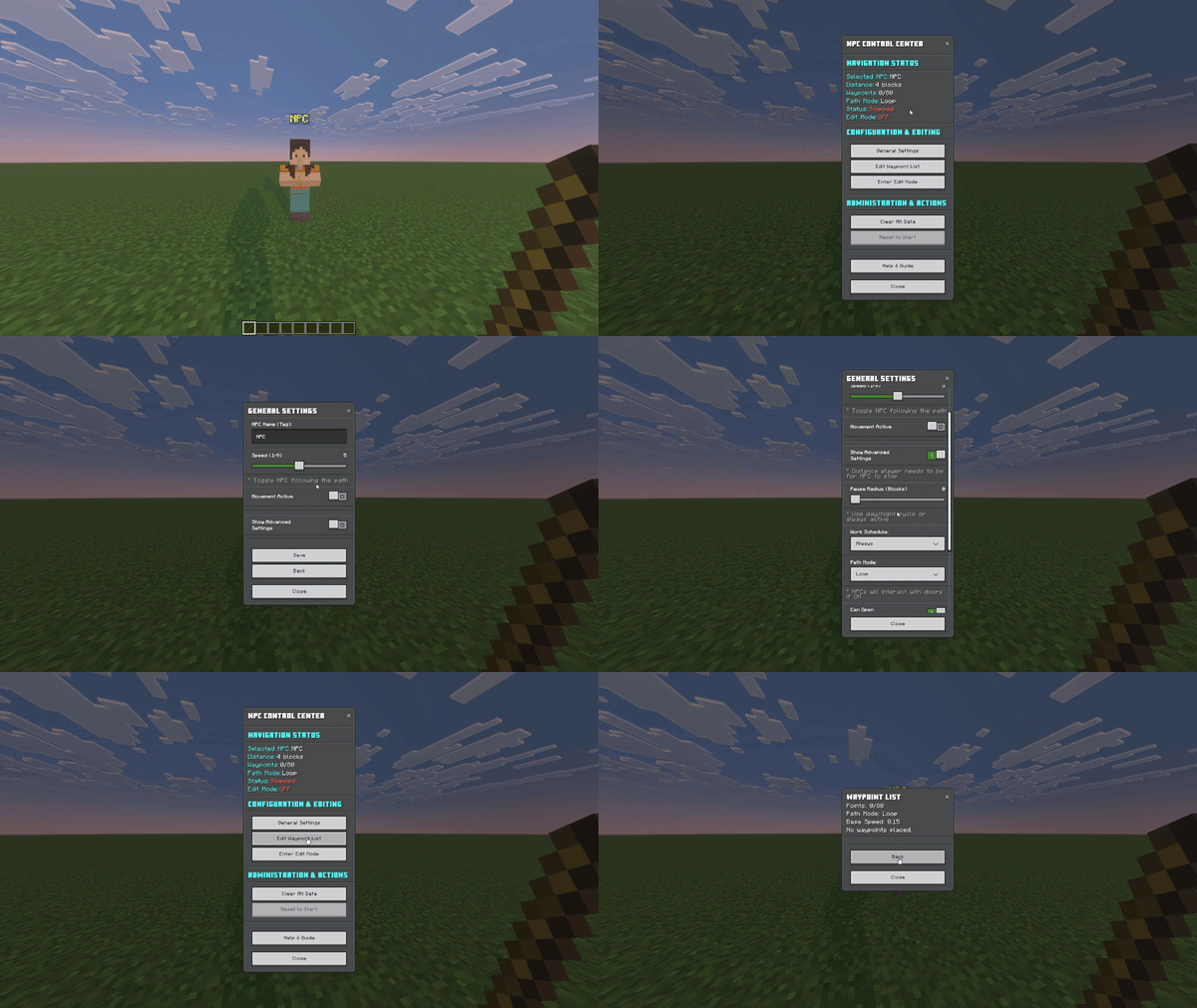
Tap any NPC with a Stick to open their individual Control Center featuring the new sleek grid-layout. Here you can adjust general settings, hitboxes, work schedules, and waypoints.
Edit Mode, Route Building & HUD
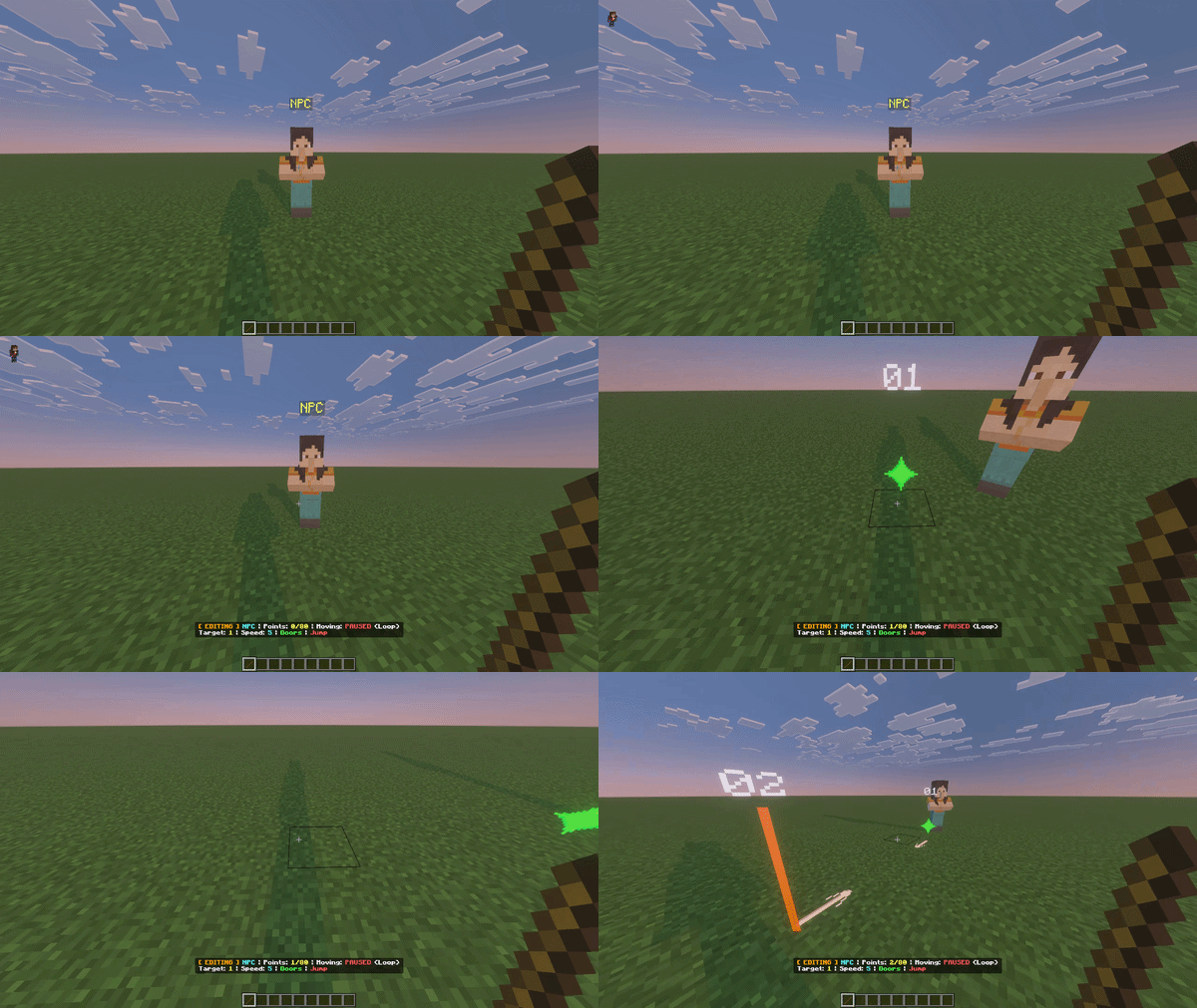
Crouch (Sneak) and tap the NPC with the stick to instantly enter Edit Mode. While in Edit Mode, tap the floor to place a waypoint. You will see animated particles connecting your route! Look at the Action Bar to see real-time distance and waypoint progress (X/80).
Undo/Redo Waypoints (New!)
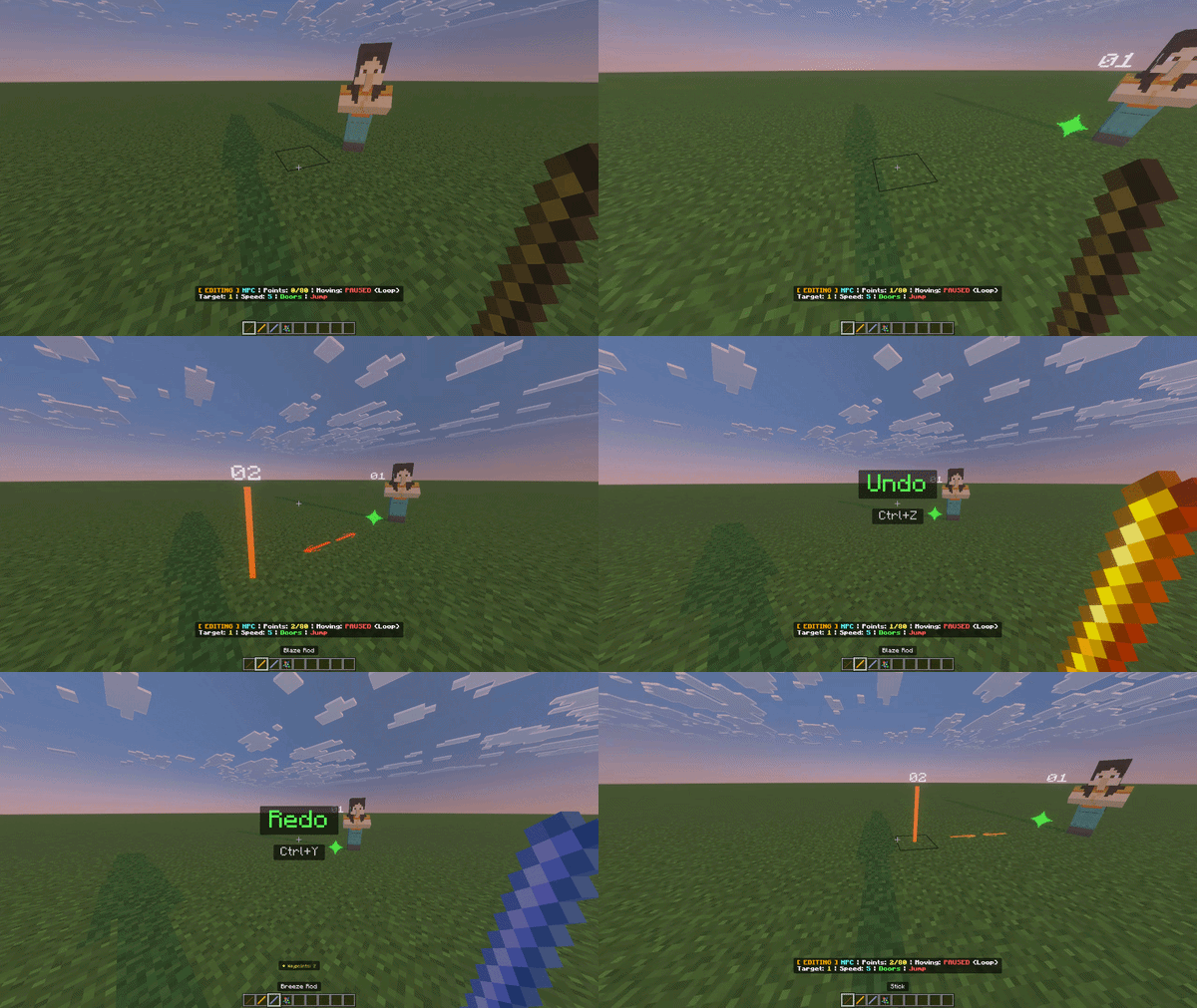
Made a mistake while building your route? While in Edit Mode, use a Blaze Rod to Undo the last point and a Breeze Rod to Redo it!
Exiting HUD & Visuals
Sneak + Click in the air with the Stick to globally turn off the HUD and hide all particle visuals when you are done editing.
Starting the NPC
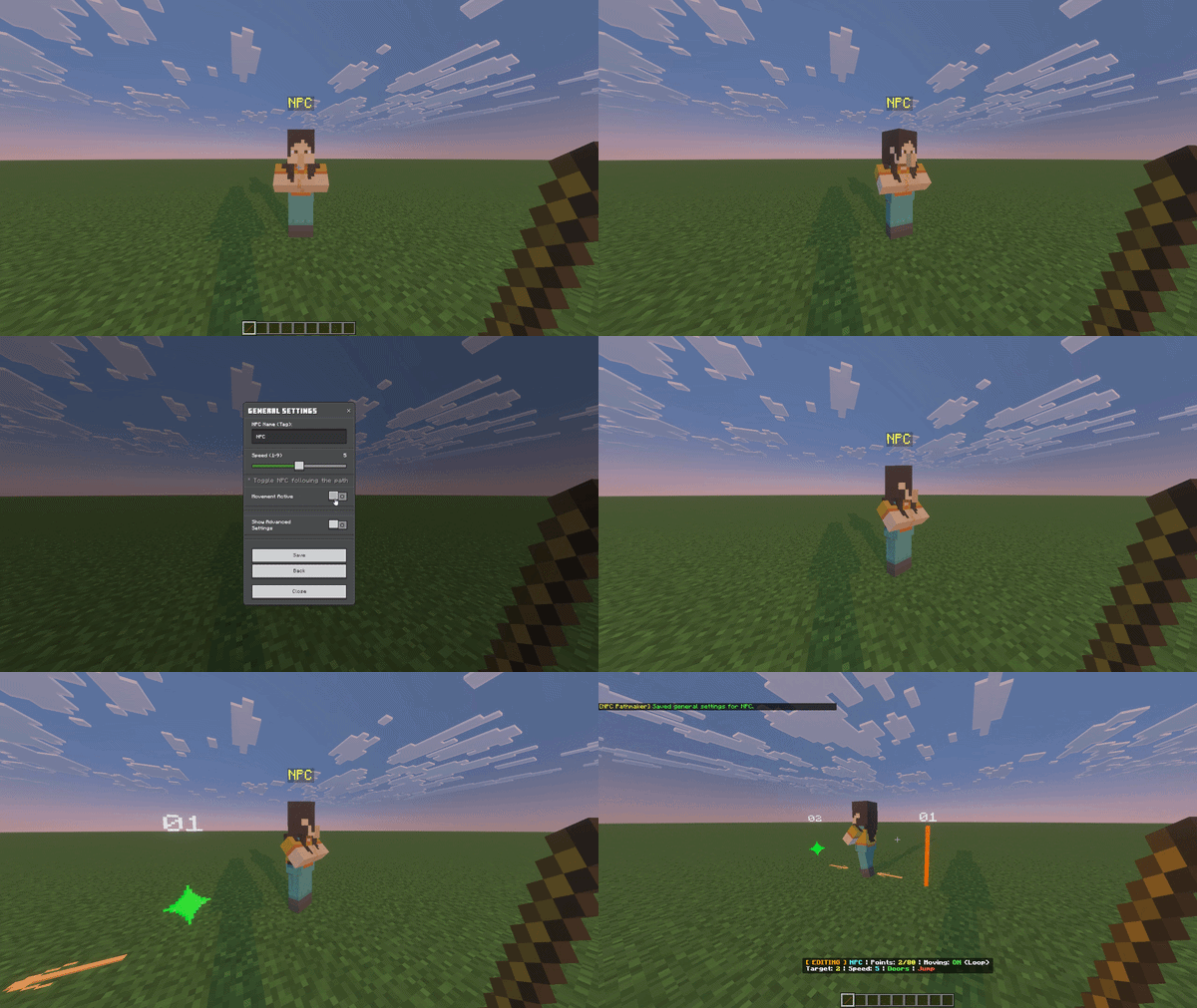
Once your path is set, go to General Settings to set the Work Schedule (Day, Night, or Always) and toggle "Movement Active".
Managing Custom Entities (PRO Feature)
You are not limited to vanilla NPCs! Open the Global Hub, go to Global Settings -> Manage Allowed Custom Entities. Simply type the ID of any custom mob (e.g., pathmaker:mita) to register it. Once added, you can hit them with the Stick to open their Control Center and start pathing them just like standard NPCs!
⚙️ ENGINE MECHANICS
Jumping over Obstacles
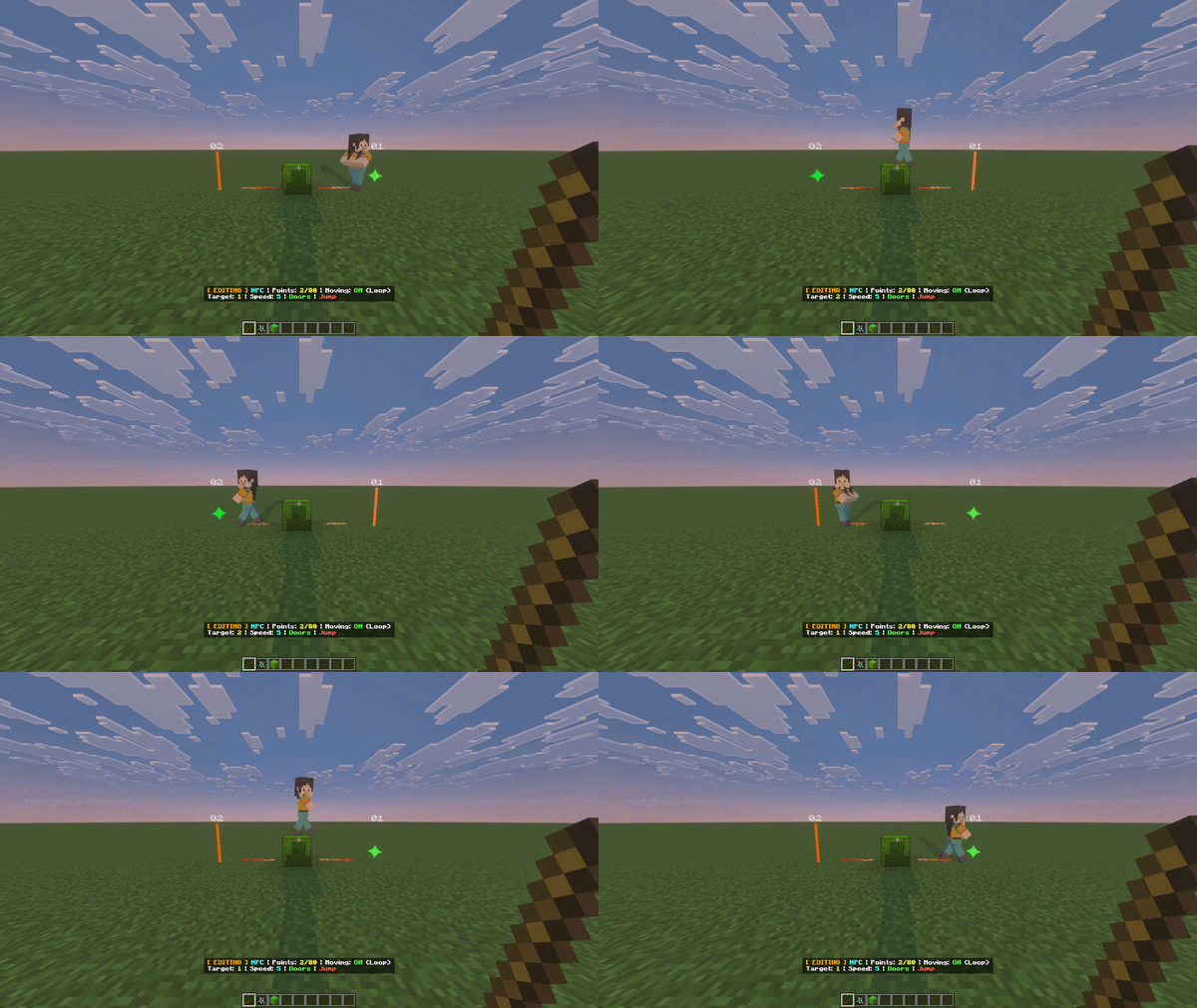
The AI dynamically scans the environment ahead. If a standard 1-block high obstacle blocks the way, the NPC will automatically perform a synchronized jump to clear it seamlessly. In addition, you can now toggle the ability for NPCs to jump over 1-block wide gaps via their Control Center!
Wall Avoiding & Sliding
NPCs no longer get stuck at corners. The advanced radar uses wide-shoulder checks and arc-scanning to "slide" along walls and navigate complex structures just like a real player.
Ledge Avoidance & Water Physics
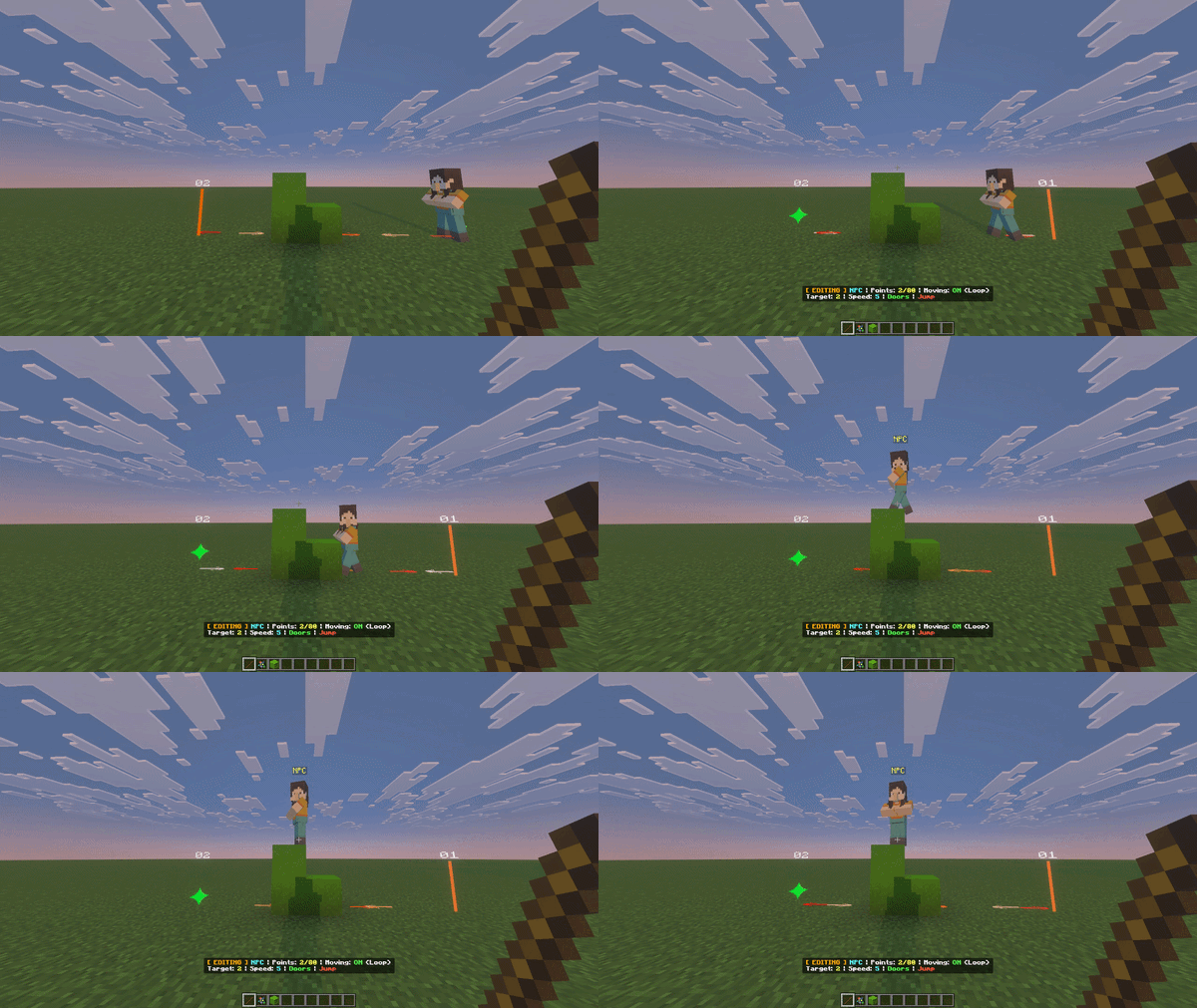
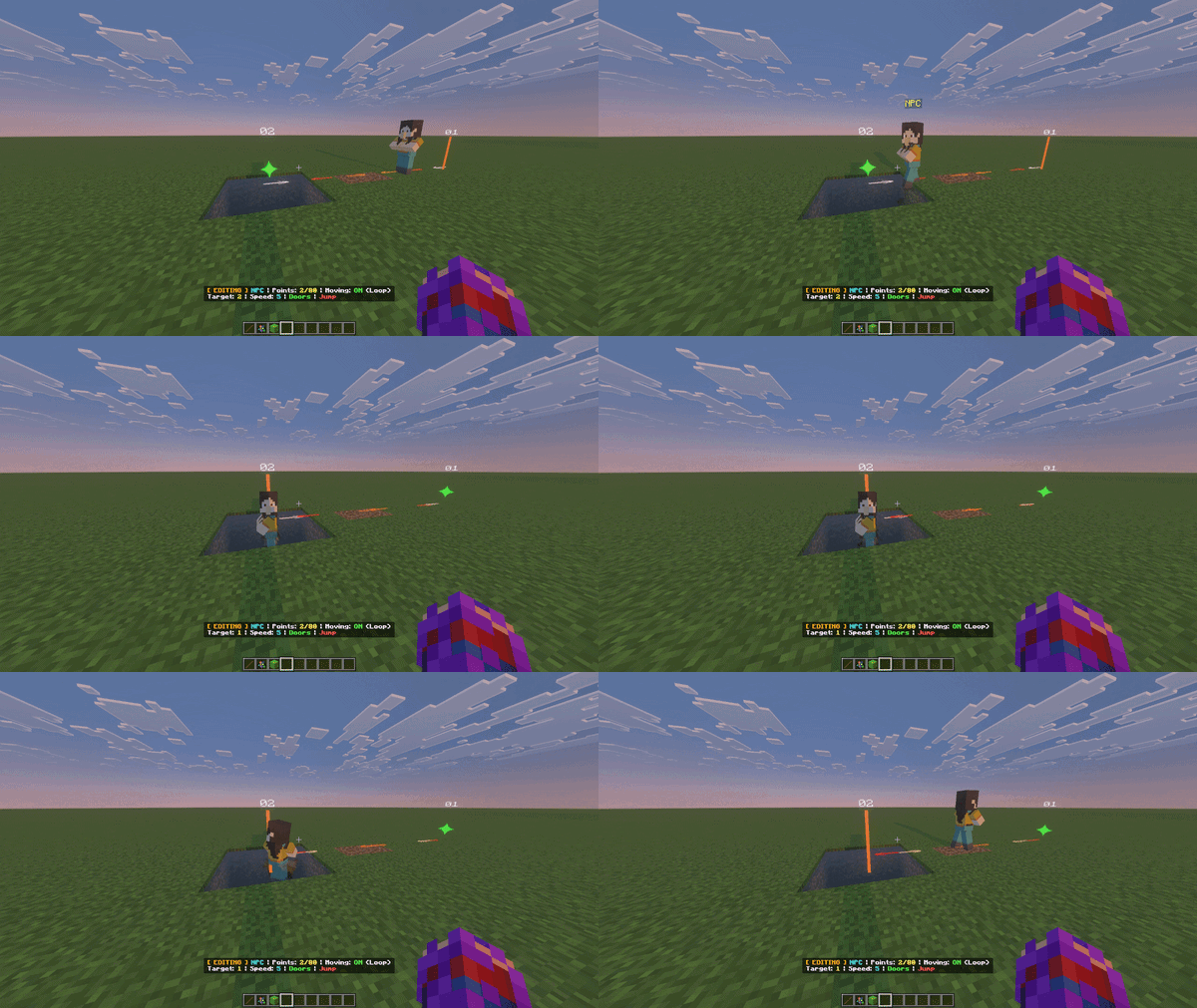
NPCs dynamically detect drops and pits (2+ blocks deep) to calculate safe detours. In water, they use a custom buoyancy system, slowing down and surfacing to breathe/float using beautiful sine-wave bobbing rather than sinking like stones.
Hazard Avoidance & Smart Doors
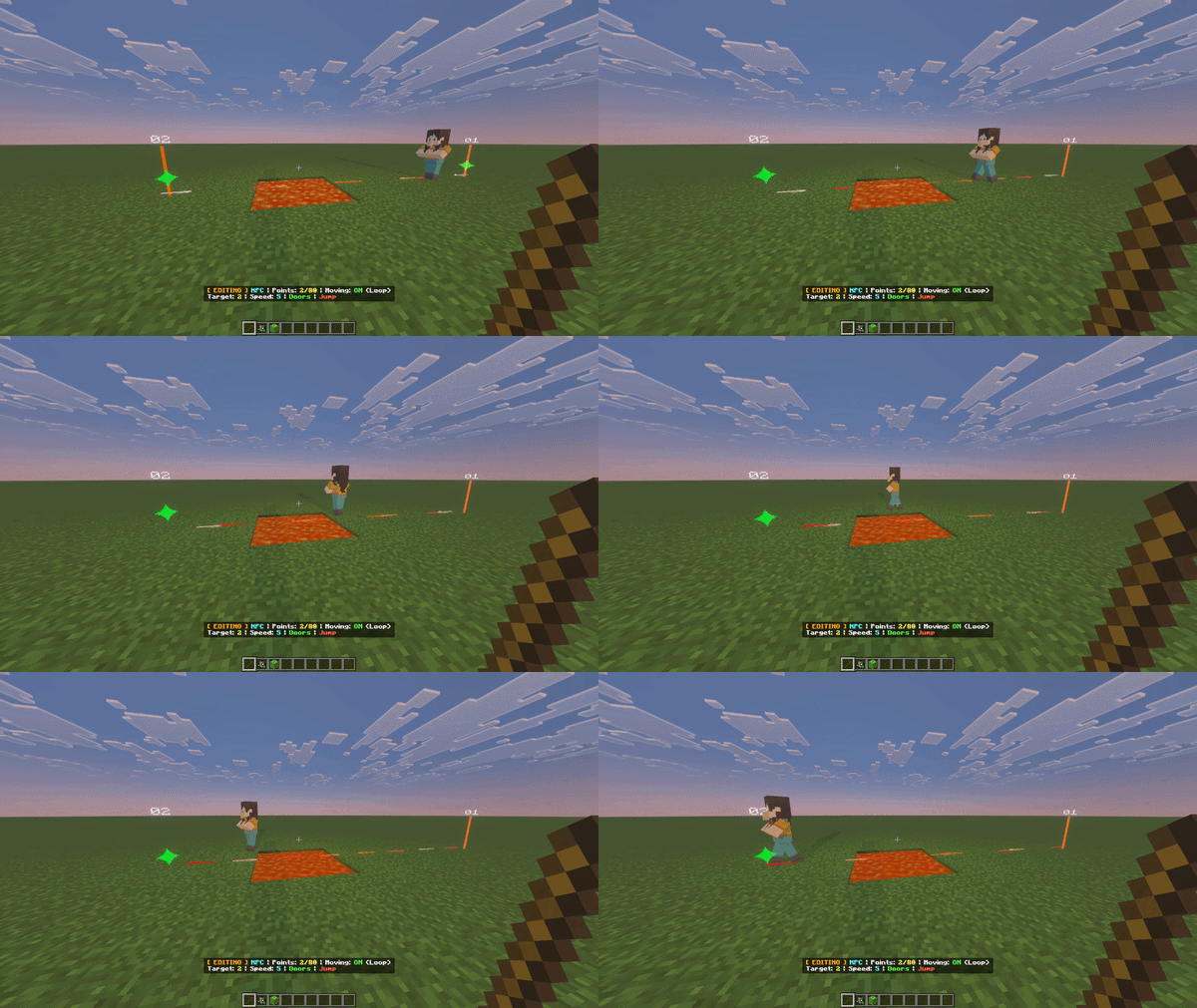
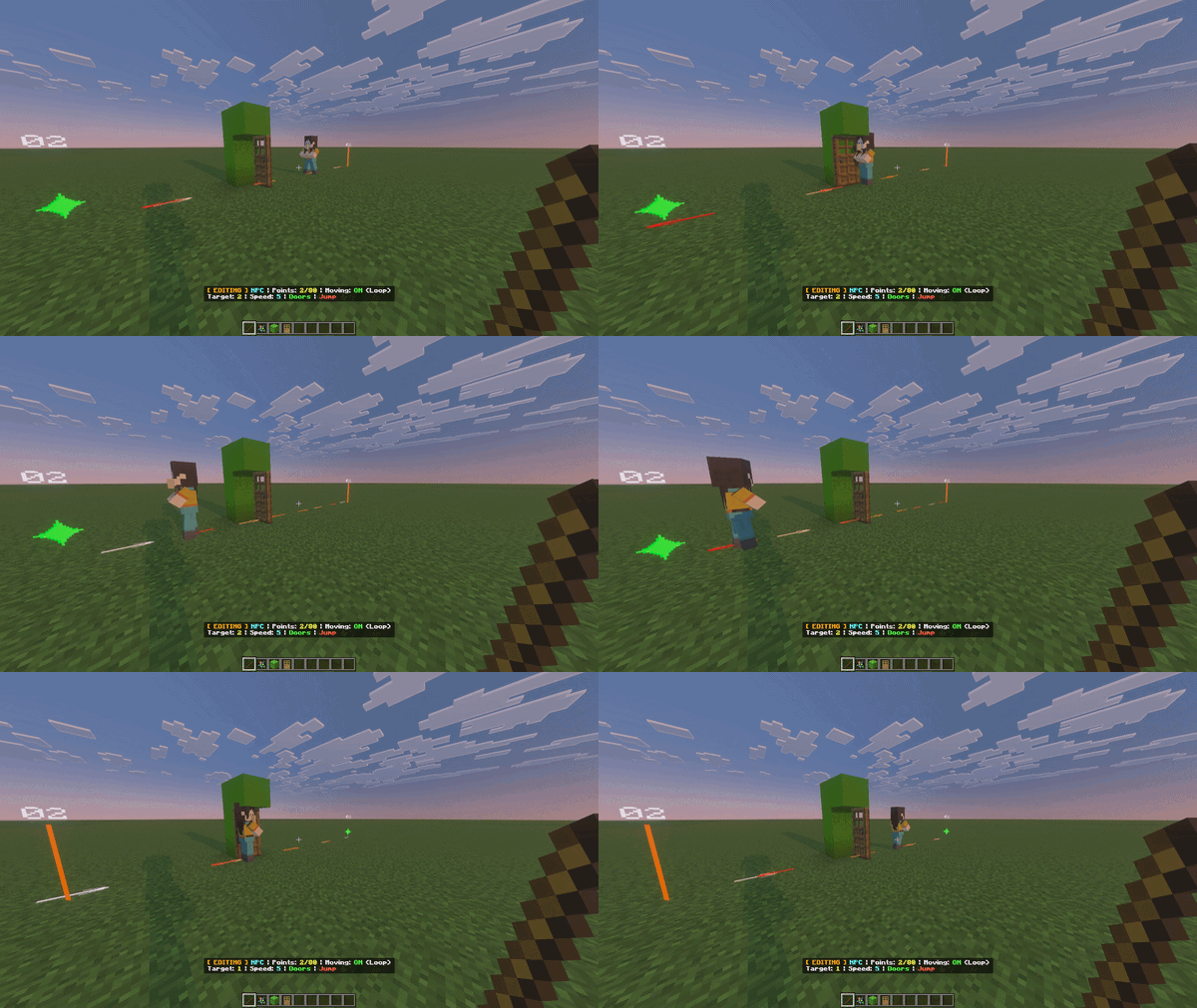
Hazard avoidance radar recognizes Lava, Magma, and Fire as solid walls. Furthermore, NPCs will automatically open wooden doors and fence gates in their path, maintaining a memory queue to politely close them once safely away.
…And So Much More to Discover! This engine is designed to be the ultimate sandbox for your creativity. Beyond the core features listed above, you will find dynamic hitbox scaling, in-game permission managers, and advanced cinematic tools like cmdDelay. We’ve built the framework—now it’s your turn to experiment, break the limits, and discover exactly what this engine can do. Dive into the in-game UI and let your imagination run wild!
⚙️ TECHNICAL REQUIREMENTS:
- Game Version: Minecraft Bedrock v1.21.60 or higher (Optimized for the latest 1.21.x updates).
- Experimental Toggles: You MUST enable "Beta APIs" (Script API) in your world settings for this add-on to function.
📺 VIDEO SHOWCASE & TUTORIAL:
Watch the development log and full tutorial on my YouTube channel: https://www.youtube.com/@Huntunu
📜 TERMS OF USE:
© 2026 HUNTUNU. All rights reserved.
- Allowed: Use in personal worlds, roleplay maps, and YouTube showcases (please provide proper credit to Huntunu and a link to this page).
- Prohibited: Re-uploading this project to other sites, claiming the source code as your own, or commercial use.
HUNTUNU Studio — NPC Pathmaker v1.1.8 (2026). 🚀
The NPC Pathmaker: Bring NPCs to Life Team

![Mita - Interactive Anime Companion [PBR] project image](https://media.forgecdn.net/avatars/thumbnails/1892/984/256/256/639183781944788827.png)