Meritum Engine — v1.2
A modular achievement system designed for Minecraft Bedrock Script API add-ons.
Compatible with Minecraft 1.26.30+ Script API: 2.7.0

⚙ PART 1 — THE ENGINE
Everything about how Meritum Engine registers, detects, and resolves achievements.
Overview
Meritum Engine is a script-based achievement system built for Minecraft Bedrock add-ons using the Script API.
It allows developers to register and manage custom achievements programmatically, while the engine automatically handles:
- Player progress storage
- Achievement detection
- Notification display
- Rewards
- Administrative control
The engine was designed to be reusable and modular, allowing other add-ons to integrate with it and register their own achievements without needing to modify or rewrite the core system.
Why Use Meritum Engine
Meritum Engine allows add-on developers to implement complex achievement systems without needing to build event tracking, persistence systems, or user interface logic from scratch.
By using the engine, developers only need to define the conditions for their achievements while the system automatically manages:
- Event detection
- Achievement validation
- Player data storage
- Notifications
- Rewards
This makes the engine suitable as a shared achievement layer across multiple add-ons.
How the Engine Works
The engine maintains an internal achievement registry where each achievement is registered using a unique identifier.
There are two ways to register achievements:
Method 1 — External (no engine modification required)
Other add-ons can register achievements at runtime by sending a script event. The engine listens for meritum_engine:register_achievement and processes the payload automatically.
import * as MC from "@minecraft/server";

const achievements = {
  "myaddon.my_achievement": {
    name: "My Achievement",
    description: "Do something.",
    rarity: "common",
    category: {
      eventual: { target: { beforeTime: 3 } }
    }
  }
};

MC.world.afterEvents.worldLoad.subscribe(() =>
  MC.system.sendScriptEvent(
    "meritum_engine:register_achievement",
    JSON.stringify(achievements)
  )
);
The payload must be a valid JSON object where each key is the achievement ID and each value is its configuration. No imports from the engine are required.
Method 2 — Internal (modify the engine)
Call registerAchievement directly inside the engine's own files:
registerAchievement("example.mine_block", {
  name: "Stone Breaker",
  description: "Break a stone block.",
  rarity: "common",
  category: {
    mining: {
      target: {
        block: "minecraft:stone"
      }
    }
  }
});
Once an achievement is registered and its condition is met:
- The achievement is unlocked.
- The player receives a notification.
- Rewards (if configured) are granted.
- The achievement is stored permanently.
Achievement Storage System
Player progress is stored using Dynamic Properties.
Each player has a serialized JSON object saved under:
meritum:achievements
Example stored structure:
{
  "example.mine_block": true,
  "example.kill_zombie": true
}
The engine uses an in-memory cache to avoid repeatedly reading dynamic properties during gameplay. Changes are periodically written back to the player (every 200 ticks), and any pending changes are always flushed immediately when a player disconnects, so progress is never lost between sessions — including partial progress toward logic: "and" achievements.
Achievement Detection System
The engine monitors several gameplay events to determine when achievements should be unlocked.
Supported categories include:
- Mining Achievements
- Combat Achievements
- Item Obtaining Achievements
- Eventual Achievements
- Interaction Achievements
- Breeding Achievements
Each achievement can belong to one or more categories simultaneously. When multiple categories are defined, the logic field controls the unlock behavior:
"or" (default) — unlocks when any category condition is met."and" — unlocks only when all category conditions are met.
{
  "example.warrior": {
    name: "Warrior",
    description: "Wear iron armor and kill a zombie.",
    rarity: "uncommon",
    logic: "and",
    category: {
      obtaining: {
        target: {
          armor: { head: "minecraft:iron_helmet", chest: "minecraft:iron_chestplate",
                   legs: "minecraft:iron_leggings", feet: "minecraft:iron_boots" }
        }
      },
      combat: {
        target: { origin: "attacker", attacker: "minecraft:player",
                  victim: "minecraft:zombie", isDead: true }
      }
    }
  }
}
⛏️ Mining Achievements:
Triggered the moment a player breaks a block, right before the block is actually removed from the world.
Conditions may include:
block — a single block ID or a list of IDs to match againstexception — a list of substrings; if the block's ID contains any of them, the achievement is skipped even if block matched. Useful for excluding variants (e.g. matching "minecraft:wood" broadly but excluding "stripped_" variants)itemStack.item — requires a specific tool (or one from a list) equipped in the mainhand at the moment of breakingitemStack.durability — requires the tool's remaining durability to fall within a range ({ min, max }) or satisfy a comparison ({ value, operator }, where operator is one of <, <=, >, >=, ==, !=). Only checked if the tool actually has a durability component
Example — any diamond ore, with an almost-broken pickaxe:
category: {
  mining: {
    target: {
      block: ["minecraft:diamond_ore", "minecraft:deepslate_diamond_ore"],
      itemStack: {
        item: "minecraft:diamond_pickaxe",
        durability: { min: 1, max: 50 }
      }
    }
  }
}
Example — using exception to exclude a subtype:
// Matches any log, except stripped ones
category: {
  mining: {
    target: {
      block: "minecraft:log",
      exception: ["stripped_"]
    }
  }
}
⚠️ Only achievements not yet unlocked, and belonging to a registered mining achievement, are checked on every block break — the engine indexes achievements by category internally so this stays cheap even with many achievements registered.
⚔️ Combat Achievements:
Triggered whenever any entity takes damage — both the victim and the one who dealt the damage can potentially be credited, depending on origin.
Conditions may include:
victim — entity type that must have taken the damageattacker — entity type that must have dealt the damageorigin — which side of the interaction is checked for the achievement and receives it: "attacker" or "victim". If omitted, the engine credits the attacker when there is one, falling back to the victim (e.g. for damage with no clear attacker, like fall damage)damage — minimum damage dealt in a single hit, rounded down to one decimal placeisDead — if true, only unlocks when this hit was the killing blowitemStack.item / itemStack.durability — the attacker's mainhand weapon and its remaining durability, same rules as Miningprojectile — the projectile entity type that caused the damage (e.g. "minecraft:arrow", "minecraft:fireball")projectileSource — the entity type that originally fired the projectile, when the engine can resolve it — useful for things like a reflected fireball killing the ghast that shot it
Example — kill a zombie with a near-broken sword:
category: {
  combat: {
    target: {
      origin: "attacker",
      victim: "minecraft:zombie",
      attacker: "minecraft:player",
      isDead: true,
      itemStack: {
        item: "minecraft:diamond_sword",
        durability: { value: 0, operator: ">" }
      }
    }
  }
}
Example — a single heavy hit:
category: {
  combat: {
    target: {
      origin: "attacker",
      attacker: "minecraft:player",
      damage: 15
    }
  }
}
Example — "Return to Sender": kill a ghast with its own reflected fireball:
category: {
  combat: {
    target: {
      origin: "attacker",
      attacker: "minecraft:player",
      victim: "minecraft:ghast",
      projectile: "minecraft:fireball",
      projectileSource: "minecraft:ghast",
      isDead: true
    }
  }
}
🎒 Item Obtaining Achievements:
Checked on an interval against a snapshot of the player's current inventory and equipped armor — so unlike Mining or Combat, this category reacts to a state (having something) rather than a one-off event.
Conditions may include:
item — a list of { id, min } entries. id can itself be an array of alternative IDs; min defaults to 1. All entries in the list must be satisfiedarmor — one entry per slot (head, chest, legs, feet); any slot can be omitted. logic controls whether all listed slots must match ("and", the default) or any one of them ("or")
accumulate — instead of a plain min-count check, tracks which of the listed item entries the player has ever held (each entry only needs to have appeared once, even briefly, across any session). Completely replaces the normal item/armor check when present — see the warning below about require: "all"
Both item and armor can be required simultaneously within the same obtaining target (unless accumulate is present, which only looks at item).
Example — count & armor logic:
category: {
  obtaining: {
    target: {
      item: [
        { id: "minecraft:diamond", min: 3 }
      ],
      armor: {
        logic: "or",
        head: "minecraft:diamond_helmet",
        chest: "minecraft:diamond_chestplate"
      }
    }
  }
}
Example — full matching armor set (default "and" logic):
category: {
  obtaining: {
    target: {
      armor: {
        head: "minecraft:netherite_helmet",
        chest: "minecraft:netherite_chestplate",
        legs: "minecraft:netherite_leggings",
        feet: "minecraft:netherite_boots"
      }
    }
  }
}
Example — accumulate ("collect every type of ore"):
category: {
  obtaining: {
    target: {
      item: [
        { id: "minecraft:coal" },
        { id: "minecraft:raw_iron" },
        { id: "minecraft:raw_gold" },
        { id: "minecraft:diamond" }
      ],
      accumulate: {
        key: "ores_collected",
        universe: ["minecraft:coal", "minecraft:raw_iron", "minecraft:raw_gold", "minecraft:diamond"],
        require: "all"
      }
    }
  }
}
⏳ Eventual Achievements:
Triggered after the player remains in a certain condition for a set amount of time, or once a cumulative/collection condition is satisfied. Checked every 5 ticks.
Conditions may include:
beforeTime — time in seconds the player must remain in the conditiondimension — restricts detection to a specific dimensionlayer — requires the player's Y coordinate to fall within a range or match a comparisonweather — requires specific weather ("rain", "thunder", or "any"). Currently disabled in this build — see note belowbiome — requires (or, with accumulate, tracks) the player's current biomeriding — requires the player to be riding any entity (true) or a specific onetimeOfDay — requires the in-game time to fall within a range or match a comparisoneffects — requires one or more active potion effects at the same timevolume — requires the player to be inside a fixed cuboid regionnextBlock — requires a specific block type within a radius (for points of interest with no fixed known location)nextEntity — requires a specific entity type within a radius; resets the timer if the entity moves out of rangedistanceTraveled — cumulative (odometer-style) distance the player has traveled, persisted across sessionsaccumulate — persistent "collect every X" set tracking. For Eventual specifically, the value recorded on each check is the player's current biome (when biome: true is also set) or otherwise their current dimension — these are the only two values the engine auto-tracks here
Example — staying near an entity in a dimension:
category: {
  eventual: {
    target: {
      beforeTime: 30,
      dimension: "minecraft:nether",
      nextEntity: {
        entity: "minecraft:elder_guardian",
        radius: 5
      }
    }
  }
}
Show individual examples for each field: (layer, biome, riding, timeOfDay, effects, volume, nextBlock, distanceTraveled, accumulate):
Example — layer (survive above the clouds):
category: {
  eventual: {
    target: {
      beforeTime: 60,
      layer: { min: 192 }
    }
  }
}
🚧 weather is temporarily disabled: it relies on dimension.getWeather(), which is still a Script API beta feature. The field is reserved and the internal logic already exists, but it stays inactive until that API is stable — setting weather currently has no effect on detection.
Example — biome as a filter (survive in a desert):
category: {
  eventual: {
    target: {
      beforeTime: 120,
      biome: "minecraft:desert"
    }
  }
}
Example — riding (tame the skies):
category: {
  eventual: {
    target: {
      beforeTime: 30,
      riding: "minecraft:horse"
    }
  }
}
Example — timeOfDay (survive the witching hour):
category: {
  eventual: {
    target: {
      beforeTime: 10,
      timeOfDay: { min: 18000, max: 23000 }
    }
  }
}
Example — effects (a furious cocktail):
category: {
  eventual: {
    target: {
      beforeTime: 1,
      effects: ["strength", "speed", "fire_resistance"]
    }
  }
}
Example — volume (linger in a fixed region):
category: {
  eventual: {
    target: {
      beforeTime: 15,
      volume: {
        from: { x: 100, y: 64, z: 100 },
        to: { x: 120, y: 80, z: 120 }
      }
    }
  }
}
Example — nextBlock (near an active beacon):
category: {
  eventual: {
    target: {
      beforeTime: 10,
      nextBlock: {
        block: "minecraft:beacon",
        radius: 8
      }
    }
  }
}
Example — distanceTraveled (long-distance traveler):
category: {
  eventual: {
    target: {
      distanceTraveled: 7000
    }
  }
}
Example — accumulate (visit every biome):
category: {
  eventual: {
    target: {
      biome: true,
      accumulate: {
        key: "biomes_visited",
        universe: "all_biomes",       // built-in: all_biomes | overworld_biomes | nether_biomes | end_biomes
        require: "all"
      }
    }
  }
}
⚠️ When accumulate is present alongside biome, biome stops acting as a filter and instead flags that the player's current biome should be tracked into the set. A built-in universe name (like "all_biomes") is required for require: "all" to ever resolve as complete; a custom array of values works the same way as a universe name.
Example — accumulate without biome (visit every dimension instead):
category: {
  eventual: {
    target: {
      accumulate: {
        key: "dimensions_visited",
        universe: ["minecraft:overworld", "minecraft:nether", "minecraft:the_end"],
        require: "all"
      }
    }
  }
}
🖱️ Interaction Achievements:
Triggered when a player interacts (right-click/use) with either a block or an entity — these are two separate underlying events, so a single target should define either block or entity, not both.
Conditions may include:
block — block ID or list, for block interactions (e.g. opening a chest, using a crafting table)entity — entity ID or list, for entity interactions (e.g. trading with a villager, feeding an animal)exception — excludes matches whose ID contains any of these substrings, same behavior as MiningitemStack.item / itemStack.durability — the item the player was holding during the interaction
Example — block interaction:
category: {
  interaction: {
    target: {
      block: "minecraft:beacon"
    }
  }
}
Example — entity interaction with a specific item:
category: {
  interaction: {
    target: {
      entity: "minecraft:villager",
      itemStack: {
        item: "minecraft:emerald"
      }
    }
  }
}
🐄 Breeding Achievements:
Triggered when a new entity is born from two bred parents (not from spawning, eggs, or other means).
Conditions may include:
offspring — the baby's entity type, single ID or list (e.g. "minecraft:cow")playerRadius — since the game doesn't directly expose which player fed the parents, the engine instead credits every player within this radius of the newborn (default 16 blocks) — keep this tight if multiple players breed animals in the same area
Example — breed any list of animals:
category: {
  breeding: {
    target: {
      offspring: ["minecraft:cow", "minecraft:sheep", "minecraft:pig"],
      playerRadius: 10
    }
  }
}
Rarity System
Achievements are categorized using configurable rarity tiers.
Each rarity defines:
- Display color
- Unlock sound
- Sound pitch
- Sound volume
Default rarity tiers included:
- Common
- Uncommon
- Rare
- Epic
- Legendary
- Divine
Example configuration:
rare: {
  color: "§e",
  sound: "random.levelup",
  volume: 1,
  pitch: 0.9
}
When an achievement is unlocked, the rarity determines how the notification is displayed.
⚠️ Rarity does not affect the difficulty of an achievement. It only changes visual and sound effects.
Rewards System
Achievements may optionally grant rewards.
Supported reward types include:
- Items
Item rewards are spawned at the player's location.
Example:
rewards: {
  give: [
    { item: "minecraft:diamond", quantity: 2 }
  ]
}
- Experience
Experience points are granted gradually over multiple ticks.
Example:
rewards: {
  xpReward: 5
}
XP rewards are internally multiplied by 5 and delivered as individual experience increments, one per tick.
Performance Considerations
To reduce performance overhead, the engine:
- Uses cached player achievement data, with dirty-tracking so only players with pending changes are written back
- Writes data to dynamic properties periodically (~every 10 seconds), and immediately flushes on disconnect
- Indexes achievements by category internally, so each detection loop only ever iterates the achievements relevant to it
- Maintains an incrementally-updated inventory cache (updated via inventory change events rather than rescanning the whole inventory every check)
- Caches per-tick lookups (such as active potion effects or the player's mount) so multiple achievements checked in the same tick don't repeat the same work
- Runs detection checks at controlled intervals
The system is designed to remain lightweight even when handling large numbers of achievements.
However, developers should avoid registering extremely large numbers of achievements with complex detection conditions.
Full Achievement Reference
The block below isn't a realistic achievement — it exists purely as a field reference, packing every top-level and per-category field the engine understands into a single object so you can see the whole shape at once. In practice, you'll only ever use a handful of these fields per achievement.
Show / hide the full reference:
{
  "namespace.reference_example": {
    name: "Reference Example",             // Display name shown in the UI and notifications
    description: "Every field, at a glance.",
    rarity: "epic",                        // common | uncommon | rare | epic | legendary | divine (or a custom tier from config.js)
    logic: "and",                          // "or" (default, any category unlocks it) | "and" (all categories required)

    rewards: {
      give: [                              // Item rewards, spawned at the player's location
        { item: "minecraft:diamond", quantity: 2 }
      ],
      xpReward: 5                          // Granted gradually, one increment per tick
    },

    category: {
      mining: {
        target: {
          block: ["minecraft:diamond_ore", "minecraft:deepslate_diamond_ore"],
          exception: ["deepslate_diamond_ore"],           // Excludes blocks whose ID contains this substring
          itemStack: {
            item: "minecraft:diamond_pickaxe",
            durability: { min: 1, max: 50 }                // Range form — { value, operator } also supported
          }
        }
      },
      combat: {
        target: {
          origin: "attacker",                              // "attacker" | "victim" — who gets credited
          victim: "minecraft:zombie",
          attacker: "minecraft:player",
          damage: 5,                                        // Minimum damage dealt
          isDead: true,
          itemStack: { item: "minecraft:diamond_sword", durability: { min: 1 } },
          projectile: "minecraft:fireball",                 // Projectile that landed the hit
          projectileSource: "minecraft:ghast"                // Who originally fired the projectile
        }
      },
      obtaining: {
        target: {
          item: [{ id: "minecraft:diamond", min: 3 }],
          armor: {
            logic: "and",                                    // "and" (all slots, default) | "or" (any slot)
            head: "minecraft:diamond_helmet",
            chest: "minecraft:diamond_chestplate",
            legs: "minecraft:diamond_leggings",
            feet: "minecraft:diamond_boots"
          },
          accumulate: {
            key: "example_set",
            universe: ["minecraft:diamond"],                 // Required when require:"all" — same IDs as `item`
            require: "all"
          }
        }
      },
      eventual: {
        target: {
          beforeTime: 30,                                    // Seconds the condition must hold continuously
          dimension: "minecraft:nether",
          layer: { min: 64, max: 128 },
          weather: "thunder",                                // ⚠️ Disabled — depends on the getWeather() beta API
          biome: "minecraft:desert",                          // Filter — or a tracked value when paired with accumulate
          riding: "minecraft:horse",                          // true = any mount, or a specific entity id/array
          timeOfDay: { min: 18000, max: 23000 },
          effects: ["strength", "speed"],                      // All must be active simultaneously
          volume: { from: { x: 0, y: 0, z: 0 }, to: { x: 50, y: 100, z: 50 } },
          nextBlock: { block: "minecraft:beacon", radius: 8 },
          nextEntity: { entity: "minecraft:elder_guardian", radius: 5 },
          distanceTraveled: 7000,                              // Cumulative, persisted across sessions
          accumulate: {                                        // Persistent "collect every X" set
            key: "biomes_visited",
            universe: "all_biomes",                            // Built-in universe name, or a custom array of values
            require: "all"                                      // "all" | a specific number of distinct values
          }
        }
      },
      interaction: {
        target: {
          block: "minecraft:chest",                            // Or "entity" instead, for entity interactions
          exception: ["trapped"],
          itemStack: { item: "minecraft:emerald", durability: { value: 0, operator: ">" } }
        }
      },
      breeding: {
        target: {
          offspring: "minecraft:cow",
          playerRadius: 10                                     // Radius used to credit nearby players
        }
      }
    }
  }
}
Variations — realistic, smaller examples:
// Minimal: unlocks the first time the world is loaded
{
  "myaddon.welcome": {
    name: "Welcome!",
    description: "Join the world for the first time.",
    rarity: "common",
    category: { eventual: { target: { beforeTime: 1 } } }
  }
}

// "or" logic (default): unlocks from either condition, whichever comes first
{
  "myaddon.dragon_slayer": {
    name: "Dragon Slayer",
    description: "Defeat the Ender Dragon, or find its egg.",
    rarity: "legendary",
    category: {
      combat: { target: { victim: "minecraft:ender_dragon", isDead: true, origin: "attacker" } },
      obtaining: { target: { item: [{ id: "minecraft:dragon_egg" }] } }
    }
  }
}

// "and" logic: requires every category to be satisfied
{
  "myaddon.true_explorer": {
    name: "True Explorer",
    description: "Visit every biome while riding a horse.",
    rarity: "divine",
    logic: "and",
    category: {
      eventual: {
        target: {
          riding: "minecraft:horse",
          biome: true,
          accumulate: { key: "biomes_on_horseback", universe: "all_biomes", require: "all" }
        }
      }
    }
  }
}
📋 PART 2 — GENERAL
Commands, interface, usage terms, and credits.
Achievement Notifications
When a player unlocks an achievement, the engine:
- Sends a formatted global message.
- Plays a rarity-based sound effect.
- Stores the achievement in player data.
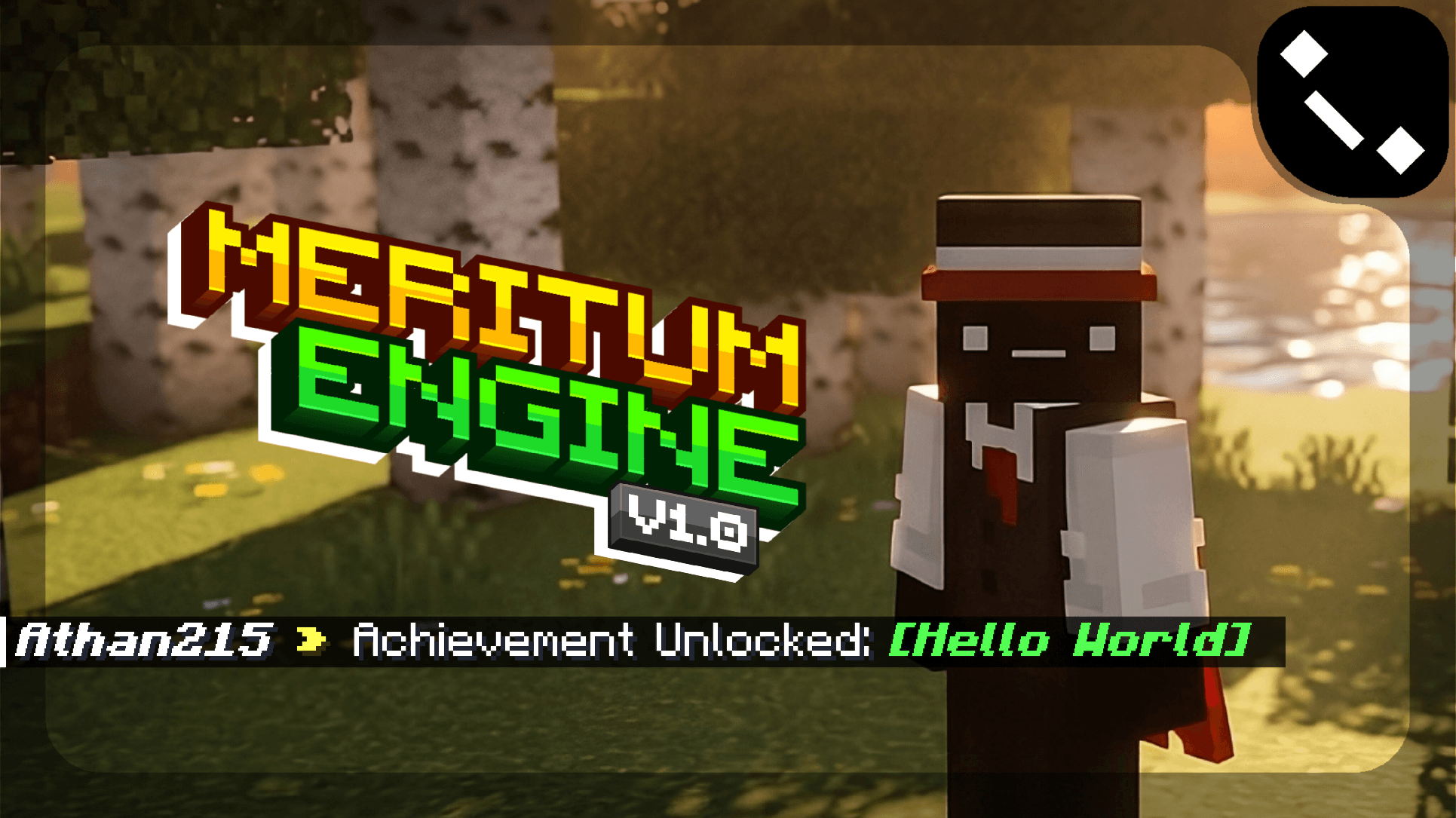
Example notification format:
The formatting can be customized in the engine configuration.
Command System
Meritum Engine includes a modular command system designed for both players and administrators.
Commands are separated by purpose and use a shared internal command builder, making the system easier to maintain and extend.
Several commands support built-in pagination to prevent chat overflow when listing large numbers of achievements.
Player Commands
- /achmenu
Opens the achievements interface menu.
- /achlist [page]
Displays a paginated list of all registered achievements.
- /achsearch <keyword> [page]
Searches achievements by name or identifier.
- /achinfo <achievementId>
Displays detailed information about a specific achievement.
- /achprogress [player]
Shows how many achievements a player has unlocked.
Administrative Commands
- /achgive <player> <achievementId>
- /achrevoke <player> <achievementId>
- /achreset <player>
User Interface
The engine includes a UI panel that allows players to:
- Browse achievements
- View descriptions
- Check unlock status
- See reward information
The interface also supports pagination (configurable in the files).
A dedicated Settings screen lets each player personalize how their achievement list is displayed:
- Sort by — default order, rarity, unlock status, or name
- Reverse order — flips the current sort
- Only show unlocked — filters the list down to achievements the player already has
Preferences are remembered per player. UI text and formatting can be customized in the configuration file.
Important Considerations
- This project is currently under active development.
- Features may change and occasional bugs may occur while the engine evolves.
- Achievements are not connected to Xbox Live achievements.
- The system operates independently within the add-on environment.
- Achievement IDs must remain unique across all add-ons using the engine.
- The add-on can also be configured directly through the config.js file.
Usage & Redistribution
Allowed
- Using Meritum Engine as a dependency in your own add-ons or projects.
- Configuring the engine for personal or project use.
- Distributing your own add-on that uses Meritum Engine.
Not Allowed
- Reuploading or redistributing the engine itself without permission.
- Publishing modified versions of the engine or its configuration without permission.
- Reposting this project on other platforms instead of linking to the official page.
Credits
- If you use Meritum Engine in a public project, giving credit to the original author is highly appreciated.
- When sharing the engine, please link to the official project page instead of reuploading the files.
Languages & Credits
- 🇺🇸 English
- 🇧🇷 Português (BR)
- 🇵🇹 Português (PT)
- 🇪🇸 Español
- 🇫🇷 Français
- 🇷🇺 Русский
- 🇮🇩 Bahasa Indonesia
- 🇯🇵 日本語
- 🇰🇷 한국어
- 🇨🇳 中文
Leave your feedback so that the engine can continue improving in the future ;)





![Hide Armor - [Configurable] project image](https://media.forgecdn.net/avatars/thumbnails/1672/411/256/256/639063569833611773.jpg)

![The Ultimate's Remaster - [ Athan213 ] project image](https://media.forgecdn.net/avatars/thumbnails/1702/358/256/256/639081202278004906.png)
![MoreOres [ Athan213 ] project image](https://media.forgecdn.net/avatars/thumbnails/1696/145/256/256/639076888062243872.png)