Dynamic Entity Hitbox is a developer and builder utility for Minecraft Bedrock Edition that visualizes entity bounding boxes and collision geometry in real-time. Whether you're debugging entity interactions, designing combat mechanics, or understanding entity positioning, this addon provides precise visual feedback on how Minecraft handles entity collision and detection.
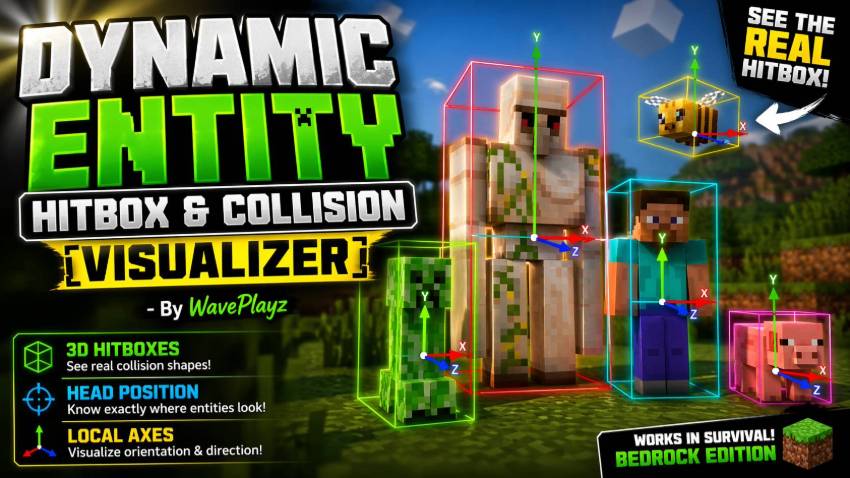
Disclaimer: This thumbnail is AI-generated and intended for preview purposes only. The final in-game experience may differ from the visuals presented.
🔧 Features
- 🔲 AABB head box
- 🧭 XYZ axes (Red=X, Green=Y, Blue=Z)
- 👁️ Look vector ray
- 📡 Distance-based tracking (configurable radius)
- 🕒 Auto-timeout system and toggle
- 🧰 Toggle addon on/off via command
- 🔄 Runtime control via
/scriptevent
- 🧪 For efficiency, use
@minecraft/debug-utilities.
- 🪛 Custom entity support
- 🎯 Accurate realtime hitbox information
- 🧑🤝🧑 Multiplayer support
⚠️ Requirements
- Minecraft Bedrock v1.20.90
- Beta Script API enabled
🛠 Installation
- Drop into
behavior_packs folder
- Enable in world settings
- Turn on
Beta APIs under Experiments
🕹 Usage
Hold a: minecraft:stick named "@hitbox_viewer"
Then use it (right-click / hold). Entities (within your view) show their hitboxes & axes for a preset time.
Or (sneak + right-click / hold) to toggle until you turn it off by holding again.
💬 Feedback & Support
Hit up @waveplayz or @nytreon on Discord Feedback, bug reports, or just to vibe 👾
🧾 Commands
Use slash commands (/) for live config:
| Command |
value |
Description |
| /remove |
|
removes debug shapes |
| /tool |
|
gives you a hitbox viewer tool |
| /toggle |
|
disable/enable the addon |
| /settings |
|
shows active settings |
| /duration |
<ticks: number>(default: 400) |
Edits the duration of the non#toggle view time |
| /radius |
<radius: number> (default: 5) |
Edits how far the hitboxes render (Tip: you can set it to a high value like 1000 to have ones behind you render too.) |
| /size |
<size: number> (default: 10) |
Edits the max size of an entity hitbox § |
| /refresh |
<refresh: number> (default: 5) |
Edits the refresh time for dynamic entities like shulkers and players. |
| /maxcount |
<Entities: number> (default: 10) |
Edits the max amount of entities rendered per player. |
| /mode |
[1 = hitbox, 2 = collisionbox, 3 = both] (default: both) |
Edit the mode the hitbox renders allowing you to see one or the other or both. (Only accepts the number codes) |
| /includeplayers |
|
toggle player hitboxes (default: false) |
| /sendnumerics |
<value: boolean> (default: false) |
show numerical bounding box dimensions |
🧠 Technical Bits
Uses system.runJob() for live updates
Ignores entities outside view
All visuals rendered with DebugBox, DebugLine
Static entities (entities that don't change hitbox size) are not refreshed but entities that do change are refreshed every 10 ticks (half a second)
Look vector ray (the blue line coming from the eye box) shows the true server side look direction of the entity
Hitboxes are calculated using a ray system firing at the entity in all cardinal directions to determine the size accurately and dynamically so custom entities are supported