Update V2:
you can now customize the background, offset and padding
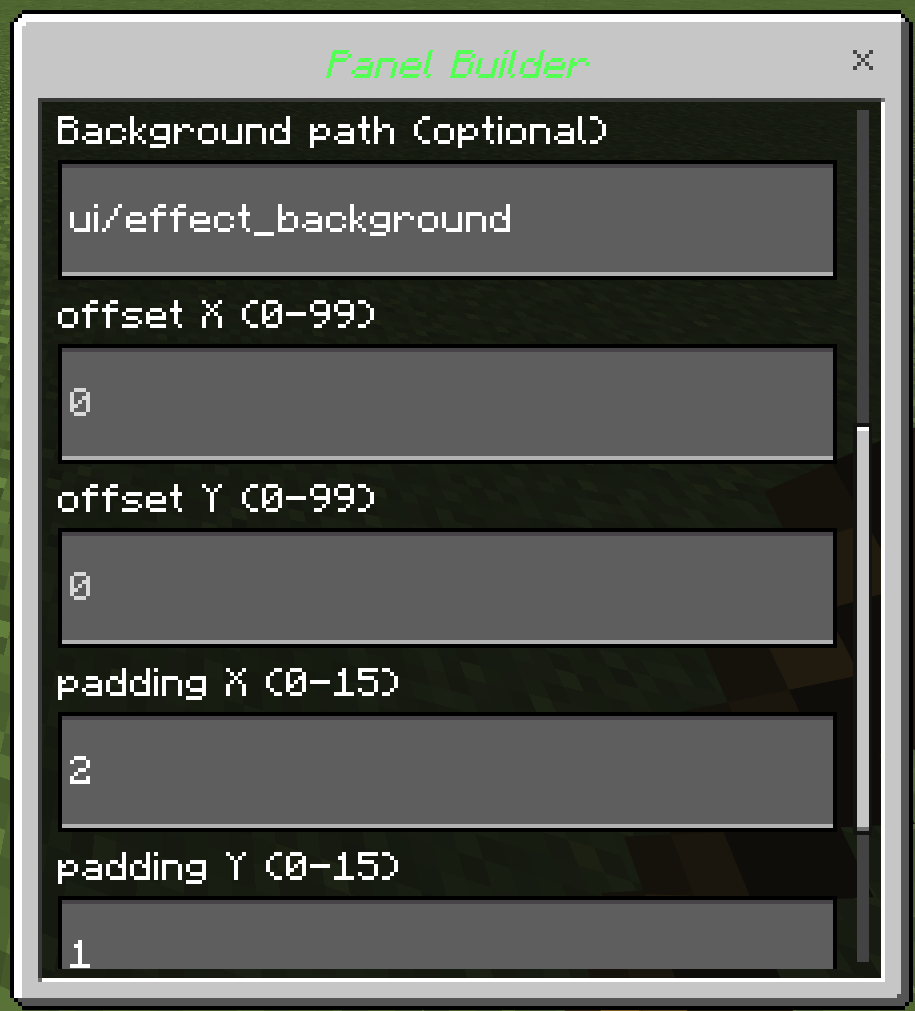
offset controls location of the sidebar, increasing Y value moves it down, increasing X value moves it left.
padding adds space between the border and the text, useful if your background has thick borders.
custom background path starts at textures folder, so if your image is in ui folder put this in the box: ui/your image, if its in textures folder directly then just put the name of the image.
V1:
First step is to open the sidebar builder by typing this command: /scriptevent sidebar:edit
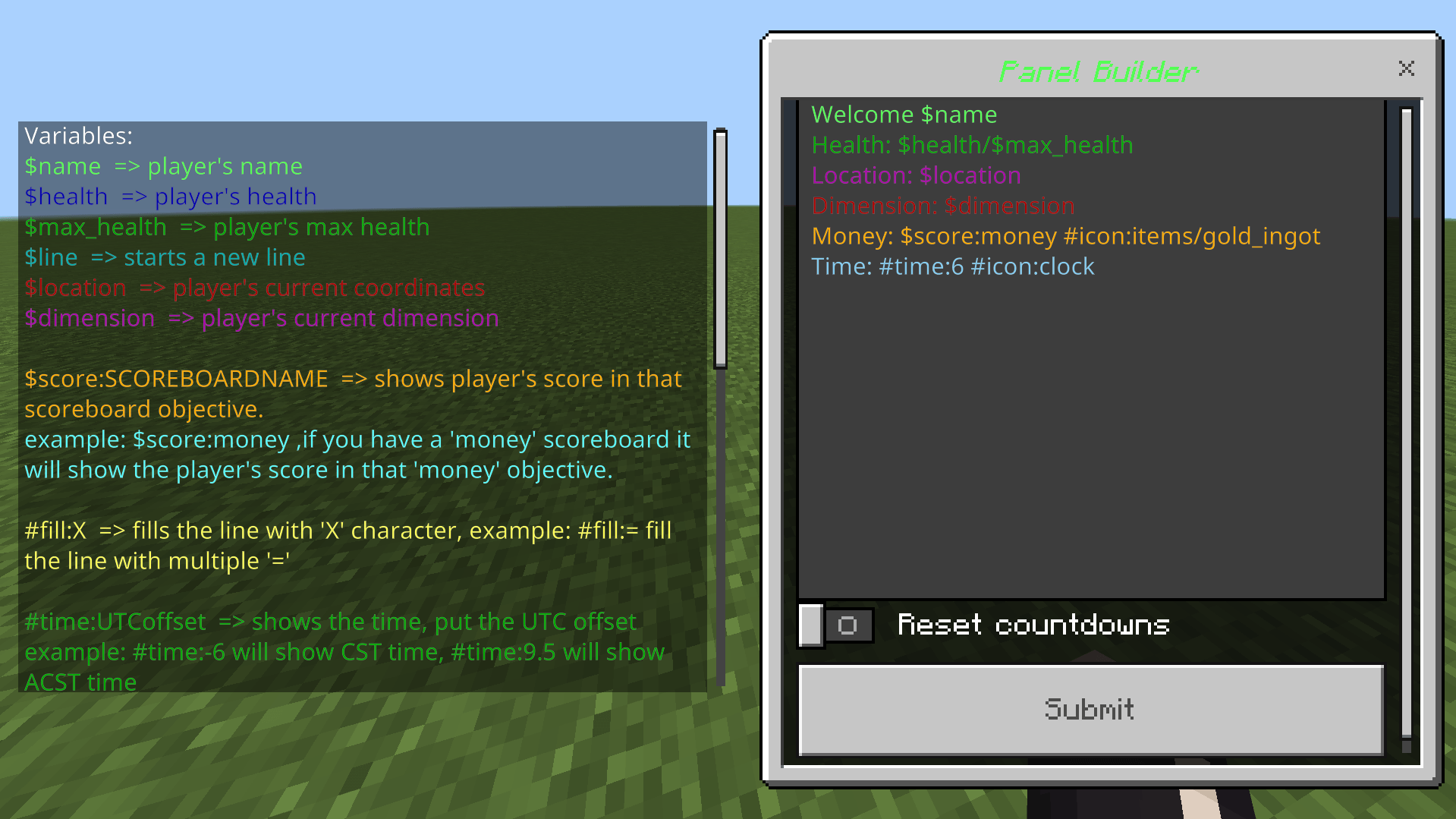
on the left side are all the variables / functions/ conditions you can use
on the right is where you type what appears in the sidebar
the rest of the variables are below
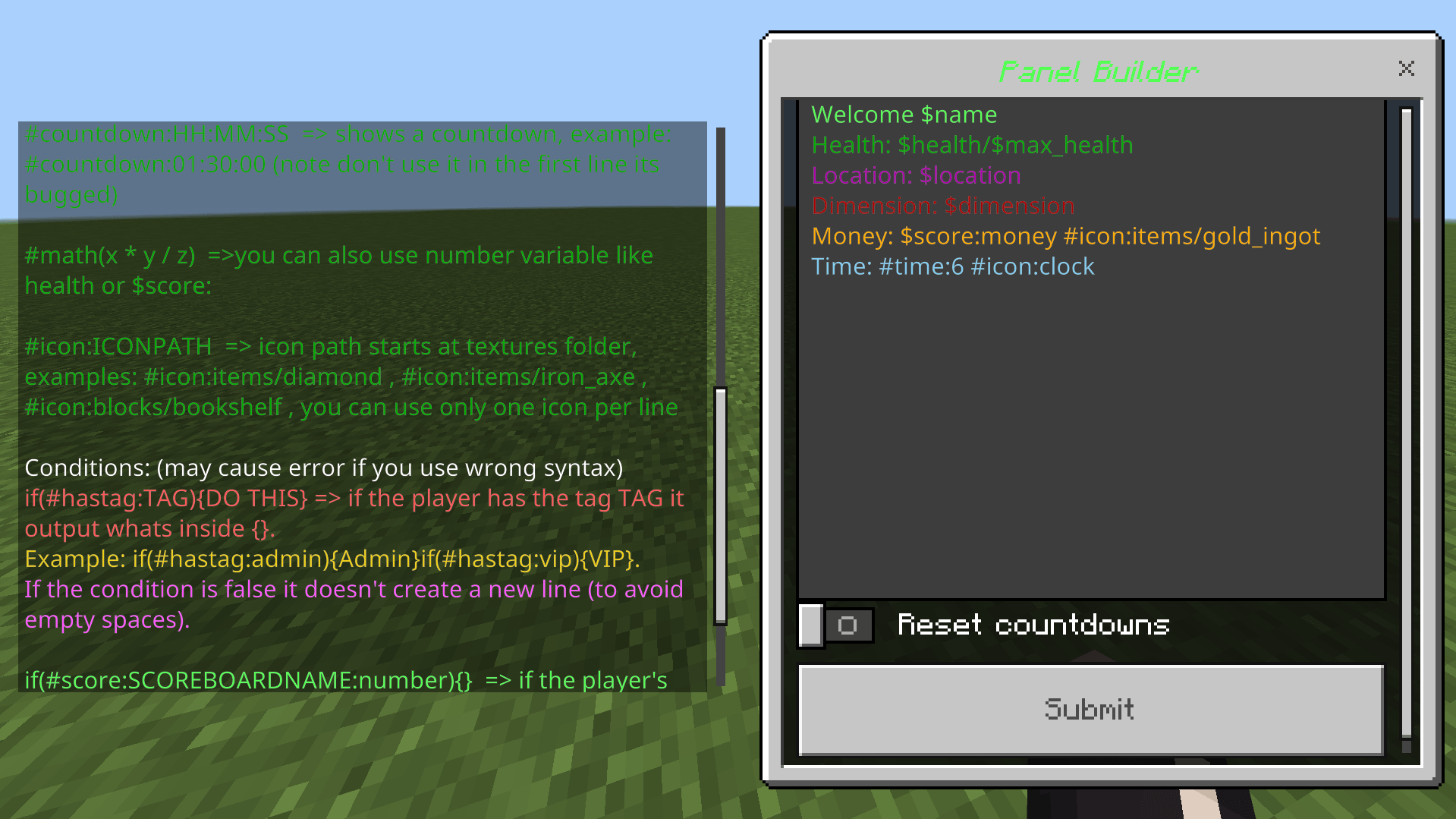
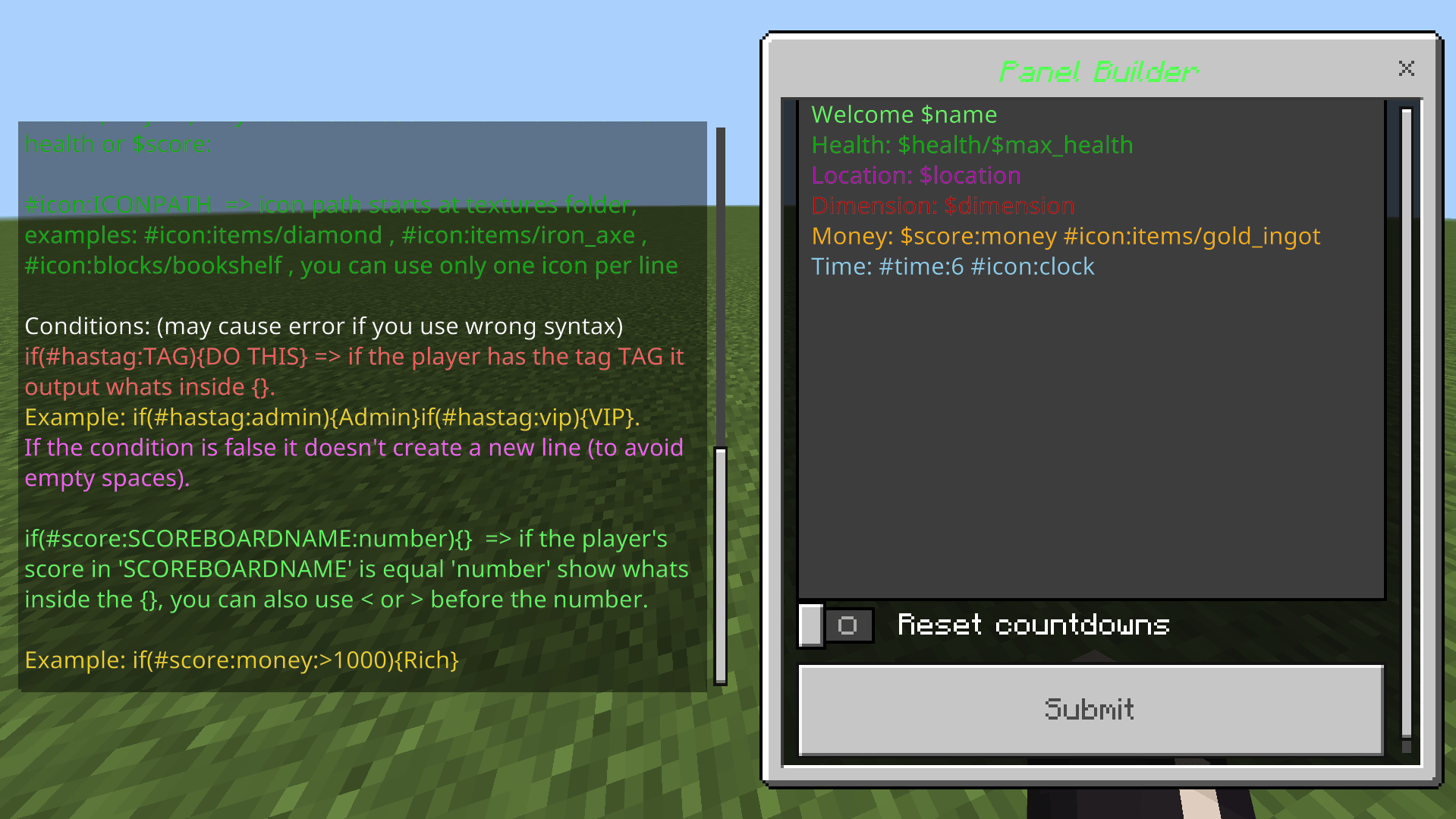
Here are few examples with their output:
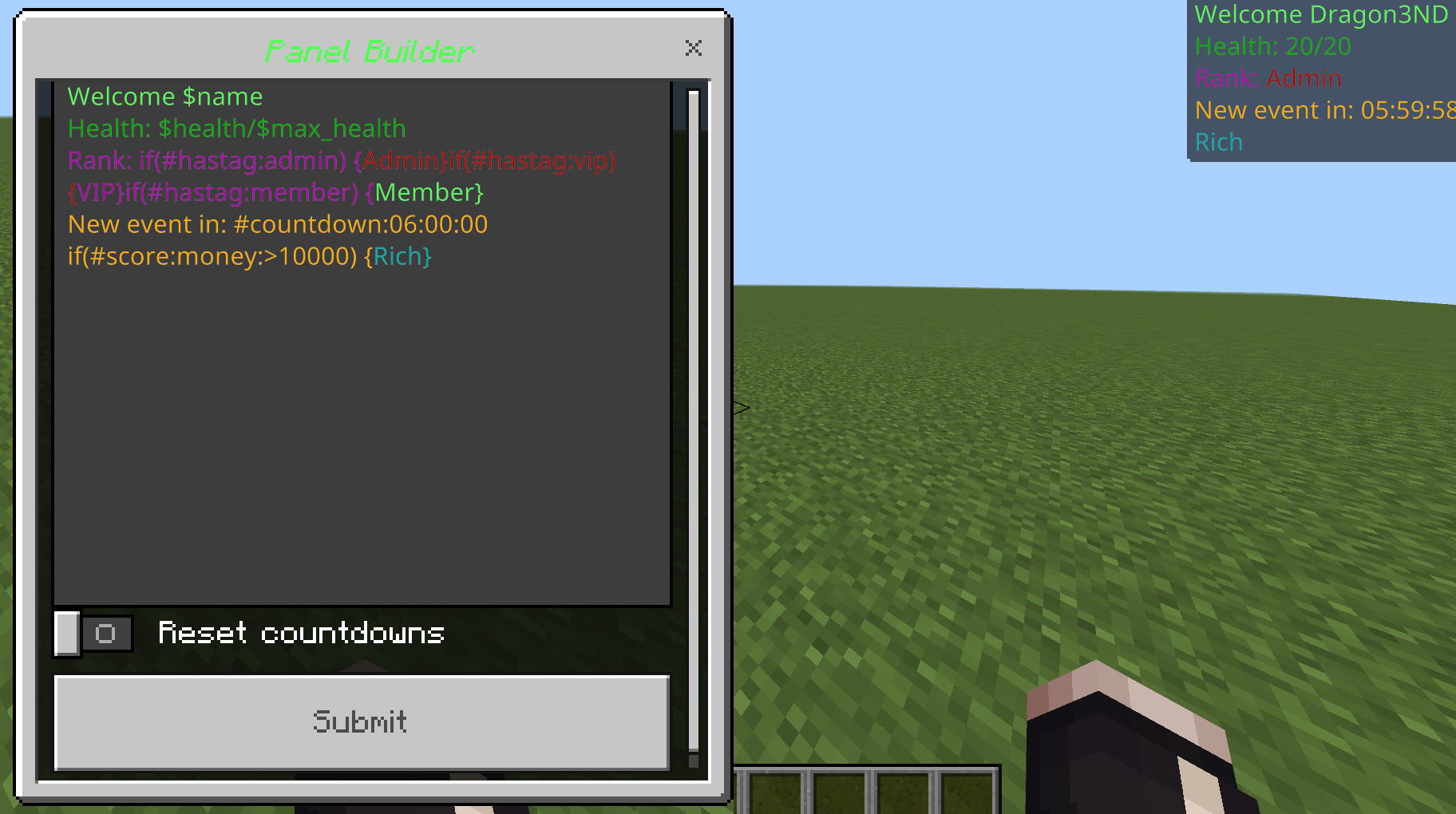
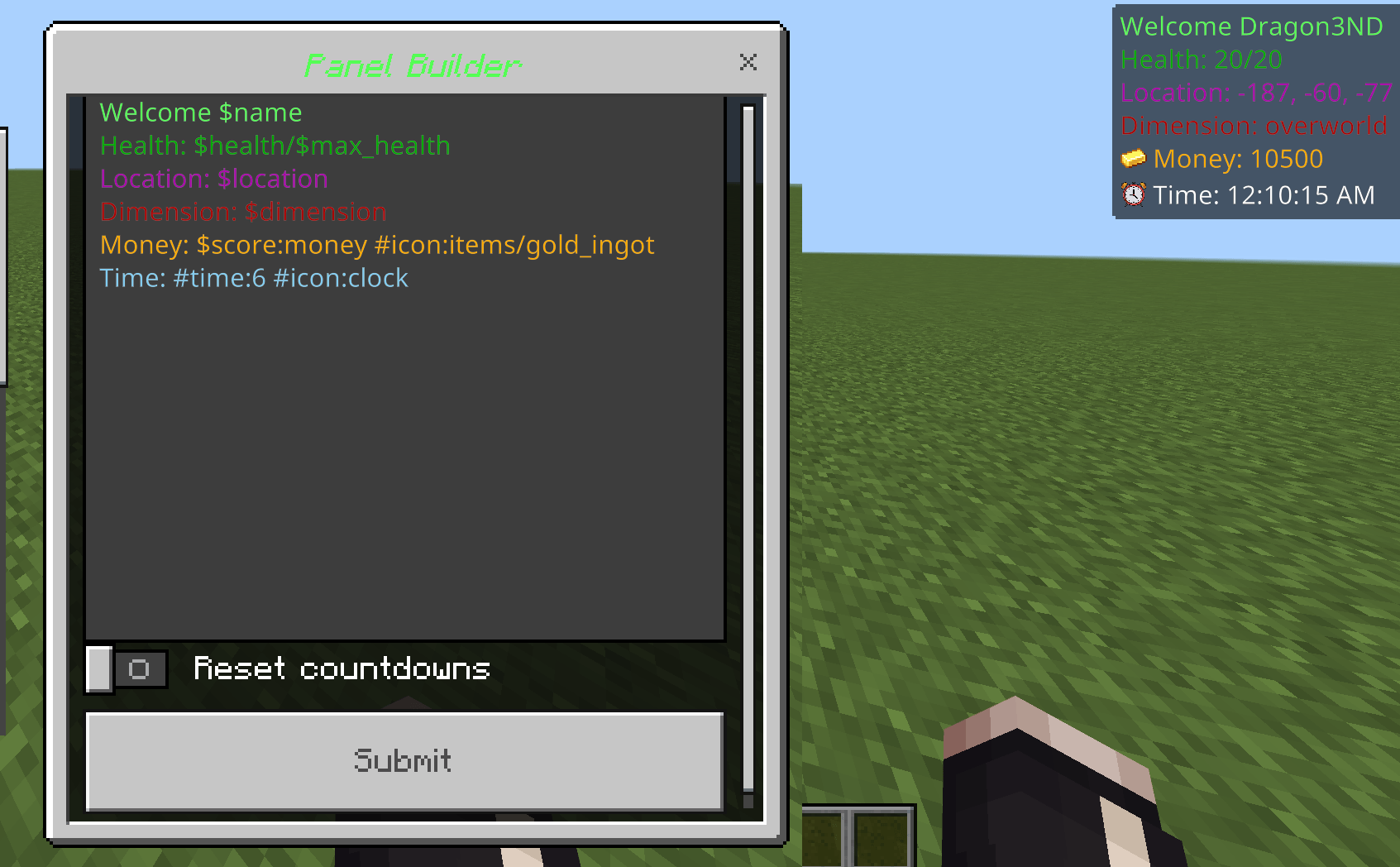
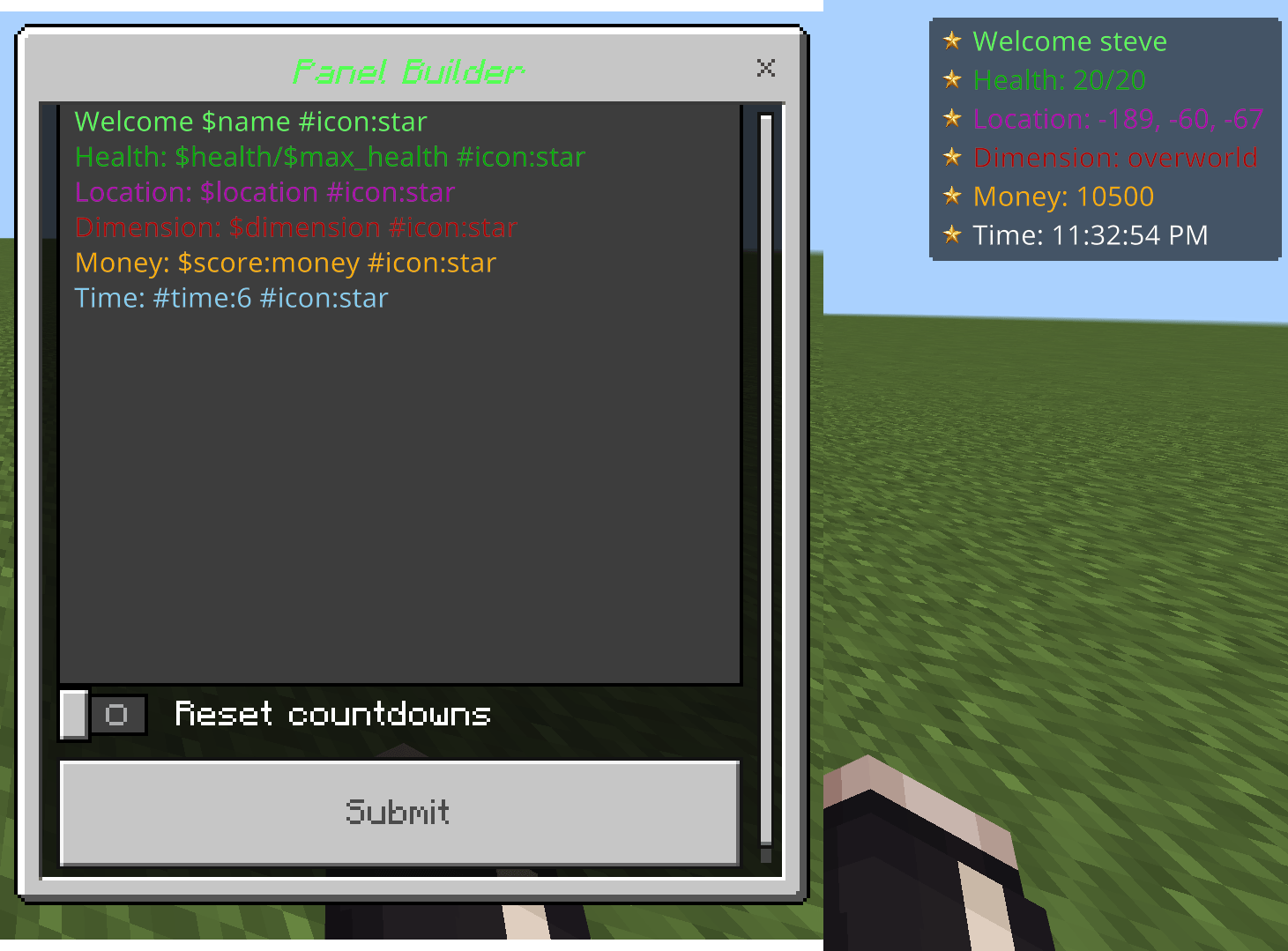
You can copy the examples from here: https://justpaste.it/hgvxl
Notes about how to use:
-#icon: uses any texture stored in textures/ folder, so in my examples star and clock are images in textures folder, you can also use any vanilla image in that folder like #icon:items/gold_ingot, #icon:blocks/barrier.
-It doesn't matter where you place the #icon: in a line it will always appear at the beginning, you can only use 1 #icon per line.
-"Reset countdowns" resets any old #countdown value when you edit an existing sidebar, if you don't want to reset them keep it unchecked.
-You can't use else statements or nested if statement at the moment, hopefully in a future update.
-Conditions are very case sensetive any error like swapping between () and {} may cause errors.
-In my examples i have a scoreboard named "money" so if you want to use my example either change it to a scoreboard you already have or make one.
How to install:
-Download the mcaddon file and open it.
-Make a backup of your world.
-Add it to your world, no need for experimental toggles.
Planned features:
-customizable offset / location
-else statements and nested ifs
-more icons per line
-customizable backgrounds, for now you can do it in the json ui file
if you find bugs or have suggestions my discord username is: drag0nd
Customizable sidebar V2 Team

Owner