MCPEDL-1.0
MCPEDL
Description
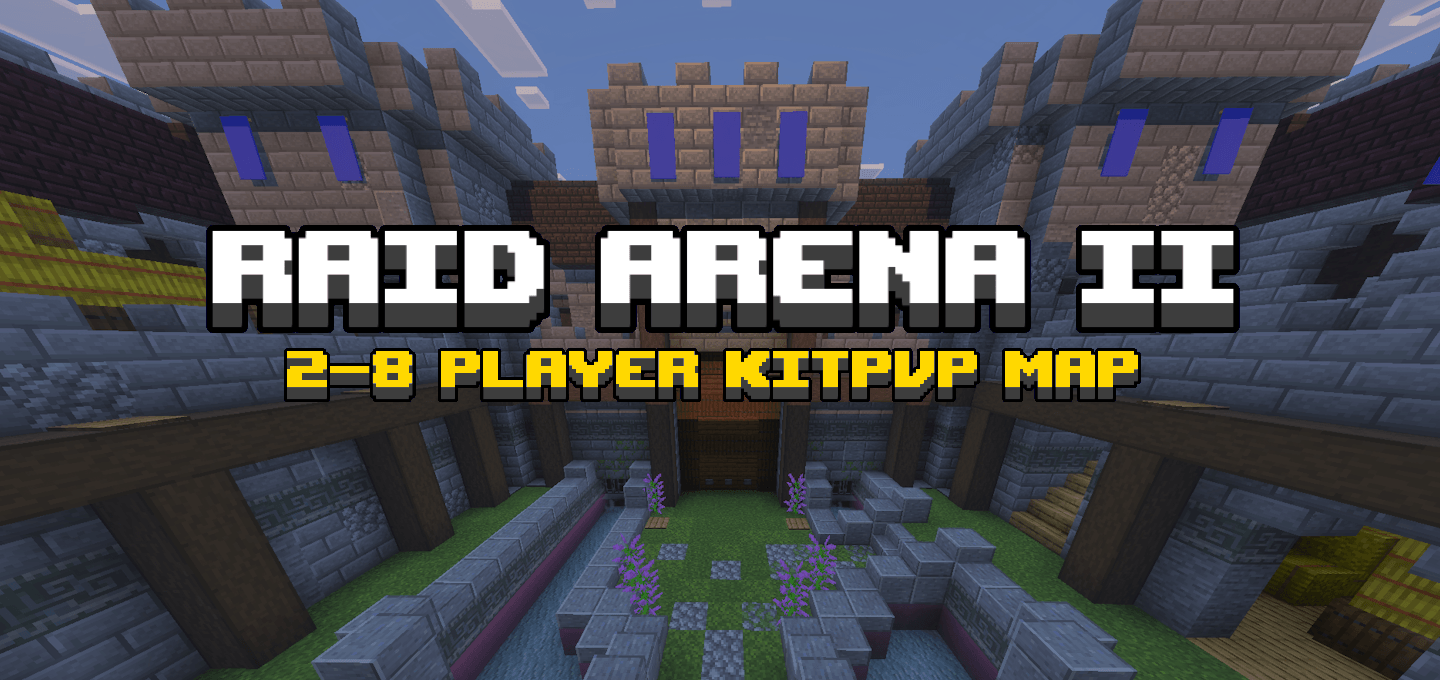
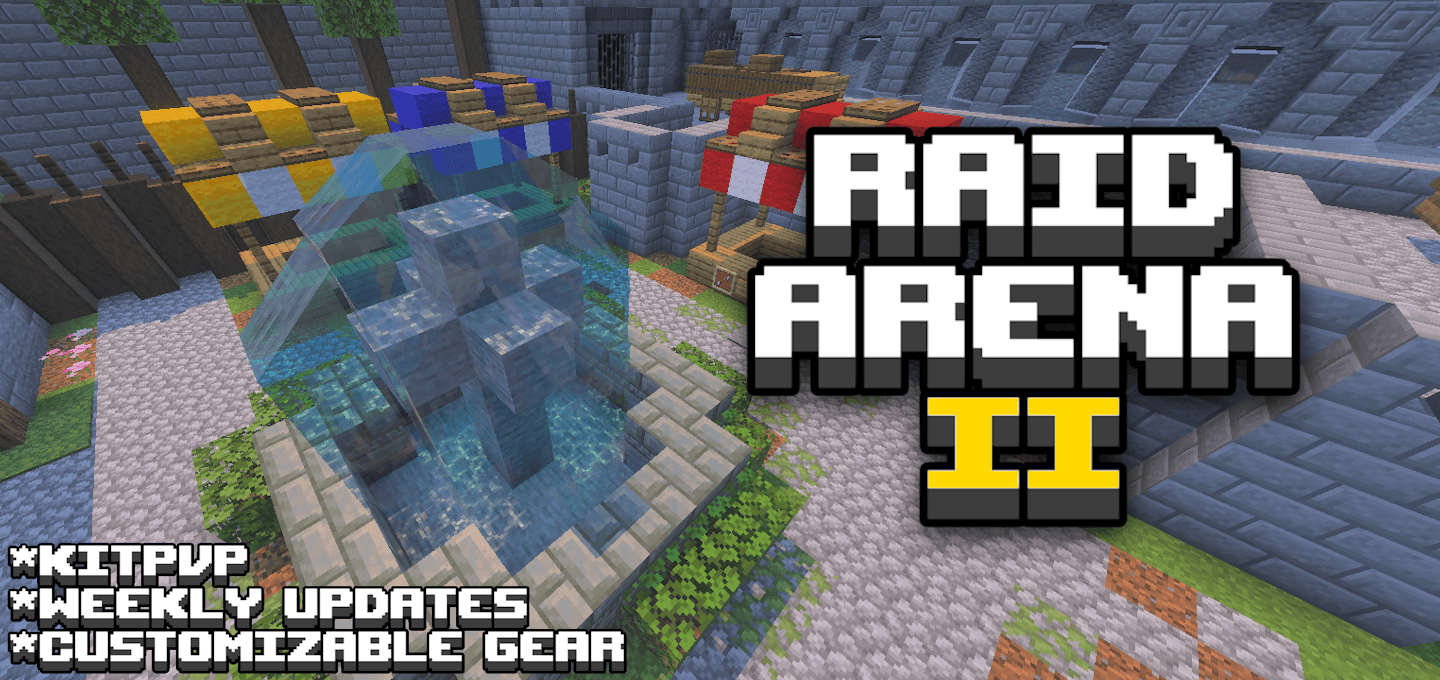
Raid Arena II
==================================================================
Map Description
Raid Arena II is a 1-8 player, multi-round kitPvP map with a shop-style upgrade system. Each round, you fight to gain Victory Points. In between each round, you spend levels to upgrade your gear. Fight in unique and varied arenas with a variety of both vanilla and custom weapons, armor, and items. This map is a sequel to Raid Arena, which can be found here: https://www.curseforge.com/minecraft-bedrock/maps/raid-arena-2021-map
==================================================================
Trailers
==================================================================
==================================================================
Guides
==================================================================
Basic Walkthrough (video)
Basic Walkthrough (text)
==================================================================
How To Play: A basic walkthrough.
This is a simple guide on how to navigate the various rooms and buttons in Raid Arena II. Please consider reading this before starting your first game. This guide is also available in a video format as well.
==================================================================
On first opening the world
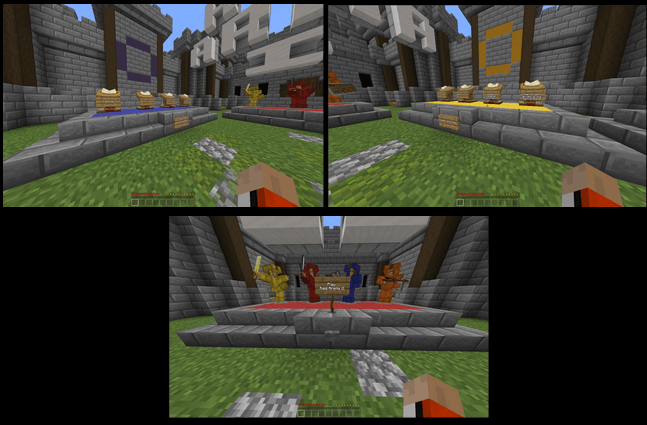
When you first load up the world, you spawn in the Starting Lobby. Here you can read the How-To-Play guidebooks, read the Credits and Logs books, or press the “Play Raid Arena II” button to start a game.
==================================================================
Selecting a Kit
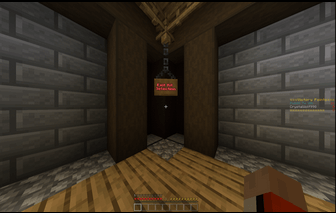
After pressing the “Play Raid Arena II” button, you and everyone else are sent to the Kit Selection Room. Here, you will choose which kit to fight with throughout the game.
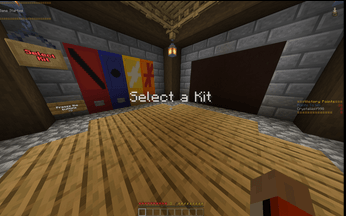
On the western wall there are colored banners and buttons. Pressing one of the buttons will select a kit. Press them to see what each kit has.
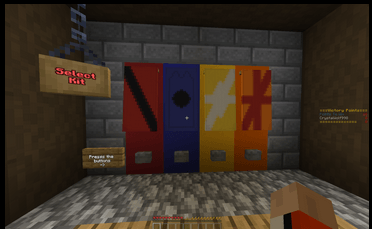
After pressing a button, the kit you selected will appear on the northern wall. On the wall, the kits' difficulty level, gear, Armor Item, Special Emblem, and description book are displayed.
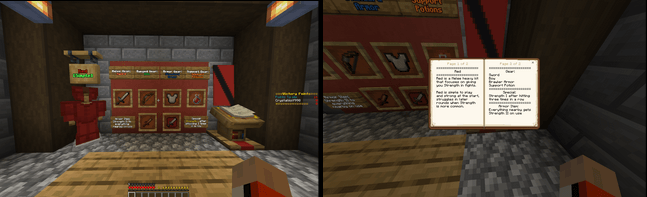
If you want to choose a different kit, simply press another button and a new kit display will appear; however, if you are satisfied with your choice, you can simply walk out of the Kit Selection Room.
==================================================================
The Waiting Lobby
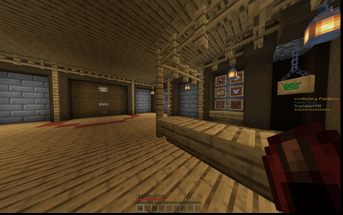
After leaving the Kit Selection Room, you are taken to the Waiting Lobby. The Waiting Lobby is a place to prepare for upcoming rounds, and all players are taken there before the start of each one. Here you can go to the ready up zone, dye your armor, or enter The Shop.
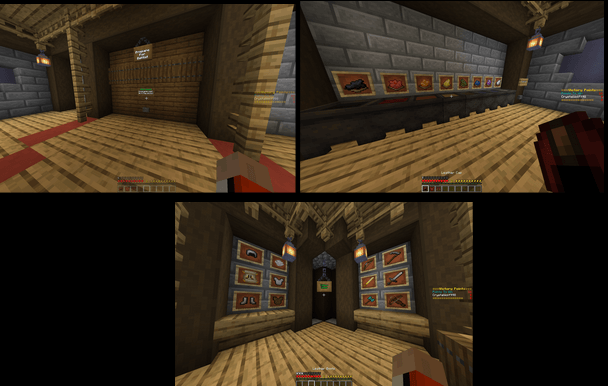
The Ready Up Zone is a red semi-circle that all players need to be inside in order for the round to start. When you are ready to start a round, stand inside the circle, and once everyone is there simply press the “Round Start” button to start the next round.
There are colored cauldrons next to where you spawn in that will dye your leather armor. Feel free to customize your leather helmet, chestplate, and boots however you wish. There is also a “reset colors” button to refill the cauldrons when one runs out.
The Shop’s entrance is located next to the colored cauldrons and across from the Ready Up Zone. Inside The Shop, you can spend your levels upgrading your gear. You start out with 3 levels, so it would be smart to spend them before starting the first round. You get more levels after each round as well!
==================================================================
The Shop
Upon entering The Shop, any armor or items you had in the waiting lobby are temporarily taken away. They will be given back when you leave.
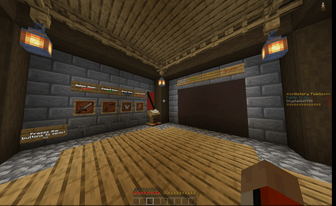
The Shop is structured similar to the Kit Selection room. On the western wall, your kits gear and description are displayed.Pressing the buttons underneath a gear will select it to be upgraded. Press the buttons to see what upgrades each gear has available.
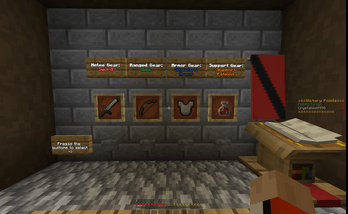
After pressing a button, the possible upgrades for the gear you selected will appear on the northern wall. On the wall the gears remaining upgrades, upgrade prices, upgrade paths, and description are displayed.
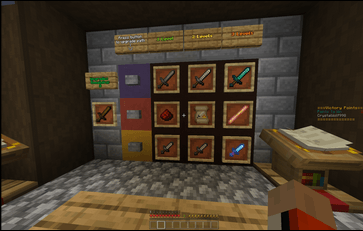
If you want to choose a different gear to upgrade, simply press another button (from the first wall) and a new gear’s possible upgrades will appear. Once you have determined what gear to upgrade, look at the three possible paths Upgrade Paths to decide which one you will progress. Progressing a path will give you whatever upgrade is shown inside the next item frame, but will cost you 1-3 levels to make and remove 1 from your gear’s remaining upgrades. Once you have decided which path to progress, press its corresponding button to upgrade it (the stone one on the Blue Terracotta for the blue path [top three item frames], the one on the Red for the red path [middle three], and the yellow for the yellow path [bottom three]).
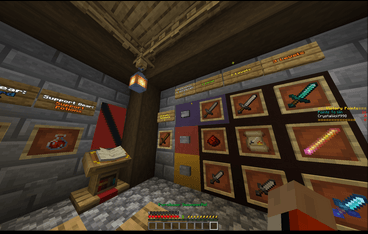
Upon pressing, the upgrade board will update showing the path progressing and remaining upgrades decreasing. This will not happen if you did not have enough levels, though. Instead, you will get a message saying that you need more levels.
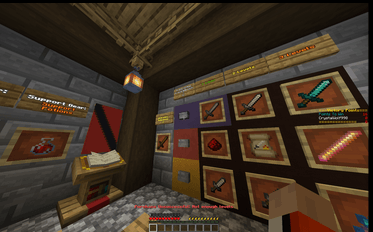
When you have used up all three remaining upgrades on a gear, the path buttons will be replaced by iron bars and you will be unable to progress any path further.
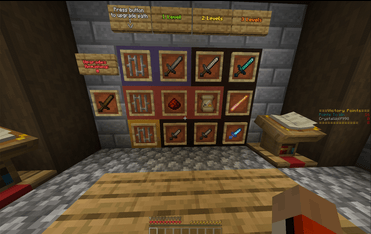
When you have used all the levels you can, or simply desire to exit, you can leave The Shop by walking out of it.
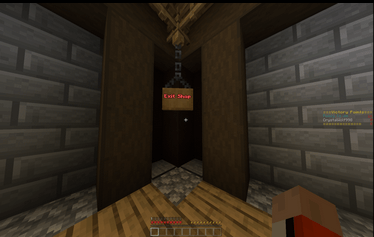
Upon walking out, you appear back in the Waiting Lobby and all your armor and emblems are returned to you alongside any new ones you purchased in The Shop. You are only given your armor and emblems in the Waiting Lobby. Your other gear is given once the round starts to prevent players from “trading” gear outside of a round.
==================================================================
In a round
Upon starting a round, a presentation shot of the arena is shown alongside the round number and amount of points winning the round gives.
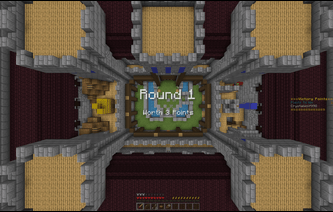
After a short time, the camera is returned to each player and a five second countdown is shown before they can fight or move. At that time, players can sort out the remaining gear given to them.
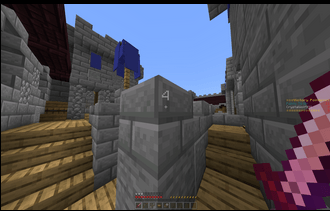
After the countdown, “GO!” is shown on the screen and players are free to move around and fight.
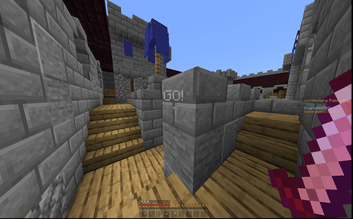
Once one person is left (or everyone dies), the round is over and everyone is sent back to The Waiting Lobby.
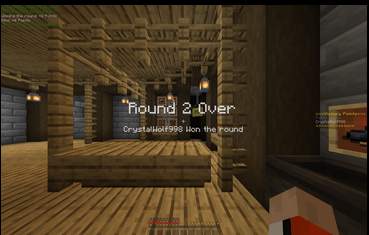
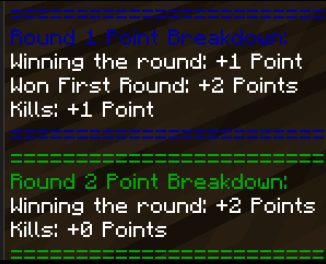
At the end of each round, a point breakdown is displayed, showing how many points you got for kills, winning, or anything else. These can be looked at anytime by opening up chat.
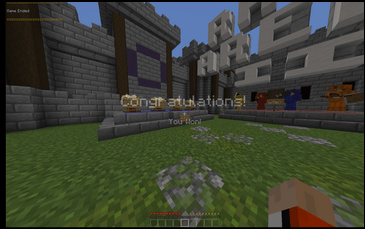
Once a player reaches 16 points while winning a round (they can’t simply reach it with kills), he or she wins the game and everyone is sent to the Starting Lobby. At this point, the game has ended and a new one can begin.
==================================================================
Ending the Game early
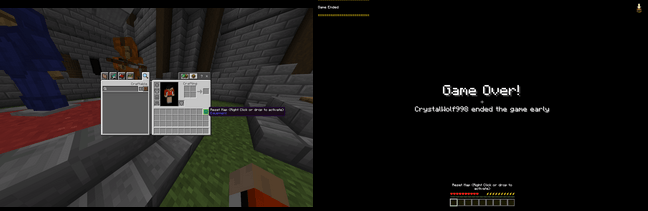
If you need to for whatever reason end a game early, use the “Reset Map” Item located in your inventory. Right Clicking or dropping this item will end the game no matter what, and everyone has access to it, so BE CAREFUL.
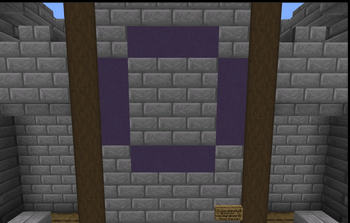
If you are in spectator mode and cannot access your inventory, simply fly into the blue circle in the Starting Lobby to end the game instead.
==================================================================
Further Questions?
If you have further questions about how to play, or simply have any suggestions, please leave a comment on the MCPEDL or Curseforge page and I will answer them to the best of my ability. (also please mention if you find any bugs too, please).
==================================================================
Weapons Guide
==================================================================
How To Play: Weapons
Raid Arena II uses a lot of custom weapons taken from the Raid’s Stuff add-on. These weapons have unique stats and abilities that make using them quite different from the vanilla ones. This is a quick guide on how they function and how to use them effectively.
==================================================================
What makes the weapons so different?
The weapons in Raid Arena II have a couple extra features that make fighting with them unique. Most weapons have both a Melee Attack (left click) and an ability (right click). In addition to this, many weapons also come with Bonus Abilities that affect the weapon even further.
==================================================================
Melee Attacks
Your melee attack (left click) is affected by three stats: Attack Damage, Recovery Speed, and Attack Cooldown. Attack Damage is a vanilla stat, so this guide will skip over it.
Recovery Speed is a cumulative stat that adds the individual Recovery Speeds of any equipped armor and items held in your main or offhand together to either hinder or benefit the player. When your total Recovery Speed is below 0 (meaning that the combined Recovery Speed of all your gear is negative), you receive weakness and mining fatigue for a short amount of time after a Melee Attack. The weakness is so great that you cannot do any damage with melee attacks until it has finished (the mining fatigue is set to give a visual representation of when that will be). In addition to this, any incoming damage will cause you to lose stamina as well. When your total Recovery Speed is above 0, however, you will receive stamina after every melee attack.
Attack Cooldown is technically a vanilla stat, but since only the spear uses it, it will be covered. When a weapon has a Melee Attack Cooldown, you are unable to do any melee attack at all with the weapon after performing a Melee Attack. It differs from Negative Recovery Speed because it is not cumulative and it only affects that specific weapon. You are still able to perform melee attacks with other weapons while one is on cooldown, which cannot happen with a Negative Recovery Speed.
==================================================================
Weapon Abilities
Sometimes one of a weapon’s bonus abilities will read something like “+Right Click to ____”. This is the weapon’s right click ability, otherwise called simply as its “ability”. Weapon abilities come alongside two other stats: ability range and ability cooldown.
Ability Range varies in usage, but generally refers to how many blocks in front of the player an ability will activate, and the radius, in blocks, of that ability). If an ability has a range of 2, it will perform its ability ~two blocks in front of the player and in a radius of ~two blocks as well. This is not always the case, though. Some abilities, like the Dash on the katana, use range as simply as many blocks in front of the player they will travel when dashing.
Ability Cooldowns are very similar to Attack Cooldowns, but they affect the Ability (right click) of the weapon rather than its Melee Attack (left click).
Some abilities do damage. Damage is determined by the (unenchanted) Attack Damage of the weapon.
==================================================================
Bonus Abilities
Bonus Abilities can affect a weapon in a variety of ways, but mostly give additional effects to targets after a melee attack or ability. These effects can range from stunning a target to removing certain effects from them or giving effects to you. There is no limit to what a bonus ability can do, so make sure to read each weapon carefully!
==================================================================
==================================================================
How To Win
To win, you need to get 16 Victory Points. Points are given for killing players and winning rounds. You get 1 point for each kill, and points matching the round number for winning the round.
The first round will give four extra points for balancing purposes. Also, you cannot win on kills alone. To secure a win, you must have, reach, or exceed 16 points when you win a round.
For 1v1’s, these point rules (mostly) play out to be a best 4 out of 7, meaning whichever player wins 4 rounds first wins the game. (There are some ways where you can win in only three rounds)
==================================================================
Levels
Levels are given before each round to spend in The Shop. You start with 3 levels and get more matching the round number just played. So if you just played…
No rounds - 3 levels
Round 1 - 1 level
Round 2 - 2 levels
Round 3 - 3 levels
etc.
==================================================================
Kits
Kits have a melee, ranged, armor, and support gear that can be upgraded. They also have a special emblem and armor item that (sometimes) can be changed or upgraded in The Shop too.
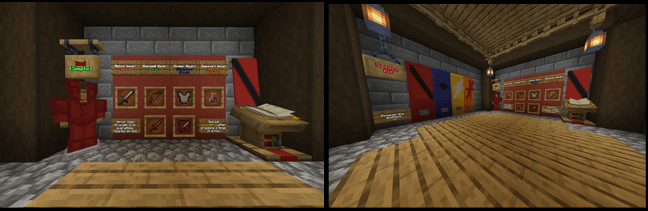
*Pictures of the kit selection room and a kit’s information wall
==================================================================
Arenas
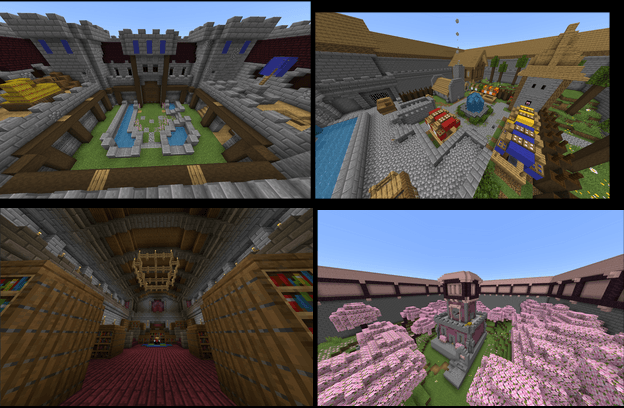
Each round, players fight in a different arena. Each arena has different features and terrain that makes fighting in each fun and varied. As the game progresses, each arena will be played repeatedly in this order: Courtyard, Market, Library, and Tower.
==================================================================
Unique Features: Stamina and Recovery Speed
During a round, there are some things unique to Raid Arena to keep in mind while fighting: Stamina, and Recovery Speed. Stamina drains when running but will replenish otherwise. Recovery Speed affects how quickly you can attack. It is calculated by the sum of all the Recovery Speeds of the weapons you're holding and armor equipped. A negative (total) Recovery Speed will cause you to attack slower. You will also lose Stamina when hit. On the other hand, a positive (total) Recovery Speed will cause you to regain stamina faster and gain stamina when attacking.
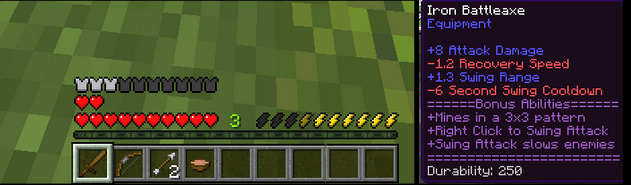
*Pictures of the hotbar, showing the Hunger bar be replaced with a Stamina bar and of the description of an item with -1.2 Recovery Speed.
==================================================================
Other unique features
There are lots of non-vanilla items and weapons in Raid Arena II. All the custom items come from the Raid’s Stuff Add-on. Raid’s Stuff was also made by me and is available to download on curseforge and MCPEDL:
https://www.curseforge.com/minecraft-bedrock/addons/raids-stuff
==================================================================
Map Credits
Created by CrystalWolf998 (Raid Games)
Add-ons
CrystalWolf998
Balancing
CrystalWolf998
SplindidMass209
Beta Testers
CosmicWind9, CrystalWolf998, Garbo Truck6259
NorthWind15, poptartQueen100,
SplindidMass209, TartanHealer656, Ttalley13
Building
CrystalWolf998
Text/Descriptions
CrystalWolf998
==================================================================
Next Scheduled Update:
[On break]
==================================================================
The Raid Arena 2 Team

Owner