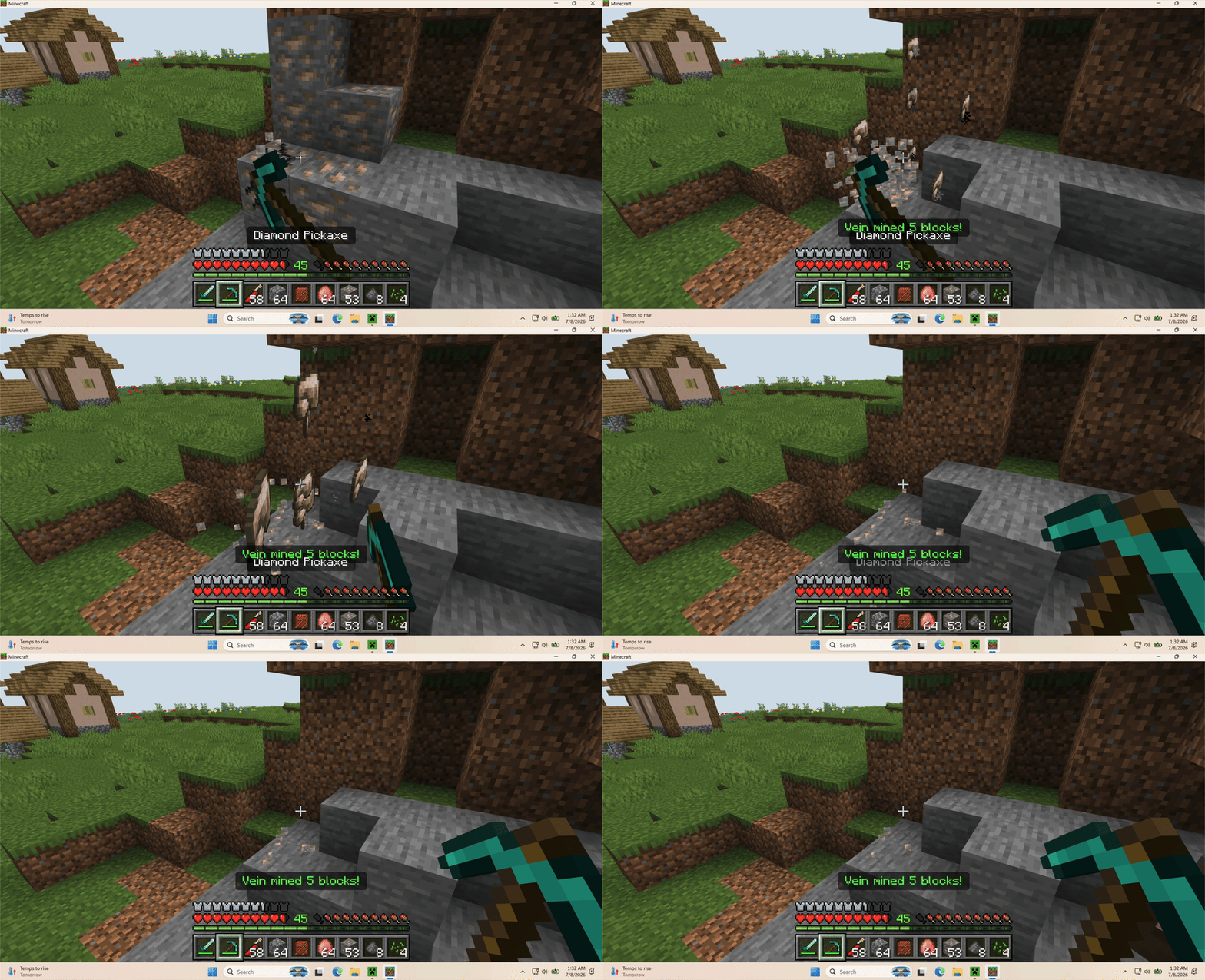
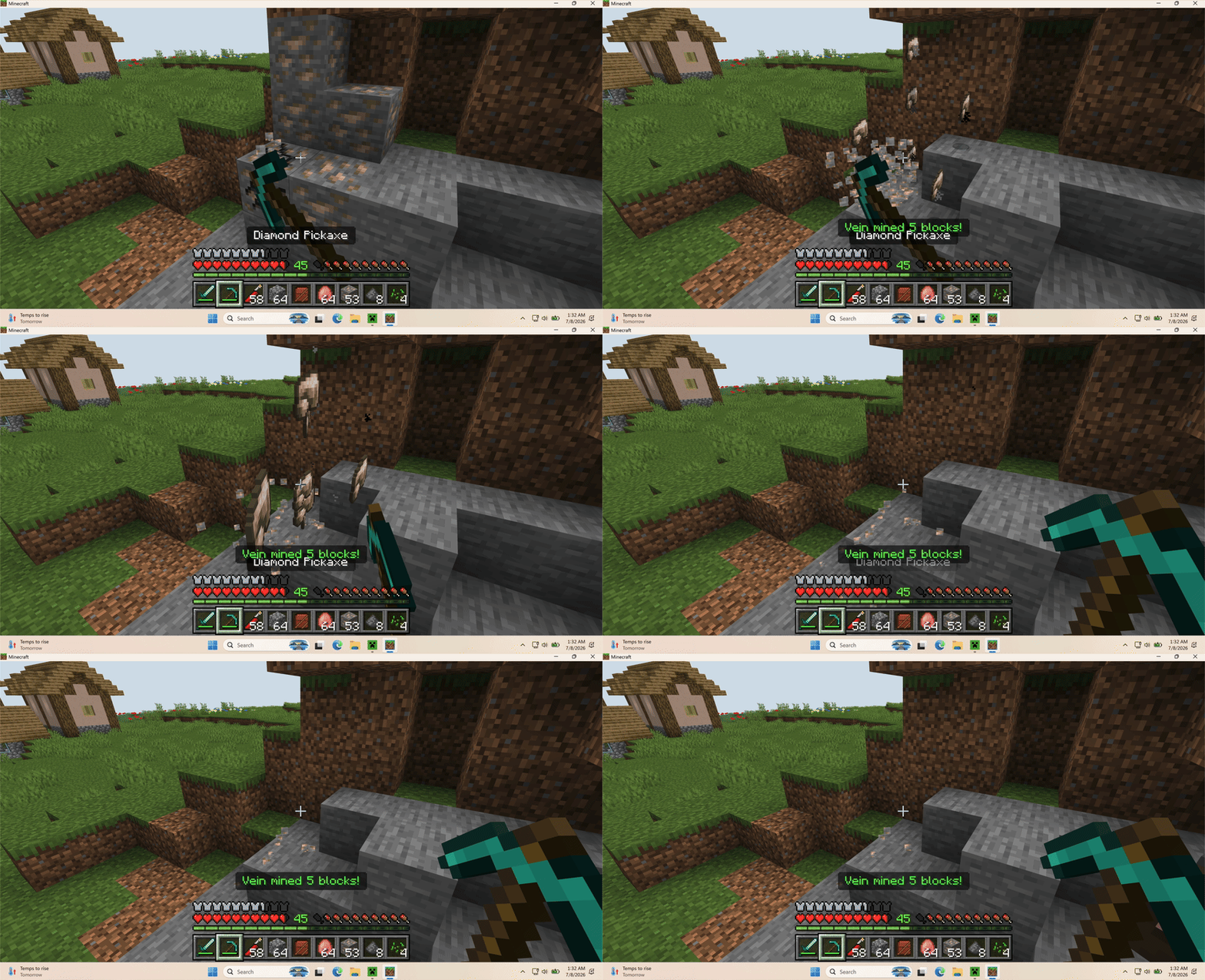
Vein Miner lets players mine connected ore veins in Minecraft Bedrock by breaking one supported block.
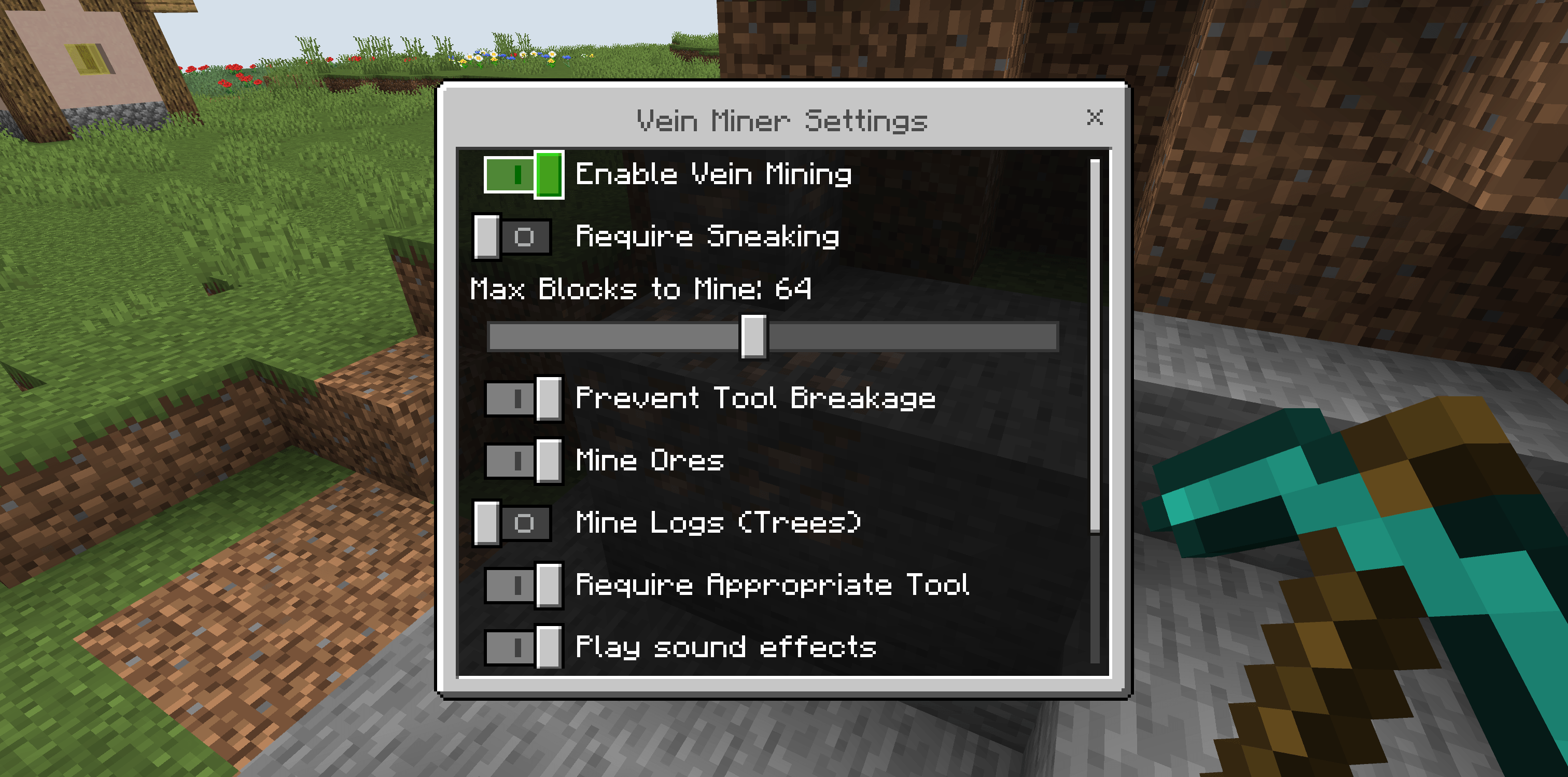
It is built for survival worlds: each extra block still costs tool durability, respects compatible tools, supports Fortune and Silk Touch drops, and can award ore XP. Operators can tune the behavior from an in-game settings menu, including whether sneaking is required.
Features
- Chain-mine connected vanilla ore veins
- Optional tree/log mining mode
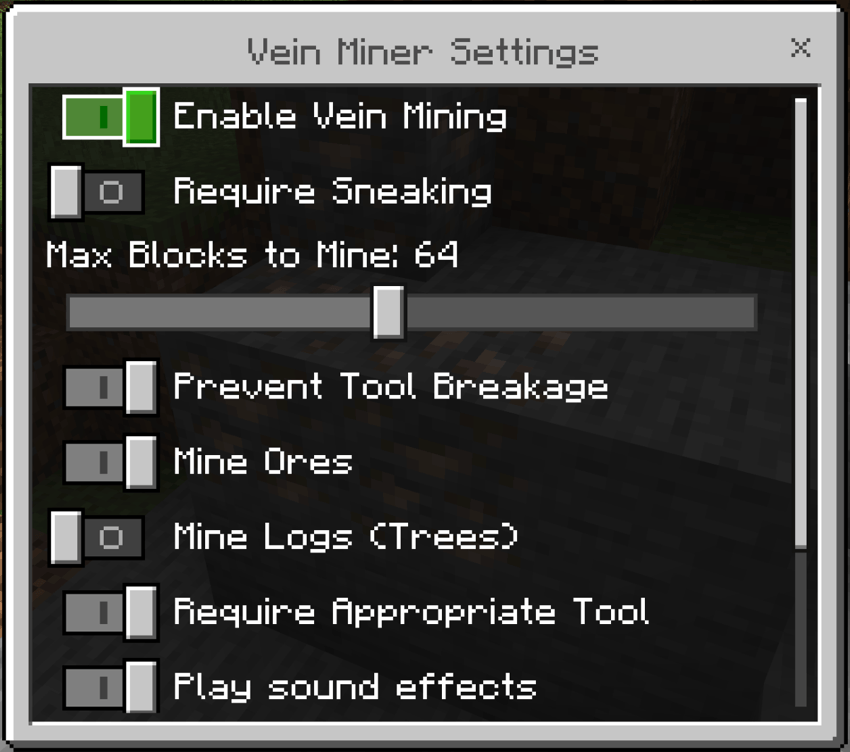
- Optional Require Sneaking setting, disabled by default
- Configurable max block limit from 8 to 128 blocks
- Uses tool durability for each mined block
- Supports Unbreaking, Fortune, and Silk Touch
- Drops ore experience where appropriate
- Prevents tool breakage by stopping before the tool reaches 0 durability
- Optional sound and particle feedback
- Operator settings menu with
/ztp:veinminer or /ztp:vm
How to use
- Open the world settings.
- Go to Experiments and enable Beta APIs.
- Activate the Vein Miner Behavior Pack on the world.
- Start the world and mine a supported ore block with the correct tool.
Game Directors can open the settings menu with /ztp:veinminer or /ztp:vm to change limits, enable log mining, require sneaking, toggle tool checks, and adjust effects.
Notes
- Ore vein mining is enabled by default.
- Sneaking is not required by default, but can be enabled in settings.
- Log/tree mining is available in settings, but disabled by default.
- Creative mode bypasses tool requirements and durability costs.
- When Prevent Tool Breakage is enabled, chain mining stops before the tool breaks.
Requirements
- Minecraft Bedrock Edition 1.26.0 or newer
- Beta APIs enabled in world settings
- No external dependency required