Ultimate Advancements
- By
Explore advancement trees in Minecraft Bedrock! Track your progress, view challenge details, pin your favorites, and check your stats in a full-screen interface.
Bedrock Advancements
A new way to explore your progress in Minecraft Bedrock.
Give every adventure a new goal. Bedrock Advancements brings an advancement-style progression system to Bedrock Edition, with themed trees, challenges, progress tracking, and an in-game journal to guide you along the way.
From your first steps in a new world to the depths of the Nether and the End, discover objectives as you mine, explore, build, fight, and experiment. Open the journal to see where you have been and what you could work toward next.
Watch the Add-On in Action
Take a closer look at the advancement trees, interface, and features in this presentation
Features
- Themed advancement trees: browse connected objectives for different parts of your adventure, plus a dedicated Bedrock Achievements tab.
- In-game journal: explore the trees in a full-screen interface, move through each tab, and inspect advancement details.
- Progress tracking: mark goals to follow and keep track of selected advancements on your HUD.
- Notifications: see a notification when you complete an advancement, goal, or challenge.
- Statistics and settings: review your progress and adjust the experience from the journal.
- Hints and criteria: inspect objectives and use hints when you need direction.
Explore the Advancement Trees
Each tab focuses on a different side of Minecraft. The following screenshots show the actual in-game interface and examples of the paths you can explore.
Survival
Start your journey and work through the essentials of surviving in a new world.
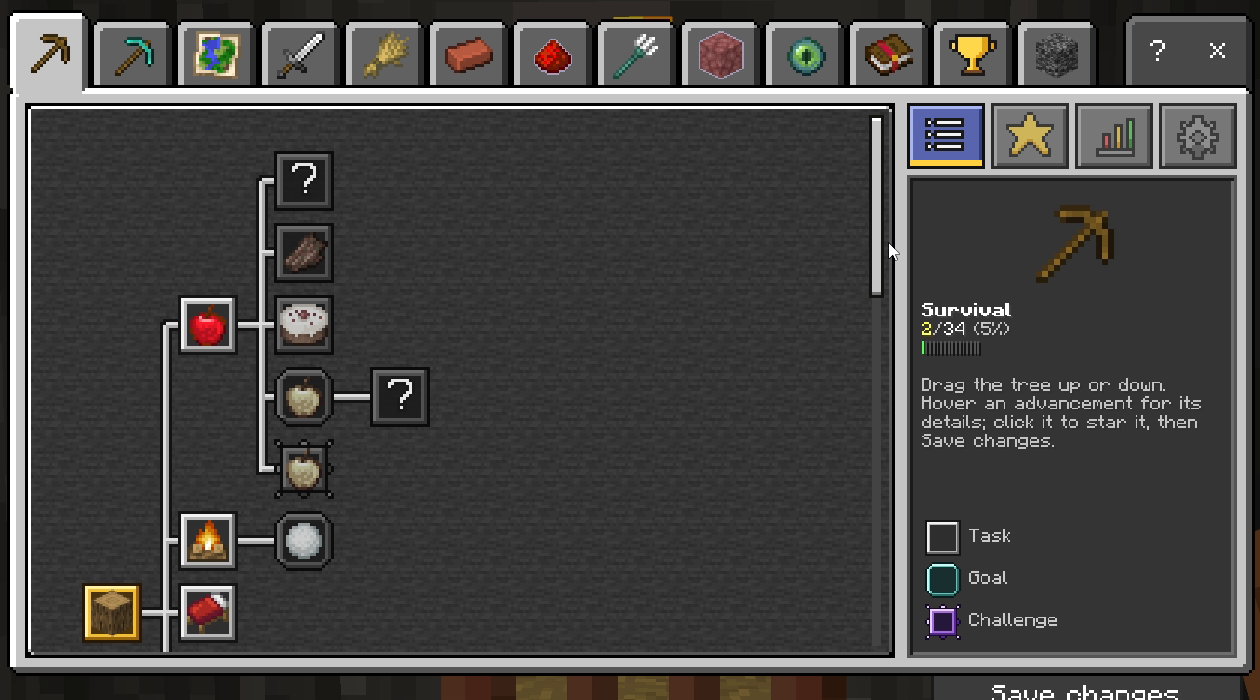
<figure> <figcaption>Survival advancement tree.</figcaption> </figure>
Mining
Head underground and follow objectives centered on resources, ores, and mining.
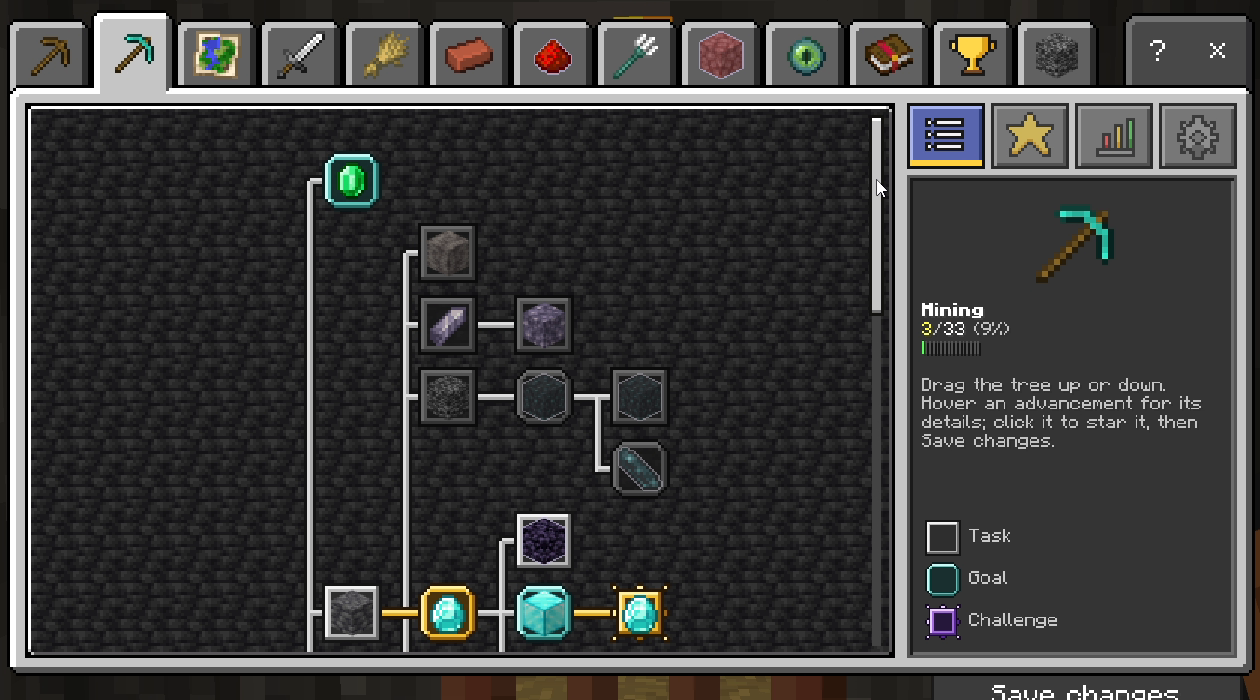
<figure> <figcaption>Mining advancement tree.</figcaption> </figure>
Exploration
Travel beyond your base and discover objectives tied to exploring the world.
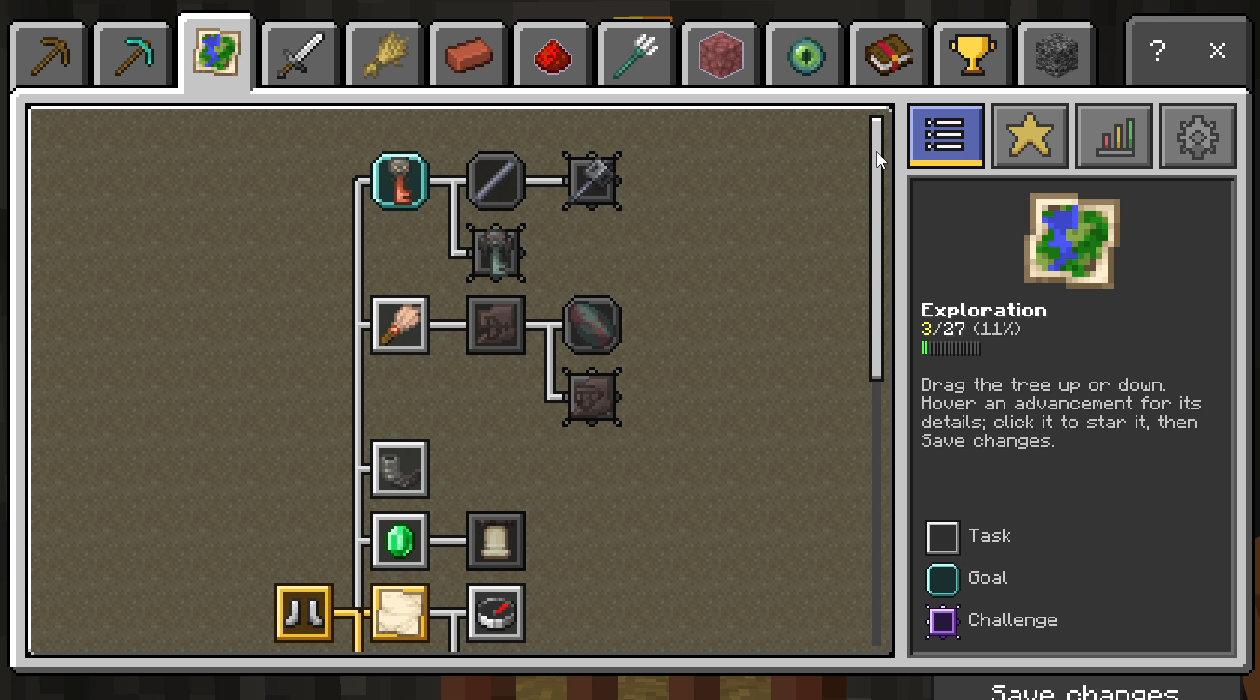
<figure> <figcaption>Exploration advancement tree.</figcaption> </figure>
Combat
Take on enemies and follow your progress through combat-focused challenges.
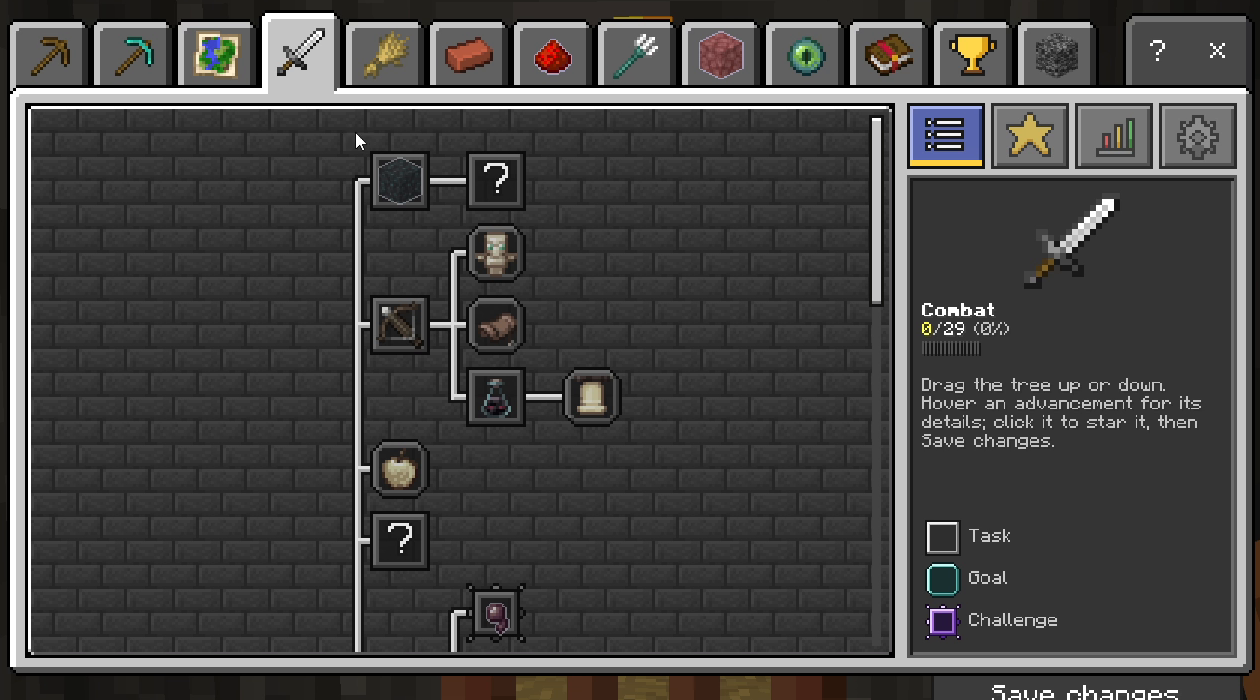
<figure> <figcaption>Combat advancement tree.</figcaption> </figure>
Farming & Animals
Grow, tend, and build a life around crops and animals
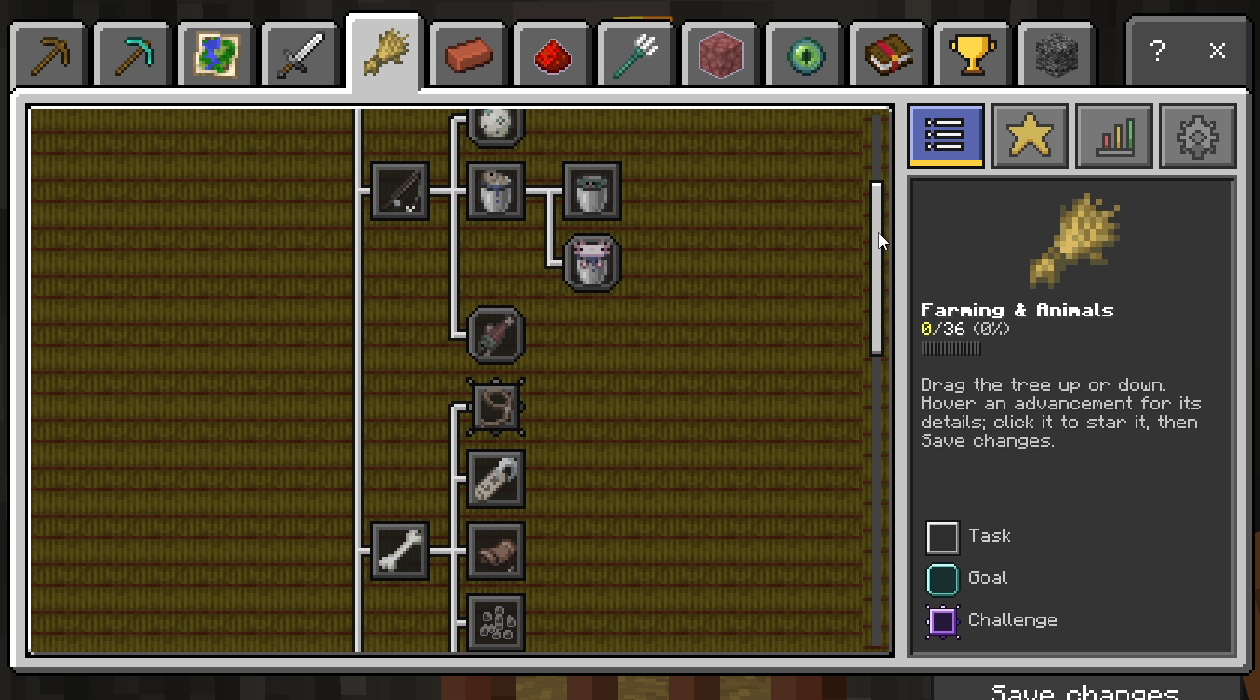
<figure> <figcaption>Farming and Animals advancement tree.</figcaption> </figure>
Building
Work toward goals inspired by gathering, crafting, and building.
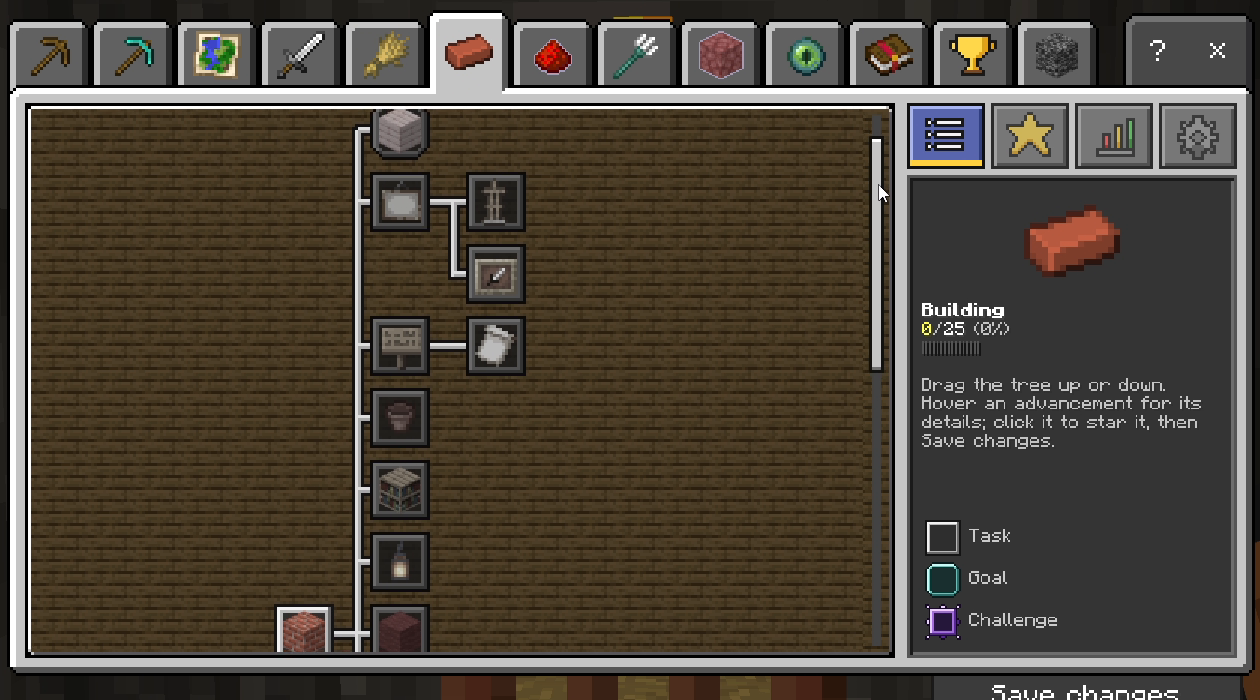
<figure> <figcaption>Building advancement tree.</figcaption> </figure>
Redstone
Discover a path dedicated to redstone and its many mechanisms.
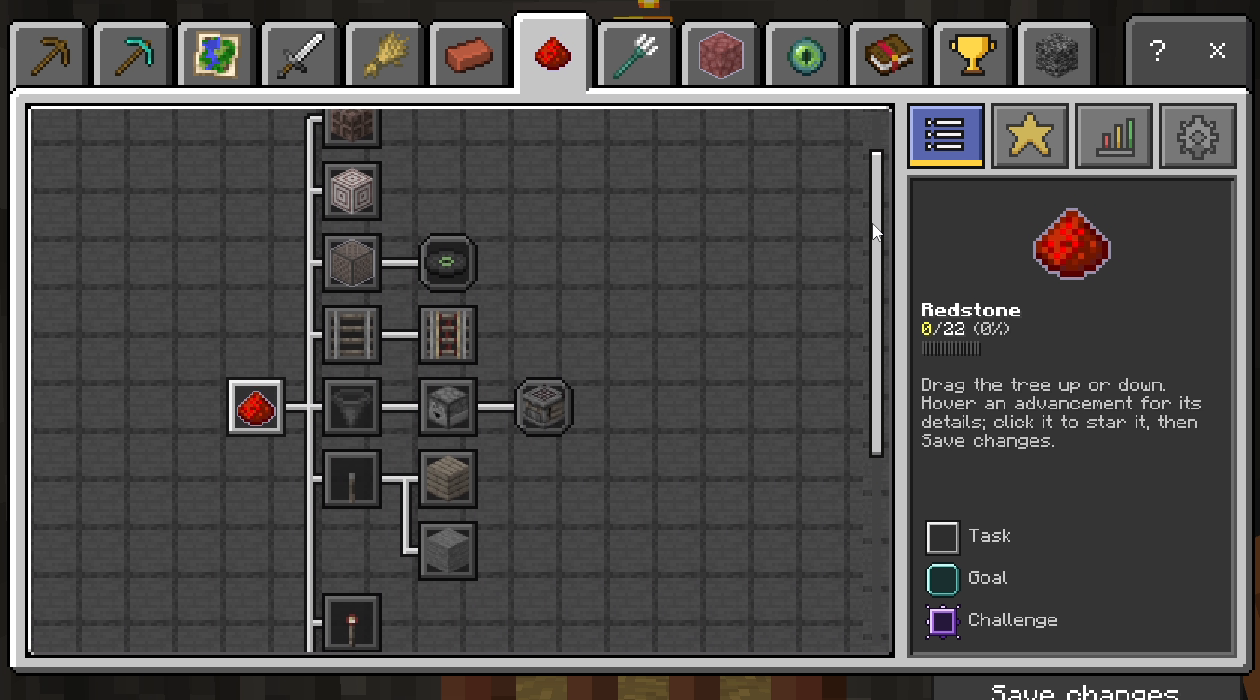
<figure> <figcaption>Redstone advancement tree.</figcaption> </figure>
Ocean
Dive beneath the surface and pursue objectives across the ocean.
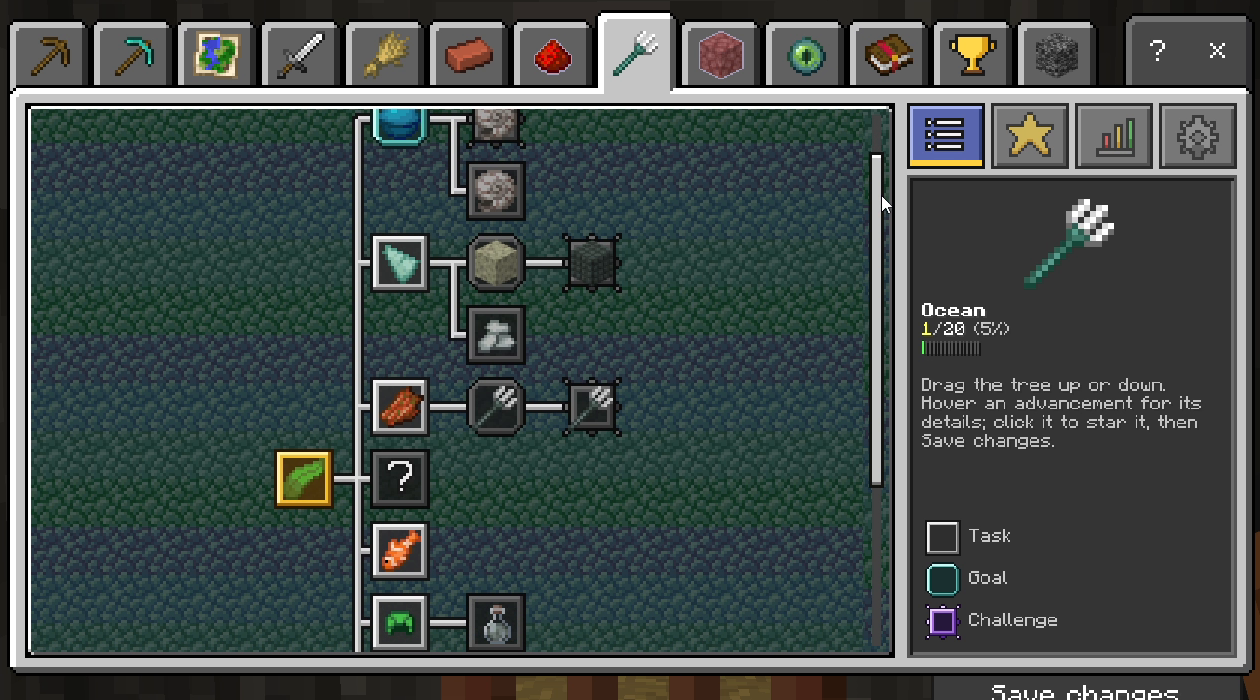
<figure> <figcaption>Ocean advancement tree.</figcaption> </figure>
The Nether
Enter the Nether and continue your journey through its dangerous environments.
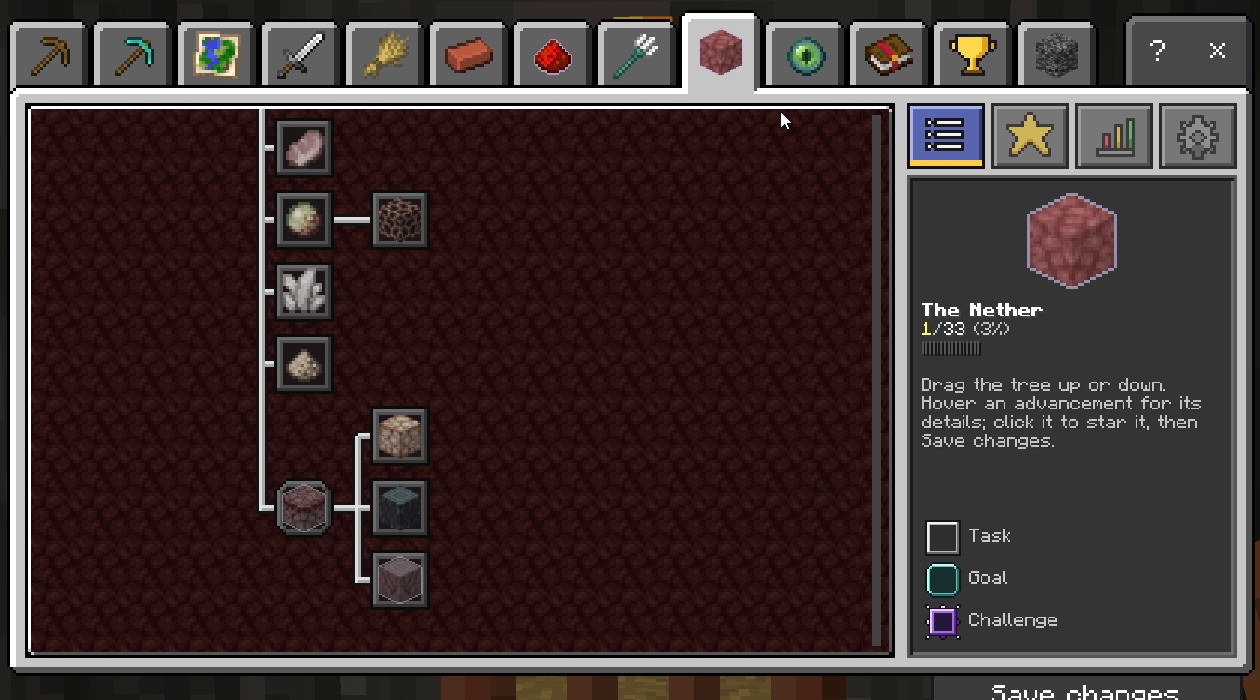
<figure> <figcaption>The Nether advancement tree.</figcaption> </figure>
The End
Venture into the End and work toward its challenges.
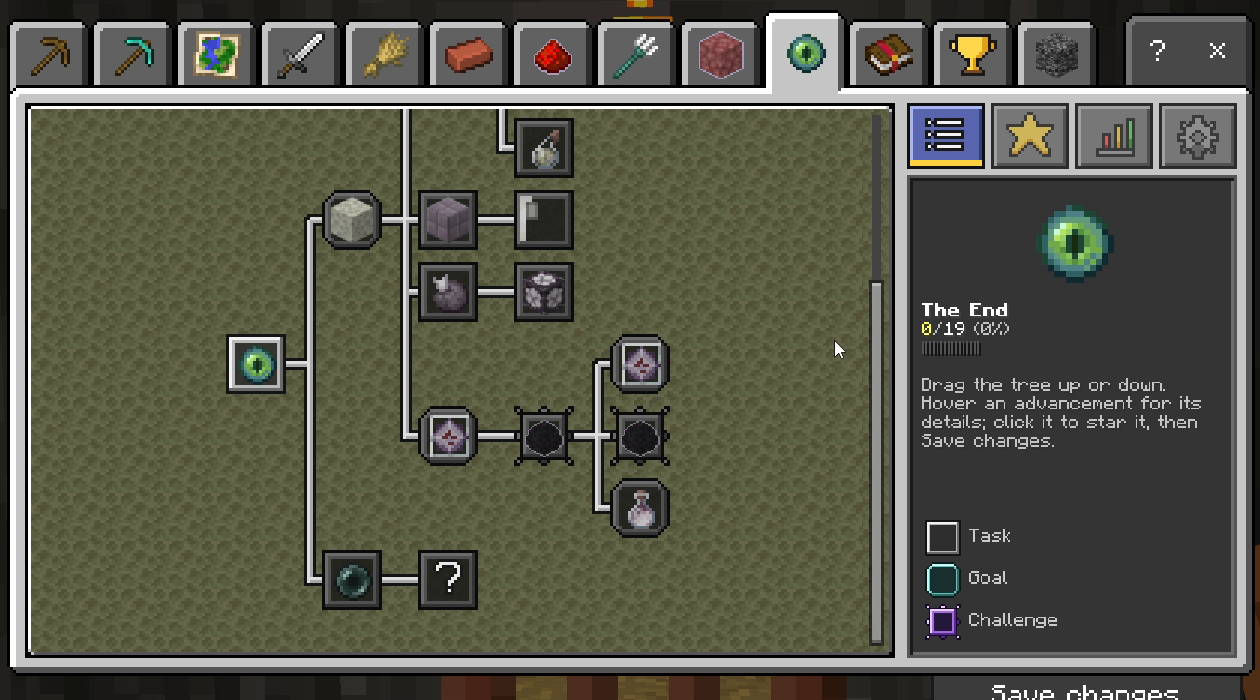
<figure> <figcaption>The End advancement tree.</figcaption> </figure>
Magic
Explore a progression path inspired by enchanting, brewing, and other magical parts of Minecraft.
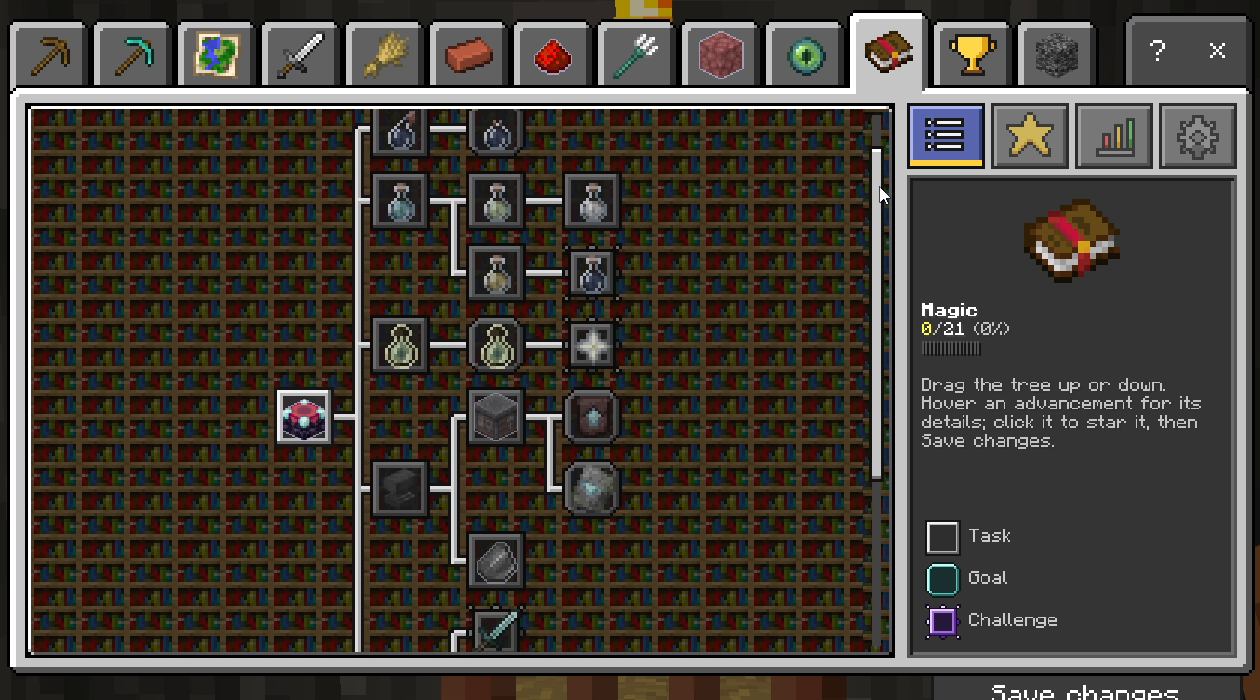
<figure> <figcaption>Magic advancement tree.</figcaption> </figure>
Mastery
Keep progressing with a tree for players looking for more goals to complete.
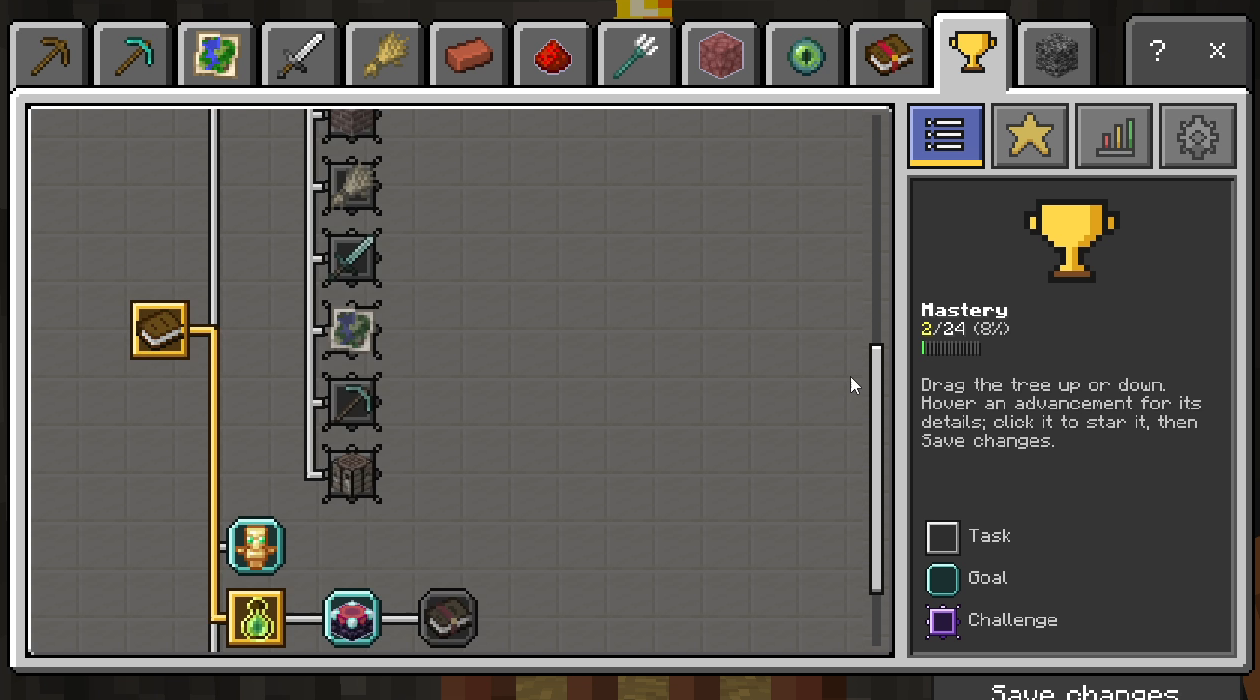
<figure> <figcaption>Mastery advancement tree.</figcaption> </figure>
Bedrock Achievements
Browse a dedicated tree inspired by Bedrock's achievements alongside the other advancement categories.
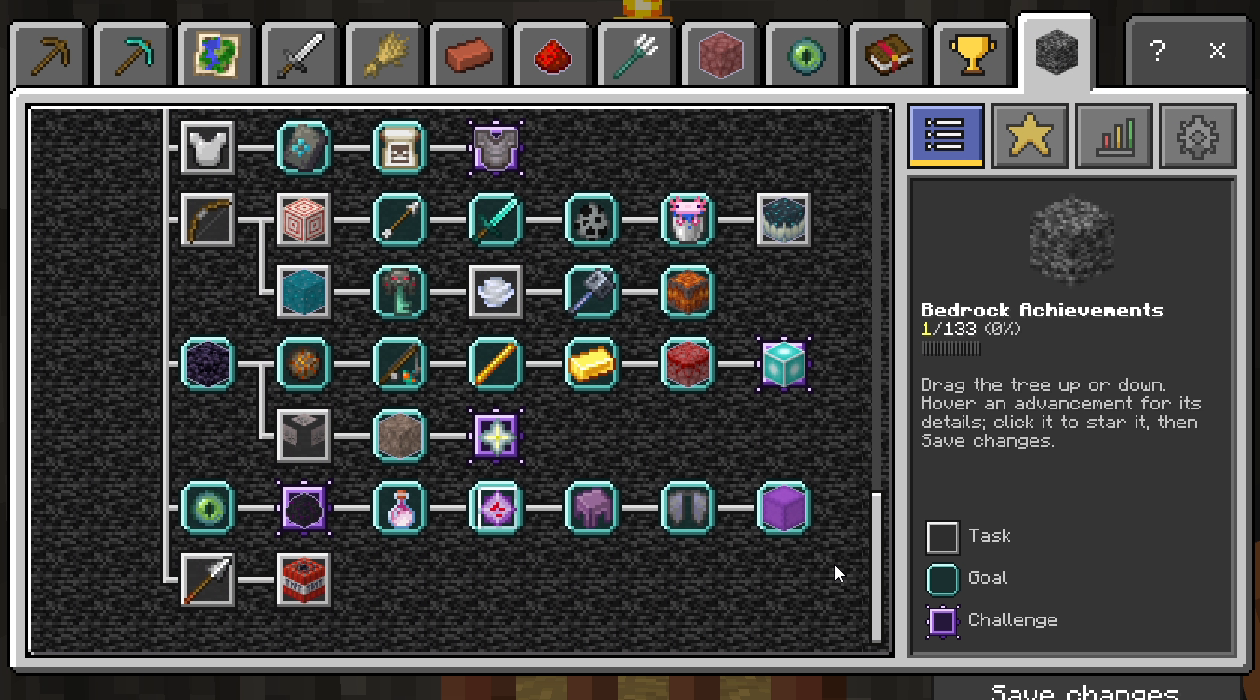
<figure> <figcaption>Bedrock Achievements tree.</figcaption> </figure>
Tracking, Statistics & Settings
Track Your Goals
Star an advancement in the journal and save your changes to follow it. The tracking page helps you manage the goals you have selected.
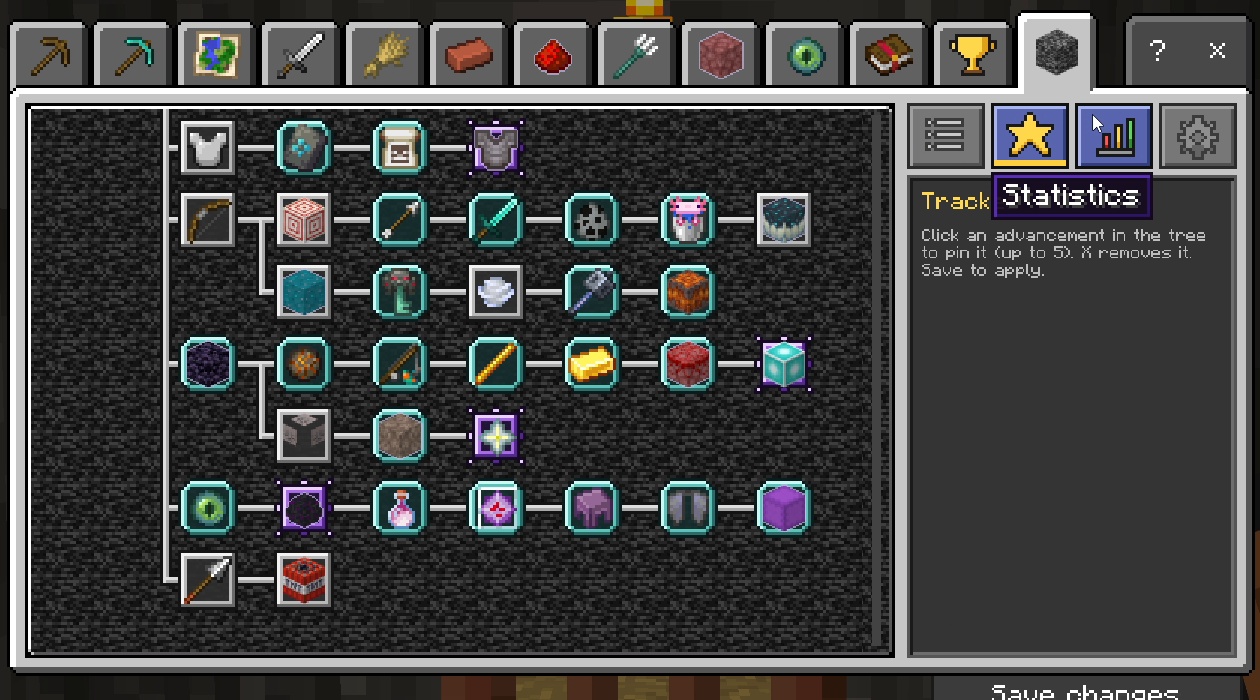
<figure> <figcaption>Keep your chosen goals close at hand.</figcaption> </figure>
See Your Progress
Open the statistics page for an overview of your progress.
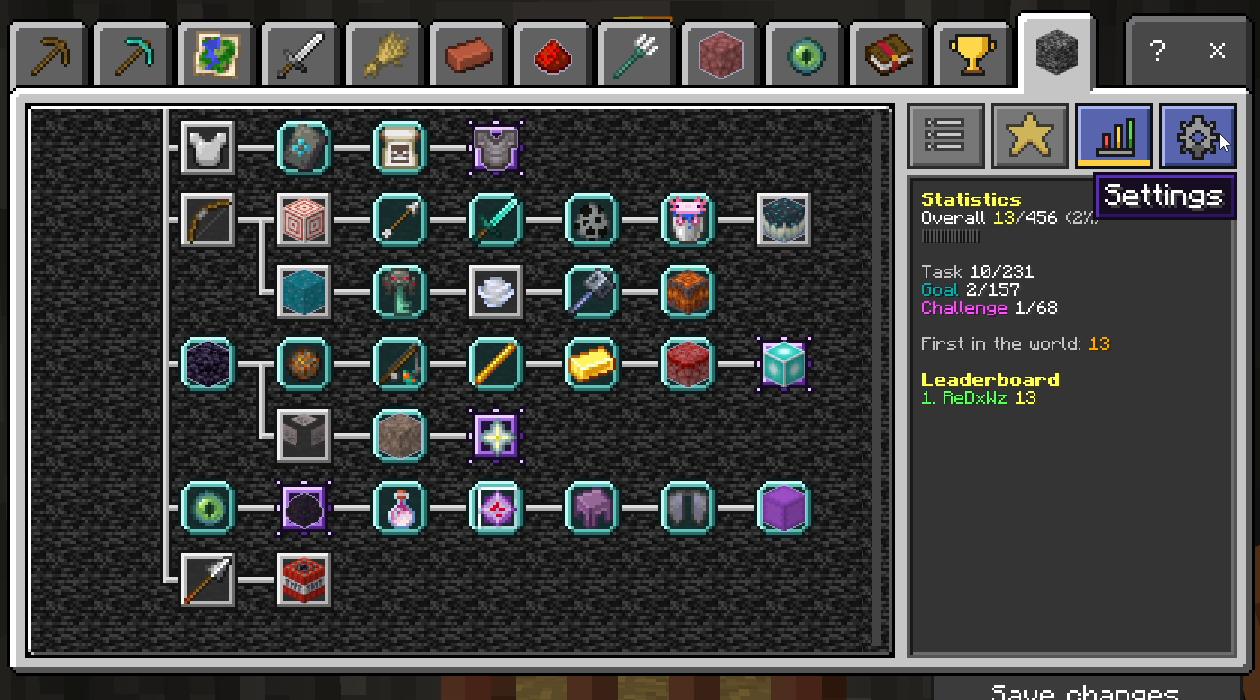
<figure> <figcaption>Review your advancement statistics.</figcaption> </figure>
Make It Yours
Use the settings page to adjust available notifications, sounds, and tracking preferences.
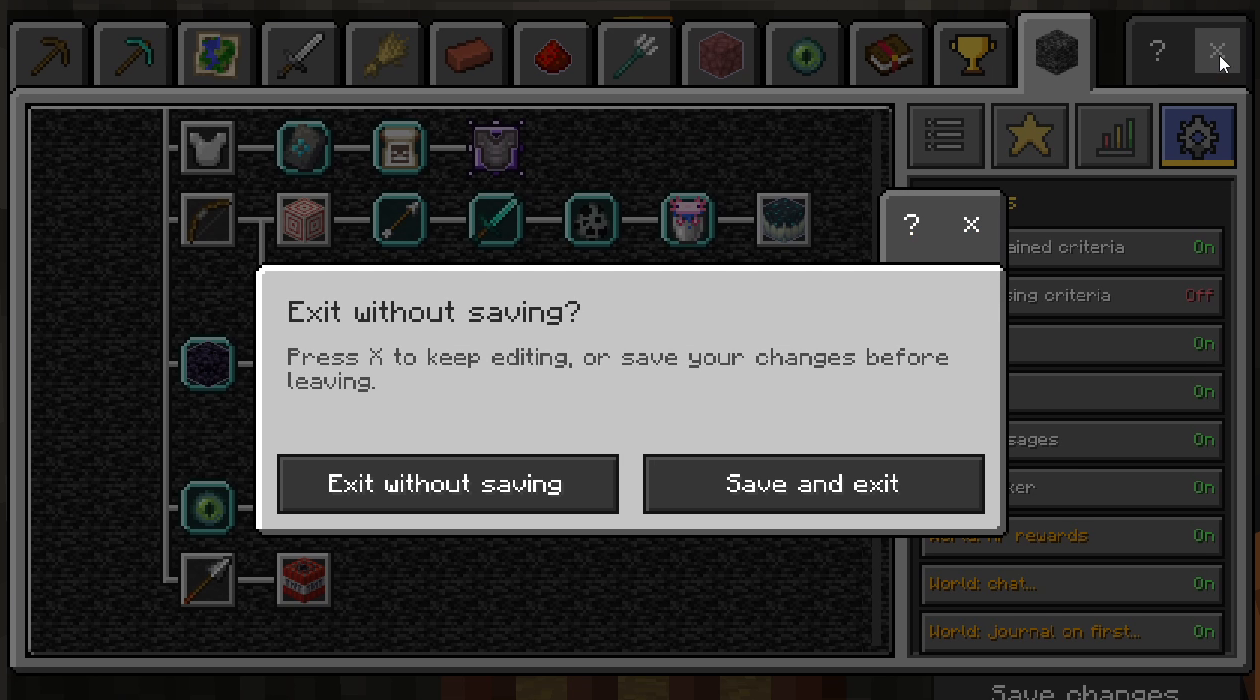
<figure> <figcaption> <figure> <figcaption>Adjust the available settings.</figcaption> </figure>
Getting Started
- Import the add-on and activate both its behavior pack and resource pack in your world settings.
- Enter your world and open the advancement journal. You can also use
/badv:advancementsto open the screen. - Choose a tab, explore the tree, and inspect an advancement for its details.
- Mark goals you want to follow and select Save changes to apply your selections.
Requirements & Compatibility
- Edition: Minecraft: Bedrock Edition.
- Minimum engine version: 1.26.50, as specified by the pack manifests.
- Required packs: enable both the included behavior and resource packs.
- Other add-ons: add-ons that replace the same form or HUD interface elements may conflict, depending on pack order.
Note: This add-on provides its own advancement interface and progression system. It is not a promise that platform achievements remain enabled when using behavior packs.
Created by IcedFoxStudios.
</figcaption> </figure>


Ultimate Advancements Team

Owner