Thirst
- By
Thirst system for Minecraft Bedrock: a water meter next to hunger, dehydration effects, and a need to drink. Detailed droplets, 20 levels, faster thirst from sprinting and the Nether. Version 26.30+.
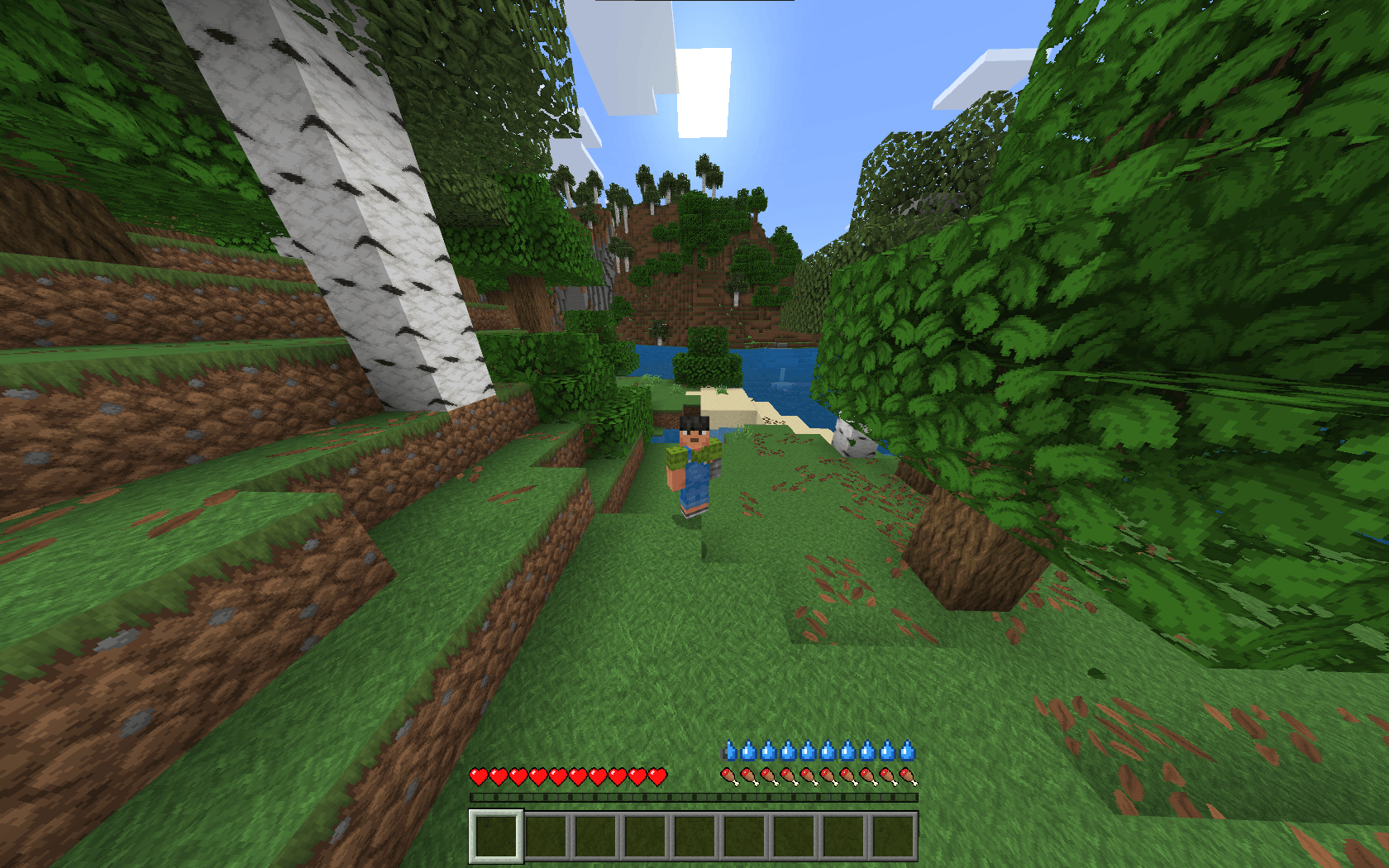
Снимок ÑкÑана 2026-10-07 190946.png
Description
Thirst
Adds a thirst system to Minecraft Bedrock: a water meter next to the hunger bar, dehydration effects, and a real need to drink.
Features
- Thirst bar. Ten water droplets above the hunger bar that empty from left to right. There are 20 levels in total, with one droplet equal to two.
- Activity matters.
- Thirst drains slowly while idle.
- Sprinting drains it faster, and jumping faster still.
- Thirst drains 1.5x faster in the Nether.
- The bar doesn't drain while you're in water.
- Dehydration.
- At 3 droplets or fewer you get Slowness.
- At 1.5 droplets or fewer you also get Weakness and Mining Fatigue.
- With an empty bar you take periodic damage.
- What restores thirst:
| Item | Restores |
|---|---|
| Potion / Water Bottle | 3 droplets |
| Milk Bucket | 2.5 droplets |
| Honey Bottle | 2 droplets |
| Beetroot, Mushroom and Rabbit Stew | 1.5 droplets |
| Melon Slice | 1 droplet |
| Apple, Carrot, Sweet Berries, Glow Berries | 0.5 droplet |
- Detailed droplet icons. Outlined, shaded, with a highlight, and dark-filled when empty.
- Game modes. The bar is hidden and thirst is disabled in Creative and Spectator.
- Respawn. The bar is fully restored after death.
Installation
- Download the
.mcaddonfile and open it, and it imports into Minecraft automatically. - When creating or editing a world, enable both packs: Thirst (behavior pack) and Thirst HUD (resource pack).
- If the game asks you to enable experimental features, turn them on.
Compatibility
- Minecraft Bedrock Edition 26.30 or newer (tested on 26.52).
- The addon passes the thirst level through the title screen and hides its vanilla display.
/titlecommands and addons that rely on them may not show. - If the bar disappears or a dark square shows up in the middle of the screen after a game update, please report it in the comments.
Debugging
/scriptevent thirst:set 10 sets your thirst level (0–20) for testing.
Thirst Team