Technical Tools
- By
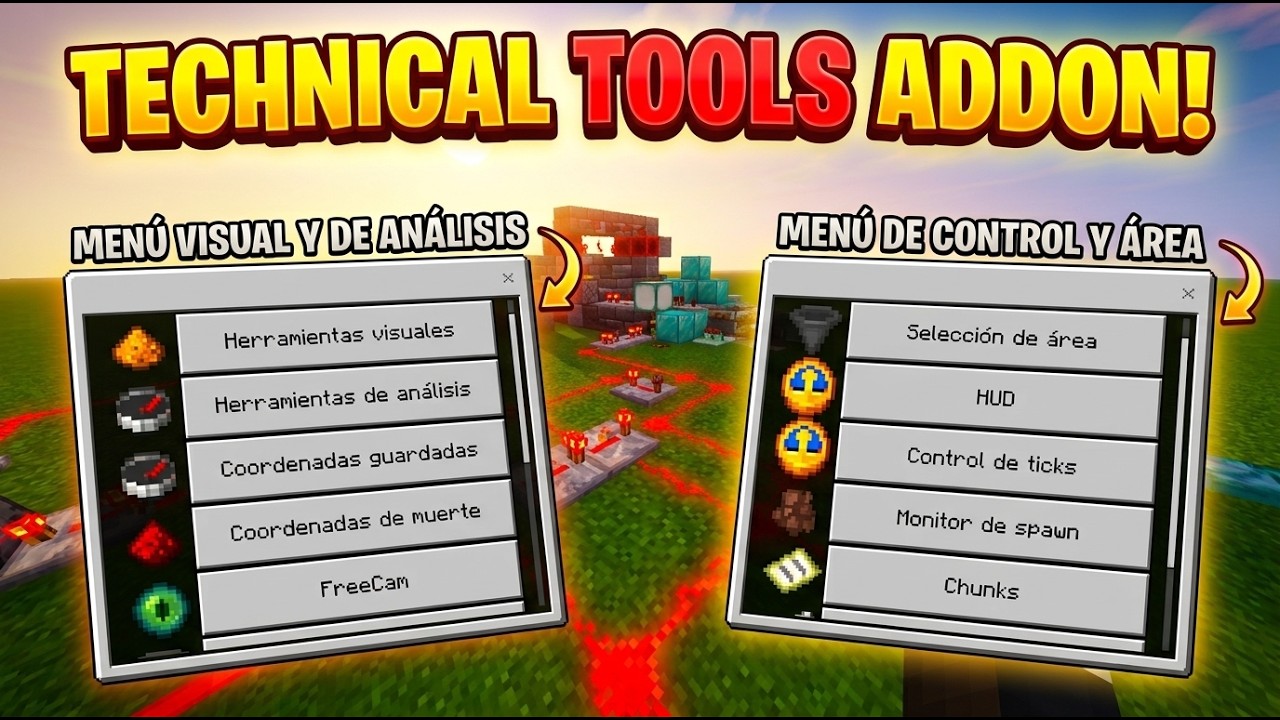
Technical Tools adds powerful world-management, analysis, building, mining, FreeCam, particle, and utility tools to Minecraft Bedrock. Fully configurable and designed to work without disabling achievements.
Description
⚙️ Technical Tools
Technical Tools is a powerful Minecraft Bedrock addon designed for players who want more control, information, automation, and technical utilities while managing their worlds.
From advanced world analysis and FreeCam to particle customization, chunk loading, villager diagnostics, mining utilities, timers, item counters, and special TNT — Technical Tools brings a large collection of useful tools into one organized interface.
🏆 Achievements Friendly: Technical Tools is designed to work without disabling Minecraft achievements.
✨ Main Features
🛠️ Visual Tools
A complete set of visual utilities for inspecting and working with your world.
-
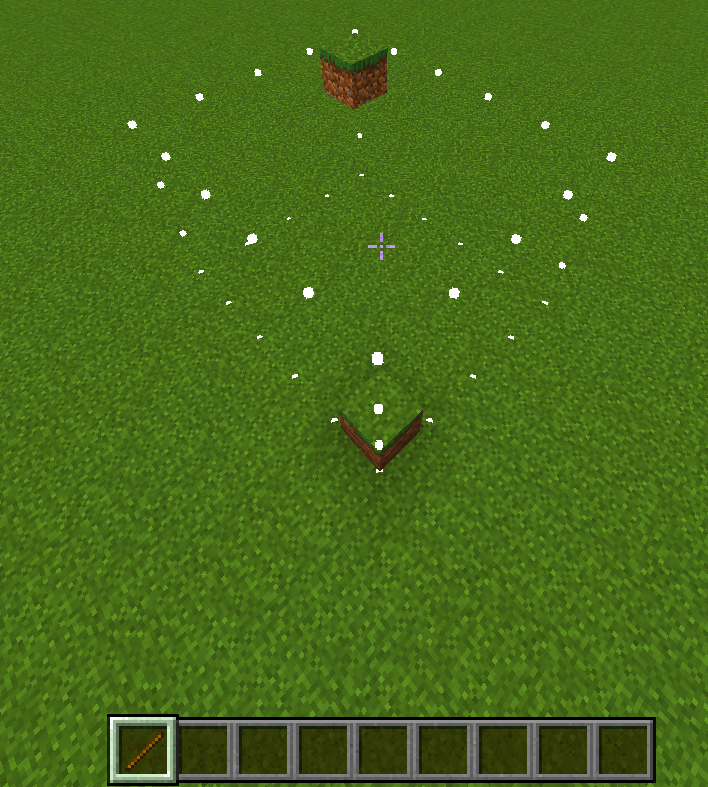
Area Selection — Select areas using the Technical Wand
-
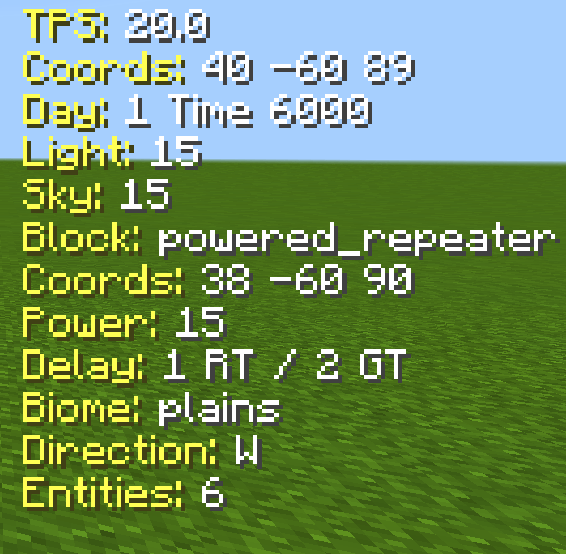
HUD / Block Inspector — Display block, entity, biome, lighting, redstone, coordinates, TPS, and world information.
-
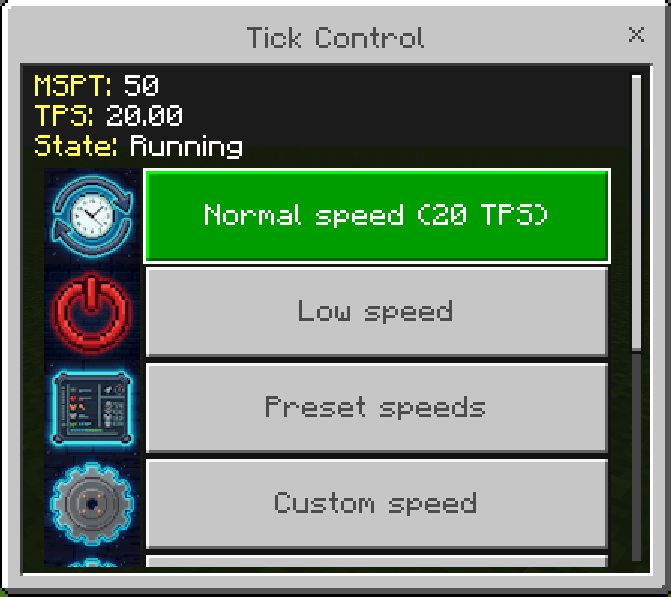
Tick Control — Control the update speed using TPS or MSPT.
-
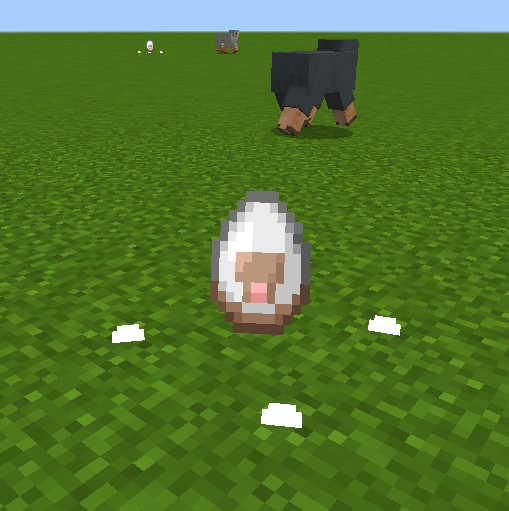
Spawn Monitor — Record and review mob spawn activity.
-
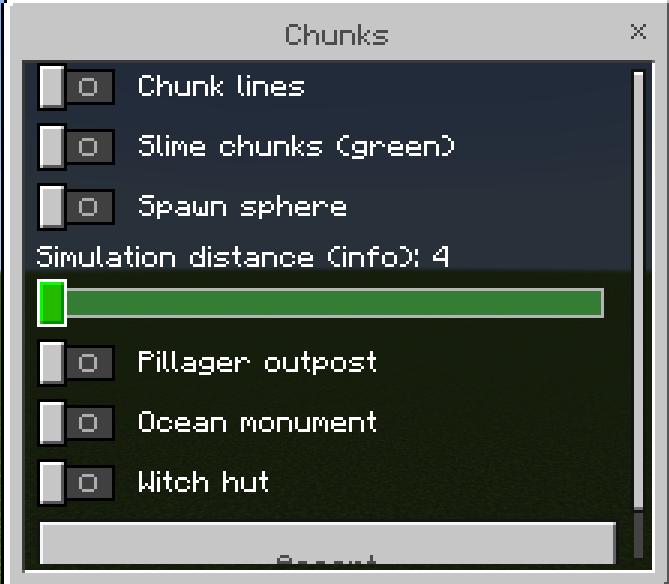
Chunk Visualization — Display chunk borders, slime chunks, spawn spheres, and structure locations.
🔎 Analysis Tools
Analyze your world and collect useful technical information.
-
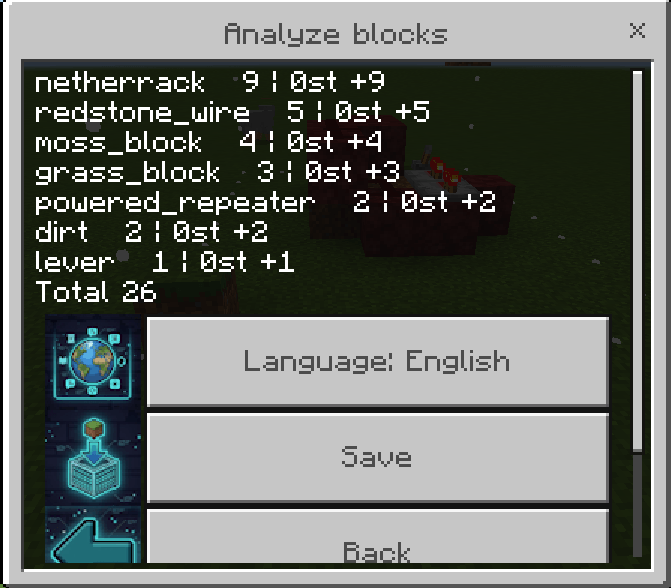
Block Analyzer — Count blocks inside a selected area.
-
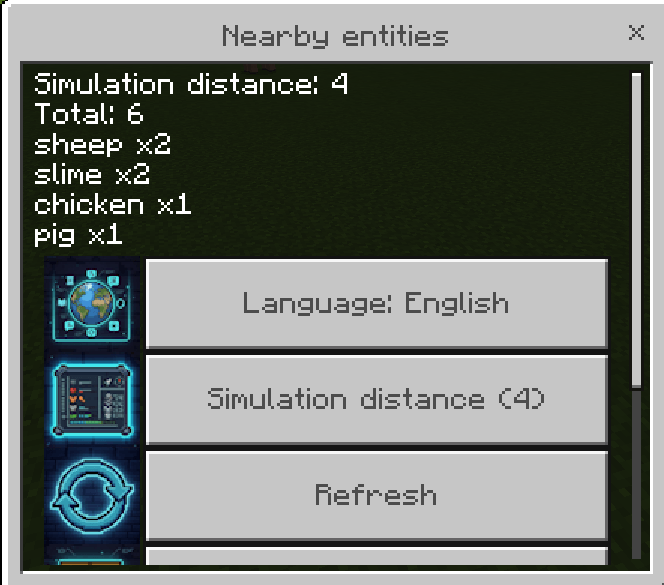
Nearby Entities — Count nearby mobs and entities.
-
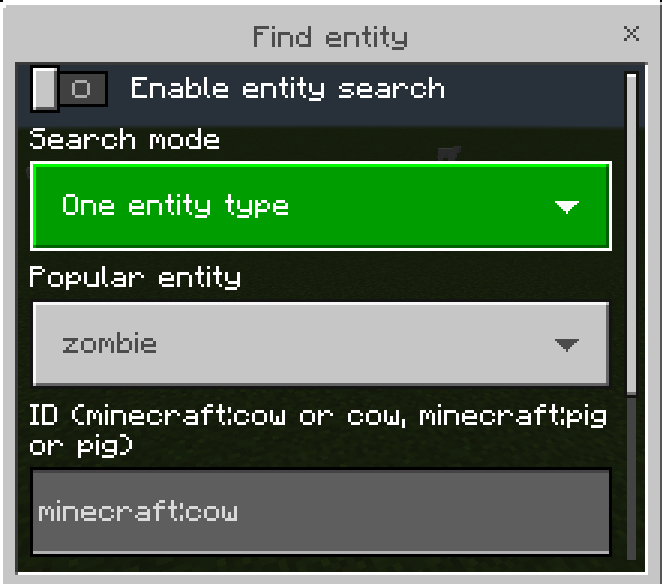
Find Entity — Search for specific entities and highlight them.
-
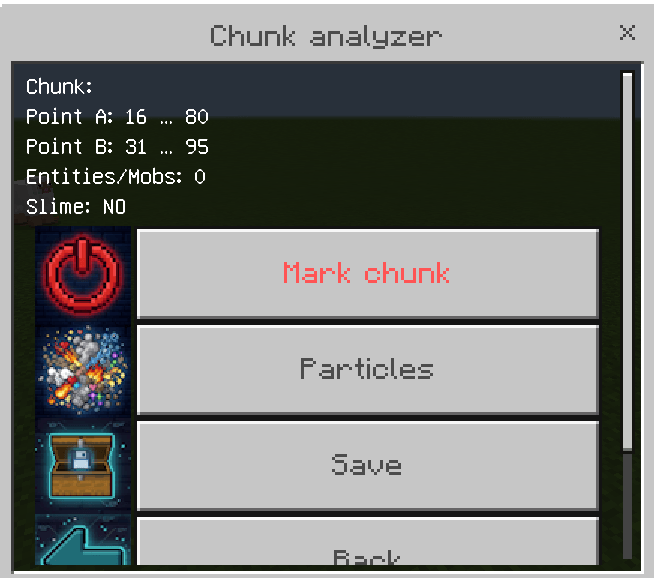
Chunk Analysis — Inspect chunk coordinates, entities, slime information, and more.
-
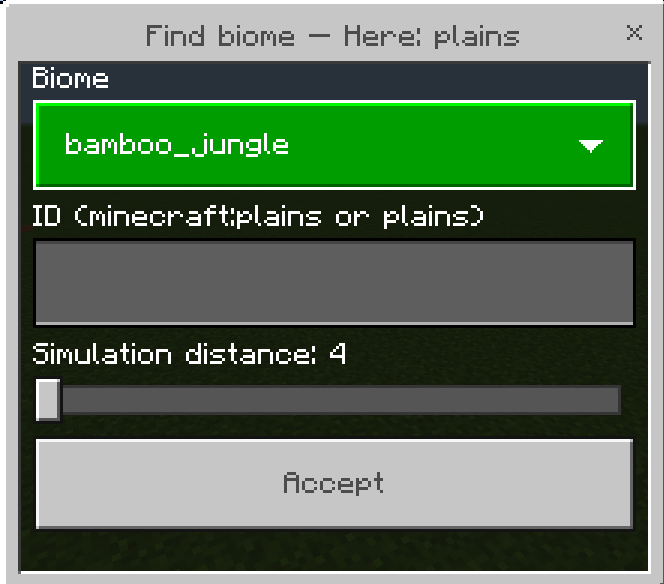
Find Biome — Search for specific biomes around you.
-
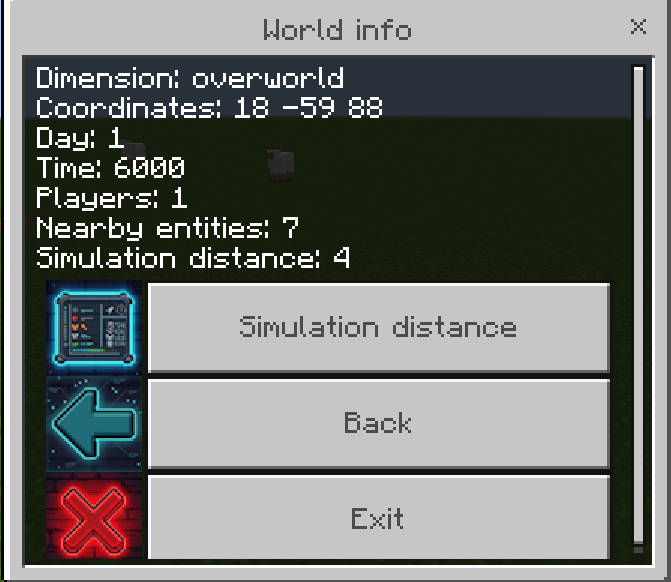
World Information — View dimension, coordinates, time, day, players, entities, and simulation distance.
-
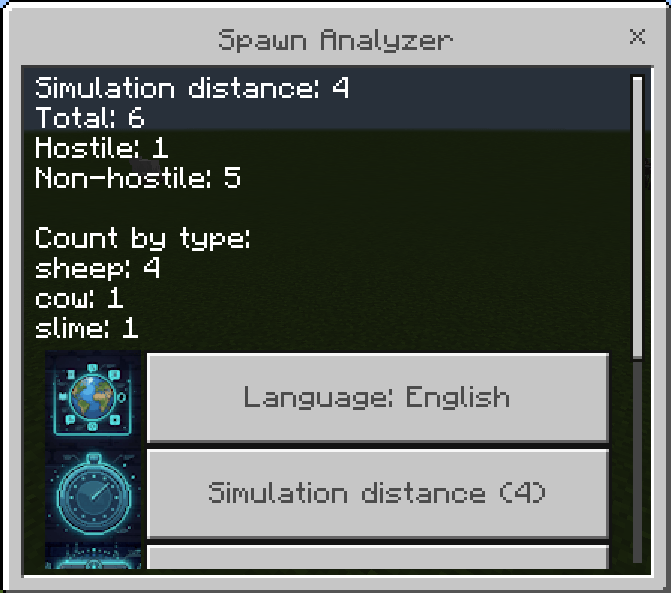
Advanced Spawn Analyzer — Analyze mob populations by category or ID.
-
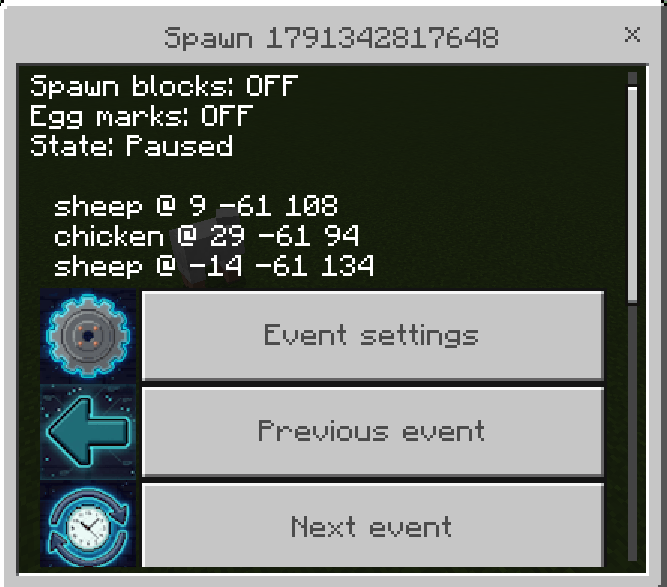
Spawn Monitor Replay — Review previously recorded spawn sessions.
-
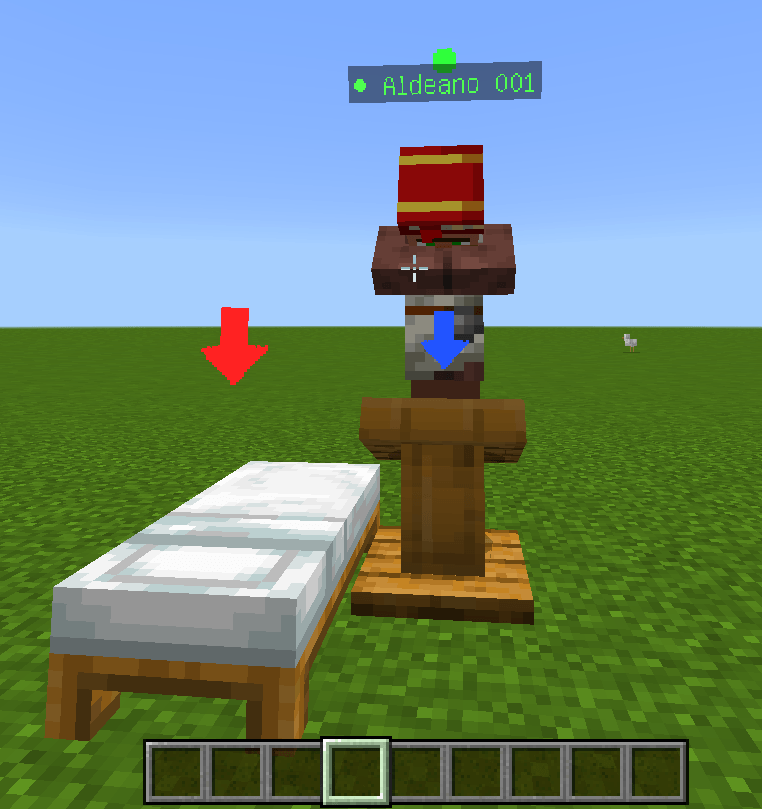
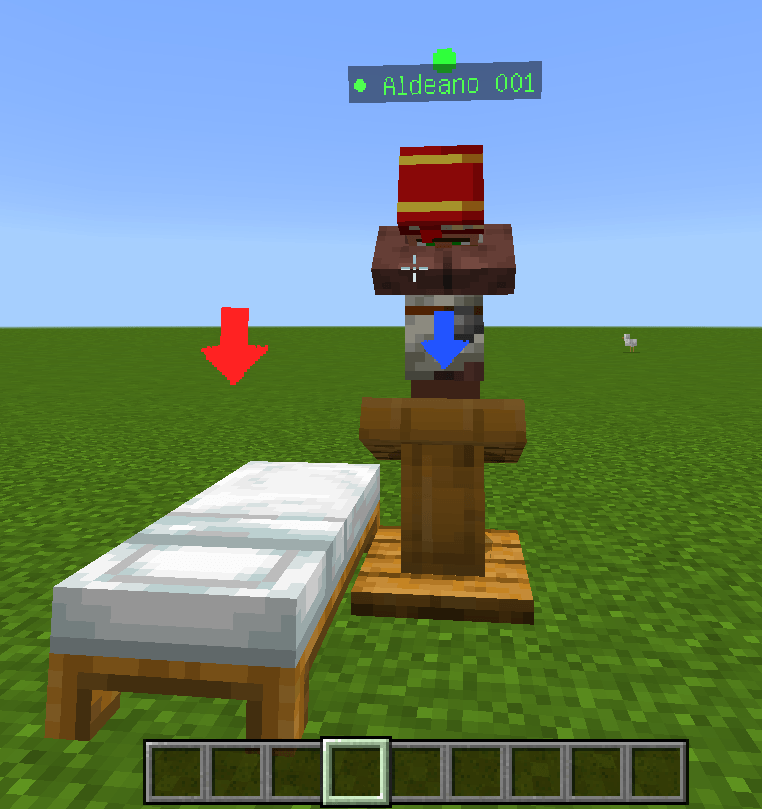
Villager Analyzer — Inspect villager professions, beds, workstations, status, sleep, access, and more.
-
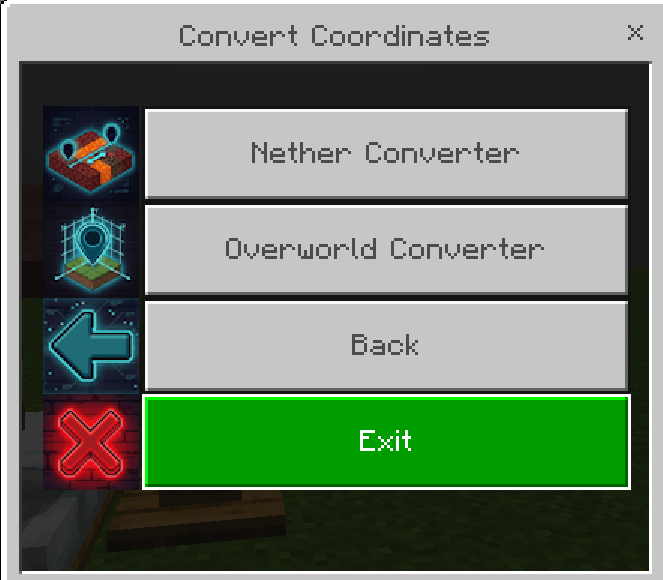
Coordinate Converter — Convert Overworld and Nether coordinates.
-
Stopwatch — Measure farms, tests, and technical processes.

-
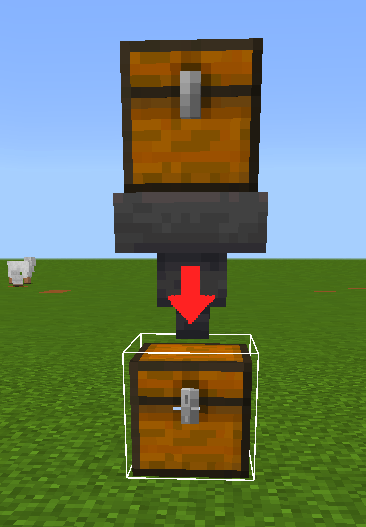
Item Counter — Measure item production from marked chests and hoppers.
👨🌾 Villager Analyzer
A detailed diagnostic system for technical players and villager-based farms.
Check:
-
Villager profession and level
-
Bed connection and access
-
Workstation connection and access
-
Sleeping status
-
Baby / adult status
-
Coordinates
-
Distance to beds and workstations
-
Nearby villagers, beds, workstations, and iron golems
-
Problem alerts
-
Custom villager names
-
Villager watch lists
-
Diagnostic history and status comparisons
You can also customize labels, particles, detection radius, simulation distance, and monitoring intervals.
🎥 FreeCam
Explore your world independently from your player's body.
Features include:
-
Adjustable camera speed
-
PC and mobile movement modes
-
Jump/sneak activation
-
Stick activation
-
Camera locking
-
Rotation locking
-
Night vision
-
Optional chunk loading around the camera
Command:
/tt:free_nf

🧩 Chunk Loader
Keep selected areas active for technical projects and farms.
Features:
-
Custom area selection
-
Fixed-size or distance-based selection
-
Particle visualization
-
Multiple saved chunk loaders
-
Enable / disable individual loaders
-
Beams and visual outlines
-
Rename loaders
-
Teleport to saved loaders
-
Delete saved loaders
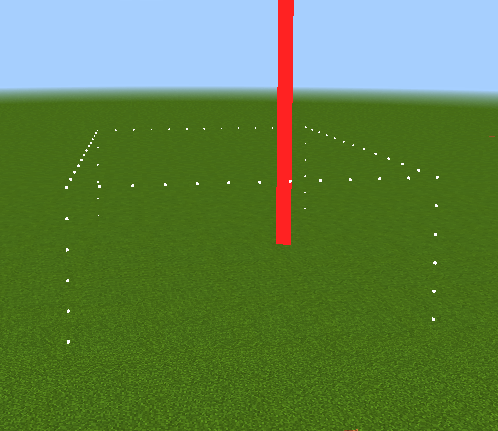
🎨 Particle System
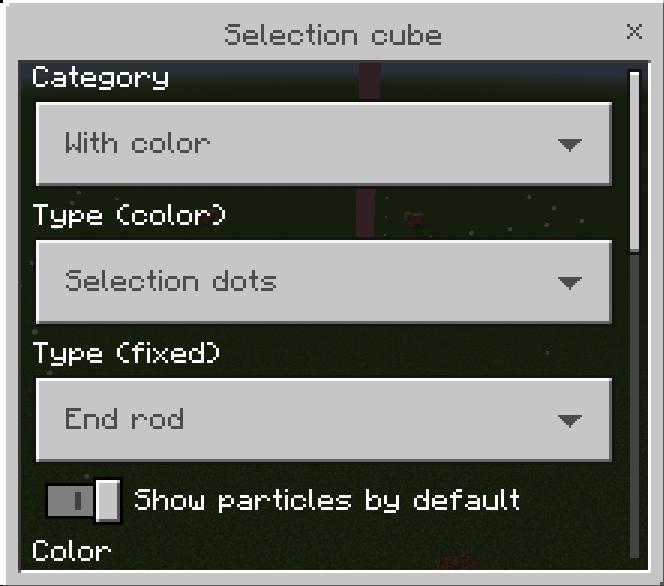
Technical Tools includes an extensive particle customization system.
Particle profiles can be configured for:
-
Area Selection
-
Chunks
-
Chunk Analysis
-
Slime Chunks
-
Spheres
-
Chunk Loaders
-
Coordinates
-
Spawn Monitor
-
Structure markers
-
Entity rays
-
Villager Analyzer
-
And more
Depending on the profile, you can customize particle type, color, size, animation, lifetime, and offsets.
⛏️ Miner Tools
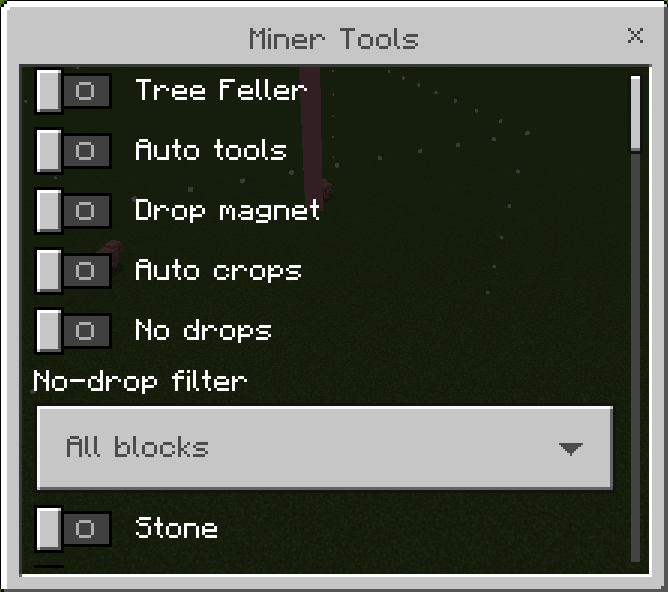
Optional mining and farming assistance tools. All features are disabled by default.
🌳 Tree Feller
Break one natural log to automatically fell the tree and its leaves.
🔧 Auto Tools
Automatically switches to a suitable tool from your inventory when interacting with blocks or entities.
🧲 Drop Magnet
Automatically pulls mined items into your inventory.
🌾 Auto Crops
Automatically collects crops and replants them when possible.
🚫 No Drops
Prevent blocks from dropping items, with customizable filters.
🧱 Block Fill
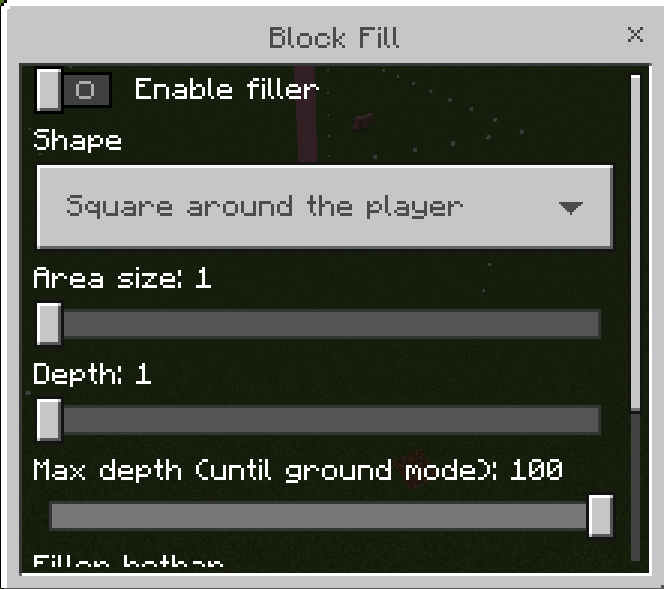
A simple building utility that fills empty spaces using blocks from your inventory.
Available shapes include:
-
Square around the player
-
Forward line
-
Square in front of the player
-
Fill until ground is detected
Configurable area size, depth, maximum ground-search depth, and hotbar slot.
🟦 Instant Concrete
Turn concrete powder into solid concrete immediately when the feature is enabled.
Simply activate the option and place your concrete powder normally.
[IMAGE / VIDEO — Instant Concrete]
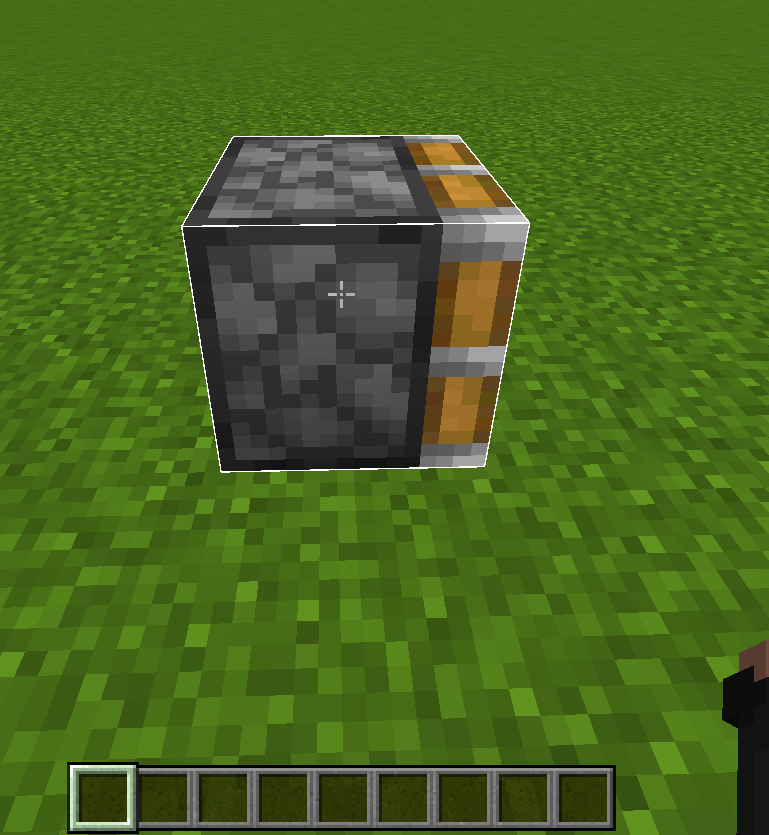
🧭 Facing Helper
Change the facing direction of supported blocks without breaking and replacing them.
Useful for:
-
Furnaces
-
Pistons
-
Logs
-
Stairs
-
Other directional blocks
Commands
/tt:facinghelper
/tt:facingswitch
💀 Death History
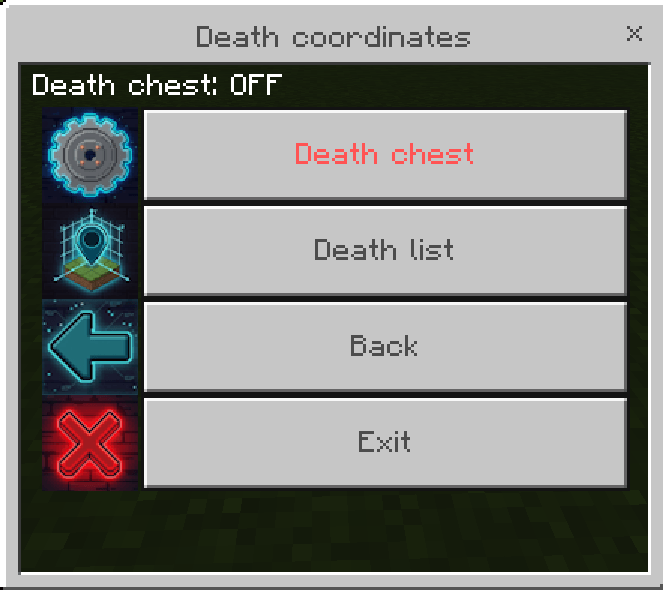
Keep track of previous death locations.
Features:
-
Death history
-
Saved death coordinates
-
Teleport to previous death locations
-
Optional Death Chest functionality
📍 Coordinates & Saved Points
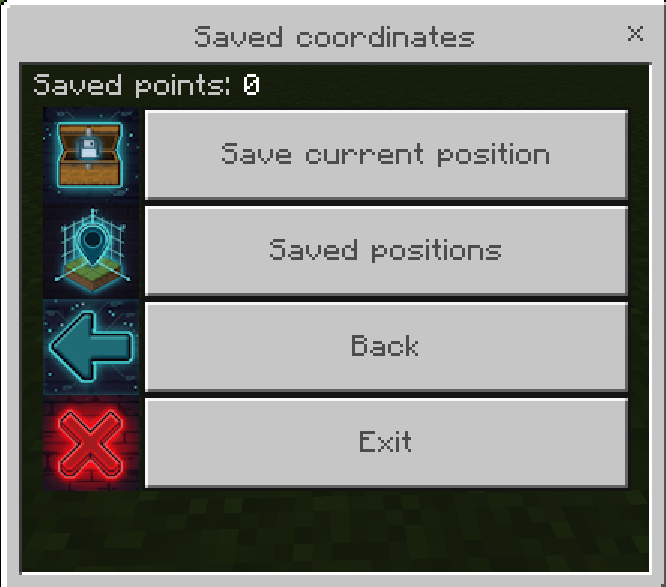
Save important locations and manage them easily.
For every saved point you can:
-
Give it a custom name
-
Save its dimension and coordinates
-
Enable or disable its beam
-
Customize particles
-
Teleport to the location
-
Rename it
-
Delete it
💣 Special TNT
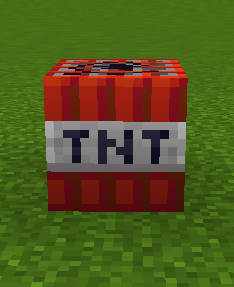
Technical Tools adds three special TNT blocks.
♾️ Infinite TNT
Provides unlimited TNT usage.
Recipe
A B A
B A B
A B A

A = Sand
B = Gunpowder
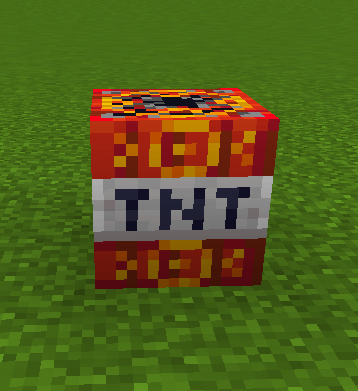
🟫 Perimeter TNT
Creates a ring-shaped explosion around the blast area.
-
Approximately 6-block radius
-
Can affect liquids
-
Does not destroy Bedrock or Ancient Debris
-
Can be placed or used with dispensers
Recipe
A B A
B A B
A B A

A = Coal Block
B = Potent Sulfur
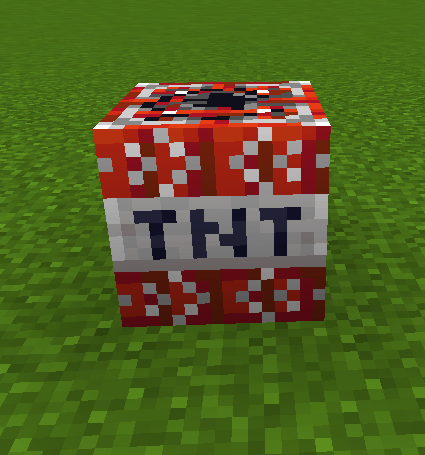
➡️ Horizontal TNT
Launches horizontally and explodes on impact or after its delay.
-
Designed for horizontal blasting
-
Can be used with dispensers
-
Does not destroy Bedrock, Obsidian, Crying Obsidian, or Ancient Debris
Recipe
A B A
B C B
A B A

A = Potent Sulfur
B = Coal Block
C = Fire Charge
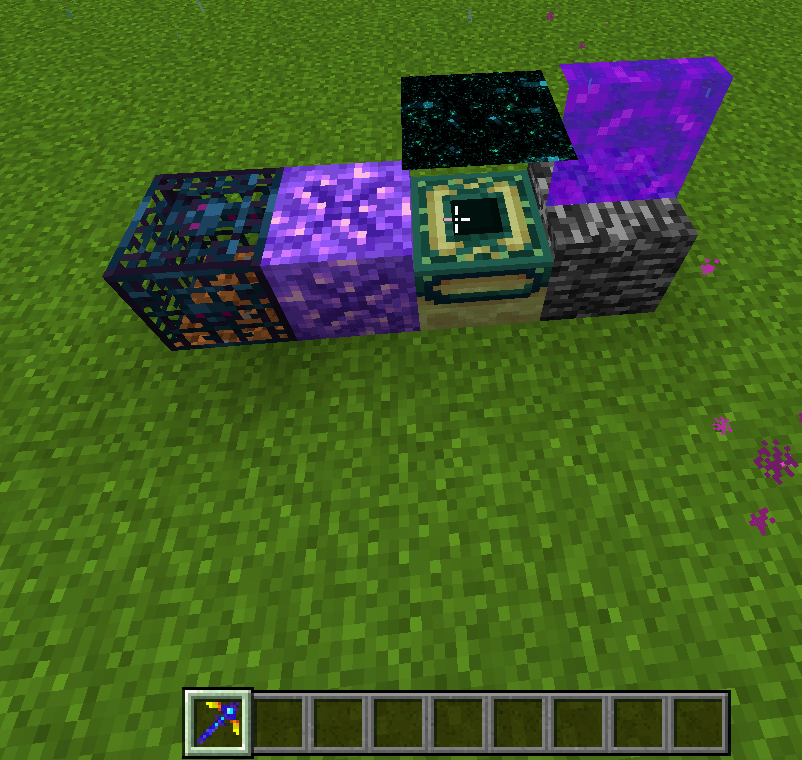
⛏️ Omni Breaker
A powerful special pickaxe designed to break extremely resistant and normally unobtainable blocks.
It can interact with special blocks such as:
-
Bedrock
-
Portals
-
Portal Frames
-
Spawners
-
Other resistant blocks supported by the tool
Additional options include:
-
Connected ore mining
-
Smelted ore drops
-
Drop magnet
-
Break particles
-
Pickaxe enchantment compatibility
Recipe
A C A
  B
  B

A = Diamond
B = Stick
C = Obsidian
Configuration
Rename the Omni Breaker to:
config
Hold it in your hand to access its configuration options.
⚡ Mining Rush
Give a compatible tool an extremely large mining-speed boost.
Supported tools:
-
Pickaxes
-
Axes
-
Shovels
-
Hoes
How to activate
Rename the tool in an anvil to:
Mining Rush
MiningRush
miningrush
Letter case does not matter.
No special item is required.
⏱️ Stopwatch
A fully configurable on-screen stopwatch for:
-
Farms
-
Technical tests
-
Mining sessions
-
Redstone experiments
-
Speed tests
-
Any timed activity
Features:
-
Start
-
Pause
-
Reset
-
Alarm
-
Position adjustment
-
Size adjustment
-
Custom colors
Commands
/tt:timer start
/tt:timer pause
/tt:timer reset

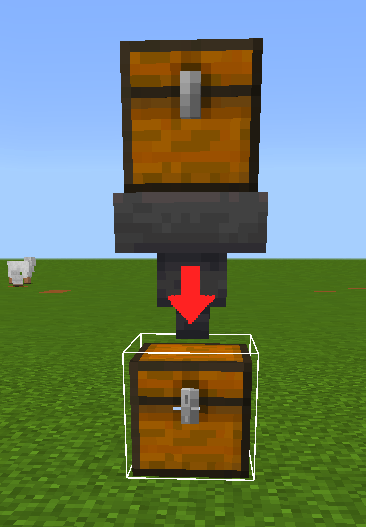
📦 Item Counter
Measure item production from selected chests and hoppers.
Features:
-
Mark inventories with a wand
-
Production timer
-
Sidebar display
-
Custom duration
-
Start / Pause / Reset
-
Production results
-
Save results
-
Custom particles
-
Multiple marked inventories
Commands
/tt:counter start
/tt:counter pause
/tt:counter reset
🕹️ Tick Control
Control the update speed used by Technical Tools.
You can use:
-
20 TPS
-
10 TPS
-
5 TPS
-
2 TPS
-
1 TPS
-
0.2 TPS
-
Custom TPS
-
Custom MSPT
-
Pause
-
Resume
-
Step
There is also a Growth Boost option for nearby crops and baby animals.
Commands
/tt:tick mspt <value>
/tt:tick tps <value>
/tt:tick pause
/tt:tick resume
/tt:tick reset
/tt:tick step <value>
/tt:tick status

/tt:tickpause
/tt:tickreset
Note: Tick Control changes update pacing for Technical Tools and should not be considered a way to increase your device's actual performance.
🛠️ Main Configuration Menu
Technical Tools includes an organized in-game menu with dedicated sections:
-
Visual Tools
-
Analysis Tools
-
Assistance Tools
-
Coordinates
-
Death History
-
FreeCam
-
Chunk Loader
-
Saved Lists
-
Options
-
Help
The Options section includes:
-
Language
-
Particle settings
-
Active Options
-
Player Monitor
The addon currently supports English, Spanish, and Japanese.
📋 Saved Lists
Technical Tools automatically organizes saved information from different systems.
Saved categories include:
-
Spawn Monitor
-
Block Analyzer
-
Entities
-
Chunks
-
Spawn Analyzer
-
Item Counter
-
Villager Monitor
Review, manage, and delete your saved technical data directly from the menu.
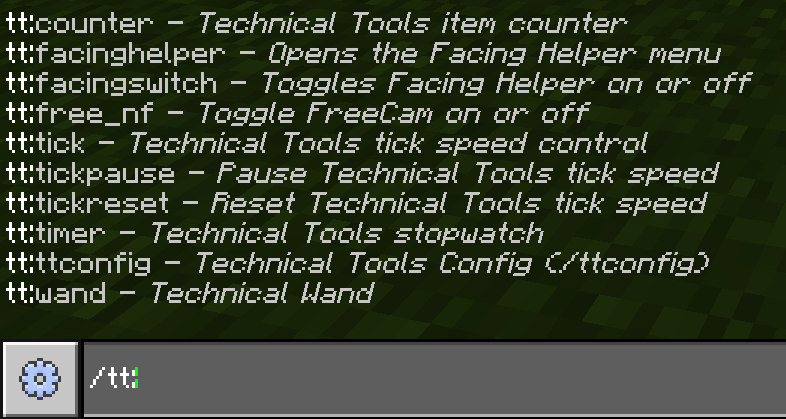
📜 Commands
Main Menu
/tt:ttconfig
Technical Wand
/tt:wand
FreeCam
/tt:free_nf
Stopwatch
/tt:timer start
/tt:timer pause
/tt:timer reset
Item Counter
/tt:counter start
/tt:counter pause
/tt:counter reset
Facing Helper
/tt:facinghelper
/tt:facingswitch
Tick Control
/tt:tick mspt <value>
/tt:tick tps <value>
/tt:tick pause
/tt:tick resume
/tt:tick reset
/tt:tick step <value>
/tt:tick status
/tt:tickpause
/tt:tickreset
All Technical Tools custom commands are designed to work without requiring cheats.
🏆 Achievements
Technical Tools does not disable Minecraft achievements.
The addon is designed to provide its technical tools and custom systems while keeping achievements available.
📹 More Information
Want to see Technical Tools in action?
🎬 Video: Coming Soon
A complete showcase and tutorial covering the addon, its tools, configuration options, recipes, and advanced features will be available soon.
⚙️ Requirements
-
Minecraft Bedrock Edition 1.21.0 or newer
-
Technical Tools uses Minecraft's Script API.
-
Some features may behave differently depending on the Minecraft version.
❤️ Credits
Technical Tools
Created by ShoniV
Thank you for using Technical Tools!
If you enjoy the addon, consider supporting the project by leaving a review, sharing it with other technical Minecraft players, and reporting any bugs you find.
Technical Tools Team