MCPEDL
Description
Steam & Gears — Create Mod for Minecraft Bedrock
Features
Kinetic System
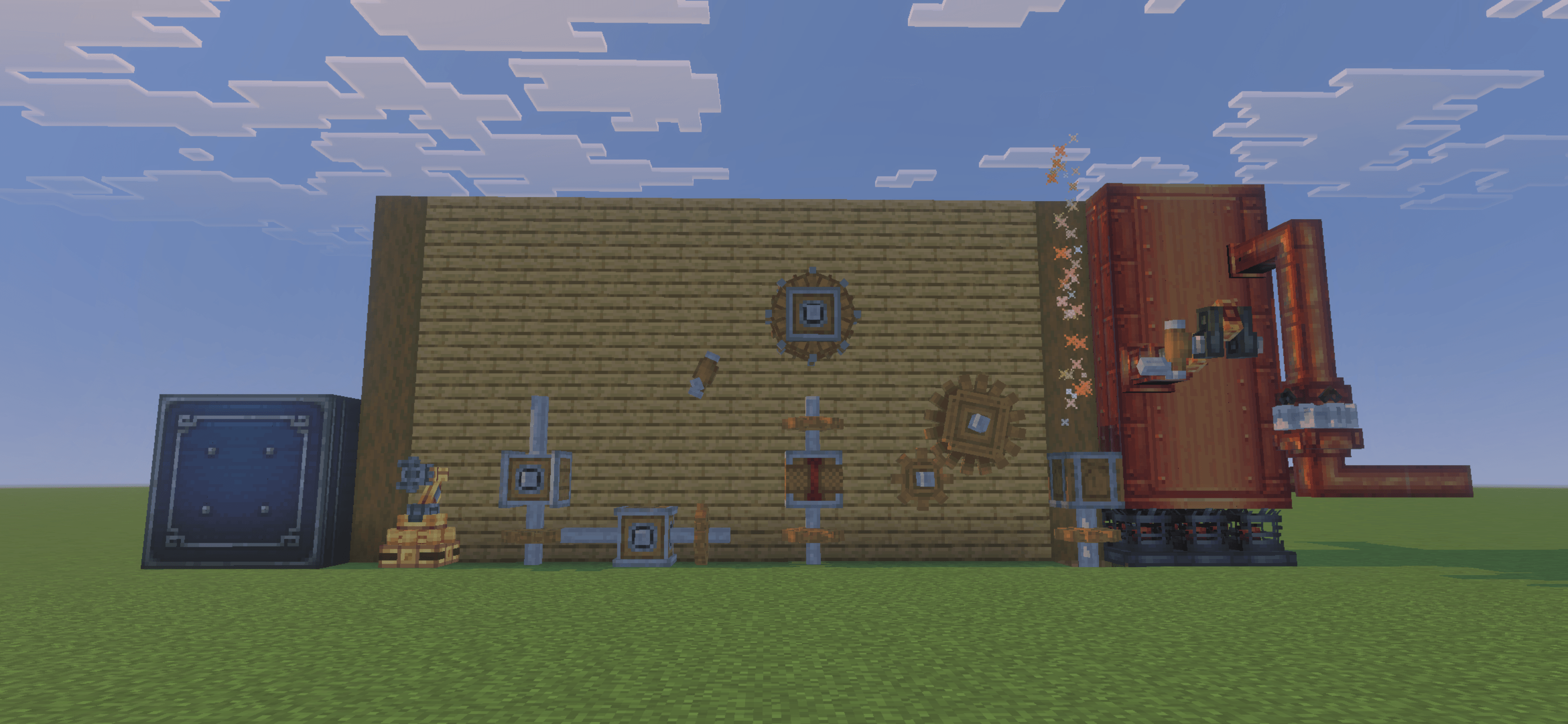
- Shaft — transmits rotation along a single axis
- Cogwheel — connects perpendicular shafts and transmits rotation
- Large Cogwheel — 3x3 cogwheel with a 2:1 gear ratio to small cogwheels
- Gearbox — redirects rotation between horizontal and vertical axes
- Clutch — redstone-controlled disconnect for your kinetic network
Power Sources
- Hand Crank — manual power at 32 RPM, perfect for early game
- Water Wheel — place next to flowing water for passive rotation (up to 16 RPM)
- Steam Engine — a 3-block multiblock structure that converts steam into high-speed rotation (up to 96 RPM when superheated)
Fluid System
- Fluid Tank — multiblock tanks (1x1 up to 3x3, up to 32 blocks tall). Stores Water, Lava, Milk, and Steam
- Fluid Pipe — directional fluid transport with precise custom hitboxes matching the visual model
- Fluid Pump — moves fluid through pipes based on RPM
Encased Fan & Processing
- Washing (water) — clean ores, dye wool, make concrete, and more
- Smoking (fire/campfire) — cook food items
- Blasting (lava/heated blaze burner) — smelt ores and glass
- Haunting (soul fire) — transform items with soul energy
Mechanical Arm
Blaze Burner
- Passive — no fuel, ambient state
- Heated — red fire particles, enables blasting via fan
- Superheated — blue fire particles, maximum steam generation
Vault
Wrench
Technical Details
- Script API powered (@minecraft/server 2.6.0-beta)
- PBR textures supported for RTX-enabled devices
- Custom collision boxes using Bedrock 1.26.0 array collision system — pipe hitboxes precisely match their visual models
- Full kinetic network simulation with RPM propagation, gear ratios, stress calculation, and overstress detection
- Persistent data — your networks, fluid tanks, and machines survive world reloads
- Plugin API included for addon developers to extend functionality
Requirements
- Minecraft Bedrock Edition 1.26.0 or higher
- No experimental toggles required
Installation
- Download the .mcaddon file
- Open it with Minecraft — both packs will be imported automatically
- Apply both the Behavior Pack and Resource Pack to your world
- Enable the "Script Eval" capability if prompted
Credits
Steam & Gears Team

Owner