RR Pie Chart Ultimate - Visual Scanner
- By
Display real-time visual pie charts on your HUD! This addon scans your surroundings to reveal block distributions, hidden ores, nearby entities, and light levels with fully customizable color themes.
RR Pie Chart Ultimate - Visual Scanner (10).jpg
RR Pie Chart Ultimate - Visual Scanner (11).jpg
RR Pie Chart Ultimate - Visual Scanner (12).jpg
RR Pie Chart Ultimate - Visual Scanner (13).jpg
RR Pie Chart Ultimate - Visual Scanner (6).jpg
RR Pie Chart Ultimate - Visual Scanner (9).jpg
RR Pie Chart Ultimate - Visual Scanner (8).jpg
RR Pie Chart Ultimate - Visual Scanner (7).jpg
RR Pie Chart Ultimate - Visual Scanner (4).jpg
Description

Whats up guys racing raftaar here back with another insane addon for minecraft bedrock edition. If you have ever watched java edition youtubers play the game you probably noticed they have a really cool f3 debug screen. That screen has a pie chart that tells them exactly what blocks and entities are loading around them. It is so useful for finding caves or knowing if mobs are spawning nearby. But sadly we bedrock players never had anything like that. We just have to guess and mine randomly. So i decided to take matters into my own hands and coded the RR Pie Chart Ultimate addon. This addon brings a fully functional live pie chart HUD directly to your screen and it is packed with crazy features.
Visual Pie Chart and Block Scanner
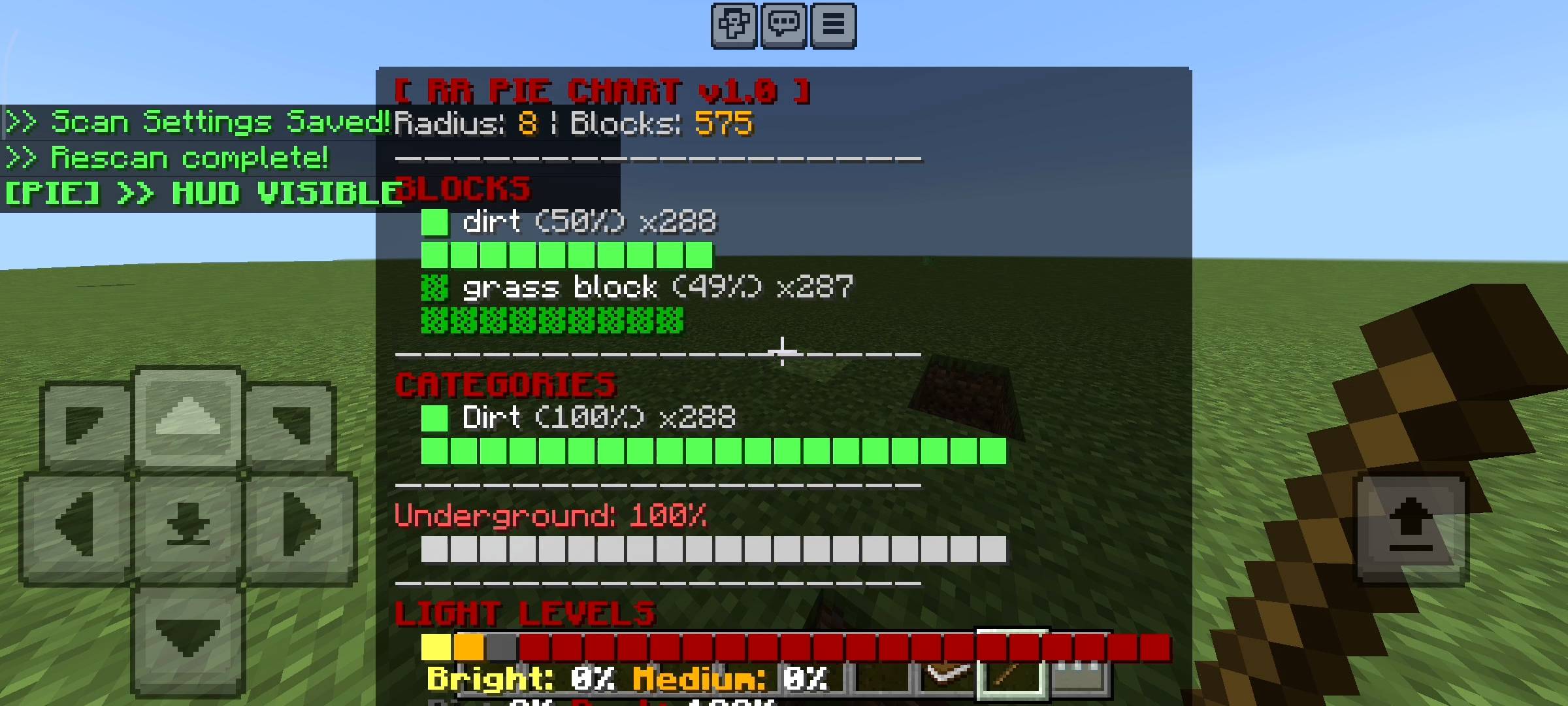
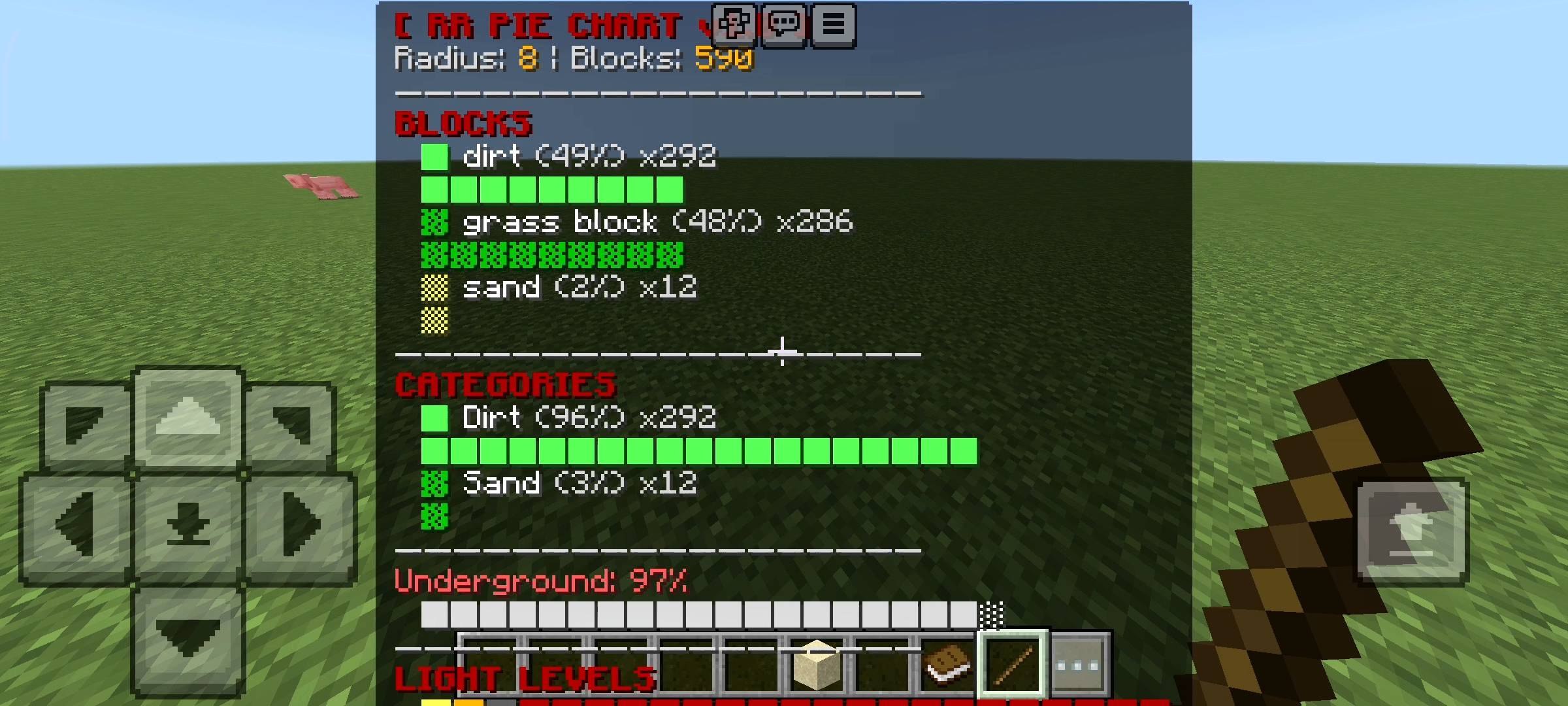
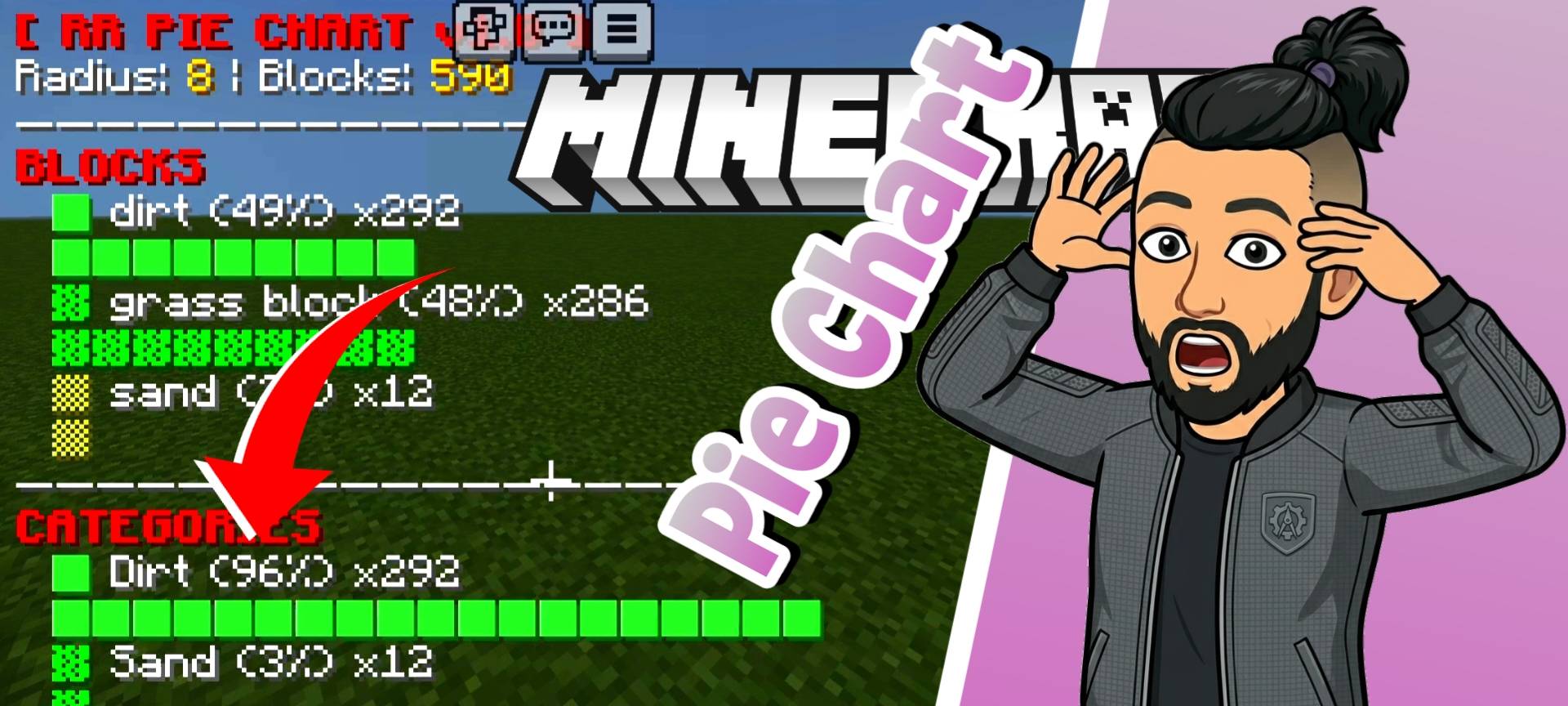
So basically how this works is the addon constantly scans the chunks around your player in real time. It takes all that data and turns it into a beautiful horizontal pie chart on your screen. It shows you exactly what blocks are near you and even categorizes them. Like instead of showing 50 different types of stone it groups granite diorite and deepslate into a Stone category so it is easy to read. It also shows your underground percentage which tells you how deep you are inside a cave system. But the most helpful part for survival players is the light level scanner. The pie chart literally tells you the percentage of bright medium dim and dark areas around you. If your base has too much dark percentage you will instantly know that zombies and creepers can spawn there so you can place more torches.
Ore Detection and Entity Tracker
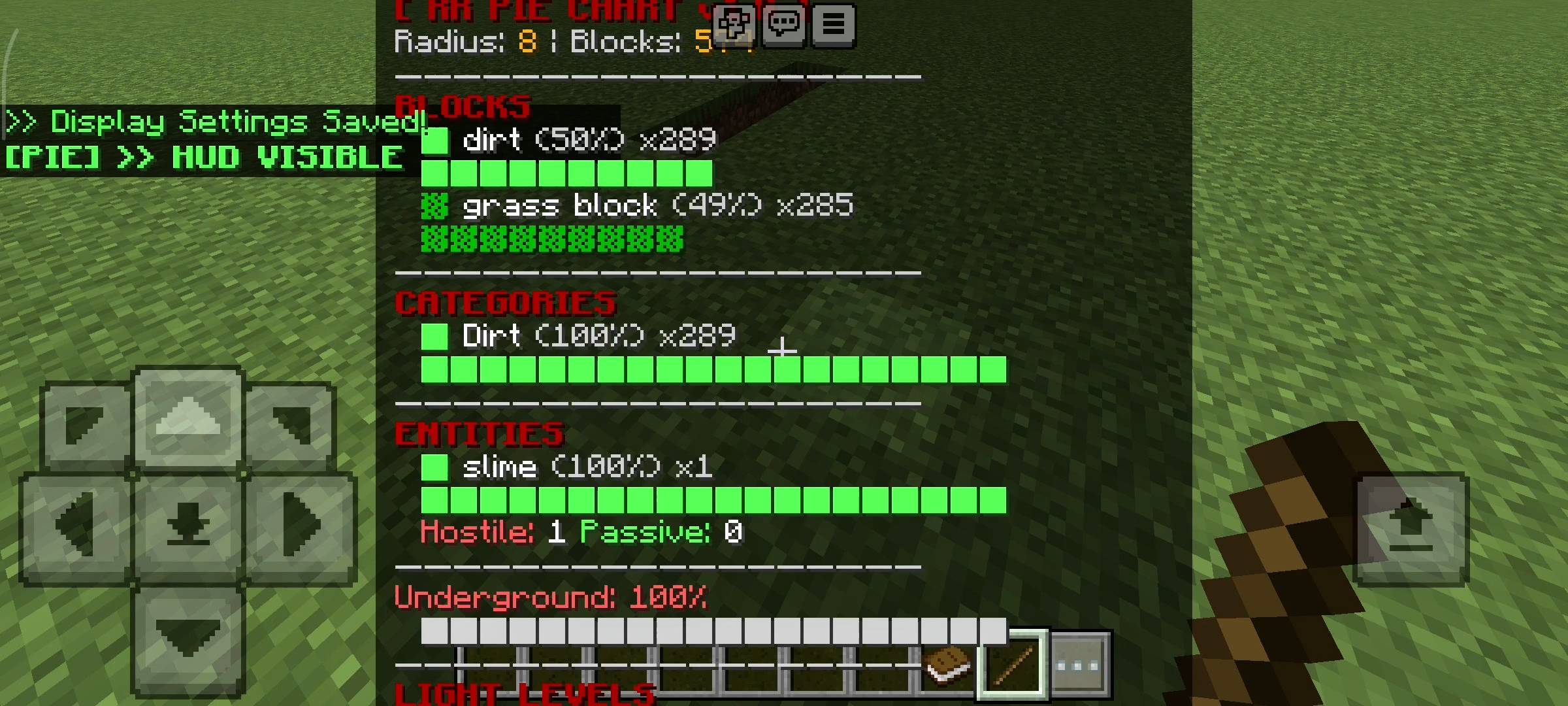
Now this is where the addon gets a little bit overpowered but in a really fun way. Since the addon is already scanning the blocks around you I added a built in ore detector. The pie chart will show you exactly how many iron coal or gold ores are hiding behind the walls. But if the scanner detects a super rare ore like diamonds emeralds or ancient debris in the nether, it actually sends a priority alert text right on your screen. It is basically a legit x ray that helps you strip mine so much faster. Besides blocks the addon also scans entities. It counts every single mob in your radius and splits them into hostile and passive categories. So if you are walking in a dark cave and the hostile counter suddenly spikes to 15 you know you are about to walk into a huge monster ambush or a dungeon spawn.

Controls and Customization Menu
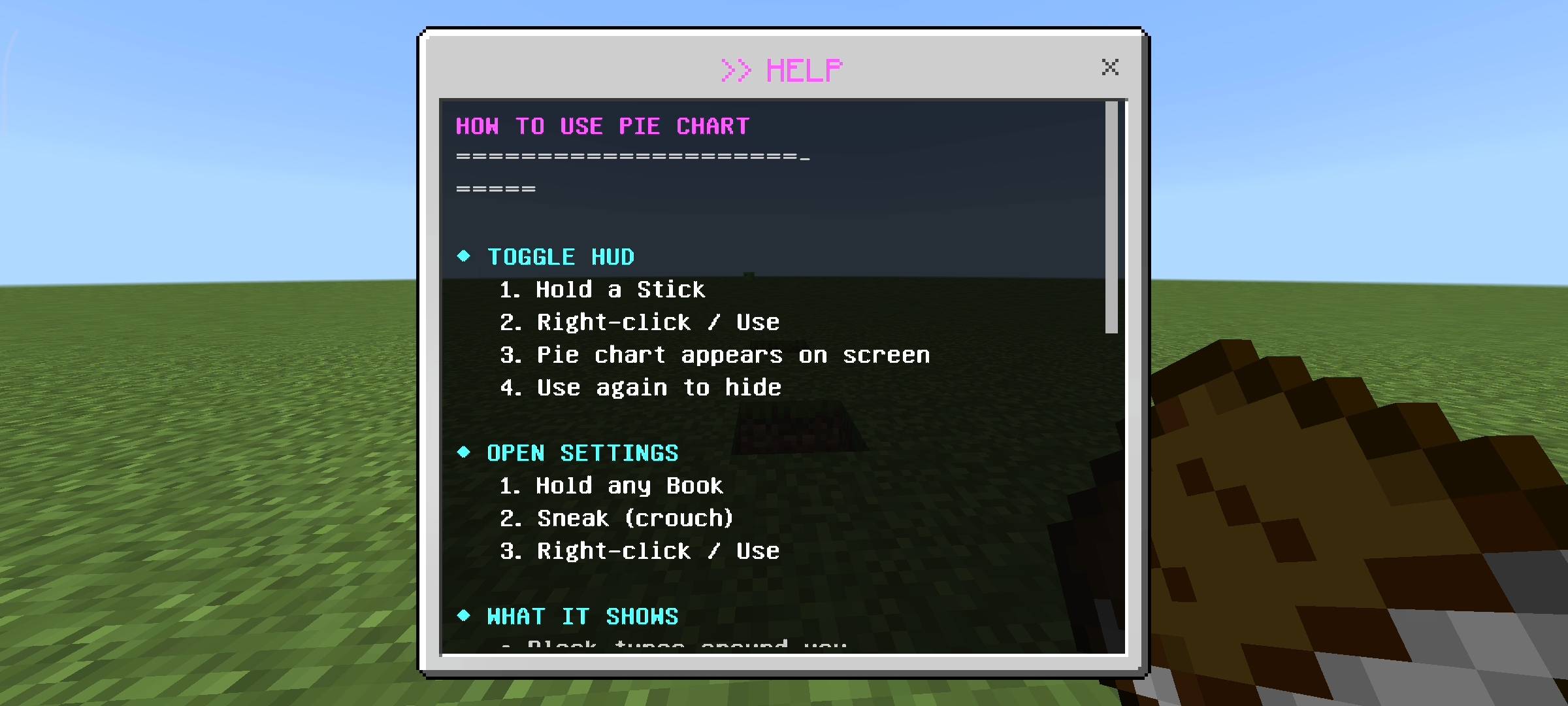
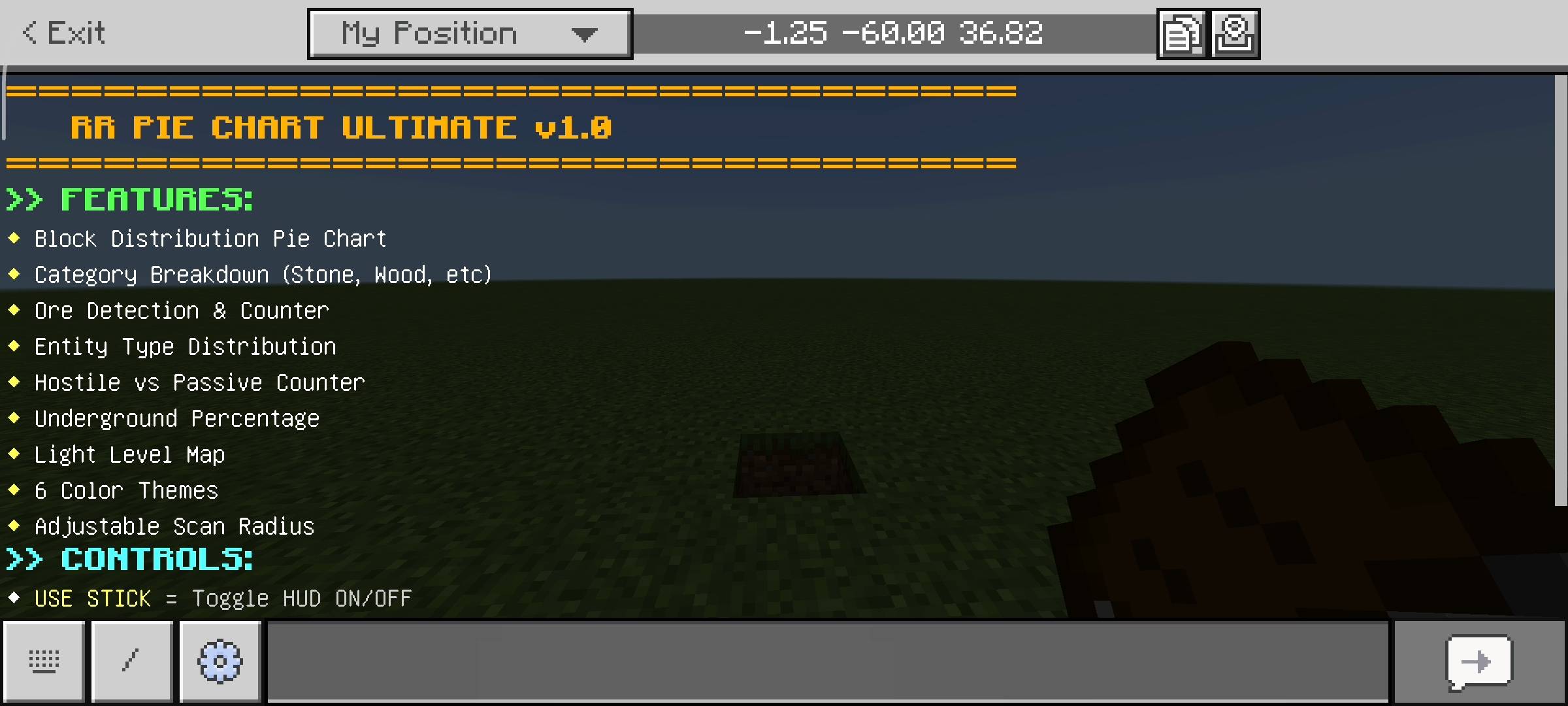
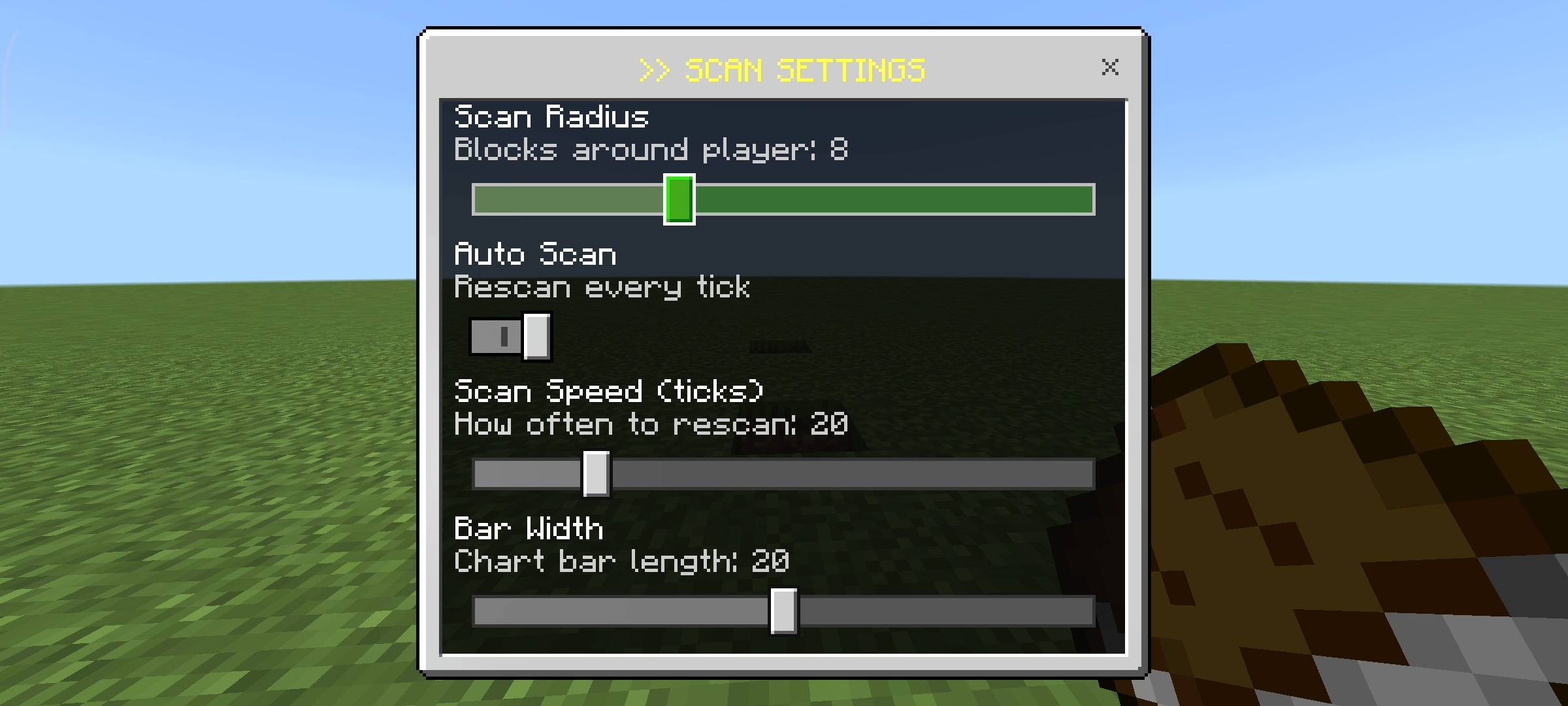
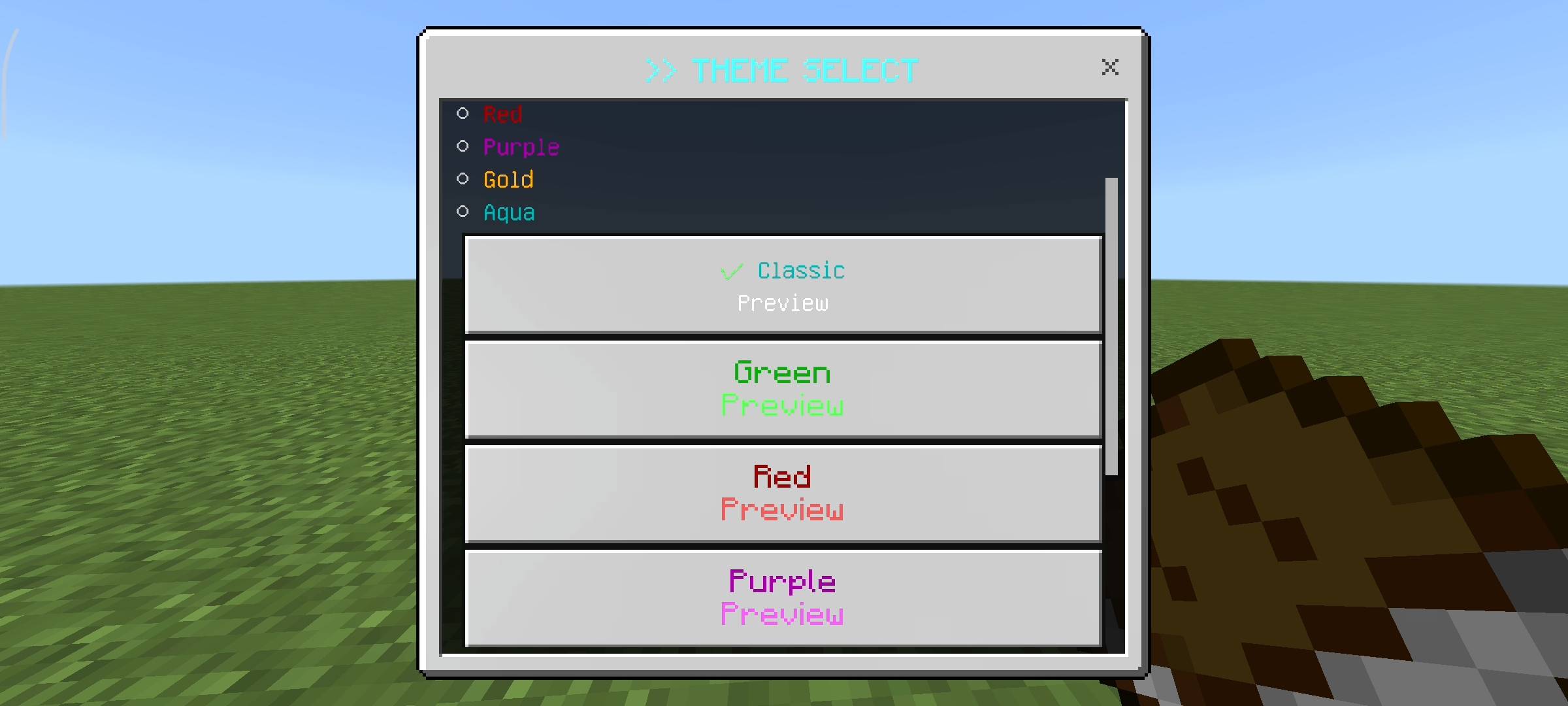
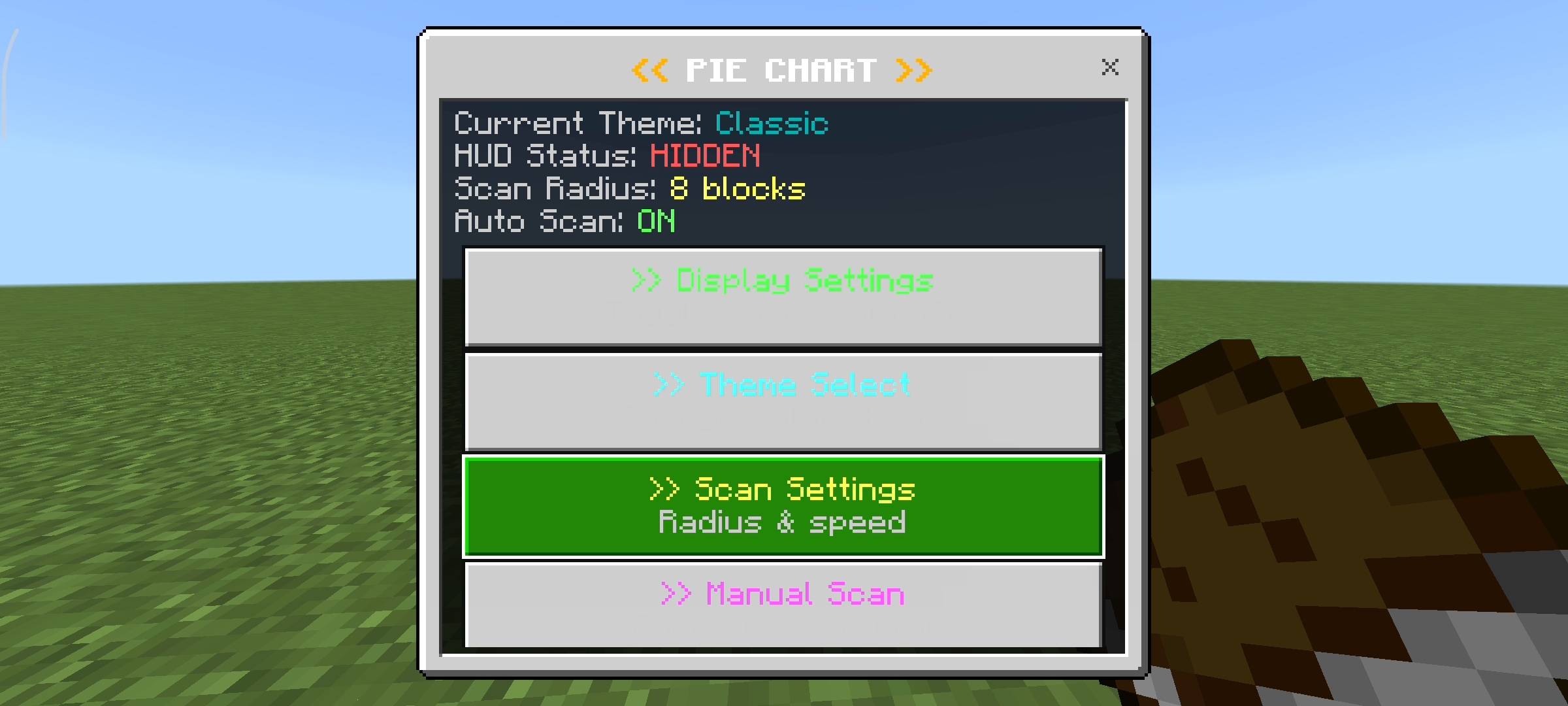
I know having a massive pie chart on your screen all the time can be annoying when you are just trying to build a house or farm crops. So i made the controls super easy. If you hold a normal stick in your hand and click anywhere on the screen it instantly toggles the HUD on or off. But i also added a massive settings menu so you can customize everything. To open the menu you just need to hold a book and sneak. Inside this UI menu you can change the color theme of the pie chart. There is classic green red purple gold and aqua themes. You can also change the scan radius from 4 blocks all the way up to 16 blocks. If the chart is too big you can go into the display settings and turn off specific things like the entity tracker or the light level map to make the HUD smaller and cleaner.
How To Apply In Minecraft
Applying this addon to your world is very simple. First you just download the addon file from the link and tap on it so it imports into minecraft automatically. Then you go to your world settings and click on behavior packs or addons and activate the RR Pie Chart Ultimate pack. Make sure it is at the top of the list so no other addons overwrite it.
Beta APIs Setup
This step is extremely important guys so please dont skip it. Because this addon uses advanced custom scripts to constantly scan thousands of blocks around you in real time and uses dynamic properties to save your custom themes, you absolutely have to turn on the Beta APIs experiment in your world settings. Just scroll down to the experiments tab and toggle Beta APIs on. If you dont do this the stick wont toggle the menu and the book wont open the settings and the addon just wont work at all.

AI Disclaimer
The main cover thumbnail and the gallery screenshots you see above were enhanced using ai image generators.
RR Pie Chart Ultimate - Visual Scanner Team

Owner