![[RED] SecurityCraft v1.7.0 logo](https://media.forgecdn.net/avatars/thumbnails/1643/418/64/64/639050107160631234.png)
[RED] SecurityCraft v1.7.0
- By
An UNOFFICIAL Bedrock port for the SecurityCraft mod from Java Edition.
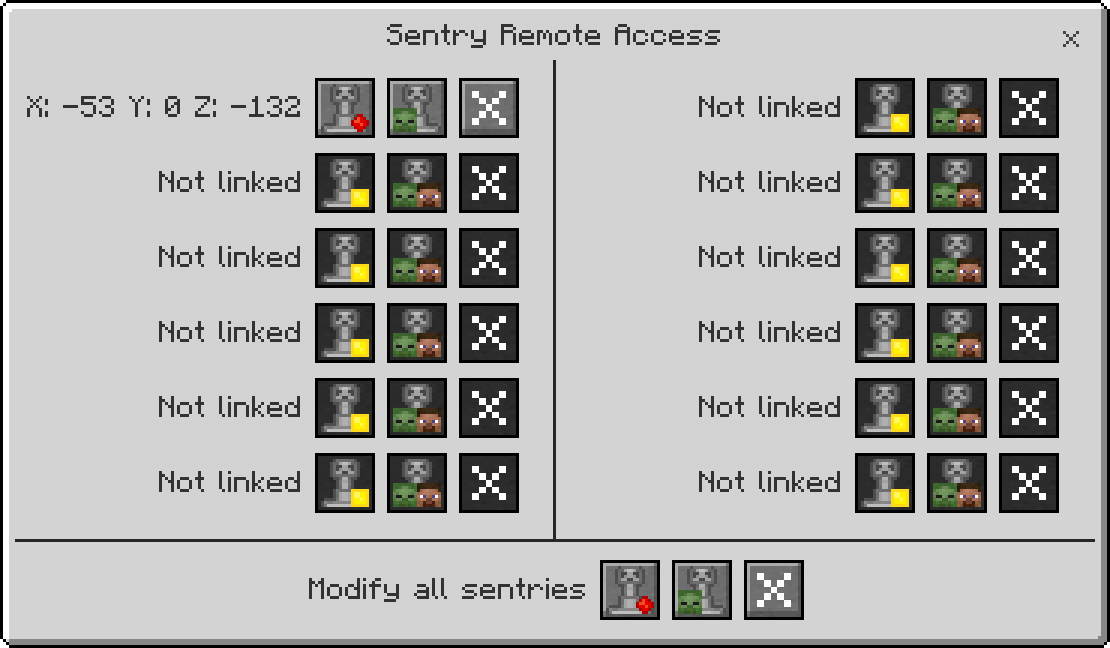
Sentry Remote Access
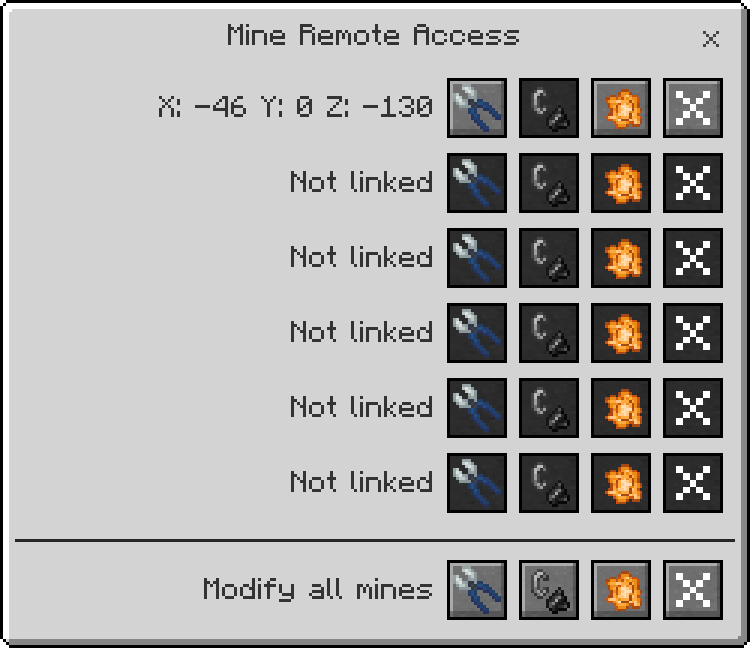
Mine Remote Access
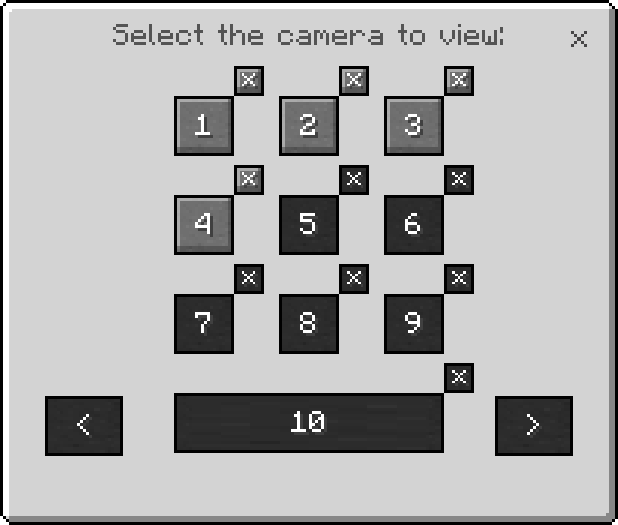
Camera Monitor
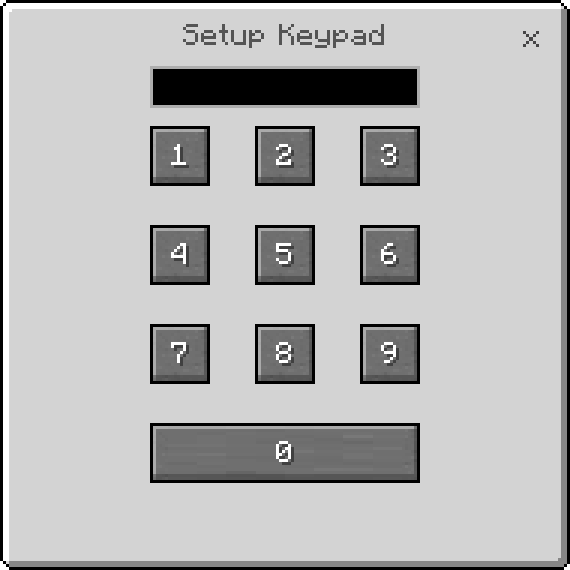
Keypad
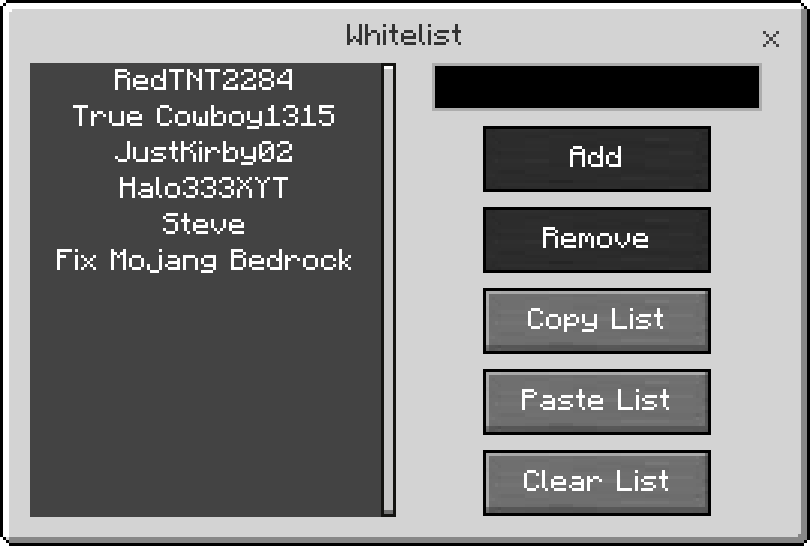
Whitelist Module
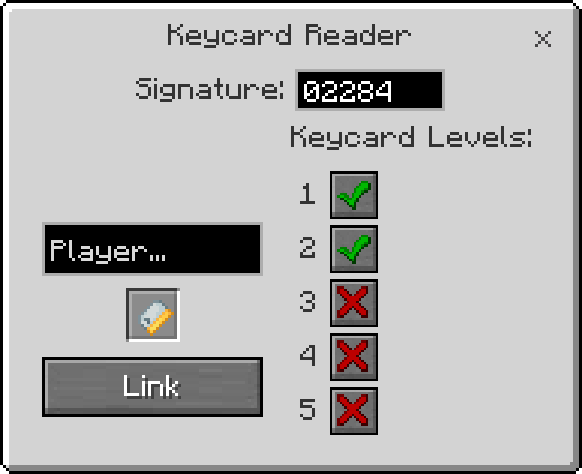
Keycard Reader
Description
SecurityCraft – Bedrock Edition (Unofficial Port)
Disclaimer:
This is an unofficial Minecraft Bedrock Edition port inspired by the popular SecurityCraft mod for Java Edition made by Geforce132. It does not belong to me and all credits should go to them.
Enable the Beta APIs experimental feature in order for this Add-On to work properly
You need both [BP] & [RP] in order for this Add-On to work properly.
This Add-On introduces a set of security-focused blocks and systems designed to protect player bases in multiplayer worlds.
Universal Block Reinforcer
The Universal Block Reinforcer allows you to upgrade standard blocks into reinforced versions.
There are 3 reinforcer levels:
- Level 1 – Basic reinforcer
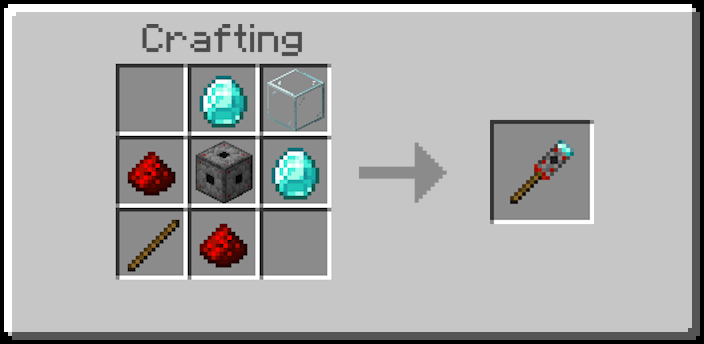
- Level 2 – Increased durability, more expensive
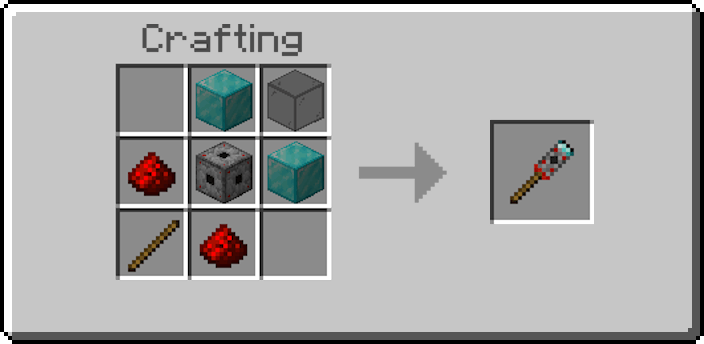
- Level 3 – Infinite durability, super expensive
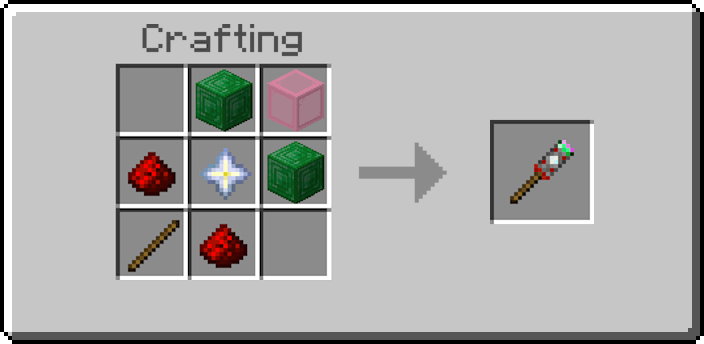
Reinforced blocks are resistant to explosions and cannot be broken by unauthorized players.
Universal Block Remover
All blocks added by this Add-On can only be removed using the Universal Block Remover.
Only the owner of the block is able to remove it.
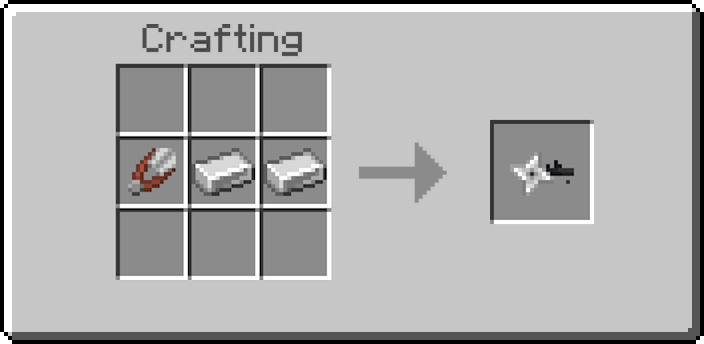
Reinforced Iron Door
The Reinforced Iron Door functions like a normal iron door and opens via redstone.
However, it is unbreakable and resistant to explosions.
Scanner Iron Door
The Scanner Iron Door automatically opens when its owner looks at it.
It is protected against breaking by other players.
Retinal Scanner
The Retinal Scanner emits a redstone signal when the owner looks at it.
It can be used to power reinforced iron doors or other redstone mechanisms, and is also used to craft the Scanner Iron Door.
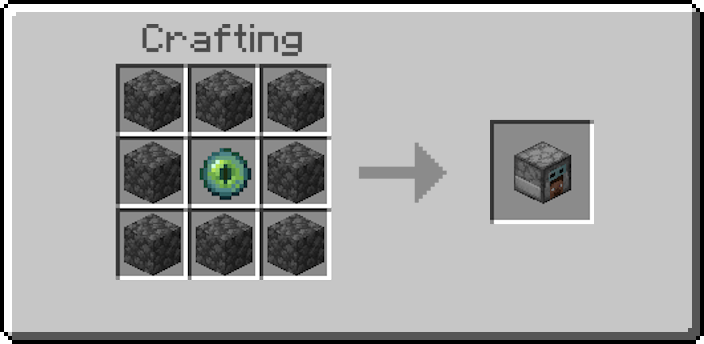
Keycard Reader
The Keycard Reader emits a redstone signal if you insert a keycard that matches with the reader's settings. You can configure the Keycard Reader by rightclicking it with anything other than a linked keycard.
The signature is a number that links the reader and keycards together. Only keycards that have the same signature as the reader they were linked to will open said reader.
Keycards linked to readers of other players will not work for your Keycard Readers.
You can have multiple Keycard Readers with the same signature, and all your keycards with that signature will work on them as well.
The keycard level buttons on the right side of the GUI are individual to each Keycard Reader and define which keycard levels can be used to activate this Keycard Reader.
Keypad
The Keypad can be placed on a Keypad Frame and emits a redstone signal when the someone enters the correct password.
It can be used to power reinforced iron doors or other redstone mechanisms, and is also used to create the Reinforced Chest.
Reinforced Chest
When first placed, the owner must set a password.
Anyone who knows the password can access the chest’s contents.
Only the owner can remove the chest using the Universal Block Remover.
Sentry Turret
The Sentry Turret automatically attacks targets within its range.
It supports three modes:
- Camouflage – Hidden when no target is detected
- Aggressive – Always visible
- Idle – Disabled
It also supports three target types:
- Monsters
- Players
- Monsters & Players
The owner can configure the turret directly or control it remotely using the Sentry Remote Access.
Security Camera
You want to know what is happening at your house but you are far away? You can install a few Security Cameras in strategic areas to be able to see everything.
In order to use it, you will have to link your camera to a Camera Monitor
Mines
The mines can be placed on the ground and will trigger once an player or a mob steps on it; but be careful, if the area is not reinforced it will leave a very pretty crater in your garden.
You can manually defuse mines with the Wire Cutters and refuse them with Flint and Steel. Only the owner is able to link a mine to a Mine Remote Access tool and manage it remotely.
Laser Block
If you place 2 Laser Blocks, a laser will appear in between. It does nothing on it's own, but it can gain funcionalities by adding Modules to it using the Universal Block Modifier.
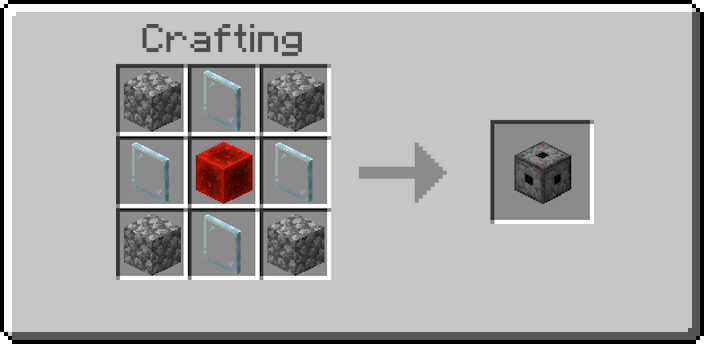
Modules
The modules add extra features to the your security blocks that will help you protect better and customize your security
- Disguise Module: You can disguise your security blocks as any other block by inserting a block inside the Disguise Module and then equipping it to your security block.
- Harming Module: Some blocks like the Laser Block don't do anything unless they have an specialized module like this one, it will make your security blocks deal damage on contact (only compatible ones).
- Redstone Module: This module will make your security blocks emit a redstone signal on activation (Laser Block on contact, Security Camera on pressing space, etc).
- Whitelist Module: You can give access to your security blocks to other players by adding their names in the Whitelist Module and then equipping it to your security block (Laser Block doesnt go off, Keypad blocks won't ask for password, etc).
Ownership System
Each security block has an owner.
Only the owner can remove security blocks.
Discord Server
YouTube Channel
[RED] SecurityCraft v1.7.0 Team

Owner


![[RED] Tool Swapper | Dynamic Light v1.4.7 project image](https://media.forgecdn.net/avatars/thumbnails/1052/665/256/256/638582941939279016.png)
![[RED] Tree Capitator project image](https://media.forgecdn.net/avatars/thumbnails/1309/463/256/256/638851471180716678.png)
![[RED] Tool Swapper | No Belt project image](https://media.forgecdn.net/avatars/thumbnails/1066/514/256/256/638600491798898542.png)