Recall Flask Waystones
- By
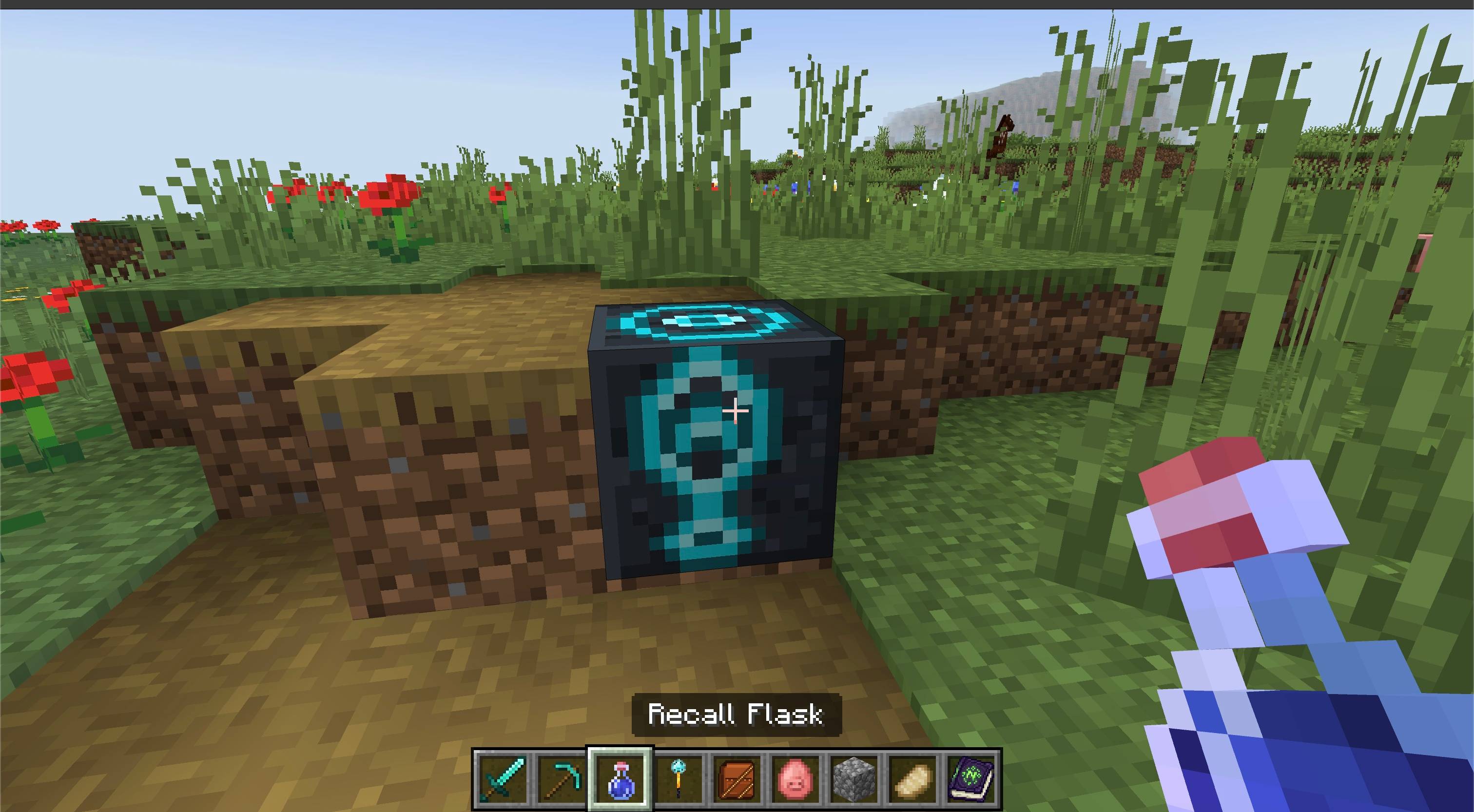
Choose a Waystone, drink a Recall Flask, and return to it from almost anywhere in Minecraft Bedrock.
Description
About
Recall Flask Waystones combines portable return potions with the Waystones Lite fast-travel network in one installable add-on.
Sneak-use a Recall Flask to choose a personal Waystone destination, then drink it normally whenever you want to return. Your selection is remembered independently for each player. If no Waystone is selected, automatic mode tries your personal spawn point first and then the nearest reachable Waystone.
Features
- Craftable Recall Flask potions that teleport players after drinking
- Sneak-use destination menu for choosing any registered Waystone
- Remembers a separate selected Waystone for every player
- Automatic fallback to a bed, charged Respawn Anchor, or manually selected world spawn
- Falls back to the nearest Waystone in the current dimension when no spawn point is available
- Automatically forgets a selected Waystone if that block has been destroyed
- Familiar vanilla potion bottle, drinking animation, enchanted glint, and empty bottle return
- Complete Waystones Lite placement, naming, and travel network
- One integration Behavior Pack activates the included component packs through dependencies
- English and Russian localization
- Compatible with Vibrant Visuals
How to use
- Import the
.mcaddonfile into Minecraft Bedrock. - Activate Recall Flask Waystones in your world's Behavior Packs. Its dependencies bring in the included Recall Flask and Waystones Lite packs.
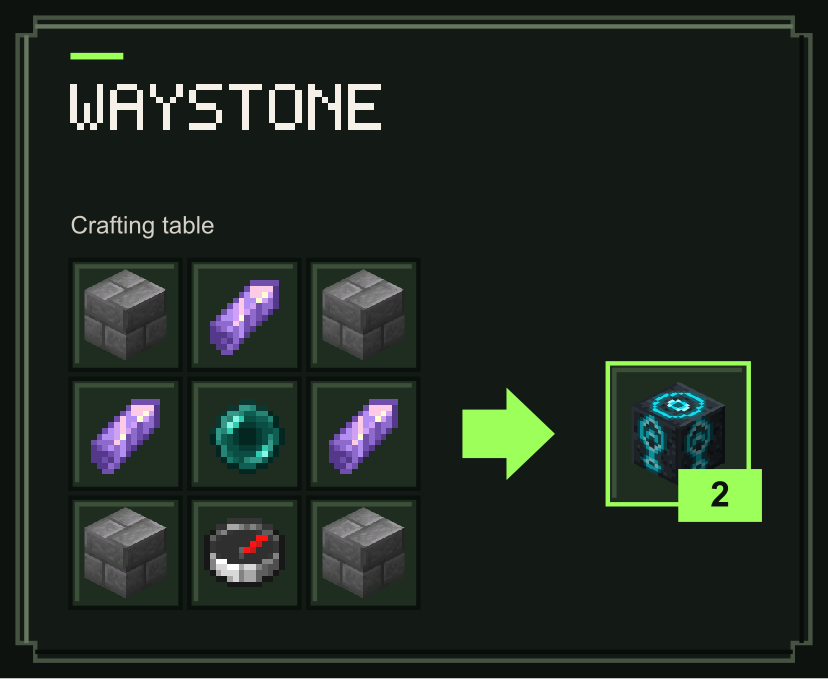
- Craft and place Waystones to create your travel network. Name each Waystone when prompted.
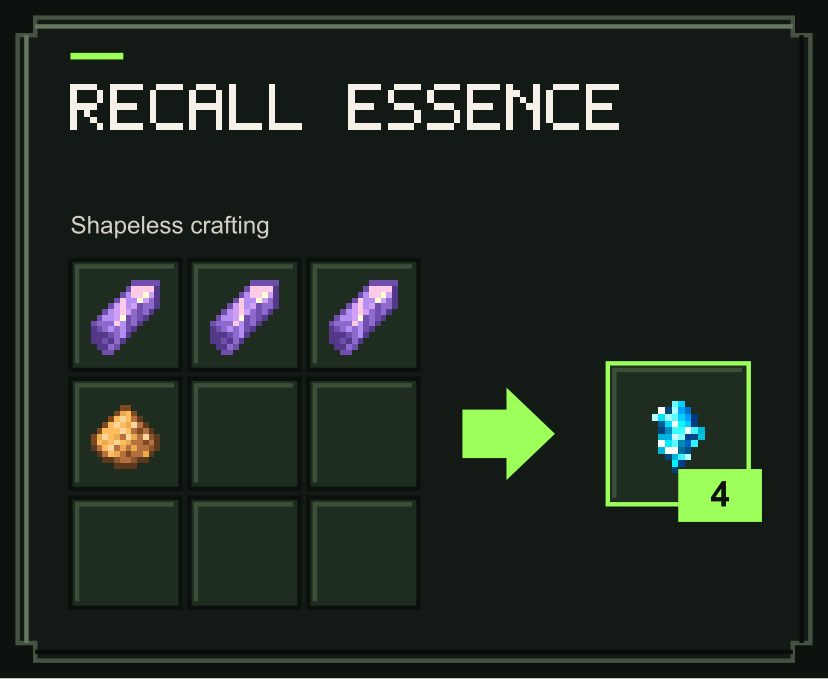
- Craft Recall Essence from three Amethyst Shards and one Glowstone Dust. The recipe produces four Essence.
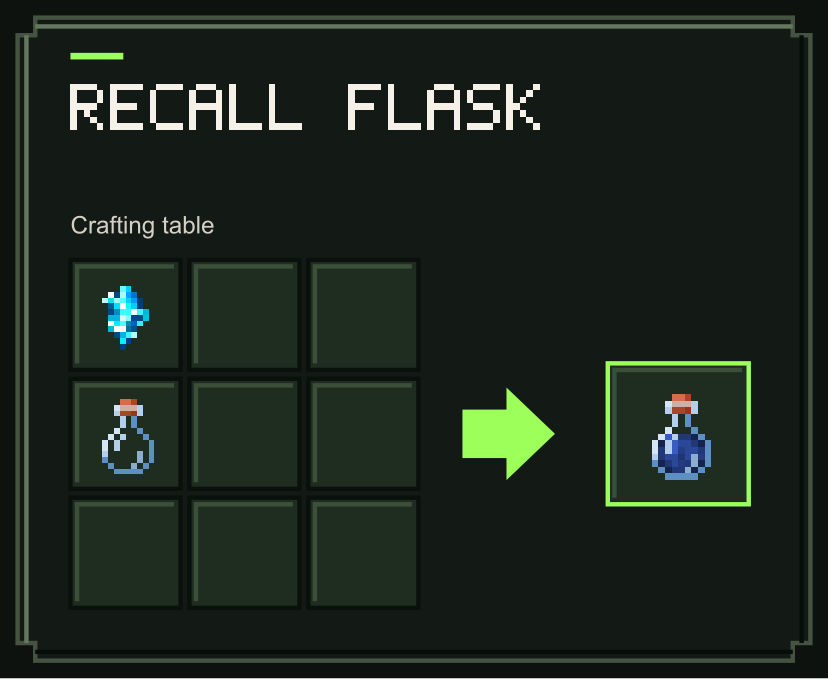
- Place one Recall Essence directly above an empty Glass Bottle in a 2×2 crafting grid to fill a Recall Flask.
- Hold the Flask, sneak, and use it to open the destination menu. Choose a Waystone or leave it in Automatic mode.
- Drink the Flask normally to teleport. The consumed Flask leaves an empty Glass Bottle behind.
Destination priority
When a Waystone is selected, the Flask first tries that Waystone. If it is blocked or unavailable, the Flask tries the automatic destinations below without forgetting your selection. A confirmed destroyed Waystone clears the selection.
In Automatic mode, it checks destinations in this order:
- Your bed or charged Respawn Anchor
- A manually selected world spawn
- The nearest reachable Waystone in your current dimension
Each spawn destination is checked for blocked spaces. If a destination is unavailable, the Flask tries the next one. If none is reachable, the Flask reports that no safe spawn point or reachable Waystone is available.
Crafting
Craft four Recall Essence with three Amethyst Shards and one Glowstone Dust in any arrangement. Place one Recall Essence above an empty Glass Bottle to fill it. Both flask recipes fit in the inventory crafting grid. Craft the included Waystones at a crafting table.
Recall Flask
Recall Essence
Waystone
Notes
- Recall Flasks are consumable potions, not reusable tools.
- Opening the destination menu does not consume the Flask.
- Drinking consumes the Flask even if every destination is blocked or unavailable.
- A selected destination remains saved until you choose another Waystone, switch back to Automatic mode, or the Waystone is destroyed.
- Cross-dimension travel is supported for explicitly selected Waystones.
- Automatic nearest-Waystone fallback searches only the player's current dimension.
- No experimental toggles are required.
Requirements
- Minecraft Bedrock Edition 26.50 or newer
- Recall Flask and Waystones Lite are already built into the
.mcaddon; separate downloads are not required

Recall Flask Waystones Team

Owner