RB AI Players
- By
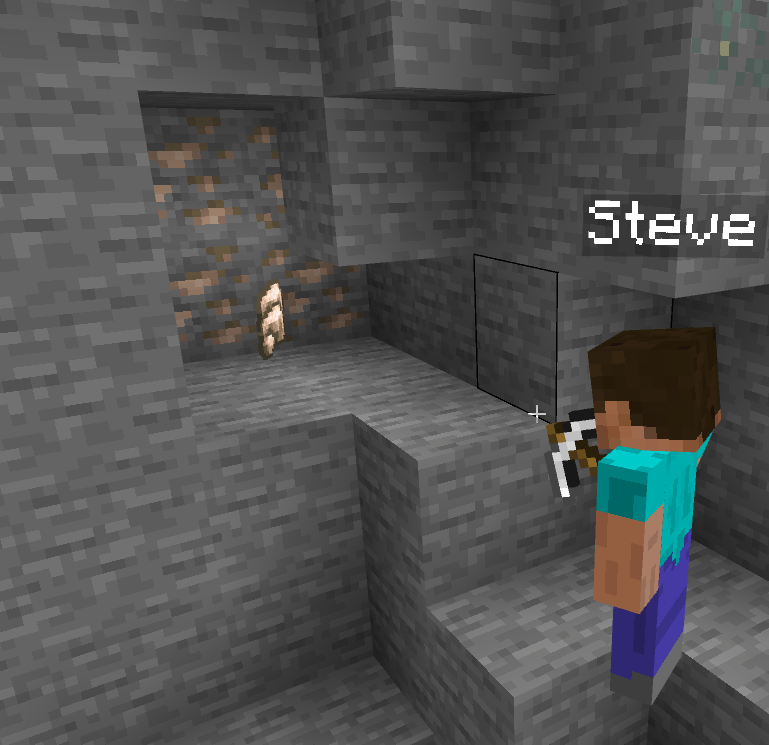
Add AI companions to your Minecraft Bedrock world. Invite your favorite helpers who follows you, fights beside you, gathers resources, crafts, smelts, farms, sleeps, stores items in chests, and shares what it finds, all without you micromanaging it.
Description
RB AI Players
Add AI companions to your Minecraft Bedrock world. Invite your favorite helpers who follows you, fights beside you, gathers resources, crafts, smelts, farms, sleeps, stores items in chests, and shares what it finds, all without you micromanaging it.
By RigidBlock.



Features
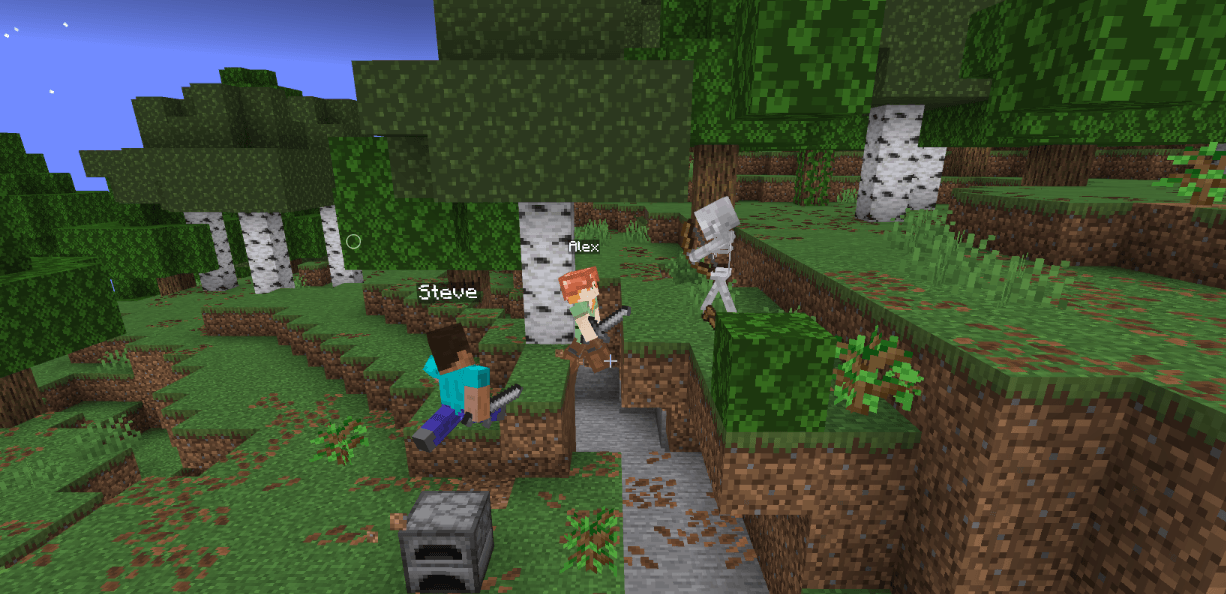
Companions look and behave like real players: they have an inventory, hunger, health, worn armor, a held tool, and animations such as sneaking, sprinting, using items, drawing a bow, and sleeping.
- Follow and guard. They stay with you, path around obstacles, take detours around ravines and hills, and can ride your boat. A companion defends you when you are attacked.
- Combat. They fight hostile mobs with melee, bows, and shields. They back away from creepers, kite with a bow, stage against groups, and pillar up to fight outnumbered when it is safe. They flee at low health and heal with food or healing items.
- Gathering. They chop logs (and replant saplings), mine stone and ore, strip mine, harvest mature crops, fish, and hunt animals for food.
- Crafting and smelting. They place a crafting table when needed, craft tools, armor, torches, chests, and beds, and cook or smelt at a furnace. They pick up a dropped table or furnace afterwards.
- Survival instincts. They eat when hungry, equip the best armor, merge worn duplicate gear, place torches in the dark, escape pits and hazards (lava, fire, powder snow, water), and keep health regenerating.
- Day and night. At night they sleep in a bed (and hunt sheep for wool to make one), or dig in and build a shelter if no bed is available.
- Inventory care. They keep what is useful, drop junk, sort stacks, and deposit surplus in chests.
- Sharing. They hand over spare items to nearby players by tossing them to you.
- Death and respawn. If a companion dies, it respawns after a few seconds and can walk back to its death spot to recover items. Inventory is saved automatically.
- Chat reports. Companions tell you what they are doing or why they are stuck, such as inventory full or no tools.
Getting started
- Create or open a world and add the RB AI Players behavior pack and resource pack.
- Load the world. Cheats are not required for any command.
- Invite a companion:
/rb_aip:ai_invite SteveAfter a short delay, Steve joins you and starts following.
- Send them home when you are done:
/rb_aip:ai_kick SteveCommands
| Command | What it does |
|---|---|
/rb_aip:ai_invite <name> |
Invite a named AI player into the world. |
/rb_aip:ai_kick <name> |
Remove one of your AI players. Their inventory is saved. |
/rb_aip:ai_tp [all | <name>] |
Teleport all of your AI players, or one, to you. |
/rb_aip:storage_chest [action] |
Control which chests companions use (see below). |
Available names: Alex, Steve, Noor, Sunny, Ari, Zuri, Makena, Kai, Efe.
Limits
- Each player can have up to 2 companions at a time.
- The world can hold up to 9 companions in total, one per name.
- There is a short cooldown (about 5 seconds) between invites.
Chests and storage
Companions use chests for two things: depositing surplus when their inventory fills up, and withdrawing materials when they craft. The /rb_aip:storage_chest command controls which containers they are allowed to use.
How it works
- Depositing. A companion first looks for marked chests (and chests it placed itself) within 32 blocks, nearest first. In the default
automode it then tries any other chest or barrel within 16 blocks that you have not excluded. Full chests are skipped. - Withdrawing. When a companion needs to craft something, it checks marked chests within 16 blocks and takes out the finished item or the missing ingredients. It never takes items out of unmarked chests, even if it has deposited into them.
- When everything is full. The companion places a new chest (beside the crafting table, an existing chest, or itself), up to 6 chests in range. Chests it places are marked automatically.
- Special containers. Trapped chests and shulker boxes are only used if you mark them.
- Keeping essentials. Companions keep a couple of chests and enough logs for their own work, and will not deposit those.
Marking a chest
Look at a chest or barrel (within 8 blocks) and run one of these:
| Command | Result |
|---|---|
/rb_aip:storage_chest |
Toggle: marks an unmarked or excluded container, unmarks a marked one. |
/rb_aip:storage_chest mark |
Mark it. Companions prefer it for deposits and may take crafting materials from it. |
/rb_aip:storage_chest exclude |
Companions never deposit into it or take from it. Use this for your valuables. |
/rb_aip:storage_chest clear |
Remove any mark or exclusion. Companions treat it like any other chest. |
Storage mode
These two commands do not need you to look at a chest. The setting applies to your companions only.
| Command | Result |
|---|---|
/rb_aip:storage_chest auto |
Default. Use marked chests first, then any nearby chest or barrel you did not exclude. |
/rb_aip:storage_chest marked_only |
Only ever use chests you marked or the companion placed. |
Recommended setup
- Put a chest near your base or crafting area and run
/rb_aip:storage_chest markon it. - Run
/rb_aip:storage_chest excludeon any chest with items you do not want touched. - Switch to
marked_onlyif you do not want companions depositing into chests they find on their own.
Each player can mark up to 64 containers and exclude up to 64 more.
Tips
- Keep a few tools, food, and building blocks on them. You can open their inventory by interacting with them.
- If a companion gets left behind, run
/rb_aip:ai_tp. - Mark a chest near your base and companions will keep your supplies organized.
Credits and redistribution
Created by RigidBlock. Please do not redistribute.
RB AI Players Team