Rank Tags Addon: Server Ranks & Custom Chat
- By
Add professional server ranks above player heads! Features Auto-Owner assignment, custom name colors, nicknames, and a clean UI to manage your players.
Rank Tags addon (2).webp
Rank Tags addon (3).jpg
Rank Tags addon (4).jpg
Rank Tags addon (5).jpg
Rank Tags addon (6).jpg
Description
RR Rank Tags PRO v2.0.0 - The Ultimate Multiplayer Chat System
Hey everyone. If you have ever hosted a multiplayer survival Realm or a large SMP server, you already know that the vanilla Minecraft chat system is extremely basic and honestly quite boring. When thirty different people are talking at the same time, the chat box just looks like a massive wall of white text. There is no way to tell who the server owner is, who the moderators are, or who just joined for the first time. On top of that, typing out messages on a console controller or a mobile phone screen takes forever, making quick communication during a raid or a boss fight almost impossible. I wanted to completely transform how players interact and communicate with each other in multiplayer worlds.
That is exactly why I created the RR Rank Tags PRO addon. This is a complete chat and player management overhaul that introduces custom ranks, beautiful name tags, an interactive chat mention system, and powerful tools for server admins. For Version 2.0.0, I have completely rebuilt the user interface and unlocked every single feature. There are absolutely no locked menus, no keys required, and no hidden features. It is a premium, fully accessible multiplayer utility right from the moment you add it to your world.
The Rank System and Visual Hierarchy
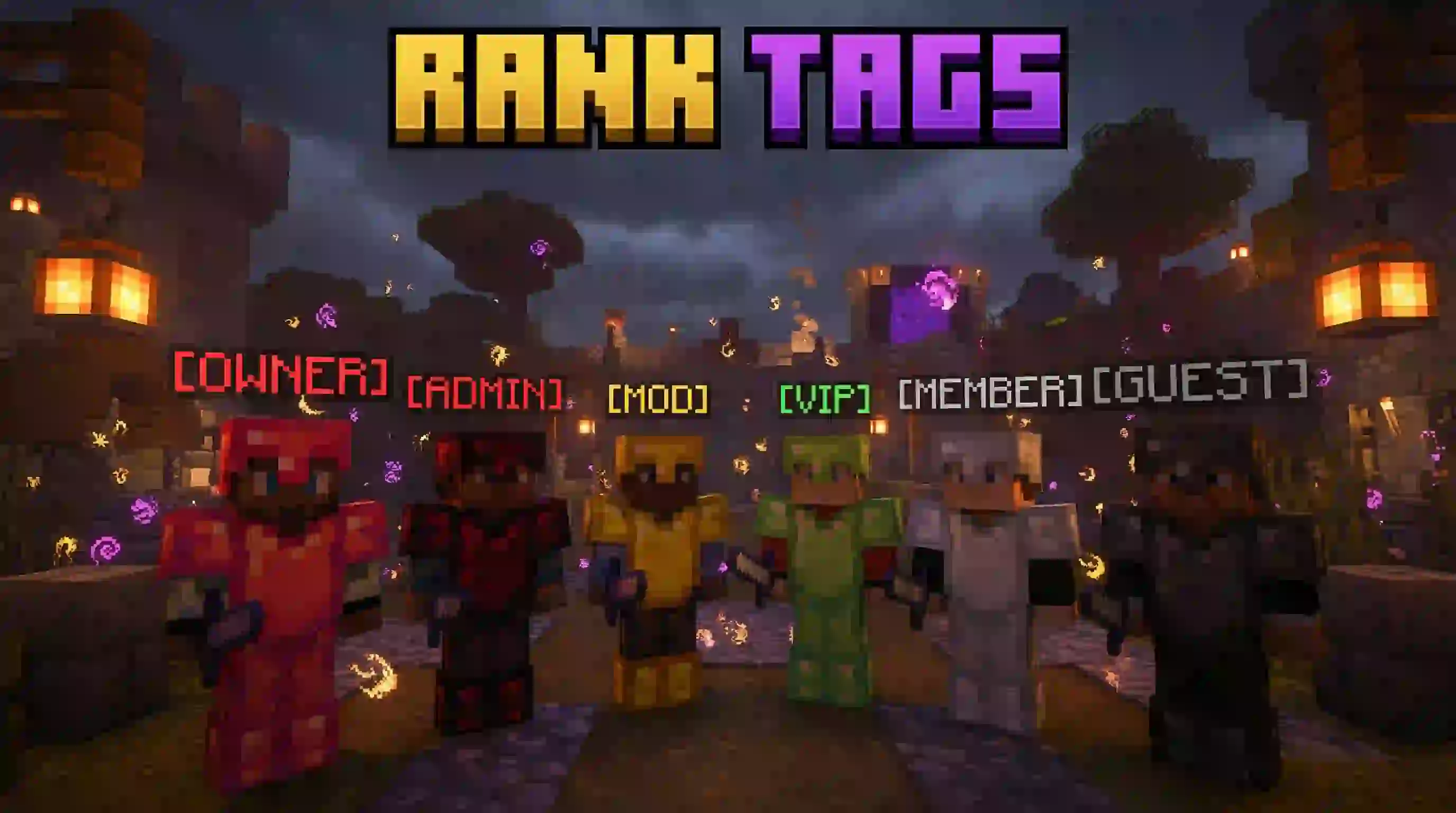
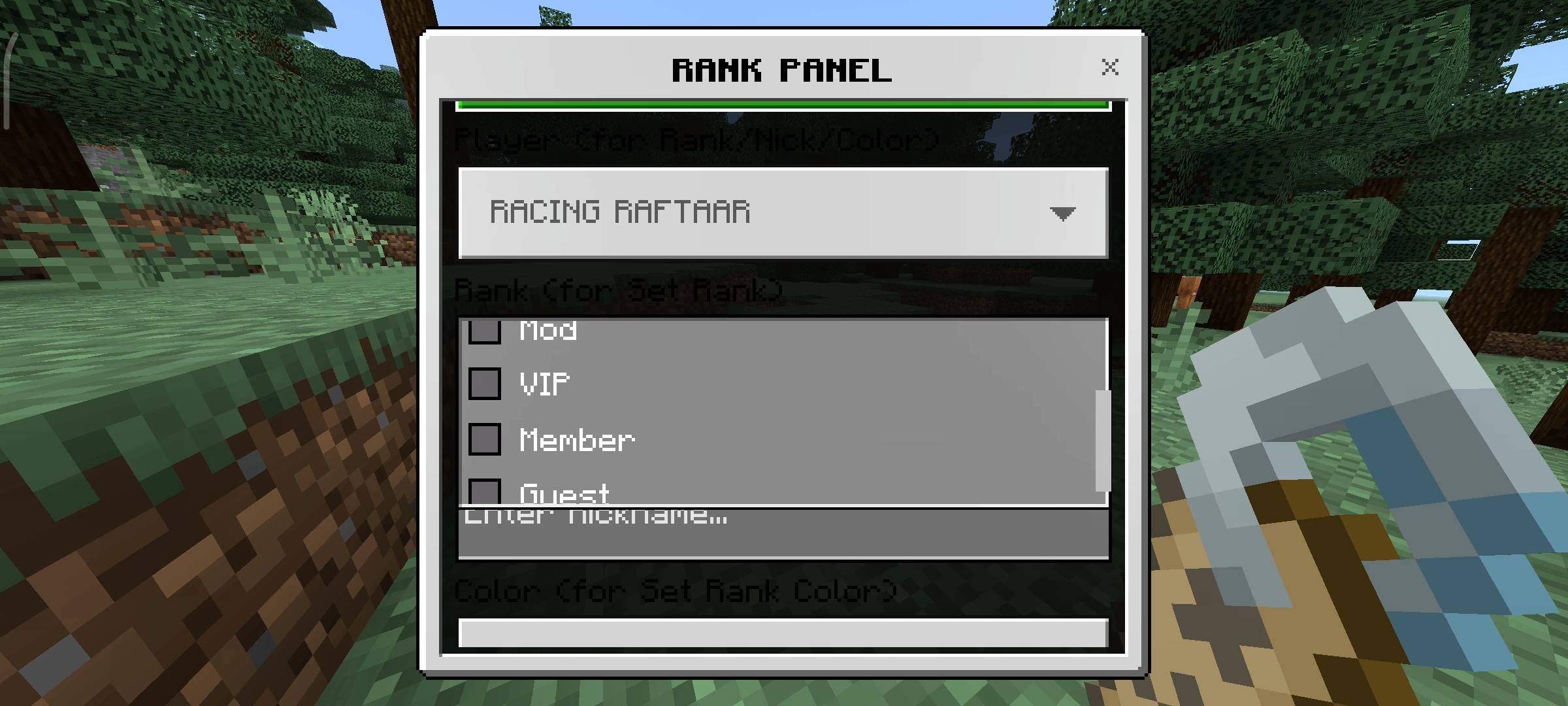
The core of this addon is the highly detailed ranking system. I have included six distinct ranks to help you organize your server: Owner, Admin, Mod, VIP, Member, and Guest. The very first person who joins the world after installing the addon is automatically granted the Owner rank, so you do not have to worry about setting yourself up. From there, the Owner and Admins can easily assign ranks to other players using the interactive Rank Panel.
These ranks are not just for show in the chat box. They actually appear directly above the player's head in the physical game world. This means if you are walking through a crowded shopping district on your server, you can instantly look at someone and know exactly what their role is. It adds a massive layer of professionalism and hierarchy to your server that vanilla Minecraft simply does not have.
Deep Player Customization
I wanted players to feel like they have an identity on the server, so I built a deep customization profile for everyone. From the main dashboard, players can open their personal profile settings. Here, they can set a custom Nickname. We all have that one friend whose Xbox Gamertag is a bunch of random numbers and letters that are impossible to read. Now, they can set a clean, simple nickname that will display in the chat and above their head without having to change their actual Microsoft account name.
Players can also customize the color of their rank and name. I have included 12 beautifully vibrant colors, ranging from gold and aqua to dark red and purple. This allows every single player to have a unique visual identity when they type in the chat.
Advanced Chat Tools and Mentions
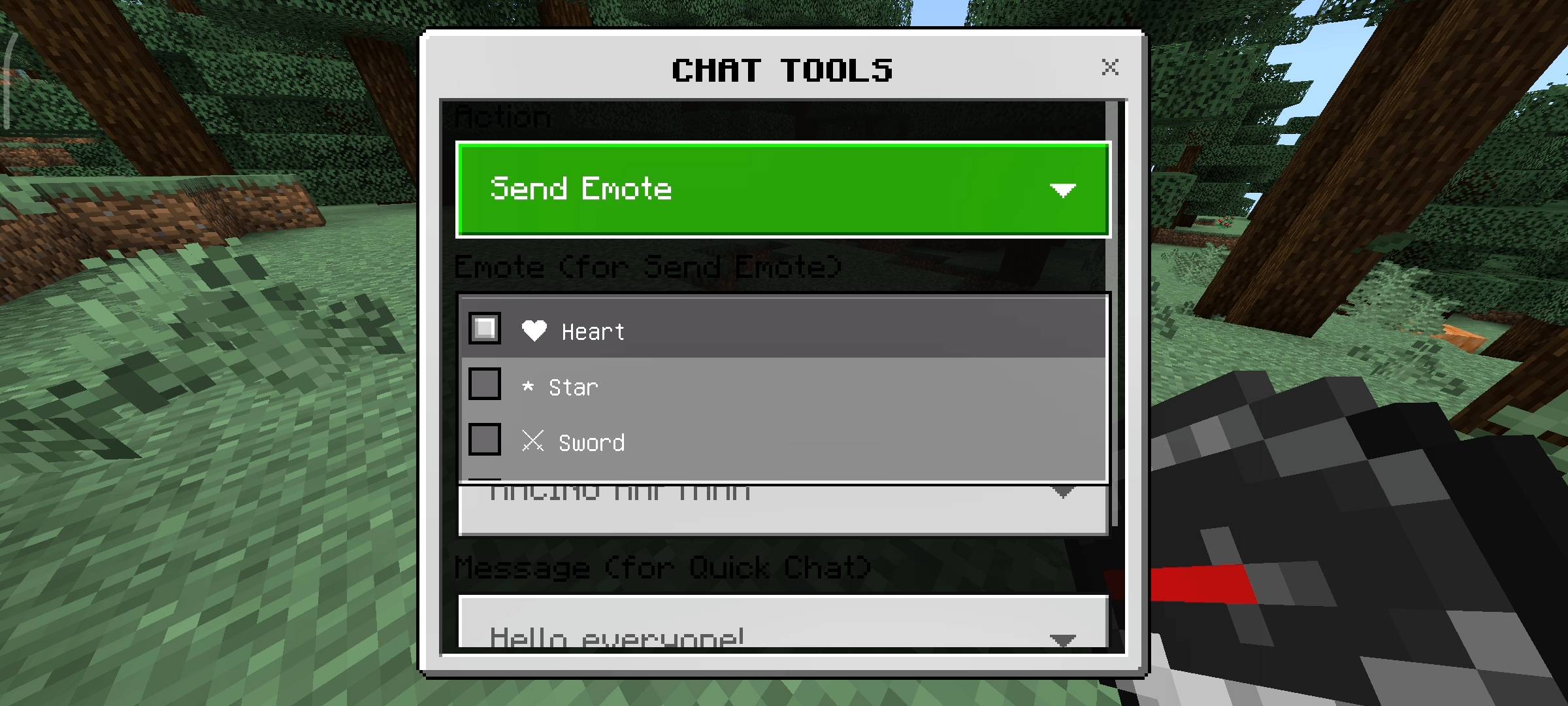
Typing in Bedrock Edition can be incredibly slow depending on your device. To fix this, I introduced the Chat Tools menu. By sneaking and using a Compass, you can open a menu filled with communication shortcuts. First, we have the Quick Chat feature. This contains 15 highly useful, pre-written messages like asking for help, telling people to follow you, or saying good game. You can send these instantly with one click.
We also have the Emote system. Since we cannot type custom emojis in the vanilla chat, I added 15 text-based emotes. You can send hearts, stars, swords, or skulls to the chat to react to situations quickly and add some fun to the conversation.
But the absolute best feature in this category is the Player Mention system. If you want to get your friend's attention while they are busy mining, you can use the mention tool to ping them. When you select their name, it highlights their name in the chat, sends a direct private message to them, plays a loud notification sound, and flashes a title on their screen. They will never miss your messages again.
Powerful Admin Controls and AFK Status
Running a server means you have to manage your players. I added some powerful tools specifically for the Owner, Admins, and Mods. If players are arguing in the chat or someone is spamming, an admin can simply sneak and use a Clock to instantly clear the entire chat history for everyone on the server, keeping things clean and peaceful.
In this new update, I also added a Title Broadcast feature. If you are hosting a server event, dropping a supply crate, or announcing a server restart, admins can use this tool to type a custom message. This message will flash across the center of every single player's screen in massive text, accompanied by an alert sound. It guarantees that everyone sees your announcement.
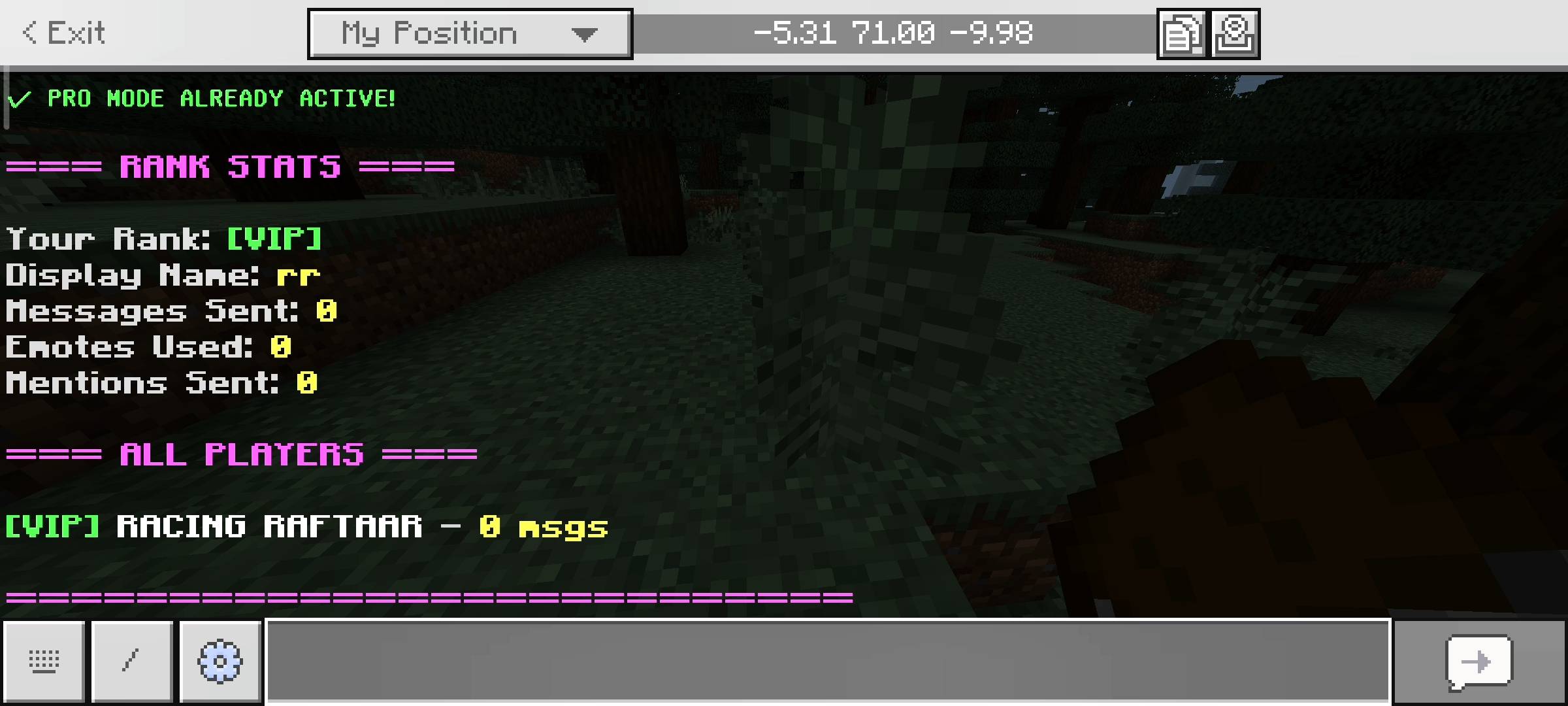
Finally, we have the new AFK system. If a player needs to step away from their keyboard or phone, they can toggle their AFK status from the main menu. This alerts the entire server that they are busy and places a clear AFK tag next to their name in the Live Player List, so nobody bothers them while they are gone.
The Interactive User Interface
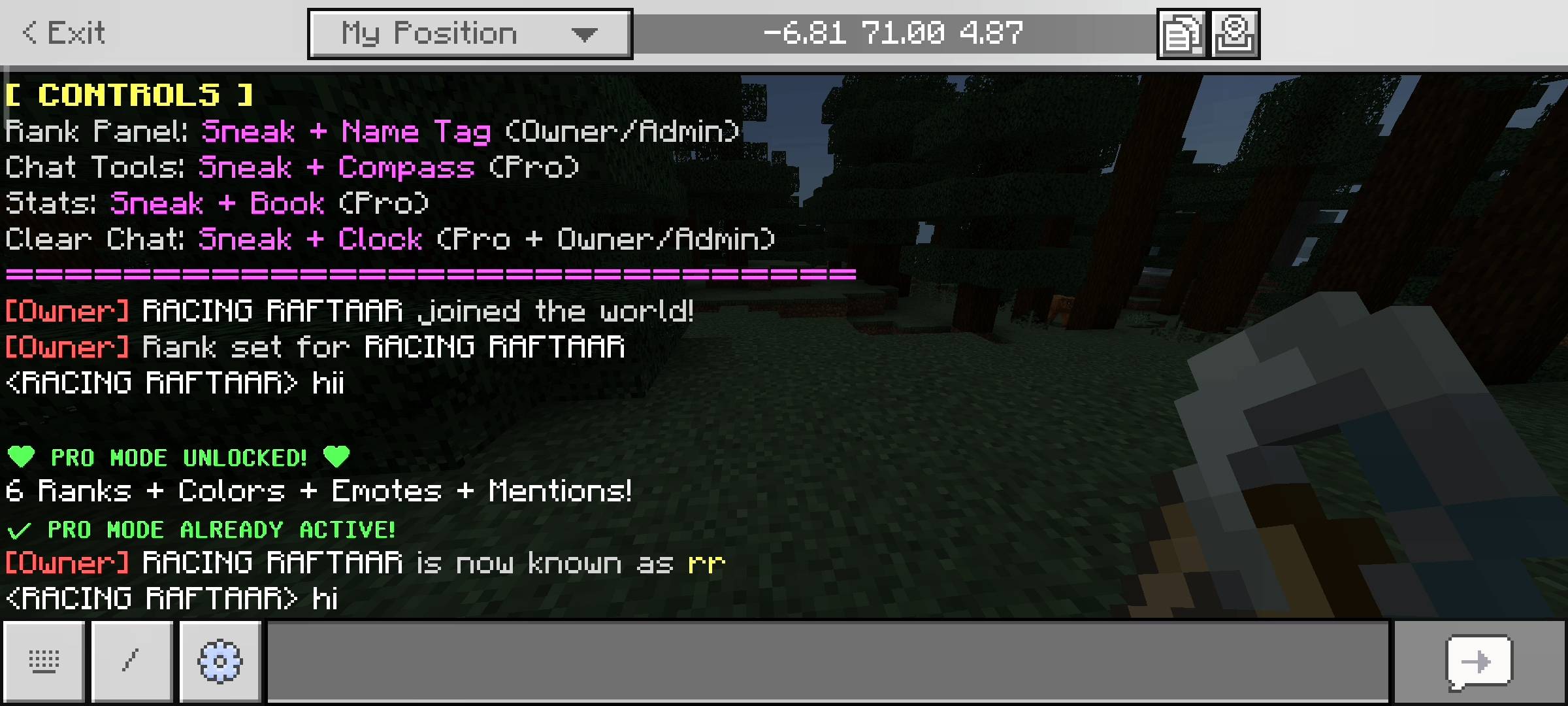
Managing all of these features is incredibly simple. I absolutely hate forcing players to memorize slash commands. Everything in this addon is controlled through beautifully designed user interface panels. To open the main dashboard, you just need to hold a regular Book, sneak to crouch, and use the item. This single menu gives you access to your stats, the online player list, your customization profile, and all the admin tools you have permission to use. It is smooth, fast, and feels like a native part of the game.
Disclaimer Regarding Visuals: Please note that some of the promotional images, thumbnails, and gallery screenshots used to showcase this project may have been created or enhanced using AI generation tools to provide better visual presentation for the page.
Important Installation Requirement: The complex systems required to generate the user interface menus, override vanilla name tags, calculate player stats, and handle the chat mention alerts rely on advanced scripting. Therefore, you MUST go into your World Settings, navigate to the Experiments tab, and turn on the Beta APIs toggle before you load the world. Without this toggle enabled, the book menu will not open and the rank tags will not appear.
Developer: Racing Raftaar
Version: 2.0.0
Supported Minecraft Versions: 1.21.0 and above
Rank Tags Addon: Server Ranks & Custom Chat Team

Owner