MCPEDL
Description

Pick out blocks by their color and quickly make simple block palettes.
Perfect for:
- Builders
- Map makers
- Creative players
Join Origami Studios discord for bugs, updates, and help!
Color Picker and Palette


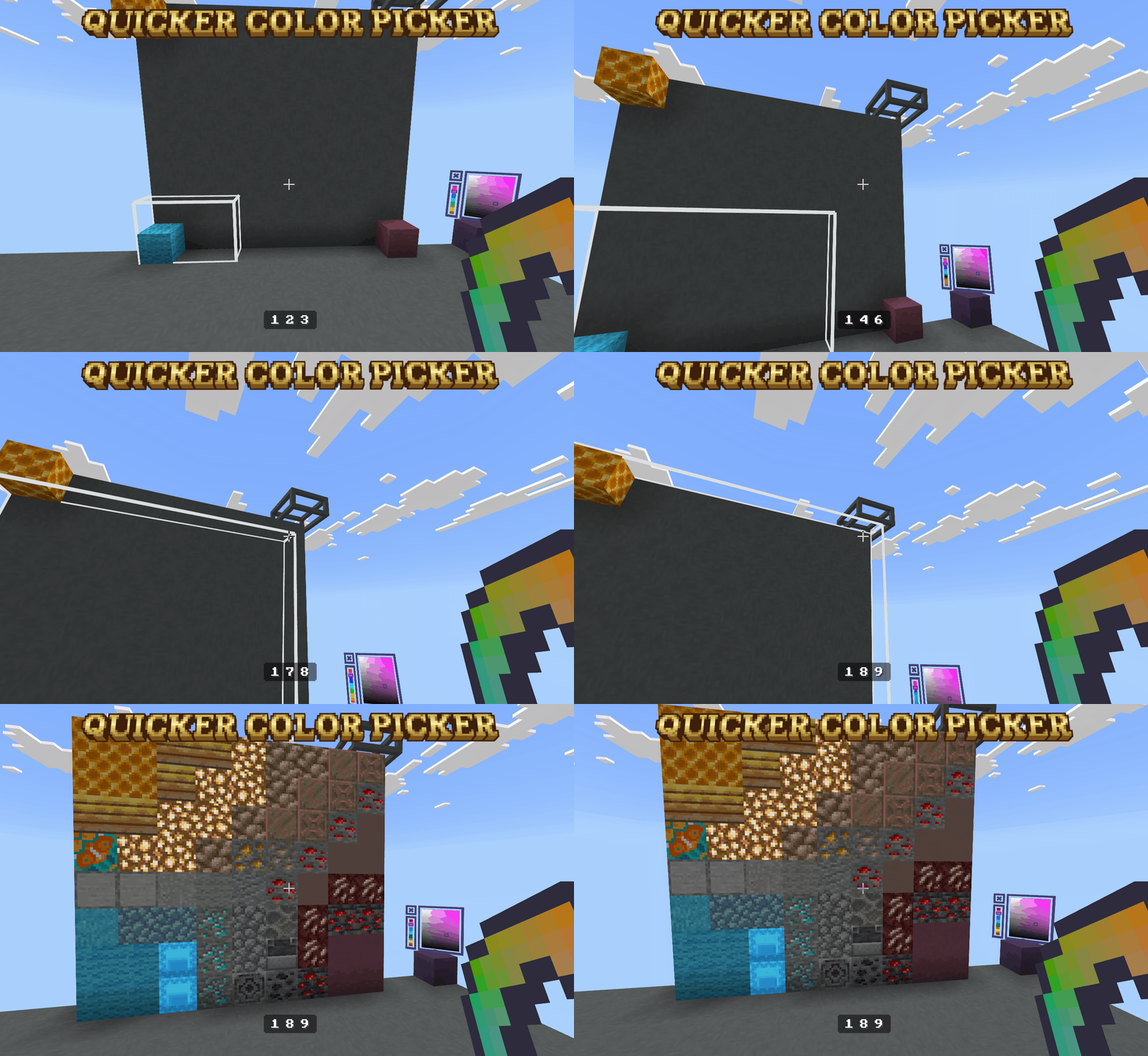
Create a Palette
- Select a starting point
- Pick a side of the block (this will control how the palette with build)
- Hold down the build/interact button
- Move where you are looking to where you want the palette to end
- Release the build/interact button
Pick a Color
- Press build/interact on a block
- Move the sliders by holding down build/interact
- Press x to close the menu
Quicker Color Picker Team