PvP Practice Bots
- By
Fully automatic PvP bots, that will fight, heal, and defend against you to practice various PvP styles, like Sword, Axe, or Mace, or build your own AI, without any coding knowledge! Then record it all with /record and watch it back!

How to spawn a bot
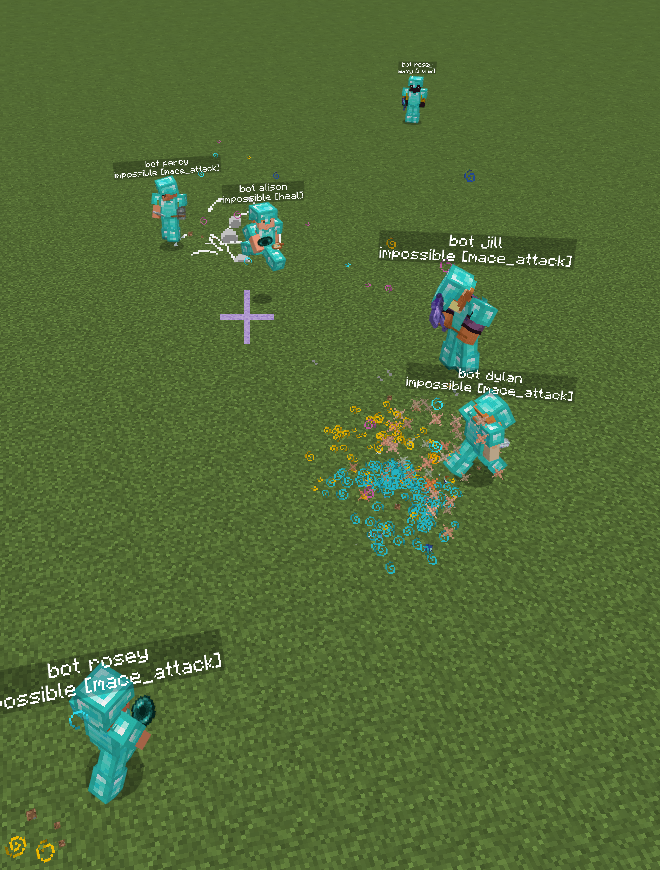
abunch of bots fighting
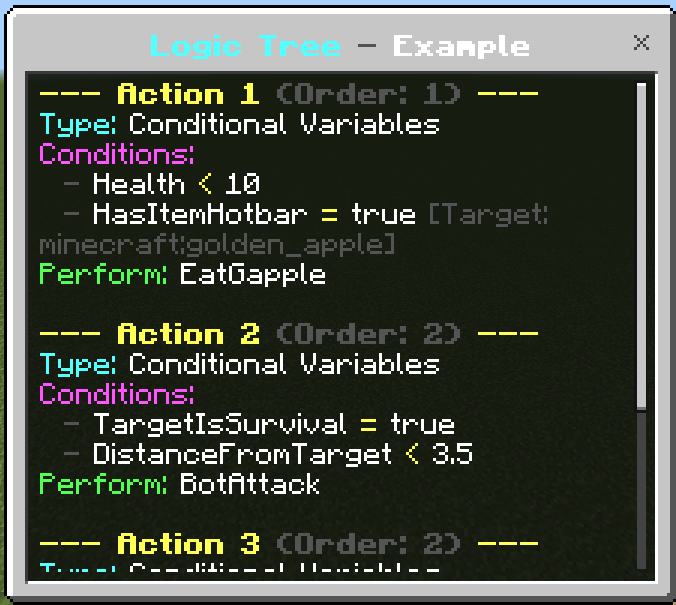
Custom Bot Logic Tree
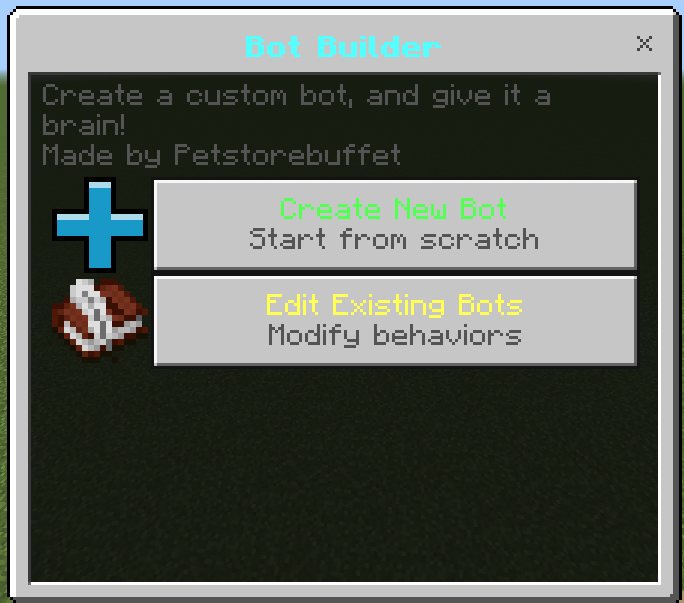
Custom Bot Builder
Description
!! IMPORTANT !! Beta APIs need to be enabled!
And you must be on the most recent Minecraft version!
If using Blurrys, make sure this add-on is above Blurrys in the BP list. (still working on compatability issues)
Now with a dual system and a way to share custom bots!
Wiki Page: PvP Practice Bots WIKI
Custom Skins Tutorial (different add-on but still applies)
Custom Skin Tutorial
How to share custom bots:
How to share custom bots
To begin, start by spawning one with the following:
every input is optional and will default to something else if not inputted /spawnbot <difficulty> <type> <target> <ignoredTag> <Location> <customName> <count> <skin>
**Target options:
"" = command sender
"bot" = other bots
"player" = non-bot players
"mob" = non-player/bot entities
"all" = closest entity
"partialName" = whoever's partial name you input, ex: (my name is petstorebuft) so "pets"
Ignored Tag options:
"" = none
"none" = none**
then if you notice too many, just run
/removebots <target - optional>
(bots are considered players, so @p, @r, and @a selectors work on them)
If you're curious about the internals, just type
/botdebug
If you want to create your own bot, use the following:
/botbuilder
To help debug or test run:
/forceaction <target> <action>
Give someone a kit:
/kit <type> <target>
Save your inventory as a custom kit:**
/savekit <kitname>
List all kits:
/kits
**And finally to adjust various settings and enable better AI type:
/settings
To record your game use:
/record <recording name> <tick interval - optional>
/stoprec
/playback
To record custom actions, run:
/recordaction <name> <length>
/spawnbot, /removebots, /kit, and /mlspawn have command block support!
How to set up duels:
To begin as an admin, type /duels; this will open a menu (for players, if they type it, they don't have the same options). In this menu you can create and edit duels; simply press "new duel," create it, edit it, and fill out the information that you want!
To start a duel either type /duels and select one, or type /duel <type> <target - optional>
Then if you want to end the duel you are in, or you're an admin and want to end specific duels, simply type /endduel <target - optional>
/Endduel works in command blocks too!
Introduction to machine learning bots:
Machine learning bots work by getting "trained"; they will learn from fighting and "upload" the data to a global brain, and then future ML bots will pull from the brain and apply it to their current combat to be better at fighting.
To spawn a single ML bot:
/mlspawn <class> <difficulty> <target> <x> <y> <z>
The spawned bot will now learn by fighting you or the set target, but this is very slow, so you can train multiple at once via:
/mltrain <class> <difficulty> <on/off> <count>
This will spawn multiple pairs of bots that fight each other while learning; one focuses on defense while the other focuses on attacking, resulting in a good balance. You can also train multiple types of kits with this.
To apply the learned data to the pre-made bots, just run:
/mltoggle <class> <on/off>
To see the total bot data, like what it's learned / the storage it's used, run these two commands:
/mlstats <class>
/mldata
Then to reset a trained class's data run:
/mlreset <class/all>
Finally to adjust the ML settings run:
/mlsettings
Currently there are 5 types of pre-built bots:
Sword:
only a diamond sword + armor, with basic enchants
axe:
diamond sword/axe/armor, basic enchants
bow, crossbow
5 arrows
mace:
two maces with enchants
enchanted diamond sword/axe/armor
2 totems,
multiple strength/speed pots
a stack of golden apples
2 stacks of wind charges
2 stacks of pearls
elytra (doesn't use yet)
UHC:
diamond armor/sword/axe/pickaxe, basic enchants
2 stacks of wood/cobblestone
2 lava buckets
2 water buckets
16 webs
16 arrows
bow/crossbow basic enchants
crystal:
netherite sword/axe/pickaxe/armor, typical enchants
11 totems
4 stacks of pearls
5 stacks of crystals
3 stacks of xp bottles
3 stacks of obsidian
2 stacks of respawn anchors
2 stacks of glowstone
1 stack of arrows
1 stack of golden apples
1 enchanted crossbow
cart:
netherite sword/armor, typical enchants
2 stacks of rails
2 stacks of golden apples
2 stacks of webs
1 stack of XP bottles
2 stacks of pearls
1 stack of arrows
19 TNT minecarts
6 instant health 2 potions
crossbow w/ Quick Charge 3
enchanted flint and steal
enchanted bow
The bots scale with difficulty via attack speed, accuracy, and various habits.
This pack will be updated to improve the AI and add more kits!
Helpful to know:
Bots by default will get auto tagged by the action they are performing the tag will look like:
action_<actionItsPerforming> so for example action_basic_attack or action_none, this can be used to be detected by command blocks for custom things, or running the /forceaction command
How to create custom AI bots:
All custom bots have the tag CustomBot_botId, so you can use that to auto-do stuff to them!
Support & Custom Work
Check me out on Fiverr
Discord server: https://discord.gg/QgeeGsEAkp
Discord username: **petstorebuffet
**
I will 100% take any advice on this pack for features to add or any bugs that need fixing!
PvP Practice Bots Team
Owner