![Portal Link [Teleport System] (Achievements Friendly) logo](https://media.forgecdn.net/avatars/thumbnails/2056/974/64/64/639254197421091901.png)
Portal Link [Teleport System] (Achievements Friendly)
- By
Create custom linkable dimensional portals with an interactive UI, real-time floating text, mob teleportation, and direct XYZ coordinate warping across the Overworld, Nether, and The End, also with a built-in fall protection! Survival-friendly & lag-free.
This Add-On lets you craft functional portals in Survival, connect them together, or warp directly to custom XYZ coordinates across the Overworld, Nether, and The End, all can be managed via an intuitive interactive in-game menu, and read real-time status with floating texts on Portals!
The Portal is also Craftable, so is possible to use in Survival Mode.
The Add-On is completely Achievements Friendly and lag-free, so you can add this Add-On to your survival world while still unlocking Achievements and without lag!
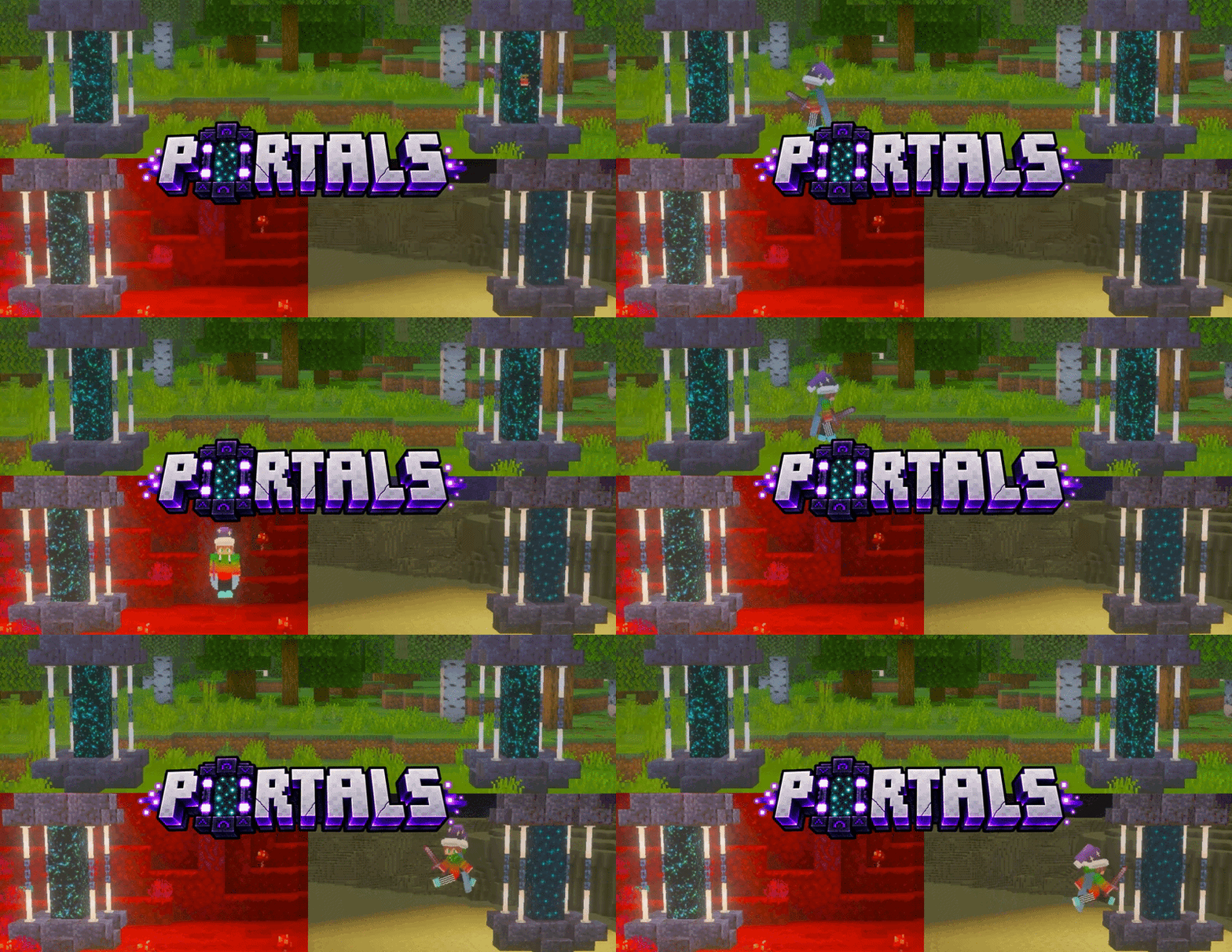
PORTAL IMAGE:
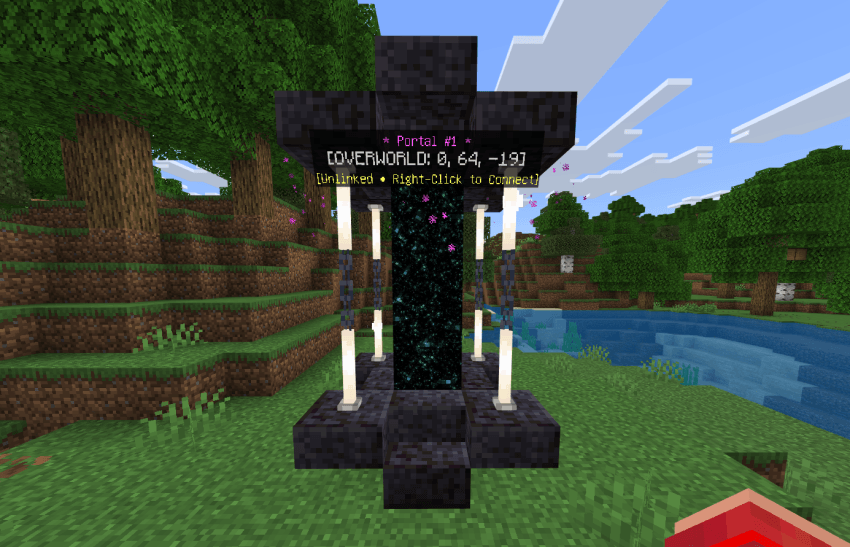
VIDEO SHOWCASE:
Thanks to WALTER Minecraft for allowing me to feature his video! :D
HOW TO CONFIGURE PORTALS:
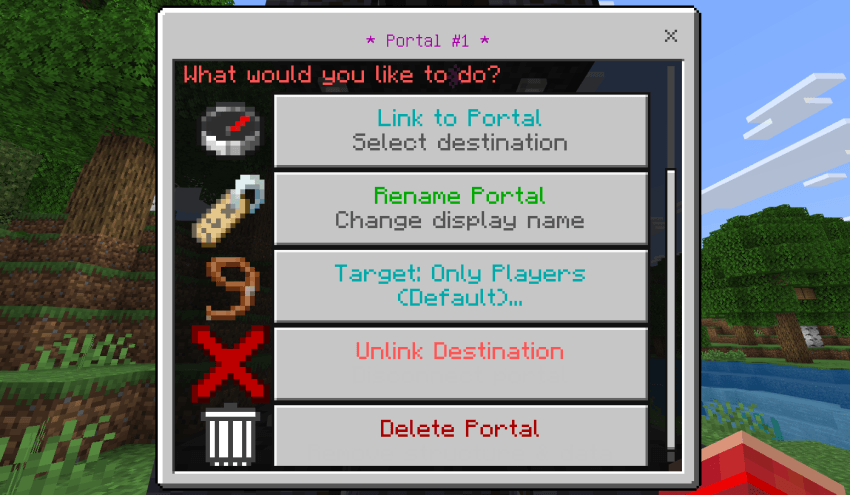
This image shows the main interactive Action Form GUI that appears whenever a player right-clicks on any block of a placed portal structure. Here is the in-depth explanation of every component on this interface:
1. Header & Context (★ Portal #1 ★):
- Displays the active portal's custom or default name.
- The dialog body summarizes the portal's exact coordinates (X,Y,Z), its dimension (Overworld, The Nether, or The End), and its current destination link status.
2. Button 1: Link to Portal (Compass Icon):
- Opens the destination selection menu:
- Lists all other existing portals across any dimension (showing their names, dimensions, and coordinates).
- Provides a Custom Coordinates (XYZ) option to configure raw coordinate teleportation without needing a second portal structure at the target location.
3. Button 2: Rename Portal (Name Tag Icon):
- Opens a text input modal allowing the player to enter a custom name (e.g., "Main Base", "Nether Fortress", "End Island").
- Renaming instantly updates the global database and the 3D Floating Text Hologram above the portal's roof.
4. Button 3: Target: Only Players (Default) (Lead Icon):
- A toggle switch controlling entity filtering:
- Only Players (Default): Teleports only players who step into the gateway.
- All Entities: Enables teleportation for mobs, livestock, pets, and items (supported for same-dimension travel with bounce-protection safeguards).
5. Button 4: Unlink Destination (Red 'X' Icon):
- Disconnects the current destination link, returning the portal to an idle standby state.
- The 3D hologram updates to show
[Unlinked • Right-Click to Connect].
6. Button 5: Delete Portal (Trash Can Icon):
- Opens a deletion confirmation dialog.
- When confirmed, the 3×3×5 structure is cleanly removed, holograms are deleted, all database links pointing to it are cleared, and the
Portal Placeritem is refunded back to the player.
HOW TO CRAFT THE PORTAL PLACER:
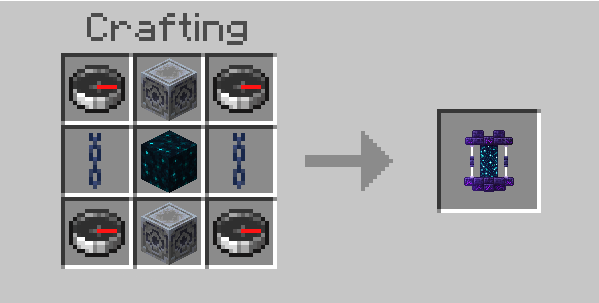
To craft the Portal Placer you need:
- 4 Compasses (Corners)
- 2 Lodestones (Top, Bottom, Left, Right)
- 2 Chains (Sides)
- 1 Sculk Block in the Center.
To generate the Portal Structure, simply right-click the Portal Placer item.
OTHER FEATURES:
- Smart Landing Slow Falling: Warping to custom coordinates gives particle-free Slow Falling that instantly disappears the moment you touch solid ground, ladders, or water.
- Auto-Vacuum Block Recovery: Placing a portal cleans the 3×3×5 area and automatically vacuums all broken blocks directly into your inventory.
- Player Push Safety: Any player standing inside the placement zone is safely pushed outside so no one gets stuck in solid blocks.
- Chunk-Loading Anti-Glitch: Keeps you safe during cross-dimension teleportation until the destination chunk loads, preventing suffocation or falling into the void.
- Mob Anti-Bounce Protection: Teleported animals and mobs receive a 10-second cooldown to prevent them from bouncing back and forth endlessly.
- Structural Integrity Watchdog: If the portal's anchor blocks (Lodestones) are mined or blown up, the portal dismantles safely and refunds the Portal Placer item on the ground.
- Smart Default Heights: Leaving Y blank in custom coordinates automatically applies a safe height (150 in Overworld, 90 in Nether/The End).
If you want to share the addon, be sure to send the MCPEDL or CURSEFORGE addon link
You can also find this content on the official ADDONS UNIVERSE App!
Remember, this content is strictly exclusive to these 3 platforms.Thanks and have fun! :D
|- Download Other Incredible Addons: HERE -|
Portal Link [Teleport System] (Achievements Friendly) Team

Owner

![Happy Ghast with Chests [Mobile Warehouse] (Achievements Friendly) project image](https://media.forgecdn.net/avatars/thumbnails/2057/27/256/256/639254213956336552.png)
![Dynamic Light + Offhand Torch [Second Hand] (Achievements Friendly) project image](https://media.forgecdn.net/avatars/thumbnails/1391/838/256/256/638902416549870886.PNG)